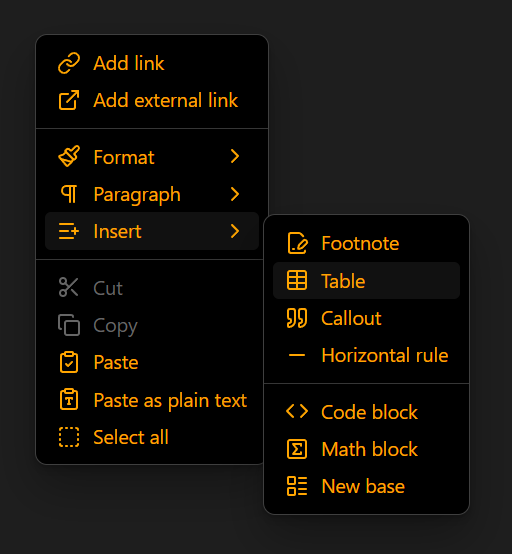
My context menu for some reason is white with black text, while the rest of the UI isn’t and idk how to fix, i have looked everywhere i can think of and i have at this point just gotten used to the bight white neon on a dark background bc i couldn’t fix it soon enough and i’ve had to use the vault since the issue came up.
In the default theme, the context menu has a dark background in dark mode and a light background in light mode. For your menu to be the opposite of the rest your window, you may have enabled a theme, CSS snippets, or plugins that changed it.
This CSS sets the context menu’s background, text, and icon colors:
You might also want to change your hover and muted colors.
If that doesn’t work, you’ll have to investigate what you’ve already changed or tell the forum your relevant theme, plugin, or snippet to get help adjusting it.
Thanks. And i have since learnt it’s due to css as u mentioned, due to me deciding to make another vault with similar specs, which it didn’t happen to. I will let u know if this fixes it