I have Git merge conflict and need to resolve it manually. I search for <<< or >>> but nothing comes up. === or putting string in quote ("<<<" or ">>>") does. The Search - Obsidian Help article doesn’t explain. Any idea?
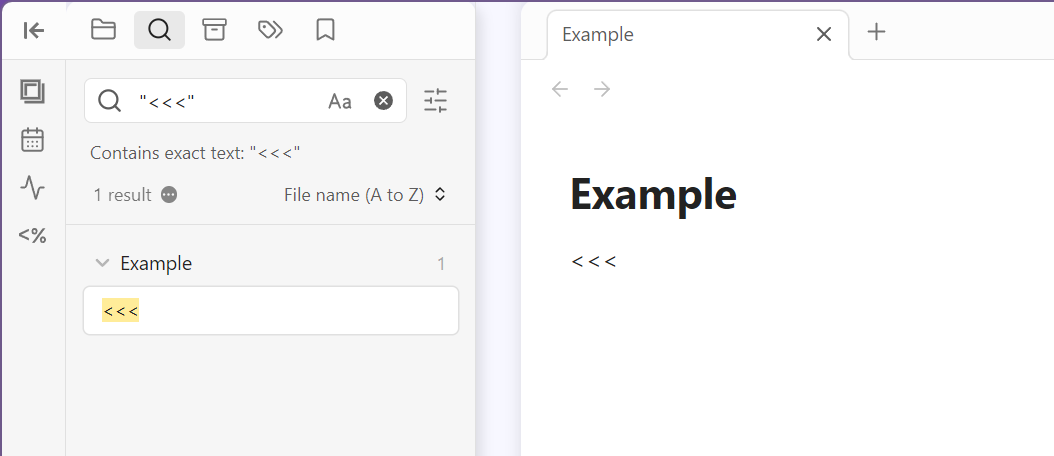
I tried "<<<" just now, and it found this text:
Are you typing it exactly like that, or could there be something different about where/how the string appears in your notes?
Interesting. A single < or > as search term is also being ignored. They also need to placed between quotations marks. I have no idea why they should be considered special characters. Looks like a bug or undocumented functionality.
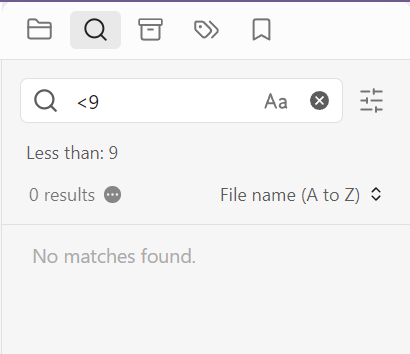
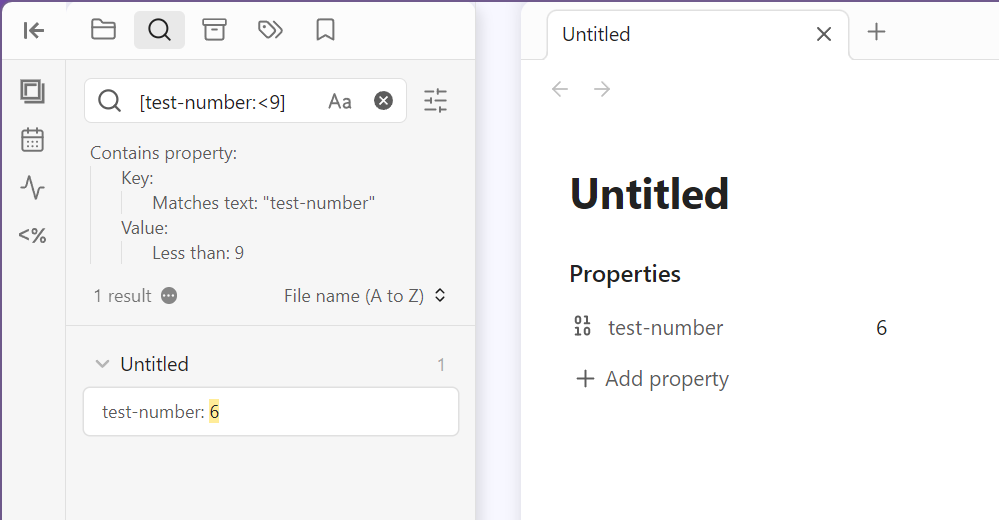
Oh, I had misunderstood Ooker’s post. So it seems a < in the search is an operator for “less than”:
As in:
4 Likes
Nice find!
I wrote an enhancement request for the documentation: https://github.com/obsidianmd/obsidian-help/issues/902
2 Likes
perhaps you need to escape the special characters if you want to do a literal character search?
This topic was automatically closed 90 days after the last reply. New replies are no longer allowed.