First, search the help docs and this forum. Maybe your question has been answered! The debugging steps can help, too. Still stuck? Delete this line and proceed.
What I’m trying to do
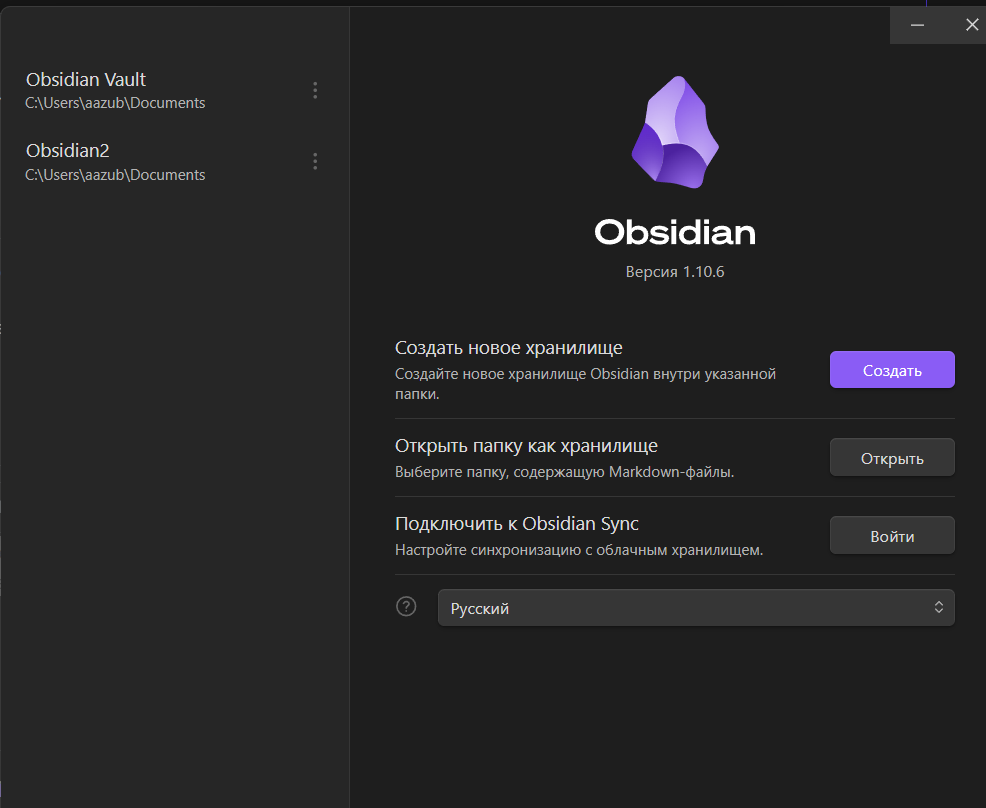
!When opening Obsidian, the program prompted me to create a new vault, even though I’ve been using the old one for a couple of years. The old vault, with all its folders and notes, is displayed, but it won’t open. I can only access the new vault, but there aren’t any folders or notes. Switching between vaults in the bottom left doesn’t work. The vault folder contains all the folders with notes. How can I get my main vault back?
Things I have tried
Switch between storages, create a new storage. I didn’t find a solution in the help docs.
Just to make sure: when you click this option, a dialog window should open where you can choose any folder as a vault. Is that already not working? Or can you not select that specific folder?
Now I understand your question. I can open this dialog box and select the storage folder. When I select it, the dialog box closes, but the old folders don’t appear.