Hello there, I’m starting my Obsidian journey… Actually, I have been deliberating since at least 2022 but I’m finally convinced that this is a good investment so I’ll be giving at least 2 weeks and probably 3 months experimentation (I’ll try daily connecting/prioritizing of thoughts). Any who… want to hear from you: What are the things you regret doing/learning (if unlearning is harder than learning, it makes sense to be cautious about what you learn!)… and also, what are the things you wish you have done or grasped earlier?
2 Likes
I regret that I knew about Obsidian since its first releases, but joined only later.
Using Obsidian is a journey, because you work in function of personal knowledge management, this means Obsidian is just a tool and not the end goal in itself.
Also, there are no shortcuts, because only through failing you learn to improve what you really need vs what appeals you at first.
Also, you can use pkm to deal with your experience in very different ways, depending your profession and interests. Are you a “gardener” or “architect”, how do you treat your notes ?
Important to
- start with the basics, this would be to learn markdown.
- Second, to organize meaning with default tools, by studying other people’s vaults similar to your research and interests.
- Third, to expand with plugins, to refine your experience.
- Forth, a willingness to deepen pkm, this are the best “news” you can absorb to move forward.
Important guides are books about pkm. Example
It seems to me, often we like to collect data, but don’t work with data, but that’s crucial and our knowledge work:
- create projects,
- refine main information, use links to highlight important, branching references
- try to delete as much notes as possible to keep the best. Like in math: summarizing what matters
- put quick notes in a daily note,
- use properties to give your notes meaning
Take it easy and don’t try to force a perfect system to organize your vault unless you have already workflows you want to implement.
5 Likes
I’d say take it easy, make it as simple as possible, and make it work for YOU.
Create a note. Start writing in it. Consider each line in a note as it’s own thing. Add some bullet points. Use tab to add indentations to structure your thoughts. Add some # Headings to add even more structure. Once you got something content, consider turning the heading into its [[own note]]. Add a #tag to your note. Repeat. But hey, that’s just how my brain works. See what works for you. But most of all: use it, instead of thinking how to use it. See what works for you. Make it work for you. Think what else you’d need, see if there are some plugins that do that. Have fun with it and consider it a tool, an extension of your brain. Check out how other’s do it, but don’t try to force your brain into someone else’s system. Do your thing to your own benefit
2 Likes
my biggest mistake was not following my own rules and restrictions. i would change so many things impulsively. i would create new properties and tags whenever i wanted to. i would put some notes into folders for no particular reason.
doing this creates chaos very fast. you don’t even want to look at your vault. it’s like looking at a website designed by someone who hates their job.
and i solved this problem unintentionally. i created a templater script for my quick notes, which asks for “content”, “(note) type” and “subject”. i could only enter a single value for each property. i used this template very frequently. being limited to 3 properties was a little bit counter-productive, but my main problem was being too impulsive and it really helped me.
2 Likes
I regret not having access to AI when I was setting up Obsidian. For example, the following Copilot prompt was especially helpful to improved my setup:
“Recommend an Obsidian taxonomy for me based on the book The Organized Mind by Daniel Levitin. Use properties to maximize the power of the Bases plugin.”
1 Like
1. Why I Switched from Evernote to Obsidian
I’m new to Obsidian too. I switched because I watched how others do knowledge management and realized Obsidian is better suited for the AI era—plus all files are stored locally, not in the cloud.
2. What I Regret Doing
I spent too much time talking with AI about design details instead of just starting to write a journal. After two weeks of using Obsidian, those details (like how to configure Templater) answered themselves.
I also wasted a lot of time downloading multiple local LLMs. To learn Obsidian, you just need to get one working first.
3. What I Did Right
-
Watched different YouTubers introduce Obsidian and quickly grasped its essence: connections.
-
Moved only about 20 active notes into Obsidian to learn the basics while using it.
-
Kept asking myself “Why do I need knowledge management?” This step is crucial. The tool is just a tool; the core is my own goal: to express, share, and better see myself—essentially to externalize and train my second brain.
-
Realized that Obsidian + flomo + Apple Keychain are enough to achieve my goal. So I decided to make “iterating my knowledge management with Obsidian” my first real AI project.
-
Started designing a workflow and set small goals (see below).
-
Saved each iteration version, which later automatically became a navigation guide for how to use this system with AI.
-
My current Knowledge Management V3 is a personal system based on Obsidian, with five folders (
clippings,copilot,Archive-Past,Create-Present,Connect-Future) and five tags (#core,#archive,#active,#daily,#copilot-conversation). Core principles: MOC‑driven “map‑territory” separation, AI assistance, low decision cost, high scalability. Goals: store, create, connect—let the system drive action and help me see myself.
My five small milestones:
-
Journal → AI reflection
-
Reading notes → script generation
-
Dashboard to see “orphan notes”
-
Daily AI nudge (optional)
-
Full workflow flywheel
Each takes 1‑2 hours to complete, and checking them off feels great.
4. What I Wish I Had Done Sooner
If I could start over, I’d tell myself:
-
Write 10 journal entries first, then use Templater to auto‑fill dates. Needs emerge from using, not from tutorials.
-
Start with one AI plugin, use an online API to get one small loop working (e.g., journal reflection), then think about local models. Otherwise you’ll get stuck in environment setup.
-
Ask myself once a week: “Why am I doing this?” This question matters more than any plugin config—the end goal of knowledge management isn’t the tool, it’s seeing yourself.
2 Likes
hello! I’m also new here and there answers people are posting here are wonderful! thanks 
2 Likes
What I learned during the journey:
-
Always experiment first! Do not plan in your mind, with your imagination. Do not “think” too much about ideal systems. Do them. Write the notes, edit them, link them… and DURING the work itself see what works for you and what not. Be more in real notes (and devise the system and rules during working with them) than in meta-thinking about system optimisation .
-
Do not take any methodologies religiously. Especially among Zettelkasten fans there are some quite fundamentalist-like. We are so different and are brains are different. Just be inspired by the PKM methodoloiges but always try to respect your preferences, your brain and devise your own system at the end.
-
Your system will grow. It is not possible to devise it in the beginning. Now I have around 1200 notes and it still grows = rules and organisational principles change. That is normal and sign of the system being alive. You can refactor the notes for new systems/rules quite quickly (using mass text edit utilities etc), so do not bother with perfect system.
-
I really regret only thing - that I did not put ALL MY STUFF (articles I wrote, notes etc) from the beginning of my career in one place. Just one place. It does not have to be system or anything. If I would have them in one place (and one format), I could organise them easily today. But after all those years, they are already lost and scattered. So I do not do that mistake again and I save everything important. I can always put some part of the system to specific “low priority” folders or even archive vaults. But I learned my lesson already. Save everything.
3 Likes
Four years deciding whether this was even worth your time.
Honestly? That instinct — not wanting to waste it — is the one most people lose the second they start. And it’s the one worth protecting.
Because here’s what nobody warns you about: the regret is almost never the tool. It’s the pile of notes you collected and never came back to.
Capturing feels like progress. It rarely is. A note you save is just a seed — and right then you have no idea if it’ll grow into anything or quietly rot in a folder you’ll never open again. A vault full of untended seeds isn’t a second brain. It’s a tidy graveyard.
The people who say “I wish I’d started sooner” almost never mean they wish they’d saved more. They mean they wish they’d gone back. Revisited. Asked of each thing: is this becoming something — or am I just hoarding it to feel productive?
So if you guard one habit from day one, don’t let it be your folders. Let it be the small, almost boring ritual of returning — keeping what’s alive, cutting what’s dead. The structure can stay laughably simple when the review is real.
You’re already doing the rare thing: asking before building. Don’t lose that.
— We’re PB Evolution. We help people turn scattered effort into something that actually grows. And you’re asking exactly the right question. 
1 Like
What’s PB evoloution?
I do not know either , if PB means Pattern-Based, then by seeing patterns you develop your ideas further by seeing a pattern in your notes. Your notes are unique to you so your pattern formation is unique to you. This is how I understand and see it. Only getting into Zettelkasten but I have been using a similar method without knowing about this system.
1 Like
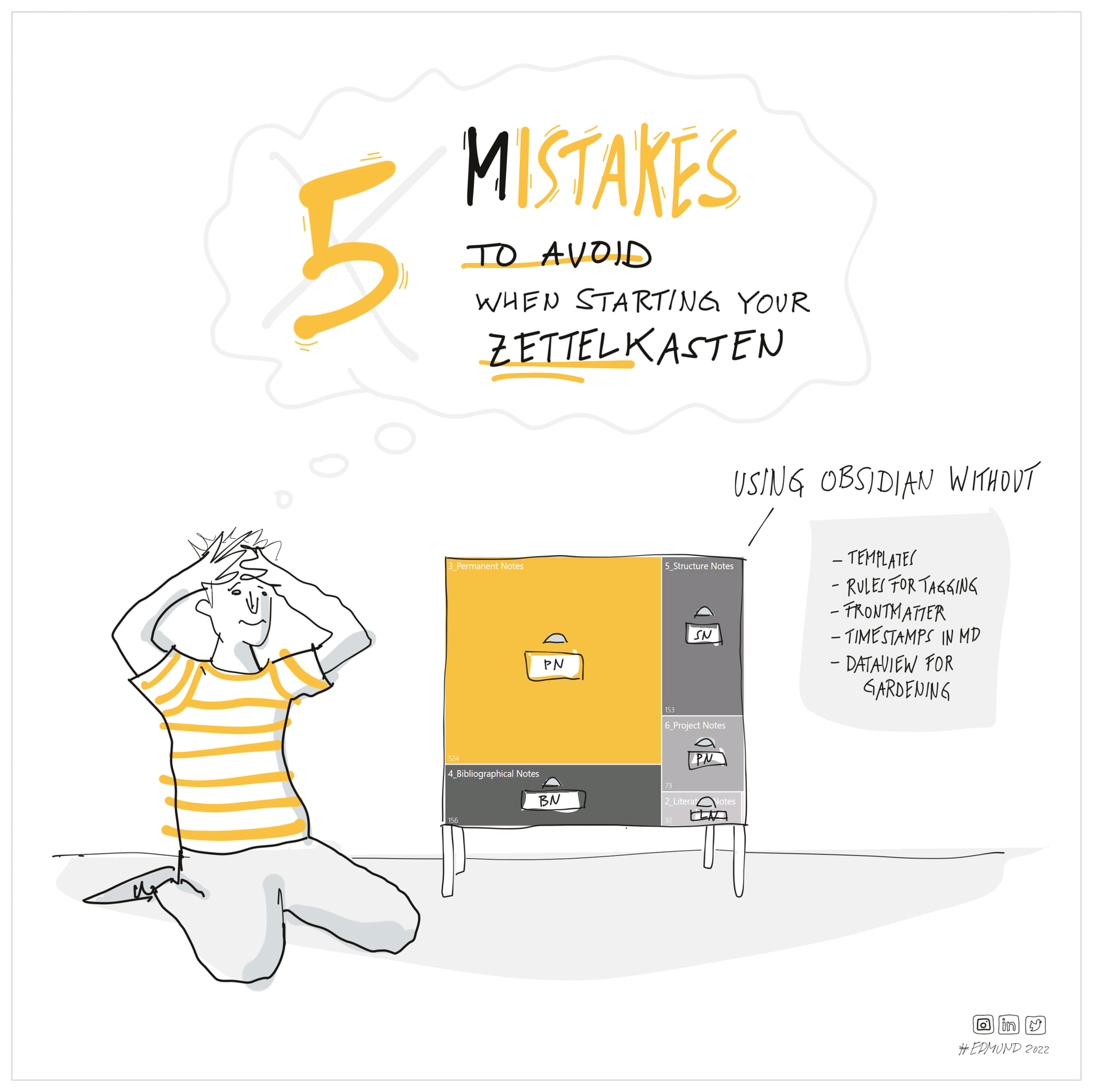
My five mistakes. More about: Provide structure. How do you use Zettelkasten in Obsidian? - #9 by Edmund