Web Clipper YouTube video + transcript (for YT's UI Feb 2026 update )

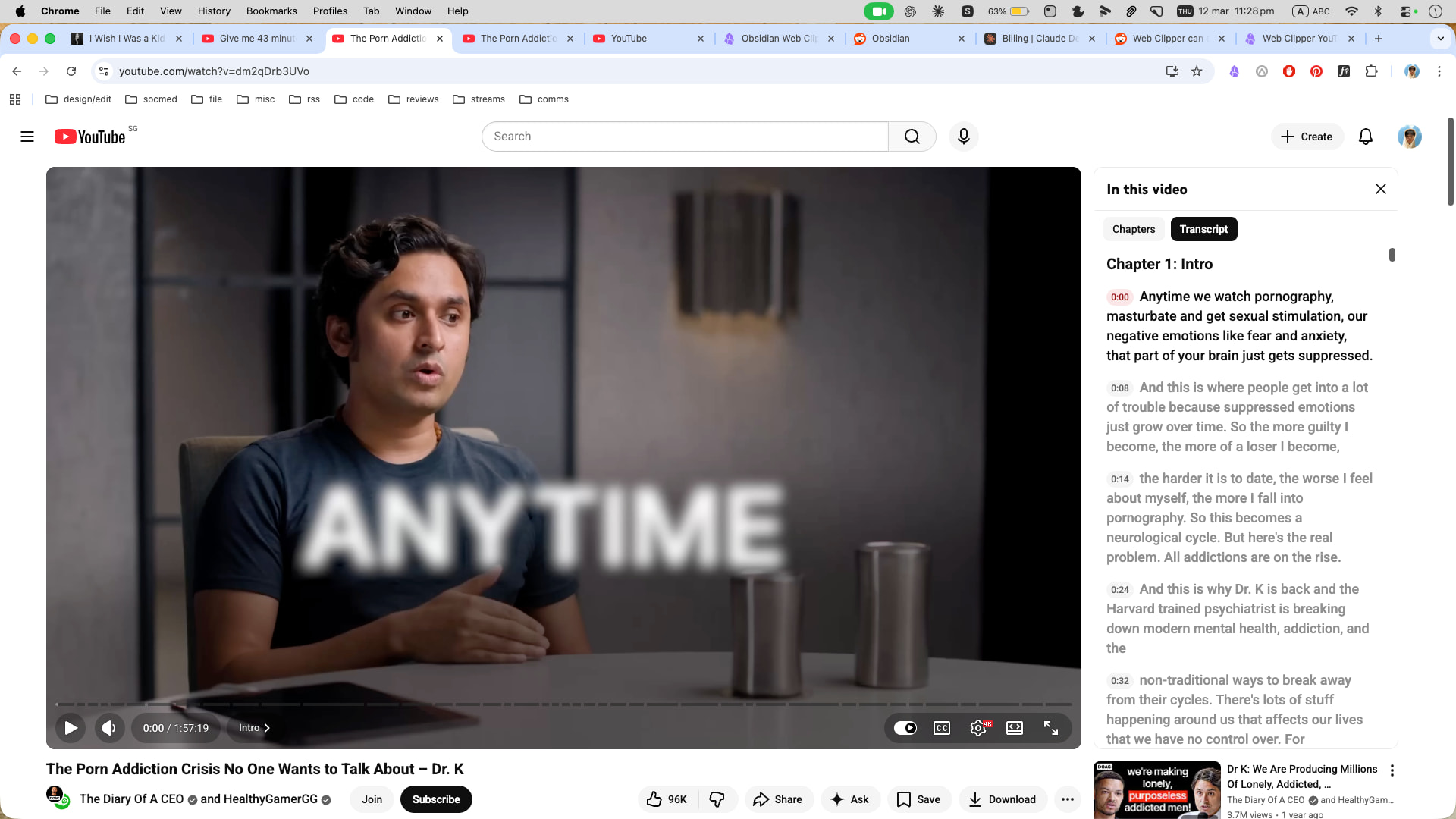
After getting extremely frustrated this morning and working with Claude for a while, I finally found that the CSS selector hasn’t changed, but the target-id changed, for YouTube transcripts due to their February 2026 UI update.

Here is an updated template you can use for anyone else that’s been fighting this recently.

{
  "schemaVersion": "0.1.0",
  "name": "YouTube with transcript (2026 fix)",
  "behavior": "create",
  "noteContentFormat": "## About\n\ntype:: #type/video/youtube\n\n![{{title}}]({{schema:@VideoObject:embedUrl|replace:\"embed/\":\"watch?v=\"}})\n\n## Description\n\n{{schema:@VideoObject:description}}\n\n## Notes\n\n\n\n## Transcript\n\n{{selectorHtml:ytd-engagement-panel-section-list-renderer[target-id=\"PAmodern_transcript_view\"] span.yt-core-attributed-string|replace:\" \":\" \"|join|markdown}}",
  "properties": [
    {
      "name": "created",
      "value": "{{time|date:\"YYYY-MM-DDTHH:mm:ssZ\"}}",
      "type": "datetime"
    },
    {
      "name": "url",
      "value": "{{schema:@VideoObject:embedUrl|replace:\"embed/\":\"watch?v=\"}}",
      "type": "text"
    },
    {
      "name": "title",
      "value": "{{schema:@VideoObject:name}}",
      "type": "text"
    },
    {
      "name": "channel",
      "value": "{{schema:@VideoObject:author}}",
      "type": "text"
    },
    {
      "name": "published",
      "value": "{{schema:@VideoObject:uploadDate|date:\"YYYY-MM-DD\"}}",
      "type": "datetime"
    },
    {
      "name": "thumbnailUrl",
      "value": "{{schema:@VideoObject:thumbnailUrl|first}}",
      "type": "text"
    },
    {
      "name": "duration",
      "value": "{{schema:@VideoObject:duration|replace:\"PT\",\"\",\"S\",\"\"}}",
      "type": "text"
    }
  ],
  "triggers": [
    "https://www.youtube.com/watch"
  ],
  "noteNameFormat": "{{schema:@VideoObject:uploadDate|date:\"YYYY-MM-DD\"}} VIDEO {{schema:@VideoObject:author}} - {{schema:@VideoObject:name|safe_name|trim}}",
  "path": ""
}

Or if you just want the transcript bit to paste into an existing template:

{{selectorHtml:ytd-engagement-panel-section-list-renderer[target-id=“PAmodern_transcript_view”] span.yt-core-attributed-string|replace:" “:” "|join|markdown}}

Cheers
6 Likes

Update (March 2026): The selector in the post above has also stopped working — PAmodern_transcript_view no longer appears in YouTube’s DOM. Two things changed: the target-id value, and the transcript text is now in .segment-text elements rather than span.yt-core-attributed-string. Standalone snippet:

{{selectorHtml:ytd-engagement-panel-section-list-renderer[target-id="engagement-panel-searchable-transcript"] .segment-text|replace:" ":" "|join|markdown}}

Full updated template:

{
  "schemaVersion": "0.1.0",
  "name": "YouTube with transcript (2026 fix)",
  "behavior": "create",
  "noteContentFormat": "## About\n\ntype:: #type/video/youtube\n\n![{{title}}]({{schema:@VideoObject:embedUrl|replace:\"embed/\":\"watch?v=\"}})\n\n## Description\n\n{{schema:@VideoObject:description}}\n\n## Notes\n\n\n\n## Transcript\n\n{{selectorHtml:ytd-engagement-panel-section-list-renderer[target-id=\"engagement-panel-searchable-transcript\"] .segment-text|replace:\" \":\" \"|join|markdown}}",
  "properties": [
    {
      "name": "created",
      "value": "{{time|date:\\\"YYYY-MM-DDTHH:mm:ssZ\\\"}}",
      "type": "date"
    },
    {
      "name": "url",
      "value": "{{schema:@VideoObject:embedUrl|replace:\\\"embed/\\\":\\\"watch?v=\\\"}}",
      "type": "text"
    },
    {
      "name": "title",
      "value": "{{schema:@VideoObject:name}}",
      "type": "text"
    },
    {
      "name": "channel",
      "value": "{{schema:@VideoObject:author}}",
      "type": "text"
    },
    {
      "name": "published",
      "value": "{{schema:@VideoObject:uploadDate|date:\\\"YYYY-MM-DD\\\"}}",
      "type": "date"
    },
    {
      "name": "thumbnailUrl",
      "value": "{{schema:@VideoObject:thumbnailUrl|first}}",
      "type": "text"
    },
    {
      "name": "duration",
      "value": "{{schema:@VideoObject:duration|replace:\\\"PT\\\",\\\"\\\",\\\"S\\\",\\\"\\\"}}",
      "type": "text"
    }
  ],
  "triggers": [
    "https://www.youtube.com/watch"
  ],
  "noteNameFormat": "{{schema:@VideoObject:uploadDate|date:\"YYYY-MM-DD\"}} {{schema:@VideoObject:author}} - {{schema:@VideoObject:name|safe_name|trim}}",
  "path": "Clippings/Videos/"
}

Make sure the transcript panel is open before clicking the Web Clipper button, as the segments are only in the DOM while the panel is visible.

1 Like

Both the options provided are not working currently. I think yt updated the interface again. Does anyone has a fix for it?

@krishnakanthb13 This worked for me. Make sure you have the transcript panel open first before using the web clipper. And don’t remove the space before .segment-text.

@hhewett Thank you for updating this! It’s nice to be able to clip transcripts again.

Only a minor thing, but when I used the selector I quoted above, I got commas between each line of the transcript. Apparently join does that by default. I replaced it with join:" "and that fixed it. You could also use join:"\n" if you want them on new lines.

For what it’s worth, replace:" ":" " doesn’t seem to be doing anything at the moment from what I could tell.

YouTube Transcripts are painful with Web Clipper

I over engineered a solution to this problem but it works
ht​tps://youtu.be/NQldCmLJsDY

What it does

  1. n8n Trigger node to captures the YouTube URL
  2. Python Script downloads the audio track from the YouTube Video
  3. Sends it to Whisper (Self Hosted Docker) to transcribe
  4. Collect the Data, merge it into my YTV Template then send back to Obsidian with Local REST API

Most other transcription options are PAYG when I was doing my research

3 Likes

my youtube interface just got updated! was wondering if anyone has the updated portion for this?

i was previously using kepano’s version to pass the transcript and do a summary within the template itself which worked until yesterday :sweat_smile:

If anyone wants a version that removes white spaces, keeps the inline timestamps and markdown headers.
{{selectorHtml:ytd-transcript-segment-list-renderer|first|replace:" “:” “|markdown|replace:”/(\r?\n){2}(\d{1,2}:\d{2})(\r?\n){2}/g":“\n$2 “|replace:”/(\r?\n)+No results found\s*$/”:“”}}

It added a short “No results found” at the end when there were no more ‘Chapters’, so it also removes that.

hi all, managed to find a fix with the help of claude!

currently using this, let me know if it works!

{{description}}

transcript

{{selectorHtml:transcript-segment-view-model .yt-core-attributed-string|replace:" “:” "|join|markdown}}
1 Like

@ryeones

Nice that worked well.

Copied the text out, ran it through chatGPT (didn’t want to pay for tokens via API…someday I guess; seems like it could be done via the Interpret function pretty easily) , formatted it to speakers and punctuation, pasted that back into the transcript section .

Probably will only do that for a few per year but not a lot of steps.

Obsidian Web Clipper

Hey guys, I made a version that opens the link with clickable timestamps and works with both versions of the YouTube translator.

I made another version without any timestamp too, There’s a guideline with installation images for non-developers as well.

For those who want to contribute their own version of the solution, you can submit a pull request; the repository is for the community.

working

I’ve just done this with ChatGPT:

{{selectorHtml:ytd-engagement-panel-section-list-renderer[visibility$="EXPANDED"]
|markdown
|replace:"/^\\d{1,2}:\\d{2}$/gm":""
|replace:"/^\\d{1,2}:\\d{2}:\\d{2}$/gm":""
|replace:"/\\n{3,}/g":"\n\n"}}

In my case this still showed the timestamps as so:

x hour(s), y minute(s), z second(s)
or
x hour(s), z second(s)
or
x hour(s), y minute(s)
… and all the other combinations …

While y and z being either one or two digits.

For me testing showed that the unfiltered transcript contains both the hh:mm:ss timestamps as well as the ones with “hour(s)” “minute(s)” and “second(s)”.

I used your code and changed it, so these are also removed and while i was at it, i also changed the way newlines are removed. Now they are replaced with an empty string if \n{3,} was not preceded by one of .?! or otherwise replaced by \n\n.

This way the resulting transcript looks a lot cleaner in my opinion, tough sometimes the new paragraphs can feel weird if the sentence definitely is closely related to the last one and should usually not be a new paragraph. I still prefer this over the other two options i can think of, namely removing all newlines, ending up with one line, or keeping line brakes, even if they occur in the middle of a sentence.

{{selectorHtml:ytd-engagement-panel-section-list-renderer[visibility$="EXPANDED"]
|markdown
|replace:"/^(?=\\d)(?:\\d{1,2} hours?(?:, )?)?(?:\\d{1,2} minutes?(?:, )?)?(?:\\d{1,2} seconds?)?$/gm":""
|replace:"/^\\d{1,2}:\\d{1,2}$/gm":""
|replace:"/^\\d{1,2}:\\d{1,2}:\\d{1,2}$/gm":""
|replace:"/(?<=[.?!])\\n{3,}/gm":"\n\n"
|replace:"/(?<=[^.?!])\s?\\n{3,}/gm":" "}}

Just realized the newline removal for no .!? messes with the chapter headings, will look into it tomorrow i guess :sweat_smile:

This is going to be a continuous cat and mouse game. YouTube will keep changing the transcript layout and break your YT transcript extraction automations because:

  1. they don’t really want you to be able to pull the transcript because they want you hooked on watching their videos on their site
  2. even if they did want you to pull their transcripts, they don’t want to have to guarantee that they support your automations because it would limit their flexibility for future features.

In any case, YouTube transcripts are now built into the Reader feature of Obsidian Web Clipper. @kepano has done the hard work of parsing YouTube HTML to extract the transcript. And presumably, the Obsidian team will continue to maintain the parser, even when YouTube decides to continue the cat and mouse game and break change the layout. Obsidian is incentivized to maintain this parser because it makes Obsidian more valuable and it benefits the whole community.

I’m gonna keep using Obsidian’s YT transcript parser from Reader. All you need to do is put {{content}} anywhere in your template and it will extract the full content of the page, which includes the full YT transcript with timestamps. Unfortunately it includes other things, and it isn’t customizable as far as I can tell, but it works and I’m far less worried about it breaking in the future. If/when it breaks, I’m confident that the Obsidian team will fix it.

I wish there was something like a {{ytTranscript}} variable that would return only the transcript, but it doesn’t seem like that exists.

1 Like