Web Clipper YouTube video + transcript (for YT's UI Feb 2026 update )

After getting extremely frustrated this morning and working with Claude for a while, I finally found that the CSS selector hasn’t changed, but the target-id changed, for YouTube transcripts due to their February 2026 UI update.

Here is an updated template you can use for anyone else that’s been fighting this recently.

{
  "schemaVersion": "0.1.0",
  "name": "YouTube with transcript (2026 fix)",
  "behavior": "create",
  "noteContentFormat": "## About\n\ntype:: #type/video/youtube\n\n![{{title}}]({{schema:@VideoObject:embedUrl|replace:\"embed/\":\"watch?v=\"}})\n\n## Description\n\n{{schema:@VideoObject:description}}\n\n## Notes\n\n\n\n## Transcript\n\n{{selectorHtml:ytd-engagement-panel-section-list-renderer[target-id=\"PAmodern_transcript_view\"] span.yt-core-attributed-string|replace:\" \":\" \"|join|markdown}}",
  "properties": [
    {
      "name": "created",
      "value": "{{time|date:\"YYYY-MM-DDTHH:mm:ssZ\"}}",
      "type": "datetime"
    },
    {
      "name": "url",
      "value": "{{schema:@VideoObject:embedUrl|replace:\"embed/\":\"watch?v=\"}}",
      "type": "text"
    },
    {
      "name": "title",
      "value": "{{schema:@VideoObject:name}}",
      "type": "text"
    },
    {
      "name": "channel",
      "value": "{{schema:@VideoObject:author}}",
      "type": "text"
    },
    {
      "name": "published",
      "value": "{{schema:@VideoObject:uploadDate|date:\"YYYY-MM-DD\"}}",
      "type": "datetime"
    },
    {
      "name": "thumbnailUrl",
      "value": "{{schema:@VideoObject:thumbnailUrl|first}}",
      "type": "text"
    },
    {
      "name": "duration",
      "value": "{{schema:@VideoObject:duration|replace:\"PT\",\"\",\"S\",\"\"}}",
      "type": "text"
    }
  ],
  "triggers": [
    "https://www.youtube.com/watch"
  ],
  "noteNameFormat": "{{schema:@VideoObject:uploadDate|date:\"YYYY-MM-DD\"}} VIDEO {{schema:@VideoObject:author}} - {{schema:@VideoObject:name|safe_name|trim}}",
  "path": ""
}

Or if you just want the transcript bit to paste into an existing template:

{{selectorHtml:ytd-engagement-panel-section-list-renderer[target-id=“PAmodern_transcript_view”] span.yt-core-attributed-string|replace:" “:” "|join|markdown}}

Cheers
4 Likes

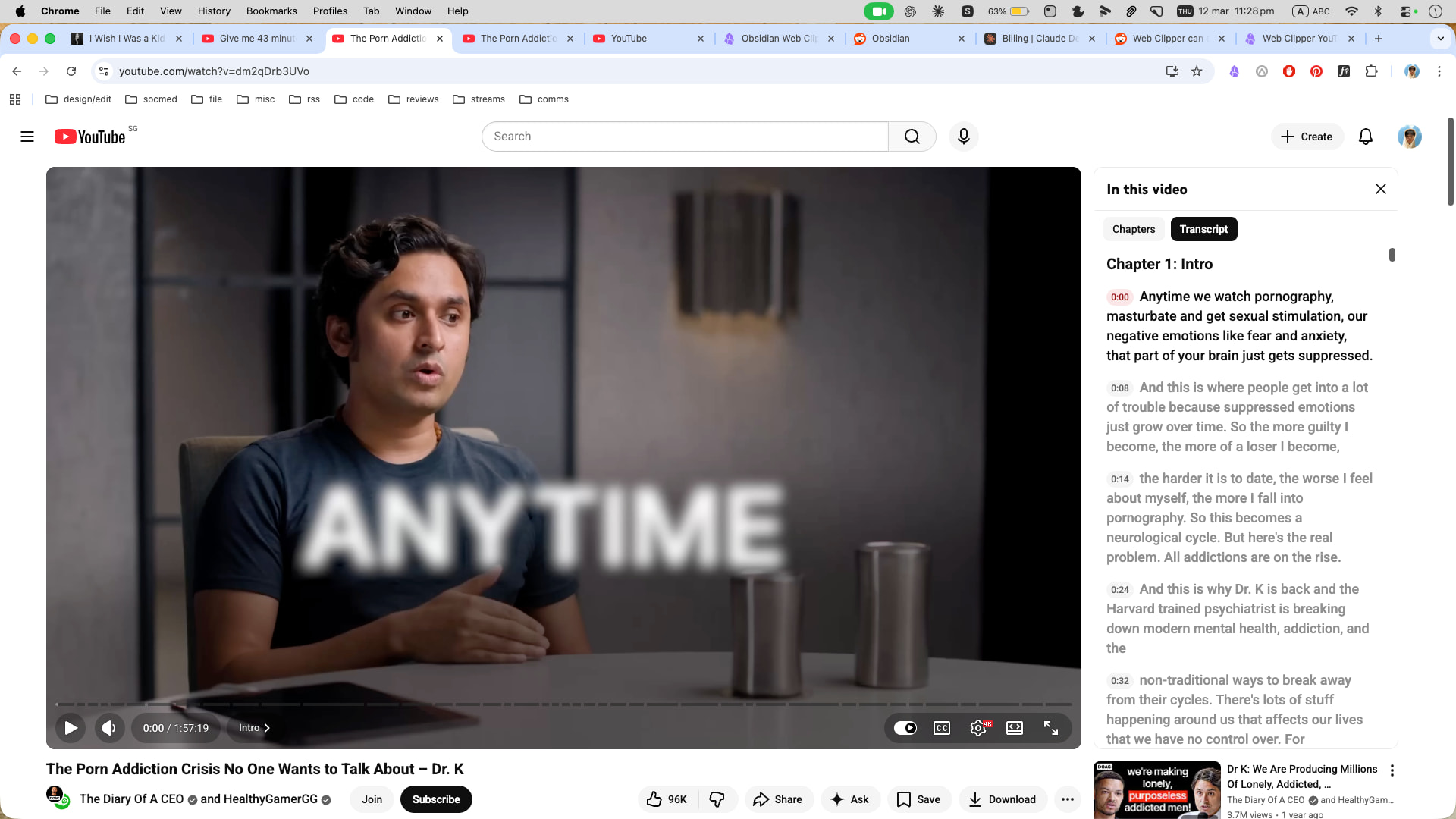
Update (March 2026): The selector in the post above has also stopped working — PAmodern_transcript_view no longer appears in YouTube’s DOM. Two things changed: the target-id value, and the transcript text is now in .segment-text elements rather than span.yt-core-attributed-string. Standalone snippet:

{{selectorHtml:ytd-engagement-panel-section-list-renderer[target-id="engagement-panel-searchable-transcript"] .segment-text|replace:" ":" "|join|markdown}}

Full updated template:

{
  "schemaVersion": "0.1.0",
  "name": "YouTube with transcript (2026 fix)",
  "behavior": "create",
  "noteContentFormat": "## About\n\ntype:: #type/video/youtube\n\n![{{title}}]({{schema:@VideoObject:embedUrl|replace:\"embed/\":\"watch?v=\"}})\n\n## Description\n\n{{schema:@VideoObject:description}}\n\n## Notes\n\n\n\n## Transcript\n\n{{selectorHtml:ytd-engagement-panel-section-list-renderer[target-id=\"engagement-panel-searchable-transcript\"] .segment-text|replace:\" \":\" \"|join|markdown}}",
  "properties": [
    {
      "name": "created",
      "value": "{{time|date:\\\"YYYY-MM-DDTHH:mm:ssZ\\\"}}",
      "type": "date"
    },
    {
      "name": "url",
      "value": "{{schema:@VideoObject:embedUrl|replace:\\\"embed/\\\":\\\"watch?v=\\\"}}",
      "type": "text"
    },
    {
      "name": "title",
      "value": "{{schema:@VideoObject:name}}",
      "type": "text"
    },
    {
      "name": "channel",
      "value": "{{schema:@VideoObject:author}}",
      "type": "text"
    },
    {
      "name": "published",
      "value": "{{schema:@VideoObject:uploadDate|date:\\\"YYYY-MM-DD\\\"}}",
      "type": "date"
    },
    {
      "name": "thumbnailUrl",
      "value": "{{schema:@VideoObject:thumbnailUrl|first}}",
      "type": "text"
    },
    {
      "name": "duration",
      "value": "{{schema:@VideoObject:duration|replace:\\\"PT\\\",\\\"\\\",\\\"S\\\",\\\"\\\"}}",
      "type": "text"
    }
  ],
  "triggers": [
    "https://www.youtube.com/watch"
  ],
  "noteNameFormat": "{{schema:@VideoObject:uploadDate|date:\"YYYY-MM-DD\"}} {{schema:@VideoObject:author}} - {{schema:@VideoObject:name|safe_name|trim}}",
  "path": "Clippings/Videos/"
}

Make sure the transcript panel is open before clicking the Web Clipper button, as the segments are only in the DOM while the panel is visible.

1 Like

Both the options provided are not working currently. I think yt updated the interface again. Does anyone has a fix for it?

@krishnakanthb13 This worked for me. Make sure you have the transcript panel open first before using the web clipper. And don’t remove the space before .segment-text.

@hhewett Thank you for updating this! It’s nice to be able to clip transcripts again.

Only a minor thing, but when I used the selector I quoted above, I got commas between each line of the transcript. Apparently join does that by default. I replaced it with join:" "and that fixed it. You could also use join:"\n" if you want them on new lines.

For what it’s worth, replace:" ":" " doesn’t seem to be doing anything at the moment from what I could tell.