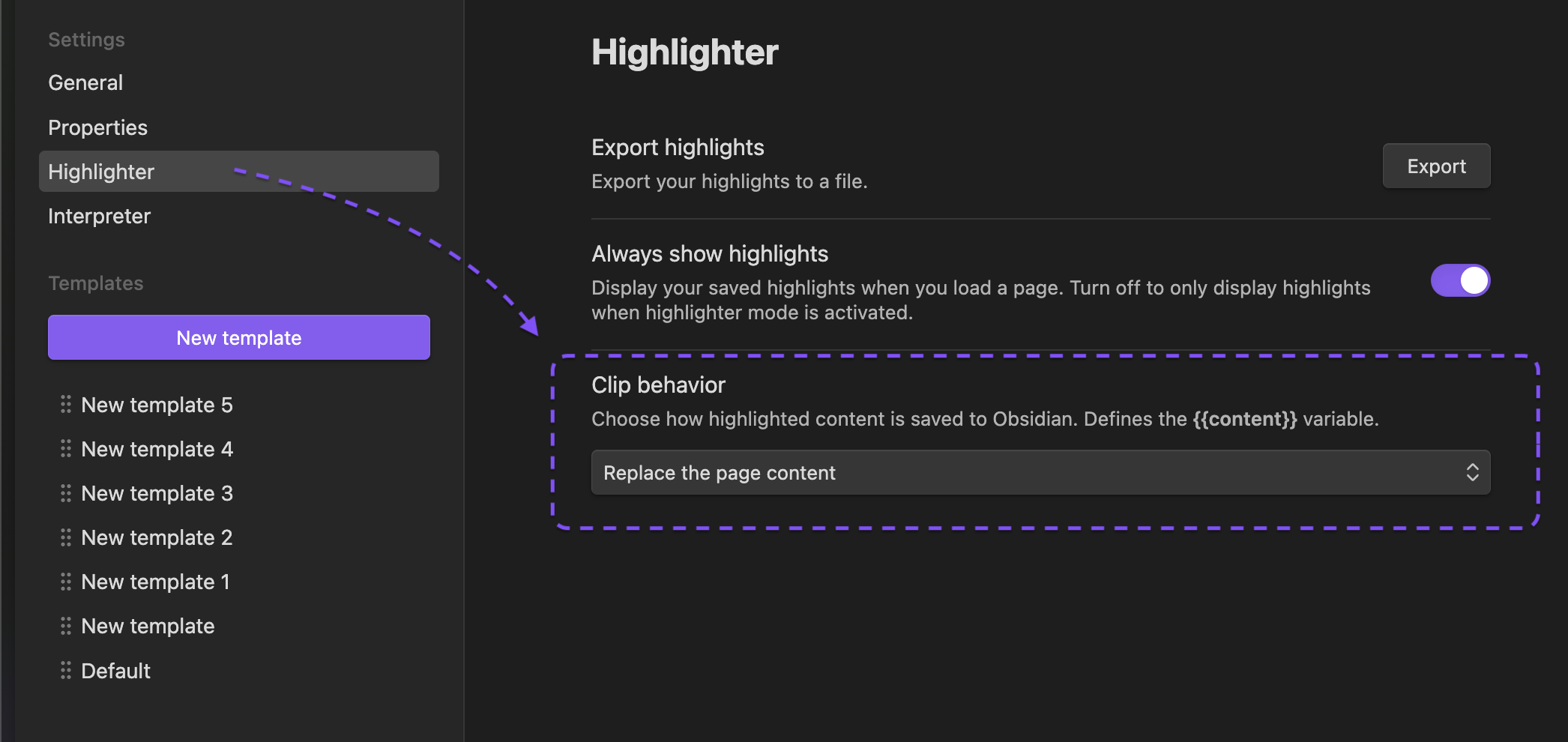
Hello everyone,
I’m experiencing an issue with the official Obsidian Web Clipper extension. The feature to capture only the selected or highlighted text is not working. Every time I try to use it, the clipper imports the entire webpage, ignoring my selection.
What I’m trying to do
When I select a paragraph on a webpage and use the “Clip selection” feature, I expect the new note in Obsidian to contain only that selected paragraph.
What’s actually happening
A new note is created, but it contains the full content of the entire webpage. The selection is ignored.
My Environment
- Obsidian version: v1.5.12
- Operating System: Windows 10 Pro
- Browser(s):
- Chrome: v125.0.6441.208
- Edge: v125.0.2535.94
- Web Clipper extension version: v0.12.0
Things I have already tried
- I have fully updated both browsers to the latest version and restarted the system.
- I have tested in Incognito/Private mode with all other extensions disabled.
- The issue occurs on various simple websites (like Wikipedia), so it doesn’t seem to be site-specific.
- I know this feature used to work in the past, as shown in several video tutorials.
It seems to be a compatibility bug with the latest browser versions. Is anyone else experiencing this?
Thank you!

 ) the option