Disclaimer
Is this plugin open source? Yes
Is this plugin completely free? Yes
Is this plugin vibe-coded beyond the author’s ability to comprehend how it works? No
Community Directory: Wayfarer
Plan with your AI agent in Markdown. Follow your trip on a map, right from your phone.
I built Wayfarer because I wanted to keep my travel plans in an ordinary Obsidian note and use that same plan on a map when travelling.
Days are headings, and stops are links. You can write the note yourself or paste Google Maps place links. Wayfarer displays the itinerary beside the note, with a map and a timeline.
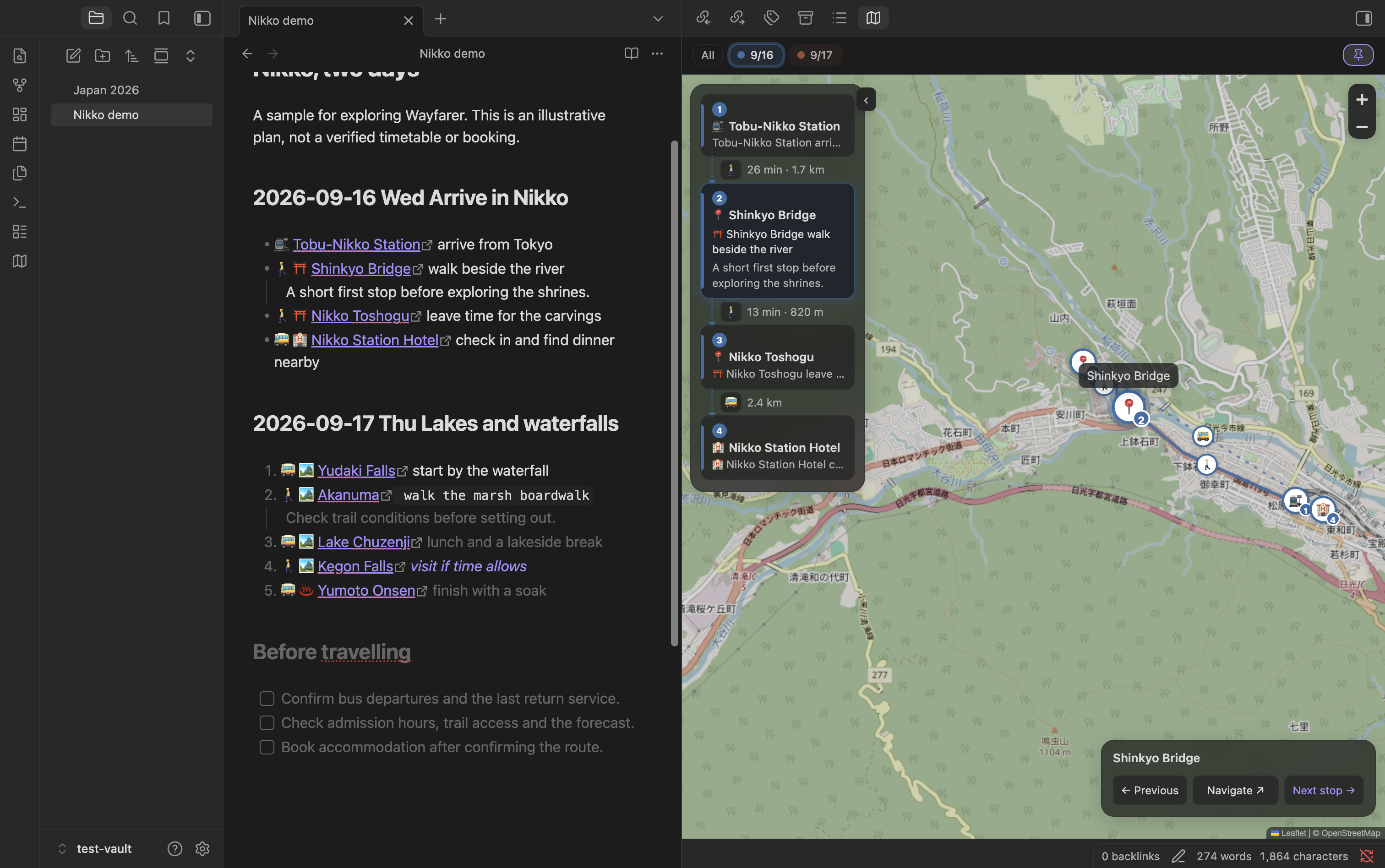
On a phone, switch between the map and the stop list. Pick a place, browse with Previous / Next, or tap Navigate to open Google Maps directions to that place. It is simple itinerary browsing, with no separate progress checklist to maintain.
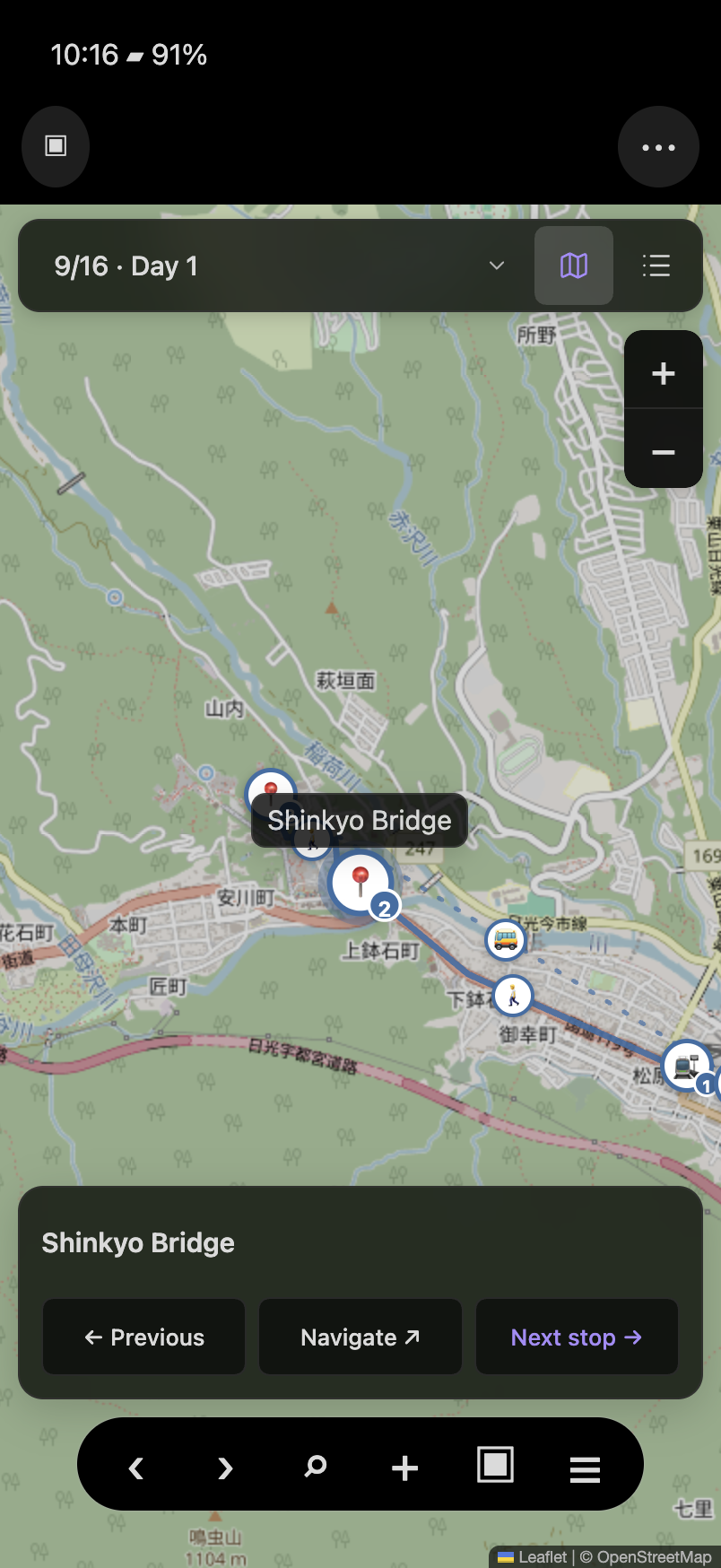
The phone image is a layout preview using the real plugin renderer with reconstructed Obsidian mobile chrome, not a physical-device screenshot.
The repo also includes an optional planning skill for Claude Code, Codex and other compatible agents. It guides the agent to research places and transport, write the itinerary, and keep constraints, bookings, sources and backup plans in the same note. You review and edit the plan as Markdown. Wayfarer also works without AI.
A few practical details:
- Basic pins and straight-line distances work without a Google API key. Your own key enables supported routes, place details and photos.
- Saved details and routes travel with the note through your existing vault sync. Map tiles and photos need a connection.
- Google content can follow your language or use an independent language choice. Short Google Maps links are expanded on desktop.
Install Wayfarer from the Obsidian directory · Source, sample note and setup
If you already plan trips in Obsidian, I’d love to hear what feels useful or awkward, especially on a phone. What would make it easier to go from your written plan to the next place?