There have been some users discord that lose their data when they update the installer and their vault is inside the program folder.
Proposed solution
Show a warning when its detected that the folder is inside program folder or the program folder itself, just like when vim mode is enabled or a file is deleted.
Detection (and warning) don’t have to be sophisticated as the users that don’t know the consequences of doing this likely have a standard installation.
Workaround
don’t this/backup your data? Users should be expected know this, but should still be warned regardless.
I strongly support this (if it isn’t already a feature; I haven’t tested). It’s not a lot of people, but the ones who do it are losing their data (because they usually don’t have backups). And there has been a little rash of them lately instead of the usual once in a long while.
I don’t know what moves people to do this, since it requires going off the beaten path.
I’ve been meaning to post a FR for this for a while, so thank you for this and for reminding me.
On Windows, I’ve switched over to installing Obsidian for all users from 1.14.x and the Obsidian.exe is now in C:\Program Files\.
I previously only installed it in my main account and it lived in C:\Users\<username>\AppData\Roaming\obsidian\ with the rest of the support files & folders if I recall correctly (possibly it was AppData\Local\).
In any event, it seems an odd place to manually choose, and Windows File Explorer doesn’t show the AppData folder by default, but folks are ending up with their vault(s) stored there.
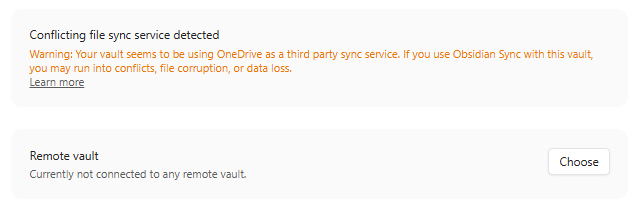
Obsidian has a mechanism for detecting if vaults are in iCloud Drive or OneDrive; perhaps add a warning toast that can’t be easily dismissed if Obsidian sees a vault is in AppData/ somewhere.