Visual (hierarchical) Outlining/knowledge organisation like Marginnote would be awesone

Hey guys. I write academic texts in Obsidian – and I have the impression that a particular way of organizing knowledge graphically is unfortunately still not possible: kind of a way MarginNote offers. And I would love something like that within Obsidian.

There are countless whiteboard and mind-mapping plugins, each good in its own way (Obsidian Canvas, Excalidraw, Markmind, Enhancing Mindmap, etc.). Unfortunately, none of them accomplish what makes MarginNote so appealing – which is the hierarchical organization of individual knowledge fragments via drag and drop. Let me explain.

All of these tools do one of two things. They are either (like Canvas) basically whiteboard tools that establish linear relationships based on Markdown files: in Canvas, I can visualize a connection from one note to another. This works great especially for the dynamic embedding of everything Obsidian can do. But it’s not a relationship of things to each other in which some notes hang hierarchically under others. If I have a branch of thought stemming from a note, with 3 other notes attached to it as sources, it’s very cumbersome to move that entire branch, including its sub-points, to another place. (In MarginNote, moving a parent node automatically moves all its included child nodes.)
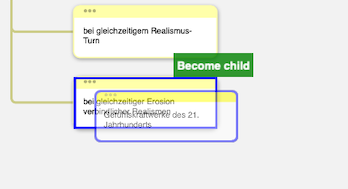
Bildschirmfoto 2025-01-10 um 12.01.14

One might say: then just work with Markmap. But unfortunately, it doesn’t provide a satisfying graphic workspace; Markmap basically visualizes a textual Markdown structure. Also, Markmap is designed to organize hierarchy using headings: a (longer) text note that simply attaches to a Heading 1 isn’t really a thing there. It’s a great tool for organizing concise mind maps, but for a sprawling hierarchical knowledge organization, it’s not suitable. It’s mind mapping, not knowledge organization.
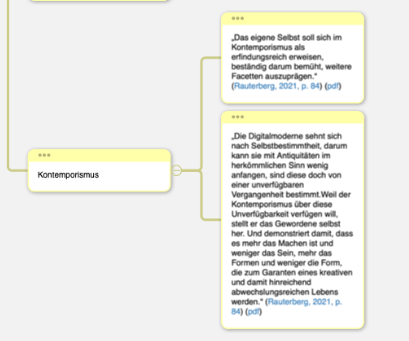
Bildschirmfoto 2025-01-10 um 12.02.16

MarginNote can do all of that for me—including an outline view for arranging things. I’m aware that MarginNote can be more or less synchronized with Obsidian (though not in real time). But that’s somewhat buggy, closed source—and I don’t trust the synchronization (and the proprietary storage format is anything but human-readable). And I use Zotero, not its internal pdf reader.

So if there were a hierarchical, mind map–like knowledge organization tool, somewhere between Obsidian Canvas, Markmap, and MarginNote, letting you organize your knowledge graphically via drag and drop… that would be fantastic. Maybe someone wants to brainstorm a bit about how to make that happen?

3 Likes

Could the lineage plugin help? (See discussion here: Writing in tree structure - The solution to long form writing (Gingko) - Plugins ideas - Obsidian Forum. I haven’t used it much as I find it a bit tricky.

1 Like

Yes, thanks for the tip, that’s interesting. It’s a somewhat different approach, but definitely a reasonable way to do it. At the same time, it’s an approach – if I understand it correctly – that takes unfolding content as a thinking principle, moving from compressed to detailed, right? However, it doesn’t strike me as a mind map-like graphical way of thinking right away, which, with MarginNote, can be created very intuitively through drag and drop. (That’s perhaps the thing: thinking graphically is incredibly stimulating.) Great tip, thanks a lot, gonna check it out!

(Okay, I’ve tested it. What’s really great about it is that, under the hood, it can function purely as outline, exactly as I had in Mide, which is super cool. Its hierarchical approach is very consistent, which I is basically good thing – but naturally, this excludes certain graphically-oriented workflows; it simply follows from the consistent way it organizes hierarchically wich is very consistent. I don’t find the drag-and-drop feature as super-intuitive as it could be, but it’s quite close to what I’m looking for and seems to be actively developed with a lot of energy. Very cool!)

@kpae,

Lots of interesting thoughts, and MarginNote seems to be unique (and expensive) solution
I’m in my search as well… please keep me posted if you discover anything related to this subject

Ed

I ended up using the lineage plugin, by the way. It’s well maintained, even if I do miss the stimulating visual approach of Marginnote.

1 Like

Yes, I tried it and I like it… Nice find, thank you.

I like it for what it is, “First draft generator” sort of “Quick logic capture tool”

But unfortunately still trying to figure out how to include all reach media (Images/videos/references) in MIndmap style of type presentation with an option to switch between text/mindmap with same content

EDIT1:

Actually, I found some interesting features in “Lineage”

OFF-TOPIC: How do I edit my posts here on this form? Strange could not find an option

very interesting candidates: the plugins with this library: SimpleMindMap

there are already two in the making, plus an official one

1 Like

would be nice to have this. Juggle or breadcrumbs is nice but they are not interactive and the notes are nodes, no text visible

just wanted to let you know, I’m trying to build it myself. Still very early, though. But if there are any wishes I can try to implement them.

1 Like

Hey guys, I made something as a plugin. Please check it out.

It should be compatible to Lineage (as this plugin is awesome and I’ll continue using it), but follows more of a mindmap approach with drag-and-drop.
Would love your ideas and feedback!

Kapture 2025-06-07 at 20.27.27

Key Features (so far)

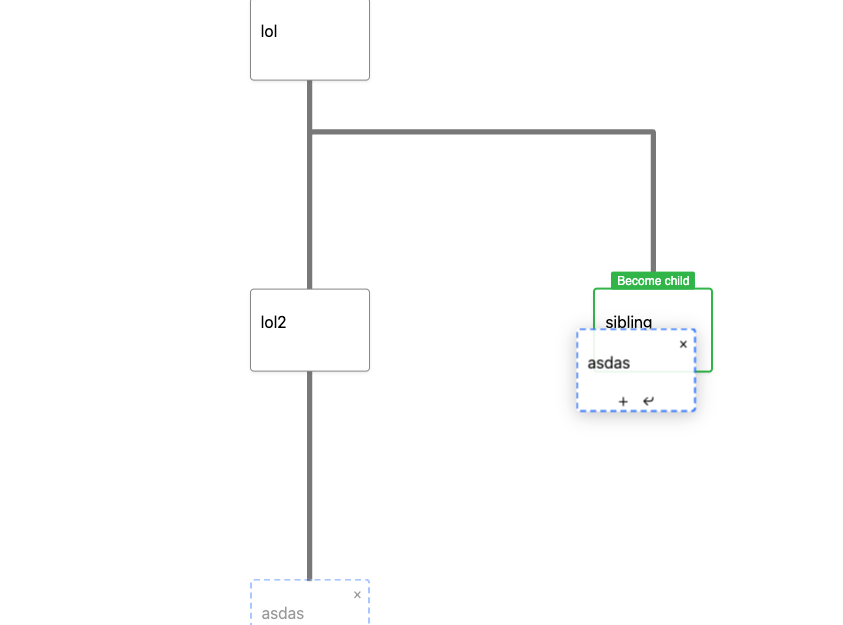
  • Drag-and-drop support for creating and editing hierarchical structures
  • Each node represents a list item in a Markdown outline
  • Dragging a node into another creates a parent-child relationship
  • When dragging a node, all its children move with it
  • Hover buttons allow adding new child and sibling nodes directly in the mindmap
  • Node deletion supports:
    • Removing a single node from its parent
    • Deleting a node along with all its children

It lets you visually structure text excerpts as mindmaps using a drag-and-drop system.

The underlying data model remains a standard Markdown outline

Beware: still at a very early stage.

That looks GOOD