IMTIM
1
Hi
Copy and Paste of Text is not possible
for the Folder-name
when creating a Folder in Android Device
I have 2 Android devices and In both with the same obsidian app , copying the folder-name or pasting , dosent work
unless , either I do it from File-Explorer or With Gboard(google keyboard) special text editing option
I don’t understand what you are trying to do and where.
Please, create a new vault and post a screen recording of your problem
IMTIM
3
It doesn’t allows me to upload Video
So I converted it to gif
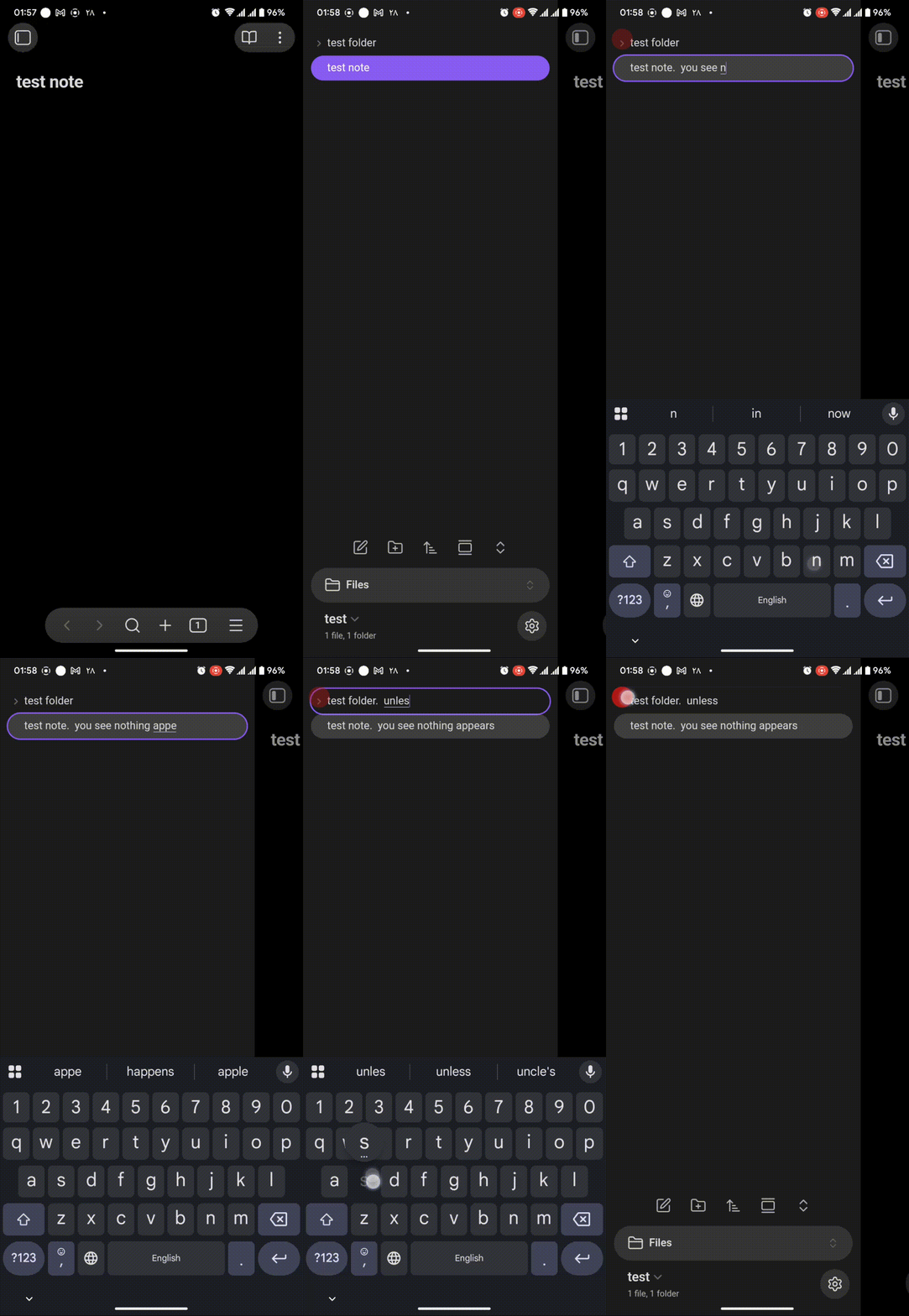
The problem is both for .md files and folders
Ok, now I understand.
This happens for both folders and files. Not just folders.
Renamed this thread for clarity
1 Like