Steps to reproduce
| lkdjlk             | lkdj   | lkdj  |
| ------------------ | ------ | ----- |
| 一二三四           | lkj    | lkj   |
| あいうえお         | lkdjf; | ldkjf |
| 일이삼             |        |       |
| 123456       | lkd    | eij   |
| lkしえあんvlw |        |       |
- Copy the table to Obsidian
- Click and hold the scroll wheel or enter visual mode in Vim mode
- Select vertically
Did you follow the troubleshooting guide? [Y/N]
Y
Expected result
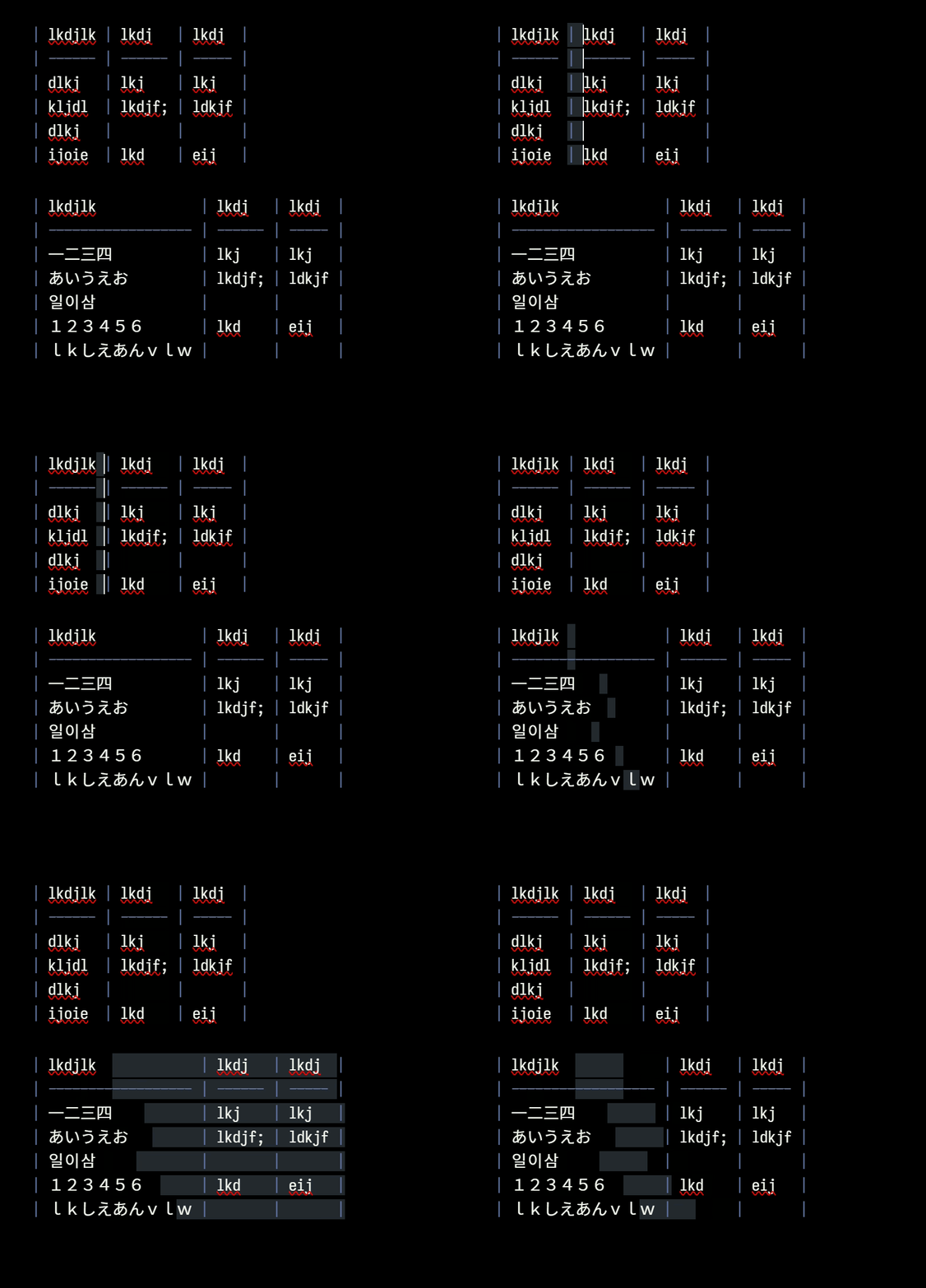
Selecting characters that is visually aligned vertically.
Actual result
When selecting vertically, with mouse or in visual mode, Obsidan counts characters between cursor and line start. But since one full-width char is twice as wide as one half-width char, when the content contains both full-width and half-width chars (including half-width spaces), it breaks.
Note: With a proper monospace font that supports CJK characters, CJK characters would be “full-width”, and Latin characters would be “half-width”. If you have such font installed, the table above should be lined up beautifully.
Environment
SYSTEM INFO:
	Obsidian version: 1.12.7
	Installer version: 1.10.3
	Operating system: Windows 11 Pro 10.0.26200
	Login status: not logged in
	Language: zh
	Insider build toggle: off
	Live preview: off
	Base theme: adapt to system
	Community theme: Minimal 8.1.0
	Snippets enabled: 2
	Restricted mode: off
	Plugins installed: 21
	Plugins enabled: 6
		1: Better Word Count v0.10.1
		2: Minimal Theme Settings v8.2.1
		3: Word Splitting for Simplified Chinese in Edit Mode and Vim Mode v1.12.0
		4: Text Finder v0.3.0
		5: Advanced Tables v0.22.1
		6: Relative Line Numbers v3.0.0