Disclaimer
Is this project open source? Yes
Is this project completely free? Yes
Is this project vibe-coded beyond the author’s ability to comprehend how it works? No
Hi everyone,
I’ve been working on a small Obsidian plugin called VaultCast Studio. It creates a narrated podcast-style audio episode from the note you’re currently working on.
The plugin is meant for people who write long notes, essays, learning material, research summaries, or personal knowledge base entries and want a quick way to listen back to them in a more natural format. Instead of just reading the note aloud directly, VaultCast Studio first turns the note into a short podcast script, then generates an MP3 from that script.
Right now, the workflow is simple:
-
Open a note in Obsidian.
-
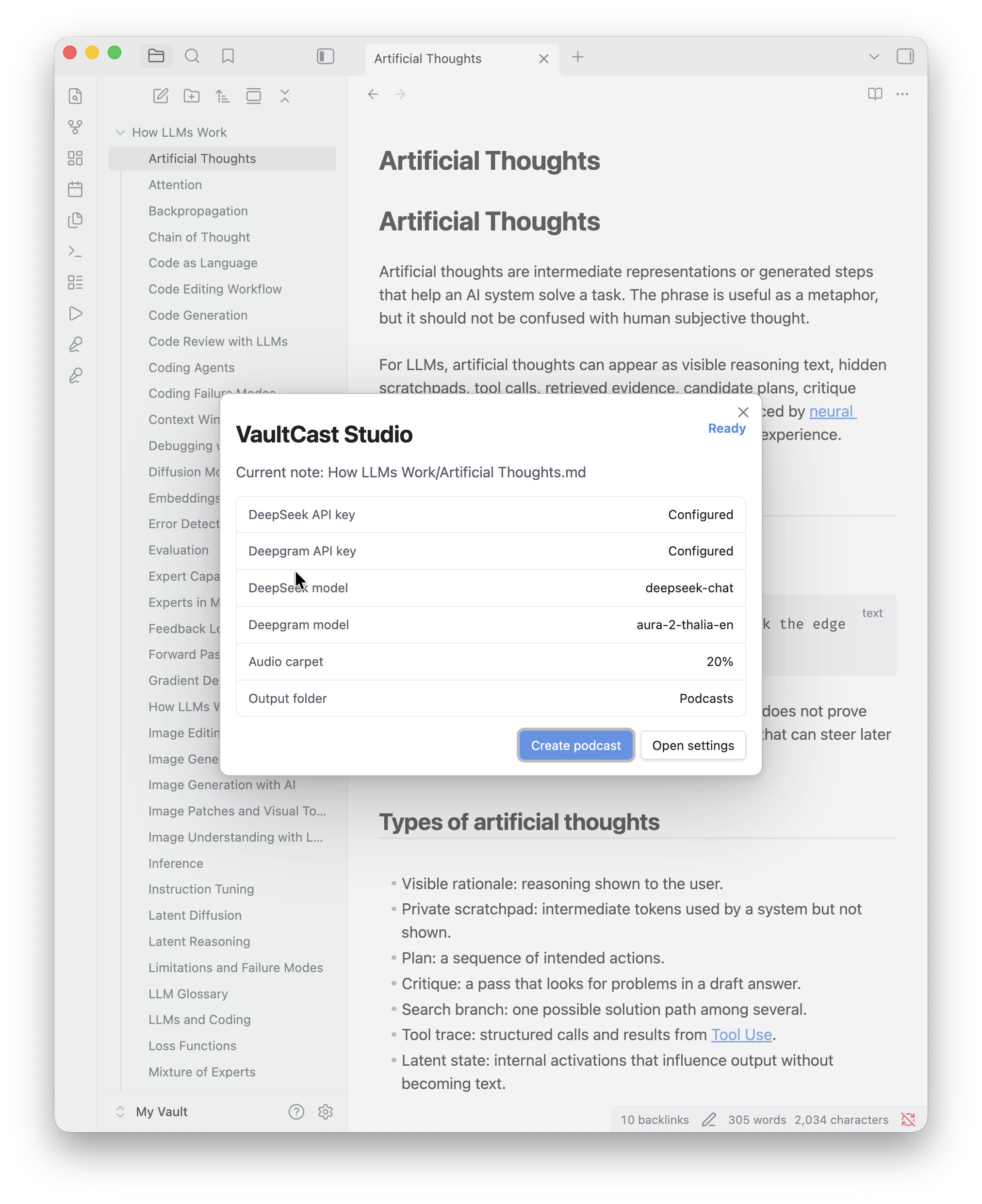
Run Create podcast from current note.
-
The plugin generates a spoken script from the note.
-
It creates narrated audio using text-to-speech.
-
The finished files are saved into a Podcasts folder in the vault.
It also saves the generated podcast-script.md, so you can inspect or edit what was sent to the voice generation step. If the audio needs to be split into chunks, the plugin handles that and combines the result into a final podcast.mp3.
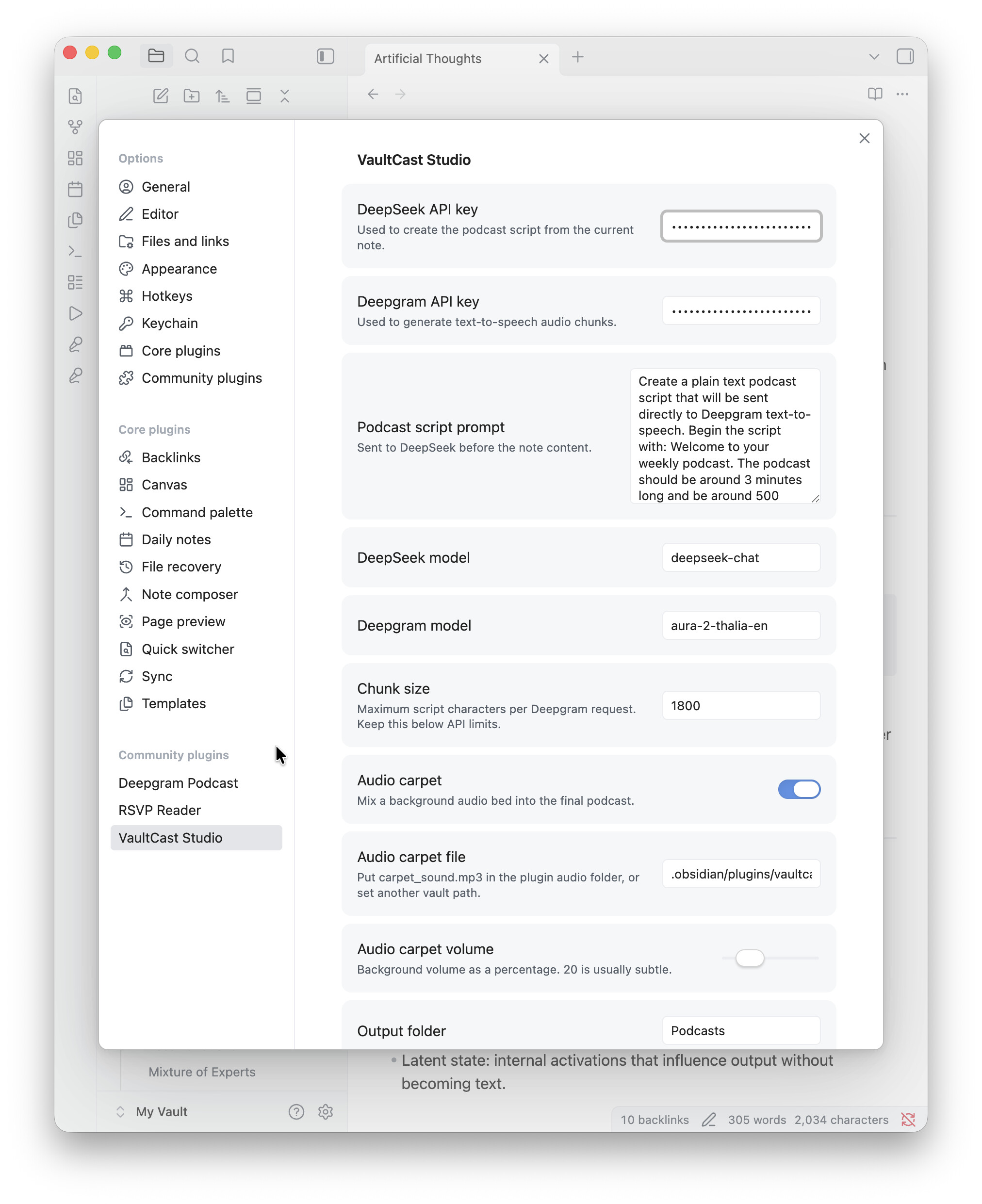
There is also an optional background audio setting, so you can lightly mix in a background track behind the narration. I added this because I wanted the result to feel a bit more like a produced audio note rather than plain text-to-speech.
A typical use case might be:
I write a note explaining a topic, then generate a short narrated version so I can listen to it while walking, commuting, or reviewing material away from the screen.
Here is a screenshot of the plugin in use:
Screenshot


And here is a short audio sample generated from an Obsidian note:
Audio demo
The plugin is still early, so I’d appreciate feedback from other Obsidian users. I’m especially interested in whether the workflow feels useful, whether the generated scripts are the right length, and whether the settings are clear enough.
Source code: [GitHub link here]
Install instructions: [link or short instructions here]
Niote: Currently it is only suporting DeepSeek as it is cheaper than OpenAI to create basic text
Thanks for taking a look.