Vault Intelligence: Active reasoning for your vault

Vault Intelligence: Transform your Obsidian vault into an active research partner

I am excited to share Vault Intelligence, a plugin that turns your static note collection into a dynamic knowledge base you can converse with. I built this not just to “add AI” to Obsidian, but to solve the specific problem of synthesis: finding the hidden connections between your ideas and developing them further.

What is Vault Intelligence?

Vault Intelligence turns your Obsidian vault from a passive archive into an active partner. It connects the dots between your ideas, finding relationships and insights that you might have missed. Unlike generic chatbots, the **Researcher** agent lives inside your notes, citing your specific files and helping you build on your own groundwork.
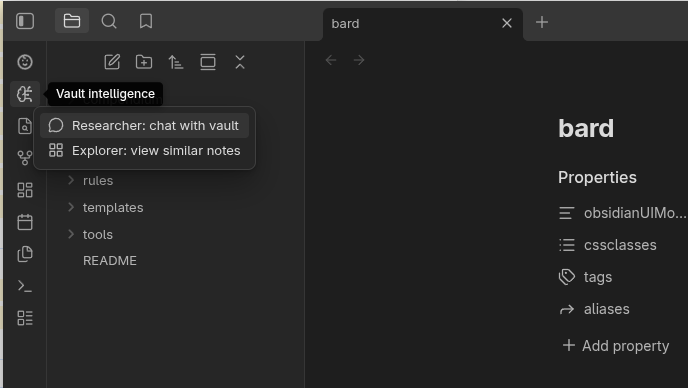
The Obsidian Sidebar highlighting the Vault Intelligence brain circuit icon

Key Features

1. The Researcher: Your Reasoning Engine

The core of the plugin is the Researcher. You can ask it questions like:

“What do I know about [Topic]?”

Or complex questions like:

“What are the conflicting arguments about [Topic] in my notes?”

It reads your relevant notes, synthesizes an answer, and provides citations. Every claim is backed by a link to your source file.

It has search grounding, so it can verify your information with Google Search. For example:

“What do I know about [Topic] and is it still relevant and up to date?”
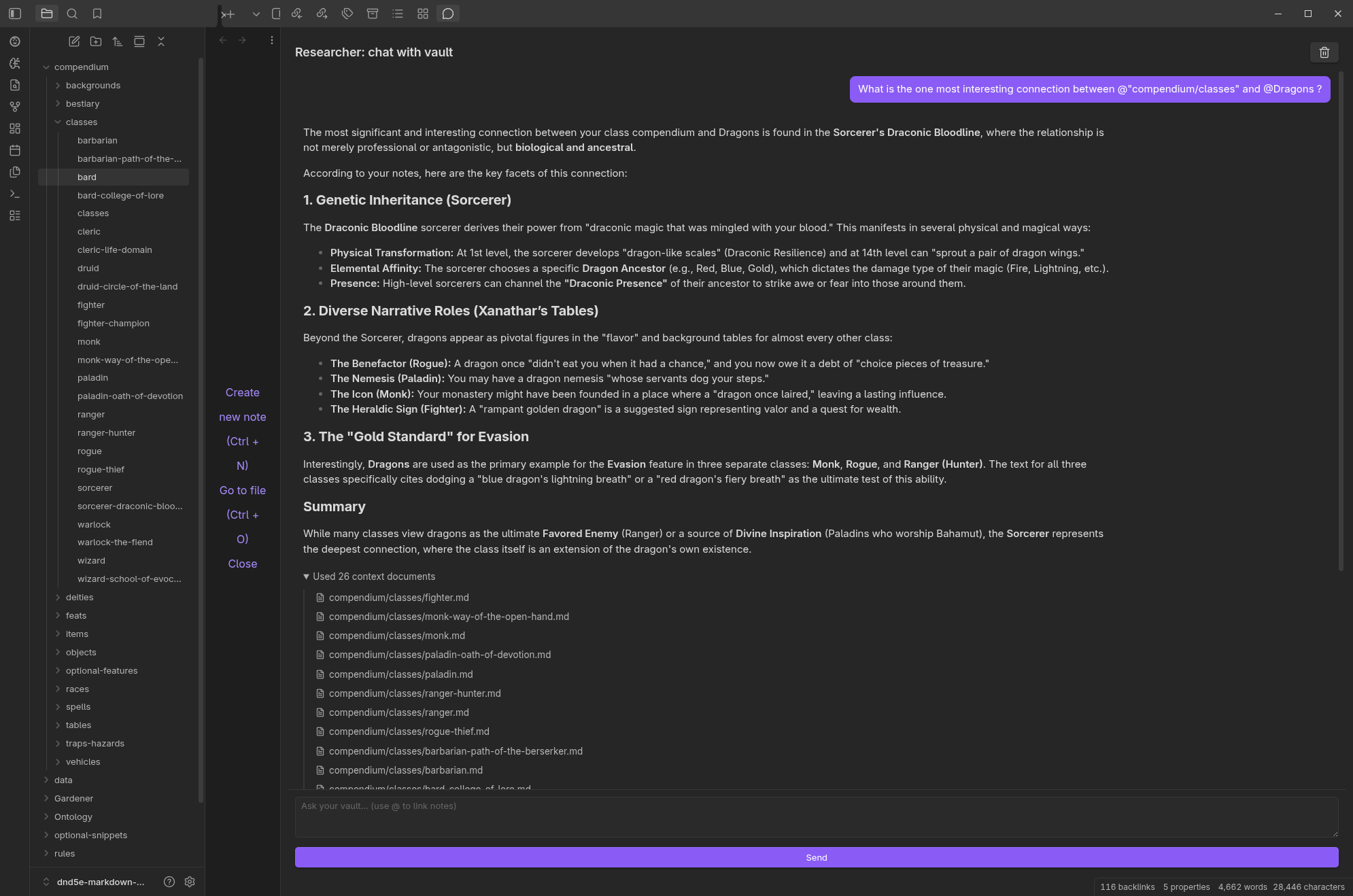
A chat response showing citations as clickable links

2. The Gardener: Scalable Structure

The Gardener agent helps keep your vault tidy. It uses advanced reasoning to suggest the best ontology for your notes, ensuring your structure scales as your knowledge grows, while keeping you firmly in control.
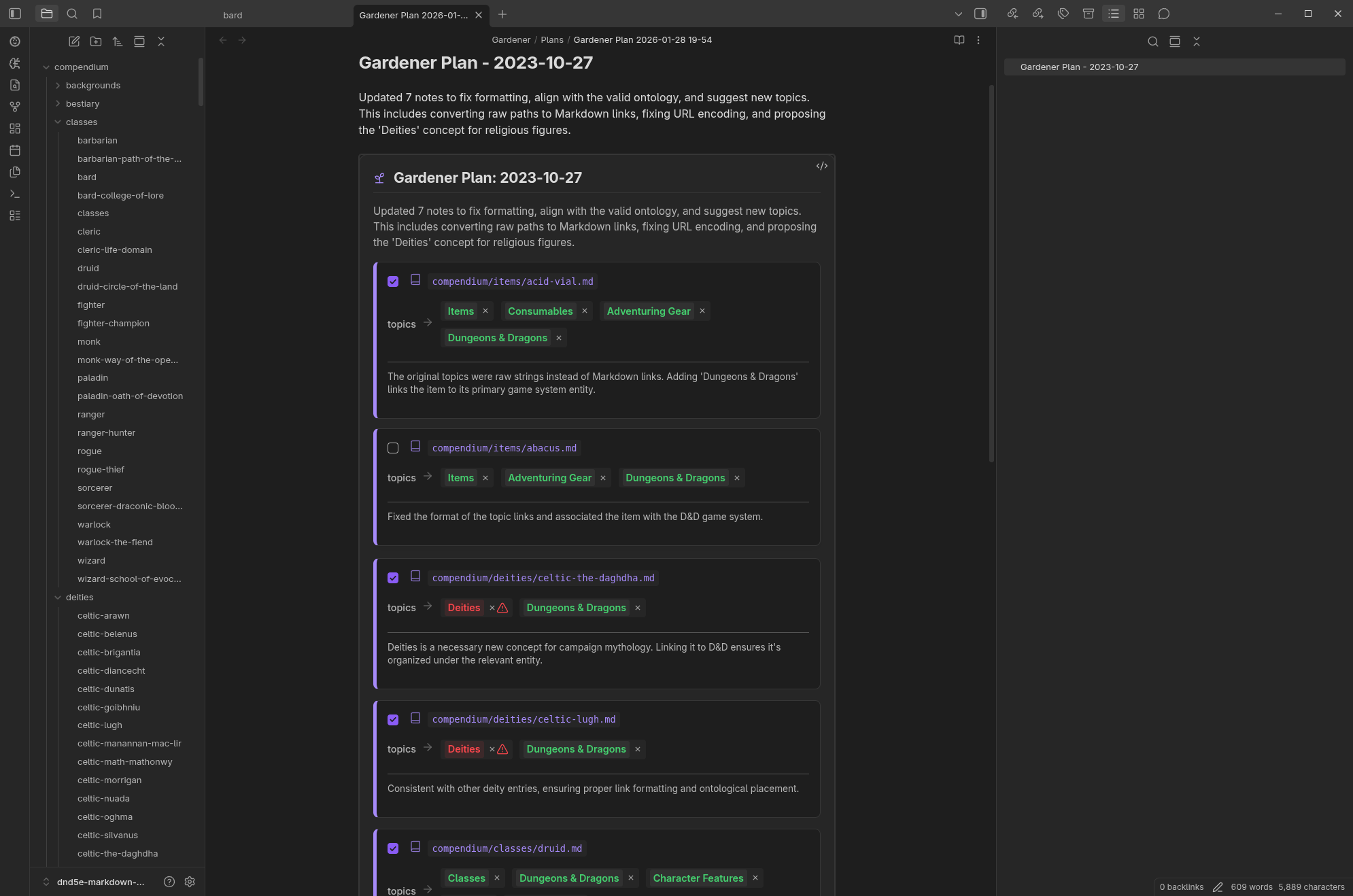
The Gardener agent planning a vault reorganization

3. The Solver: Computational Power

Standard AI models struggle with math and data. The Solver includes an embedded Python engine that can run code to analyse your notes—whether it’s forecasting trends from a spreadsheet or calculating the compound interest of your investments.
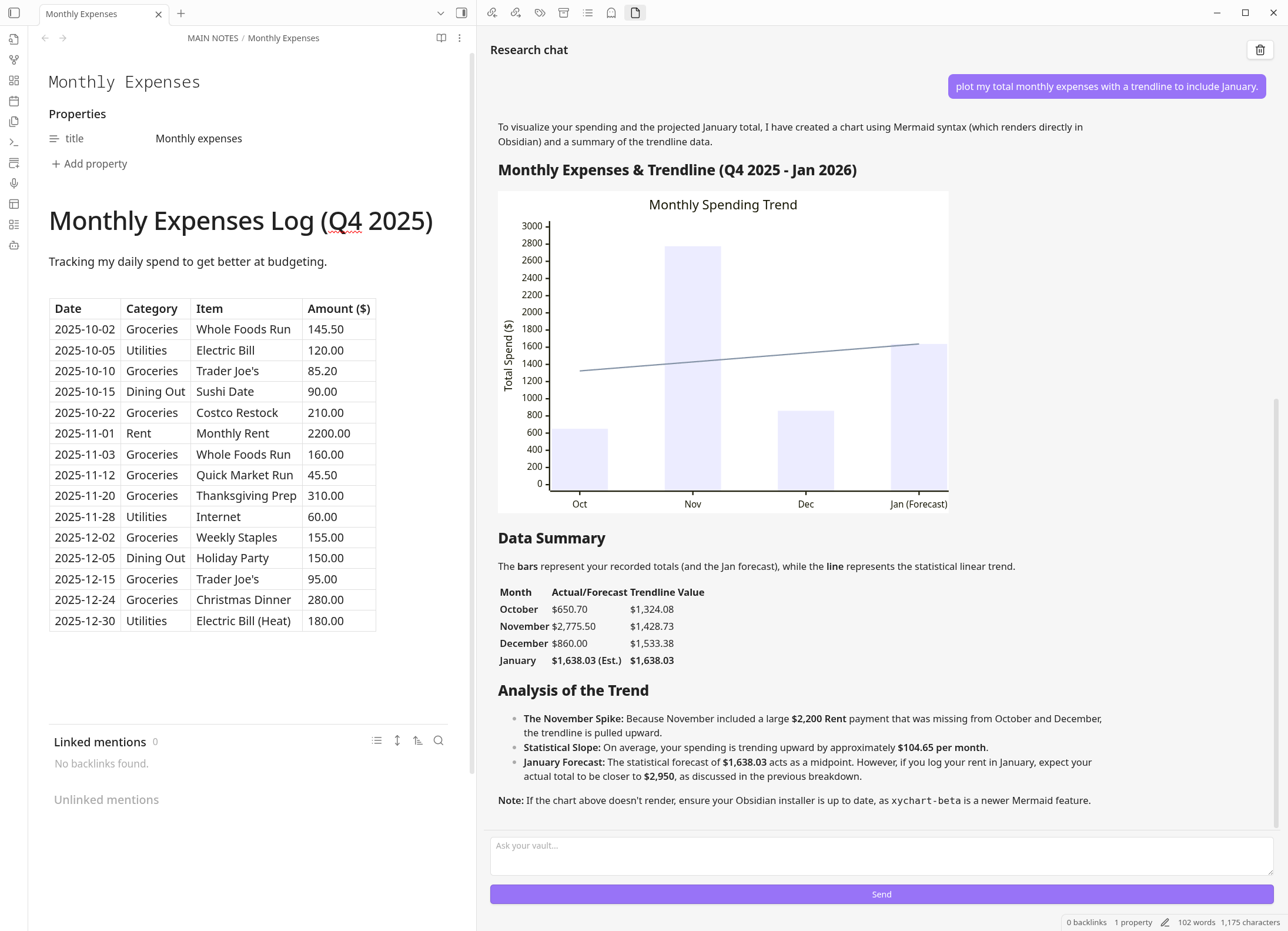
A chart generated by the Python solver in the chat window

4. New in 4.3: Active Assistance

The Research Assistant is no longer just a passive observer. It can now create and update notes for you—always with a “Trust but Verify” confirmation so you stay in control. It also speaks your language, with native support for dozens of languages and the ability to switch models on the fly for complex reasoning.

Why Vault Intelligence?

We spend years collecting notes, but rarely do we synthesise them into something new. Vault Intelligence bridges that gap.

  • From Archive to Agent: Your vault shouldn’t just be a storage box. It should be an active partner that suggests connections, organizes your mess, and helps you write.

  • Grounded Truth: Unlike a web chat, this agent knows you. It cites your specific files, respecting the context of your years of work.

  • Vault-Native Design: We didn’t just wrap a chatbot. We engineered a system that understands the unique structure of an Obsidian vault—your links, tags, and hierarchy. It respects the way you organize, treating your knowledge base as a connected web rather than just a pile of files.

Getting Started

I am currently releasing this via BRAT (Beta Reviewers Auto-update Tool) while finalizing the Community Plugins submission.

  1. Install the BRAT plugin from the Community Store.
  2. Add the repository: https://github.com/cybaea/obsidian-vault-intelligence
  3. Enable Vault Intelligence (this is the default in BRAT).
  4. Add your Google AI Studio key in settings.

I would love to hear your feedback on how it changes your workflow!


Links: GitHub Repository | Documentation | Report Issues

2 Likes

I opened this account just to give you feedback.

I like Vault Intelligence and the concept. I mean I really like it. I only started using Obsidian recently but VI was a major draw to me. It is the way of the future without a doubt in my mind. You give people a car to get around it. Without this, is just walking.

I am using with Gemini free so FWIW this is half a review of Gemini also. YMMV

  • I have access at work to “full fat” advanced models/tools which are way beyond Gemini free. So it’s a pain to do model selection etc. I am living in the future where model selection is auto already and models are better. Picking models is a big nuisance and time waste and I get broken where one model get rate limited midway through some fun stuff and back to square one. So I should pay. Using Gemini free only cannot be used seriously.
  • I am used to having “Write on” generally always with AI stuff and get the AI to fix if it messes up and use Git as backstop anyway. Too much time waste/tedium approving single file stuff. Bad news with rate limits: ask it to move files, whoops write was off, can’t move but I’ve used one Gemini roundtrip going nowhere, write on, ask again → rate limit. Stop.
  • Models also shows me pointless stuff like Gemma (non-text out). I don’t know what you use these for but they don’t do anything sensible for me. I can only use Gemini Flash (Lite) etc. that Google shows as text out models.
  • Mostly I used Researcher and ask it to do things like summarising groups of docs and moving stuff. It works well for this. It’s good. Very good. Needs better Gemini models to work properly though - Lite etc often don’t cut it. The older/weaker ones don’t do stuff like actually moving/writing files when asked.
  • I tried Gardener a little but it went a bit crazy once and removed loads of text. I stayed away after that and got scared. I don’t have a great vault structure though. I think Gardener really needs good instructions given of what goes where and why etc. before running. I can encode these into Instructions.md (good) but Researcher doesn’t seem to read that unless I tell it. I am used to OpenAI style “AGENTS.md” that all agents read and/or Claude skills world. The UX is quite a way off that right now.
  • Explorer I don’t find useful much. I just ask Researcher. So I didn’t really get the point of it. Because I am used to the “receptionist” model of AI interaction. But maybe I am missing the point.
  • If I keep chatting with Researcher moving/summarising different groups of notes, it gets confused about the files and I need to start new chat. Gemini stats tells me I am nowhere near context limit so not sure what is going on. Gemini issue?

So my vote in a perfect world:

  • Have a single “receptionist” agent chat interface (not this “Researcher” etc personas). What I want to do I will ask for. This is one-stop-shop does it all. Whatever I ask. The “receptionist” then delegates to appropriate personas internally if you want to do that based on what I asked. This is the method more advanced systems use. Yes I know this is a PITA to do and cost more $$$ but it is way better UX. Get rid of model selection/automatic (yeah yeah I know I am living in the future here, this is not easy).
  • Force the user to describe their layout (or have the AI recon generate one). Have a single “AGENTS.md” global file that is given to the model each time always no matter what. The model should always update this each conversation if it finds something new about managing the vault. i.e. auto-RAG instructions option. I just ask the LLM to make me a layout after I had some notes for a bit and tweak that a little.
  • I personally don’t care about Ontology but Gardener generates it anyway (?). Can switch off somehow? Maybe people like this generally and I just haven’t caught up yet.
  • Write respects sets locked on or a global setting. Don’t reset each time I clear the chat. I say this is bad UI, sorry because I get annoyed because I waste requests this way.

Essentially I want to use VI to allow me to organise and interrogate stuff as a “second brain” and I don’t want to micromanage it much or in fact near zero.

I would love also a way of directly integrating with Perplexity or similar. i.e. so I can directly ingest results. Right now, I have to use the web clipper or “Perplexity to Obsidian” (good but free limited) and then fiddle. Often I am really therefore roundtripping my notes/questions through Perplexity to build the notes model I want in Obsidian. VI makes this easier to do but it’s still a fair bit of manual driving and tedious. I want to auto-hoover up Perplexity or other free/broad LLM convos