Use Case or Problem
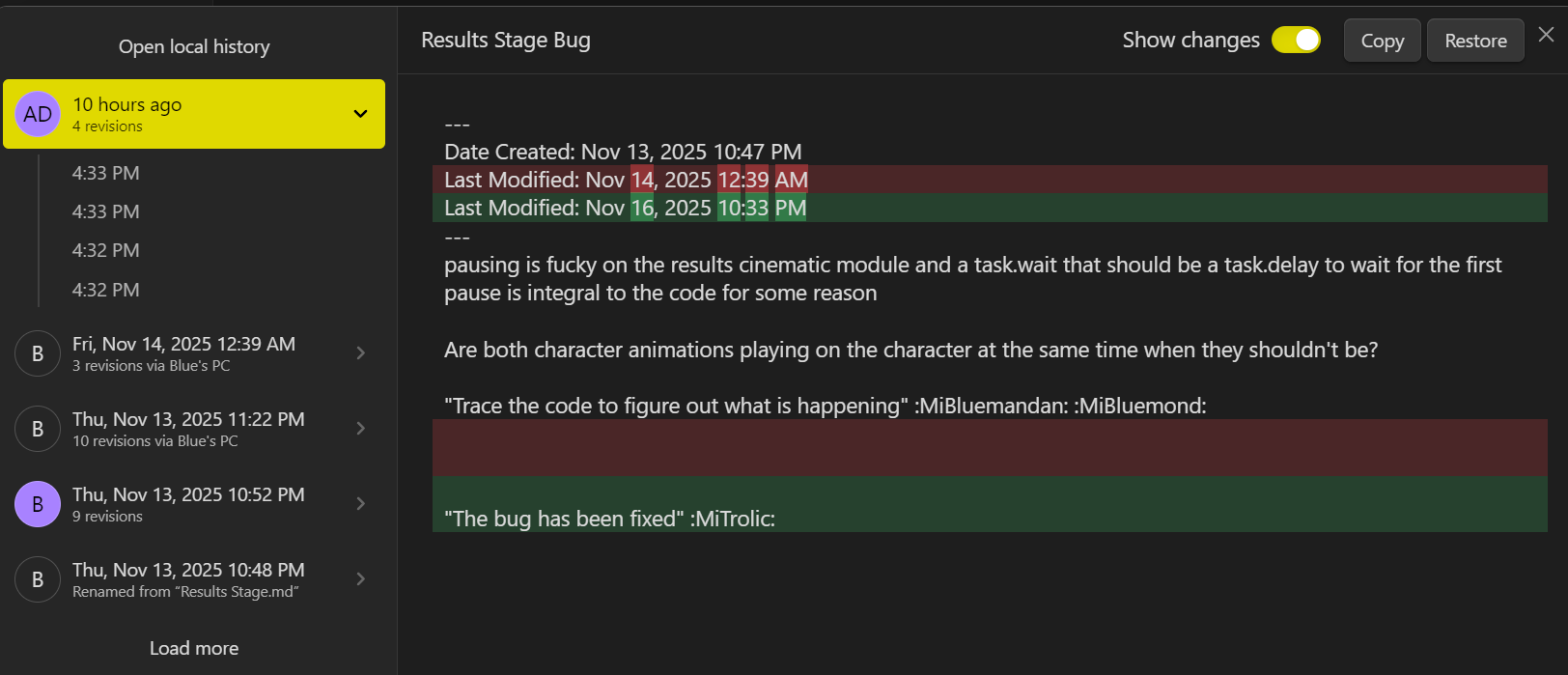
In the Sync log or a separate Sync menu, it be really nice to see all the changes a specific user / device made to the entire vault. Similar to looking at the version history for a specific file, but it would just display every file edited by that person around that specific time.
Proposed Solution
I share a vault with my team of developers, and I always open the activity log to see what everyone has been working on. Then If I want to see specifically what they did, I have to close the activity log, go to said file, then open the version history to see, then I gotta repeat all of that to look at everything that was edited. If there was a dedicated menu that keep track and organized everything exactly the same as Version history of a specific file, it would be useful.
1 Like
This isn’t quite what you’re asking for, but using the Sync History sidebar tab instead of the activity log might make the workflow less annoying. It shows files that have been changed by anyone, in order of last change. On desktop you can hover to see who last changed each file, and on any platform you can access each file’s version history from its context menu in the history. It would at least eliminate the constant log reopening.
1 Like
I did know about the sync change menu in the right pane, but I did not even think I could open the Version History for each file from there. Also since the menu is specifically “Sync History”, shouldn’t the Activity Log be the first, if not the second option in the Context Menu? Either way, will 100% be using this, but still would love to see an crossover of the Activity Log and Version History’s UI. Especially since Multiplayer seems to be getting pushed back. Thanks for the tip!
I hadn’t looked closely at the menu, but now that you mention it, I think it would reasonable for version history to be the only entry. It’s an odd selection, sort of a subset of the context menu you get in the file browser. Actually, I would remove all the extras but then maybe add in “open in new tab” and “open to the right”. But I guess that’s another feature request for another day.