Disclaimer
Is this plugin open source? Yes
Is this plugin completely free? Yes
Is this plugin vibe-coded beyond the author’s ability to comprehend how it works? No
Community Directory:https://community.obsidian.md/plugins/ai-knowledge-hub
Vault Audit AI
At some point, an Obsidian vault gets large enough that you stop really knowing what’s inside it.
You have hundreds or thousands of notes, forgotten links, orphan notes, inconsistent tags, overlapping topics, and useful information that you know exists somewhere, but can no longer find.
I built Vault Audit AI to help with this.
It is a free and open-source plugin for auditing, searching, maintaining, and transforming an Obsidian vault with AI.
Audit an entire vault
Vault Audit AI has several audit modes depending on how deeply you want to analyze your vault.
- Single Audit analyzes notes individually and maintains an incremental index.
- Single Full performs a complete analysis of all notes from scratch.
- Batch + Report uses a MapReduce-style pipeline to analyze notes in batches and then combine the results into global insights about the vault.
The batch mode is intended to make larger vaults practical to analyze without trying to push the entire knowledge base into a single prompt.
Audit modes
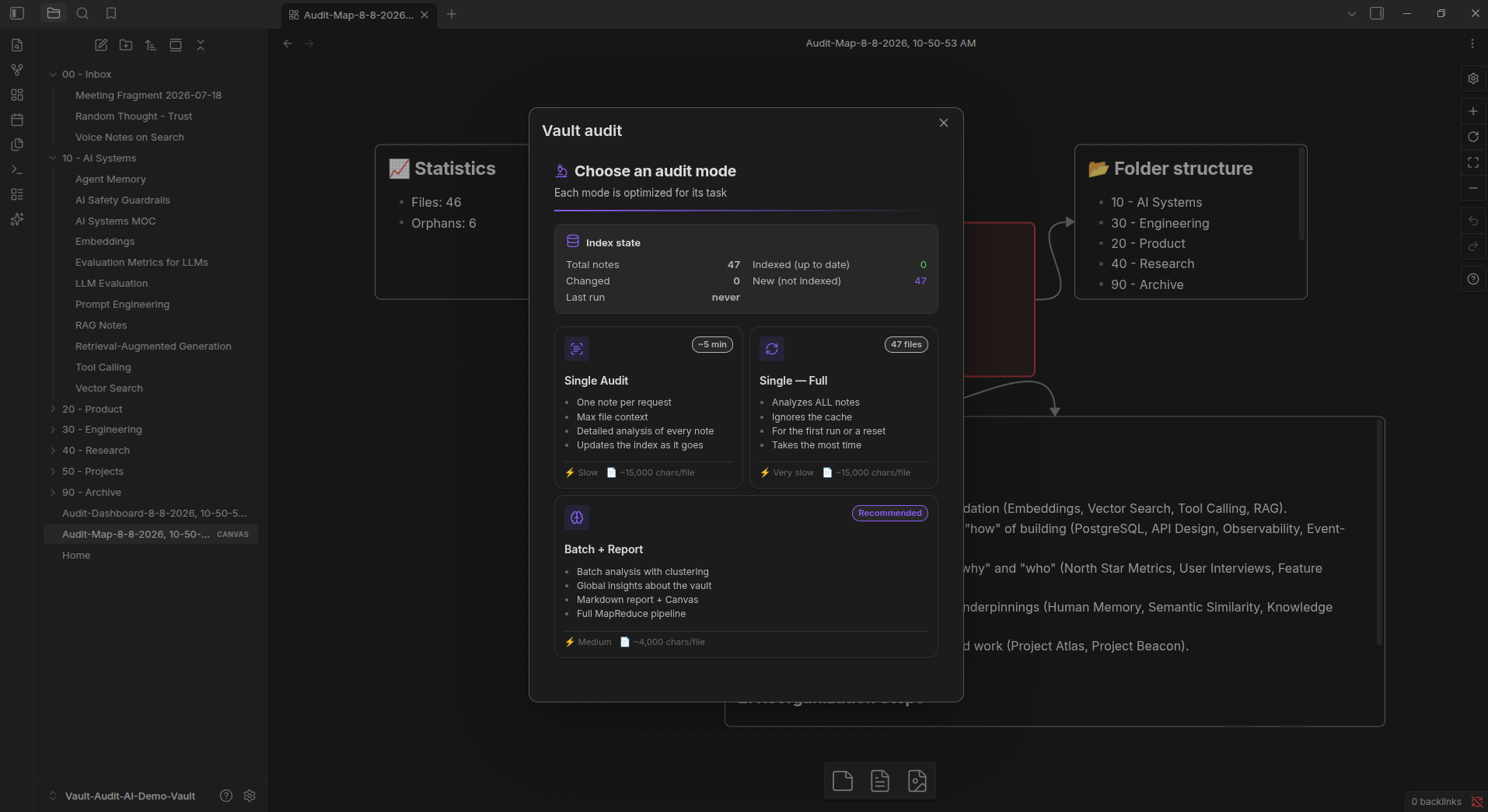
The audit can identify things such as:
- orphan notes
- weakly connected areas
- thematic clusters
- inconsistent organization
- tagging problems
- overlapping topics
- opportunities for restructuring
- notes that may need improvement
Instead of returning the result only inside a popup, the plugin can generate a Markdown dashboard directly inside the vault.
Audit dashboard
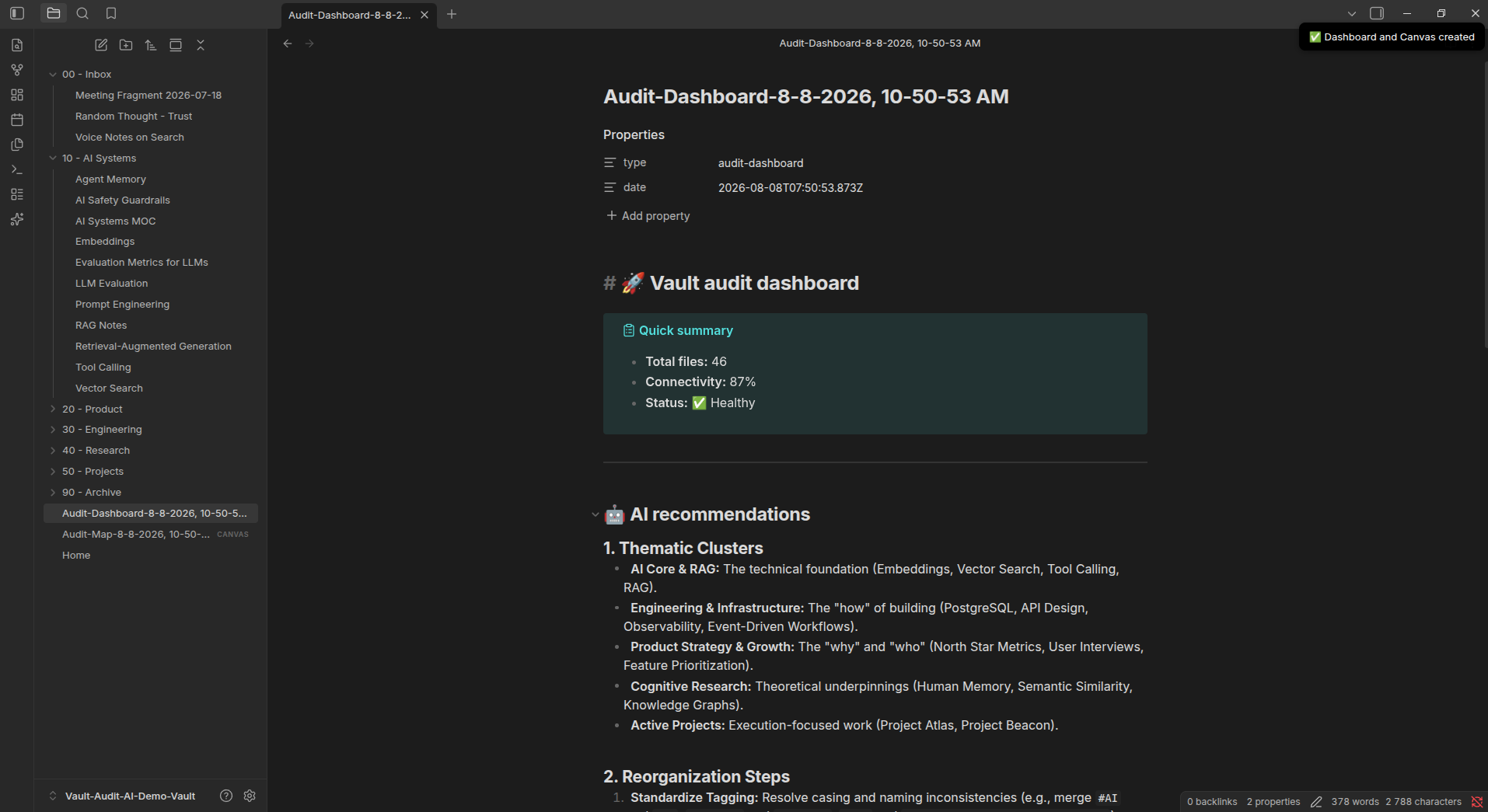
In the demo vault above, the audit detected the main thematic clusters, analyzed the structure of the knowledge base, identified orphan notes and suggested reorganization steps.
It can also generate an Obsidian Canvas representation of the audit.
Canvas audit map
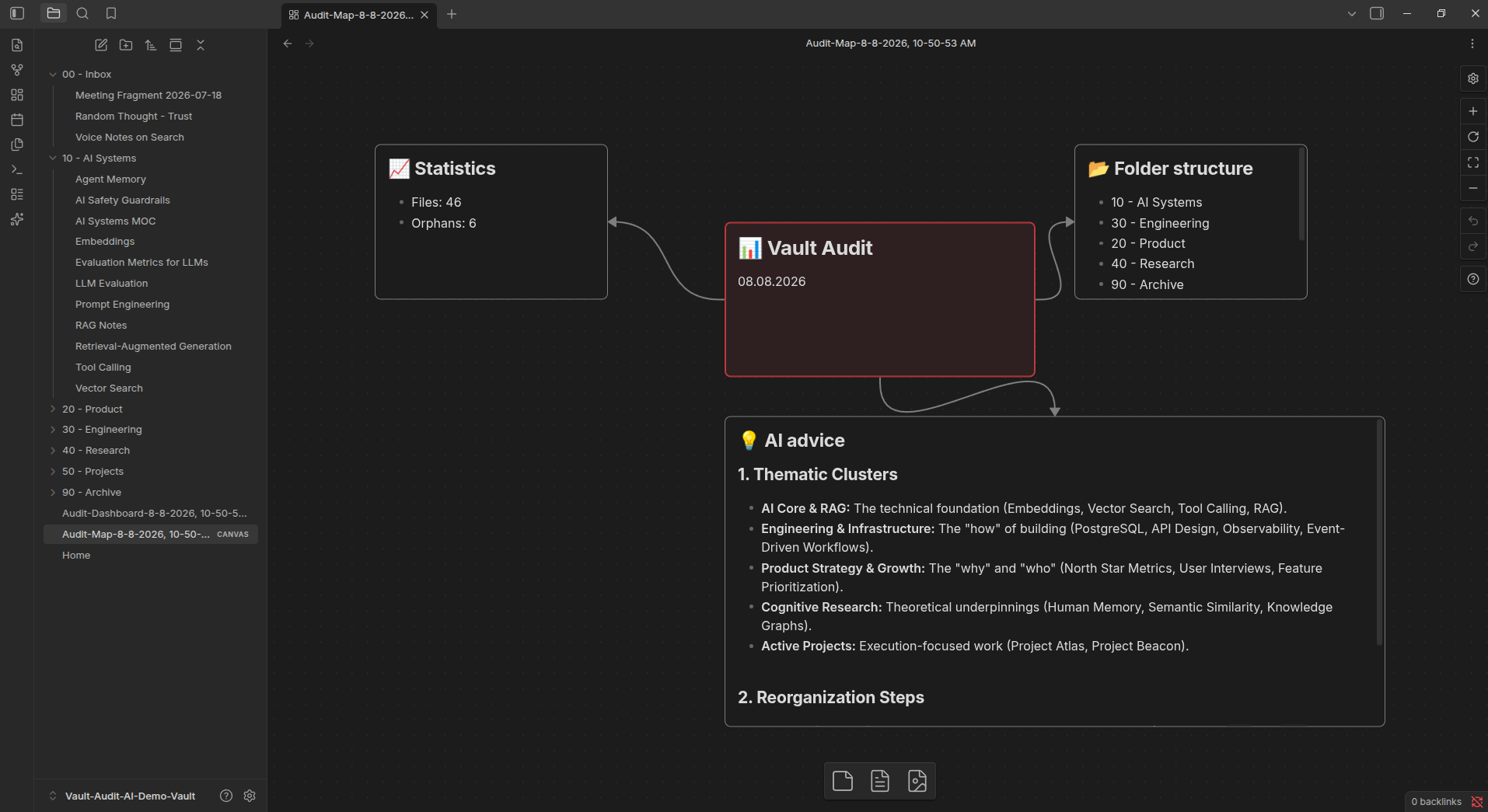
The Canvas combines vault statistics, folder structure and AI-generated recommendations in a visual format that stays inside Obsidian.
Semantic search
Vault Audit AI can also build a semantic index of Markdown notes.
This makes it possible to search by meaning instead of relying only on exact keywords.
For example, in the demo vault I searched for:
Ways to make an LLM workflow easier to debug in production
The query does not mention terms such as “observability” or “testing”, but the most relevant results include:
- Observability for AI Systems
- Testing LLM Integrations
- Prompt Engineering
- AI Feature Launch Checklist
Semantic search example
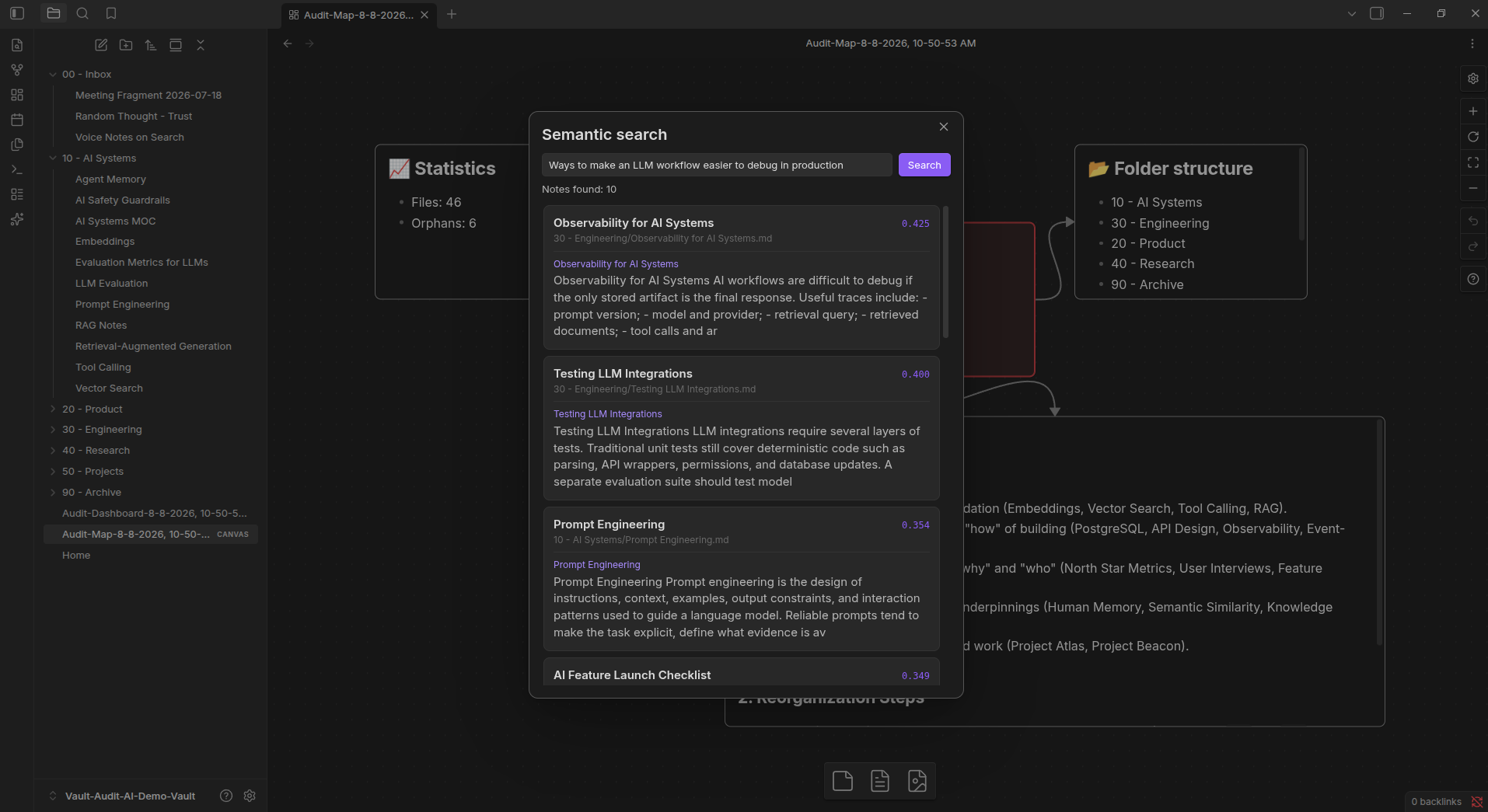
This is useful when you remember the idea behind a note, but not the exact words you used when writing it.
Semantic features are optional and can be enabled separately.
Batch processing
The plugin can also process multiple notes at once.
Notes can be filtered by folder, tags or date, and then processed with actions such as:
- improve style
- add examples
- summarize
- generate tags
- add summaries
- fix mistakes
- generate flashcards
- run a custom prompt
Batch processing
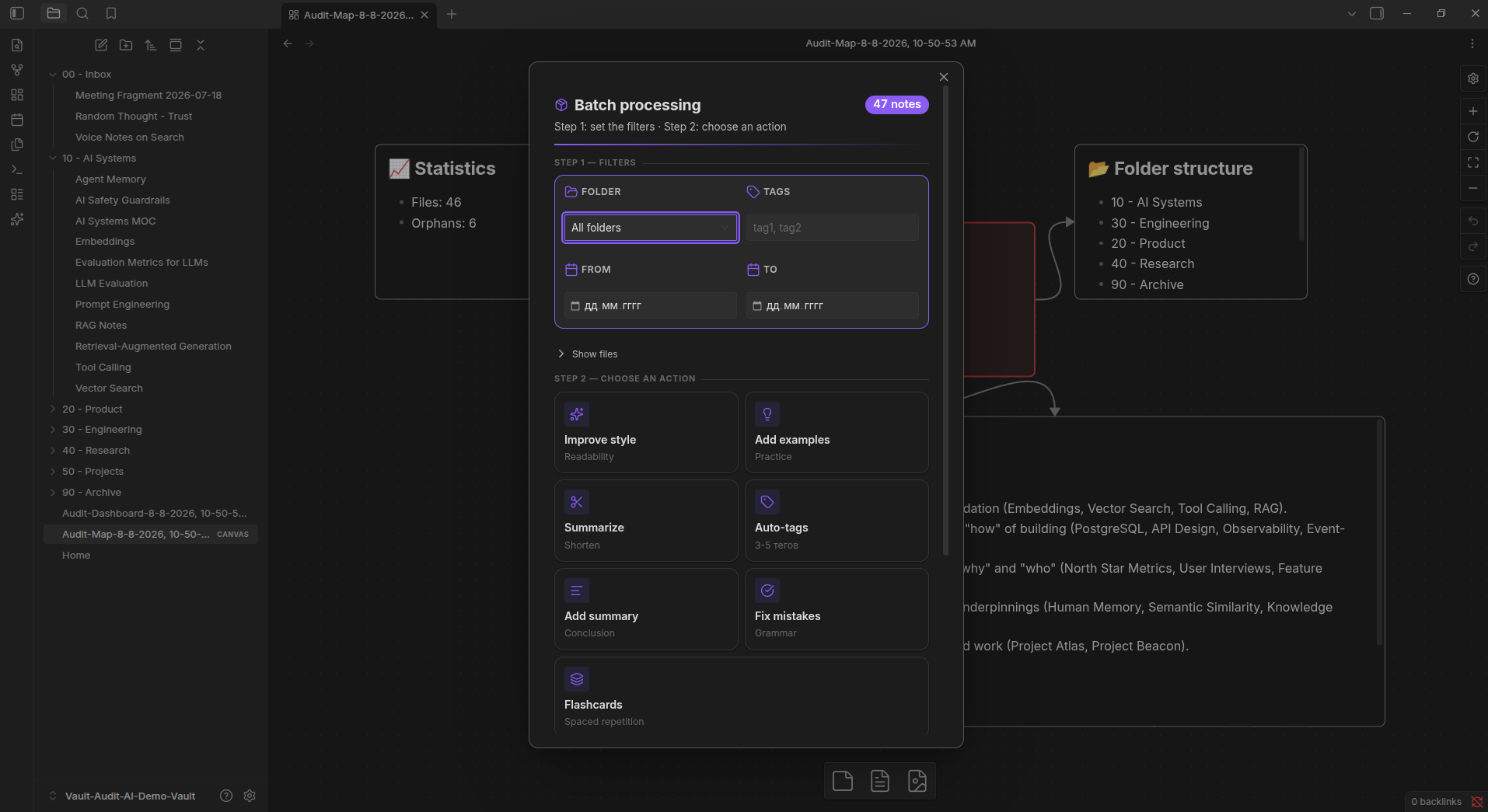
The idea is to make repetitive vault maintenance easier without forcing every operation into a separate workflow.
Tools for individual notes
There are also smaller tools for everyday work with individual notes and selections, including:
- continue writing
- vault-aware text continuation
- process selected text
- generate flashcards
- generate Dataview queries
- split a note into atomic notes
- improve or transform text
AI providers
Vault Audit AI is not tied to a single provider.
It currently supports:
- OpenRouter
- OpenAI
- Groq
- Ollama
- custom OpenAI-compatible endpoints
The language model and embedding provider can be configured separately.
This means, for example, that you can use a remote model for generation while using a different provider for embeddings.
Ollama can also be used if you prefer local inference.
Privacy
Plugin settings and API keys are stored locally by Obsidian.
The semantic index is also stored locally.
If you use a remote LLM or embedding provider, the content required for that operation is sent to the provider you selected.
If you use local models through Ollama, those operations can remain local.
Current limitations
There are still several things I want to improve.
The semantic index currently requires explicit indexing instead of automatically reacting to every change in the vault.
Similarity search currently uses a simple local scan rather than an ANN/HNSW index, so it is primarily designed for personal and small-to-medium vaults at the moment.
I also want to continue improving the audit pipeline based on how it behaves with real vaults rather than only synthetic test cases.
Demo
The screenshots in this post use a small 47-note English demo vault created specifically for testing the plugin.
It contains intentionally imperfect structure, including orphan notes, inconsistent tags, overlapping topics and weakly connected notes, so the audit has realistic problems to detect.
No private vault data is shown in the screenshots.
Installation
Vault Audit AI is available in the Obsidian Community Plugins directory.
Settings → Community plugins → Browse → search for “Vault Audit AI”
Or open:
https://community.obsidian.md/plugins/ai-knowledge-hub
Feedback
The plugin is still actively evolving, and feedback from real Obsidian users would be especially useful.
I’m interested in:
- what the audit discovers in larger or older vaults
- whether the recommendations are actually useful
- how semantic search performs on real personal knowledge bases
- what parts of vault maintenance are still annoying to do manually
- bugs or unexpected behavior
- features that would make the plugin more useful
If you try it, I’d be very interested to hear what it finds in your vault.