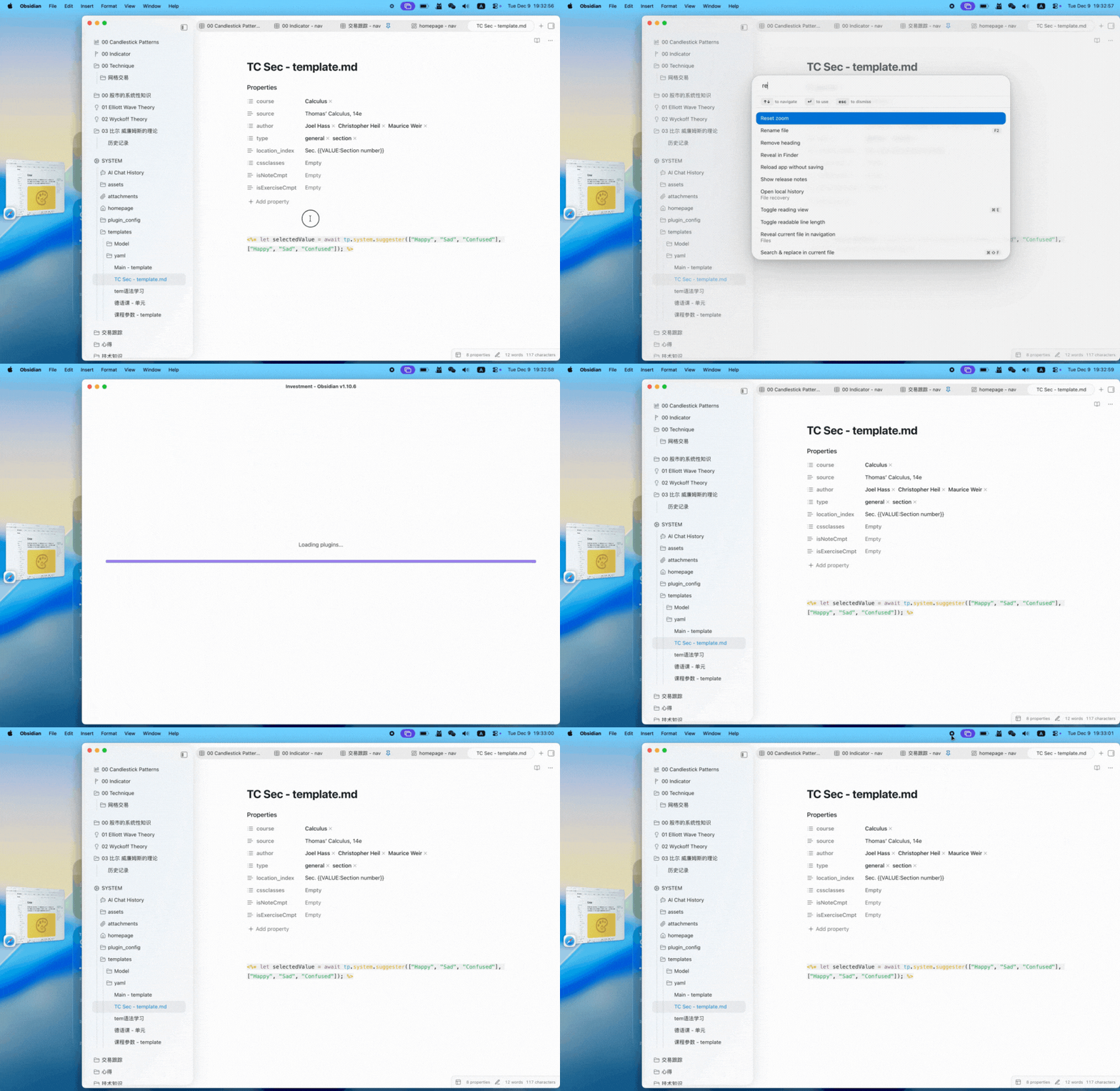
(See .gif below) I understand Obsidian team has been polishing the UI/UX recently, and I would like to suggest an improvement regarding the startup loading screen.
Use case or problem
Currently, when Obsidian launches, the loading progress bar appears. However, on devices where Obsidian loads very quickly (often under 1 second), the progress bar appears and disappears almost instantly.
Because the duration is so short, the animation looks less like a “loading process” and more like a graphical glitch or a sudden screen flash. It feels abrupt and jarring visually.
Proposed solution
I suggest adjusting the animation logic to handle fast load times better. For example:
- Minimum Duration: If the loading screen is shown, enforce a minimum display time (e.g., 500ms-800ms) with a smooth fade-out effect, so the eye can register it properly.
- Delay Appearance: Or, only show the progress bar if loading takes longer than a certain threshold (e.g., don’t show it if it takes less than 200ms).
- Smoother Transition: Make the disappearance of the bar a gentle fade-out rather than a sudden cut.
- Alternatively, consider removing the startup progress bar entirely if possible, as it seems unnecessary for modern fast-loading contexts and only adds visual clutter.
Current workaround (optional)
Failure: I attempted to use CSS snippets to hide the progress bar, but it is not a perfect solution. A visual flicker still occurs (the bar appears briefly before the CSS applies). It seems that modifying the underlying HTML or app startup logic is necessary to achieve a clean removal without visual artifacts.
Related feature requests (optional)