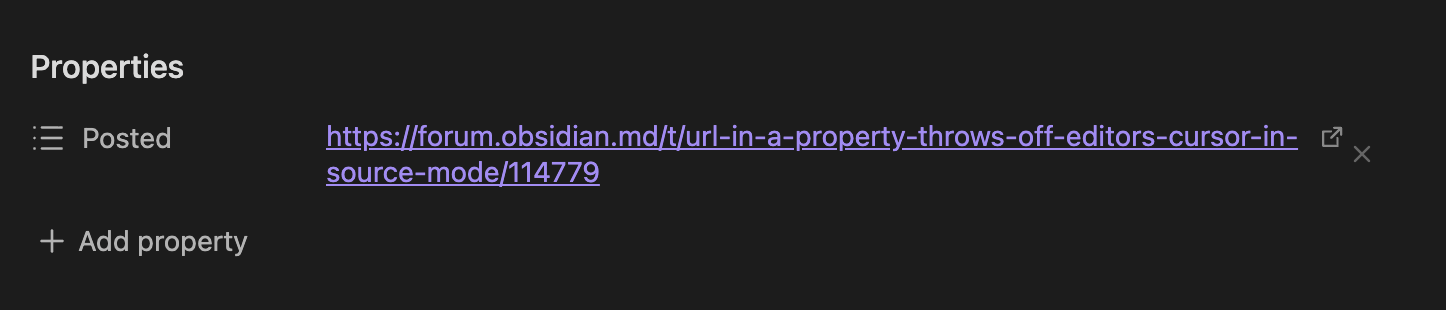
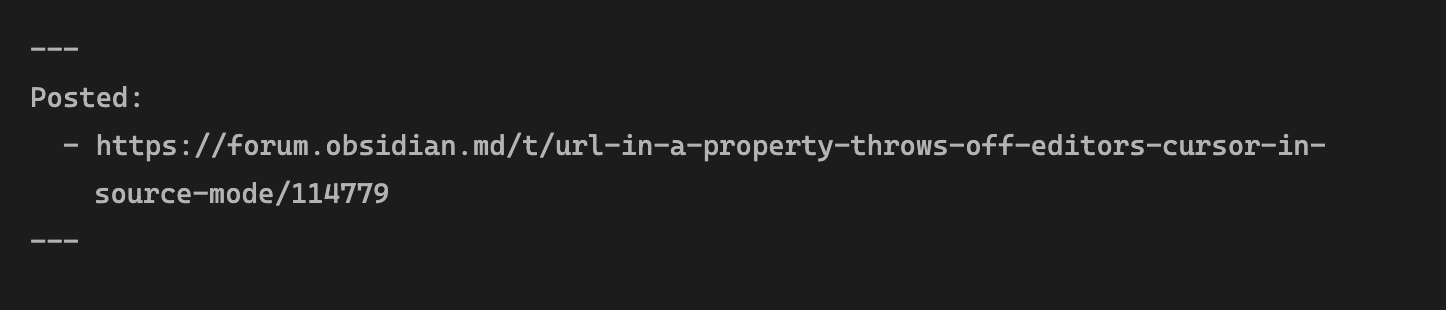
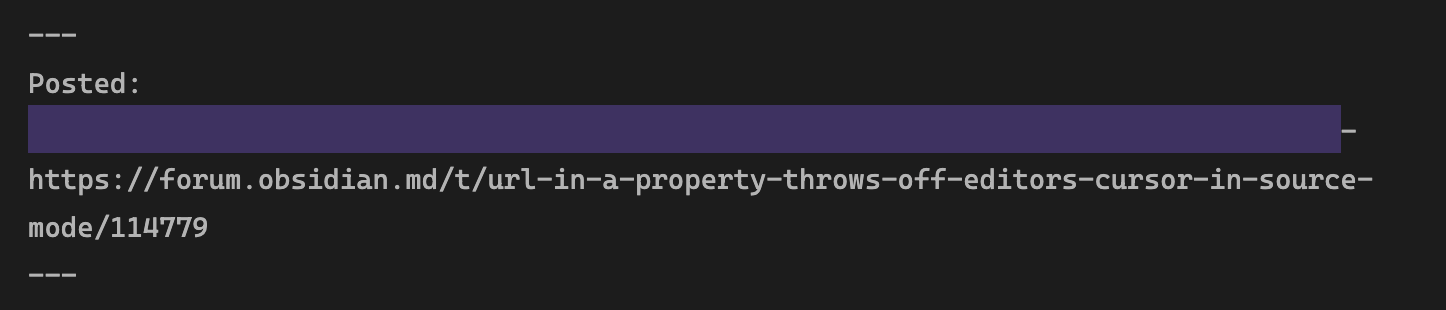
Steps to reproduce
- Editor in source mode (does not do this with reading and non-source editing)
- Have a property containing a very long word (in my case it is a URL in a list-type property. Removing it fixes the issue, but I’d like to keep it there. I do not know if a regular text property would also do this)
- Try to select text or place the cursor somewhere by clicking with the computer mouse (mouse pad or external mouse does not change anything)
Expected result
- Text is selected where the mouse is, or cursor is placed in that spot, depending on whether you drag or click
Actual result
- The cursor is one live above where it should be, or selects text one line above
Environment
SYSTEM INFO:
Obsidian version: 1.12.7
Installer version: 1.11.4
Operating system: Windows 11 Home 10.0.26200
Login status: not logged in
Language: en-GB
Insider build toggle: off
Live preview: off
Base theme: dark
Community theme: Obsidian Nord 0.2.0
Snippets enabled: 10
Restricted mode: off
Plugins installed: 22
Plugins enabled: 21
1: Callout Manager v1.1.1
2: Colored Text v1.3.0
3: Custom File Explorer sorting v3.1.6
4: Dataview v0.5.68
5: Extended Graph v2.7.6
6: File Color v1.1.0
7: Find orphaned files and broken links v1.10.1
8: Folder Note v0.7.3
9: Global Search and Replace v0.5.0
10: Highlightr v1.2.2
11: Homepage v4.4.2
12: Linter v1.31.2
13: Local Backup v0.2.2
14: Mononote v1.2.2
15: MySnippets v1.2.3
16: Notebook Navigator v3.0.2
17: Page Scroll v1.0.1
18: Settings Search v1.3.10
19: Smart Typography v1.0.18
20: Tag Wrangler v0.6.4
21: Waypoint v3.0.1
Additional information
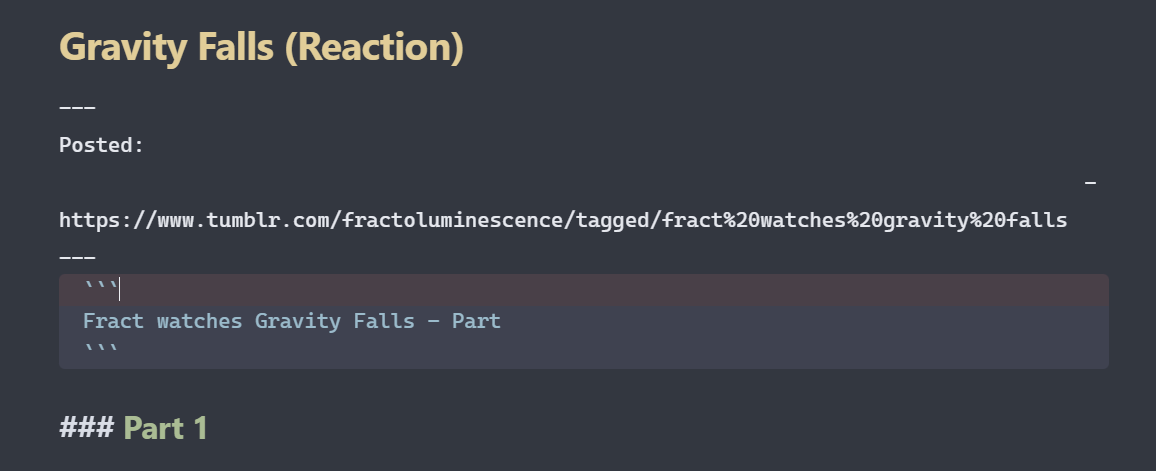
In the above, I tried to place my cursor after the word ‘part’ in the code block. As you can see, it selected the line above. (Side note: The ‘Posted’ property is formatted correctly, since I added it and wrote inside it using the side properties panel, so I can’t have made a typing error in that regard.)
It’s manageable since I can just exist source mode, but I’d like to be able to use source mode normally when typing text…Would love this to be fixed. Either way, thank you for your time, and have a good day 

 (so I can’t try to repro this
  ) but something looks a bit off in your screenshot
  .
.