FWIW  : I can repro on Mac…
Steps to reproduce
-
Create a brand new vault (stored locally) … or open an existing one.
-
From that vault, launch a brand new instance of the Sandbox vault (and open the console in the Dev Tools)
-
Switch back to the brand new vault created in step 1 and create a new note containing 2 URIs which, normally (as stated in the doc), should bring the sandbox vault (currently in the background) to the foreground.
-
Click on each link in the note
→ Result: Nothing happens  …
…
- The sandbox vault stays in the background
- The
Console in the Dev Tools doesn’t seem to receive anything (i.e.: it doesn’t acknowledge the fact that an URL action has been performed)
Did you follow the troubleshooting guide? [Y/N]
Yes
Given that I used a new instance of the sandbox vault and a brand new empty vault (with the default settings)
Expected result
As currently stated in the documentation: Obsidian URI - Obsidian Help
obsidian://open?vault=my%20vault
This opens the vault my vault. If the vault is already open, focus on the window.obsidian://open?vault=ef6ca3e3b524d22f
This opens the vault identified by the ID ef6ca3e3b524d22f.
And given that the value of vault parameter can either be the URL encoded vault name or its ID (as mentioned here), that the targeted vault is indeed open and in the background, I was expecting that clicking on either links in step 3 would bring the targeted vault (i.e.: the sandbox vault) to the foreground .
Actual result
Nothing  …
…
The open action is never received by the targeted vault and the vault stays in the background…
Environment
The brand new vault (named uriTest):
SYSTEM INFO:
	Obsidian version: 1.13.4
	Installer version: 1.13.4
	Operating system: Darwin Kernel Version 24.6.0: Tue Apr 21 20:18:11 PDT 2026; root:xnu-11417.140.69.710.16~1/RELEASE_ARM64_T6020 24.6.0
	Login status: logged in
	Language: en
	Catalyst license: supporter
	Insider build toggle: on
	Live preview: on
	Base theme: adapt to system
	Community theme: none
	Snippets enabled: 0
	Restricted mode: on

RECOMMENDATIONS:
	none
And just in case, for the sandbox vault:
SYSTEM INFO:
	Obsidian version: 1.13.4
	Installer version: 1.13.4
	Operating system: Darwin Kernel Version 24.6.0: Tue Apr 21 20:18:11 PDT 2026; root:xnu-11417.140.69.710.16~1/RELEASE_ARM64_T6020 24.6.0
	Login status: logged in
	Language: en
	Catalyst license: supporter
	Insider build toggle: on
	Live preview: on
	Base theme: adapt to system
	Community theme: none
	Snippets enabled: 0
	Restricted mode: on

RECOMMENDATIONS:
	none
Additional information
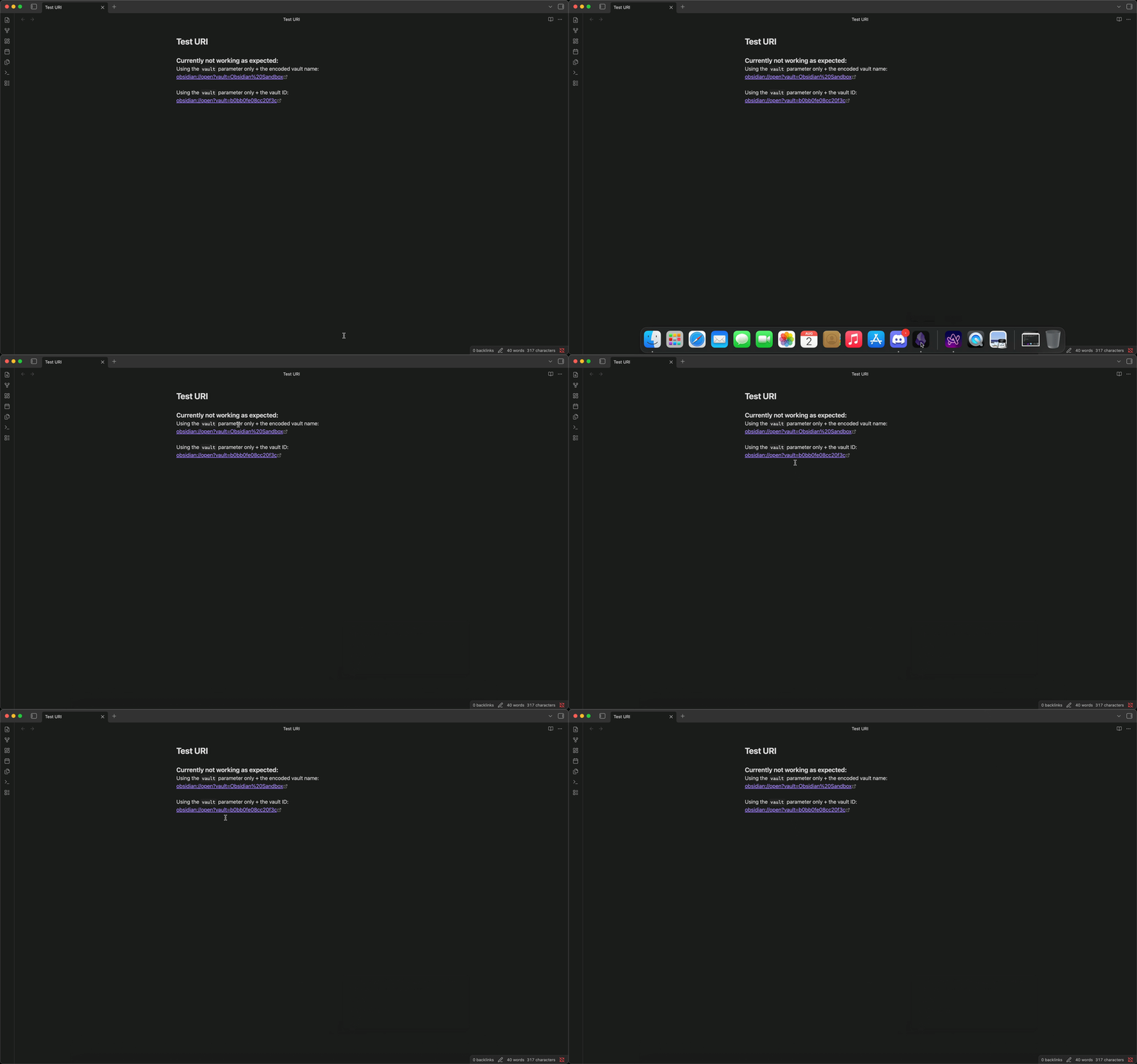
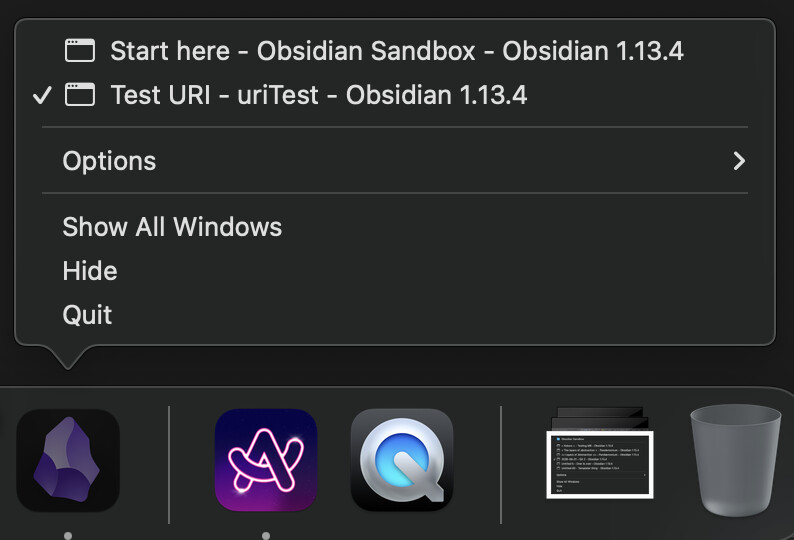
Here’s a screenshot of my “starting point” showing that I indeed have 2 vaults opened:
- The brand new
uriTest one focused on the note containing the URIs I used to test this
- Obsidian’s sandbox (opened but in the background)
Here’s a screen-recording of the “nothing happening” when clicking on each URI where only the vault parameter for the open action is used:
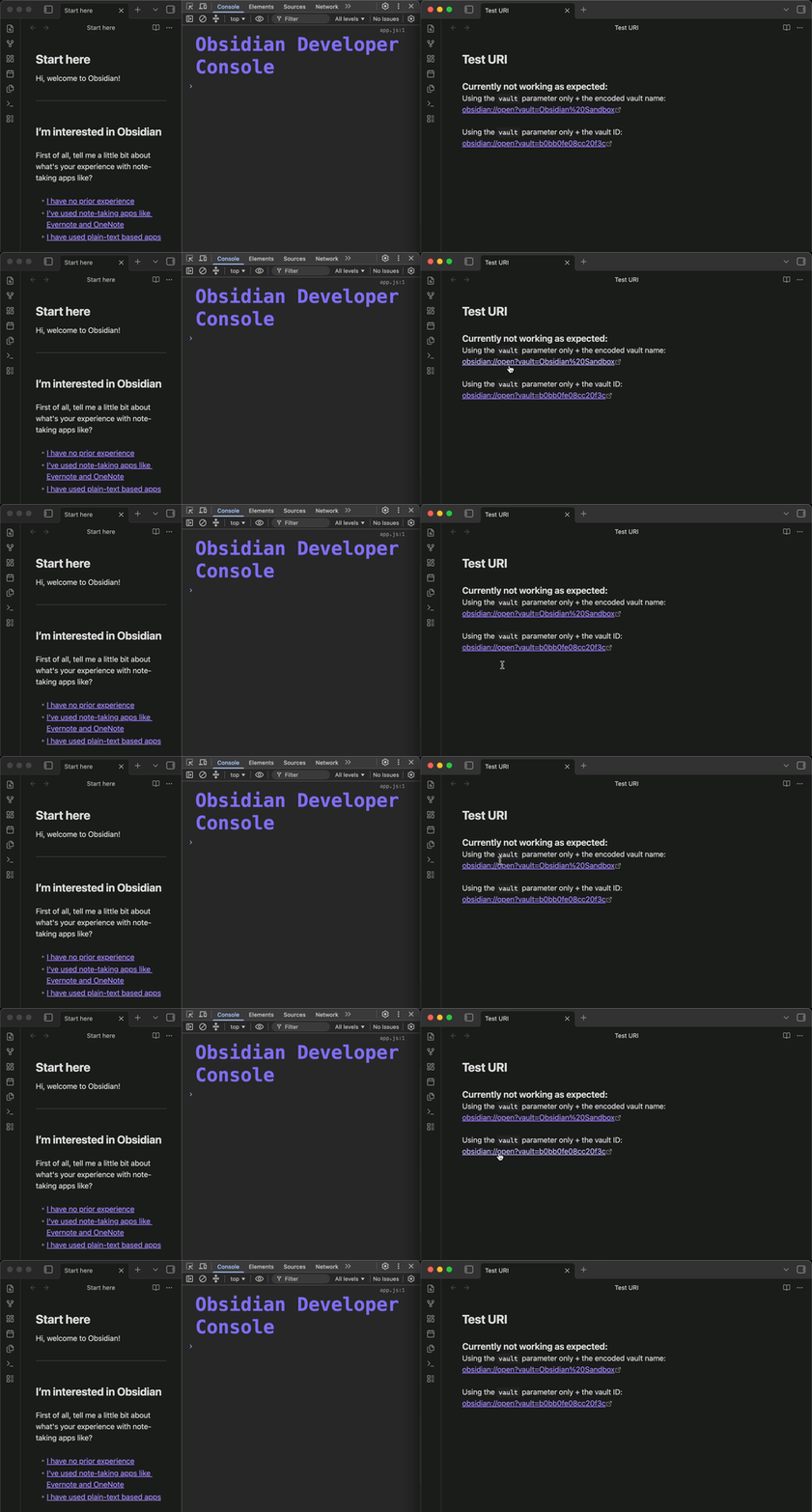
Here’s a screen-recording showing that when clicking on the URIs, the console in the Sandbox vault never receives the information that a URL action has been performed…
There’s a workaround but it’s a bit more cumbersome compared to using the vault parameter  …
…
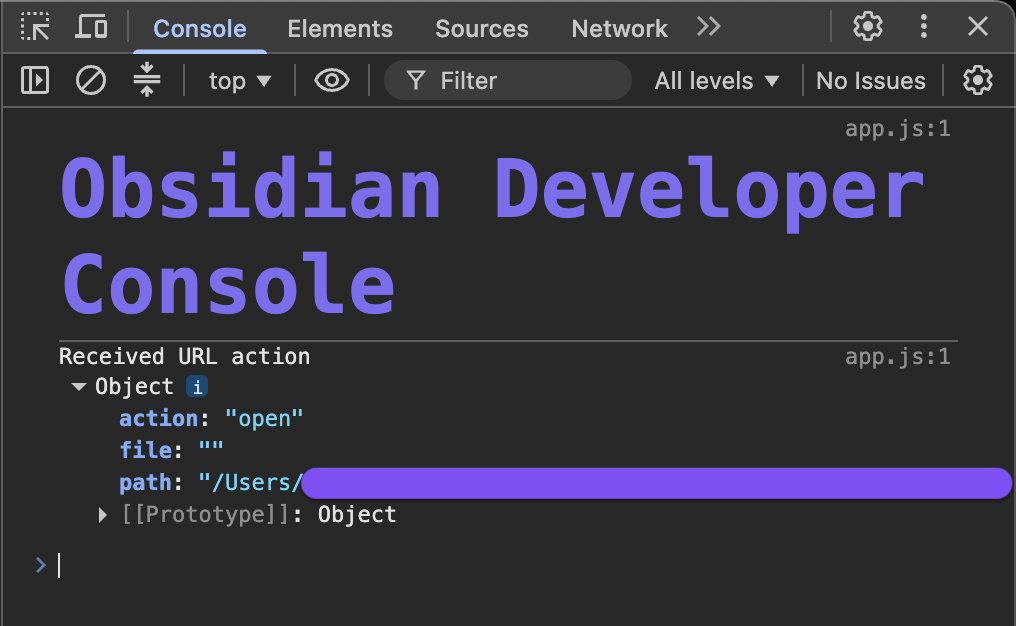
Using the path parameter and the URL encoded path to the vault (from the system root) does seem to still bring the vault targeted by the open action, sitting in the background, to the foreground and in that case, the console in the dev tools also acknowledges that an URL action was performed …
So, the URI, is something like:
(I’ve shortened the full link here  )
)
obsidian://open?path=%2FUsers%2Fusr%2F [ ... ] %2FObsidian%20Sandbox
And this is what happens when I click on such a URI:
- The targeted vault (i.e.: the sandbox vault) is brought to the foreground
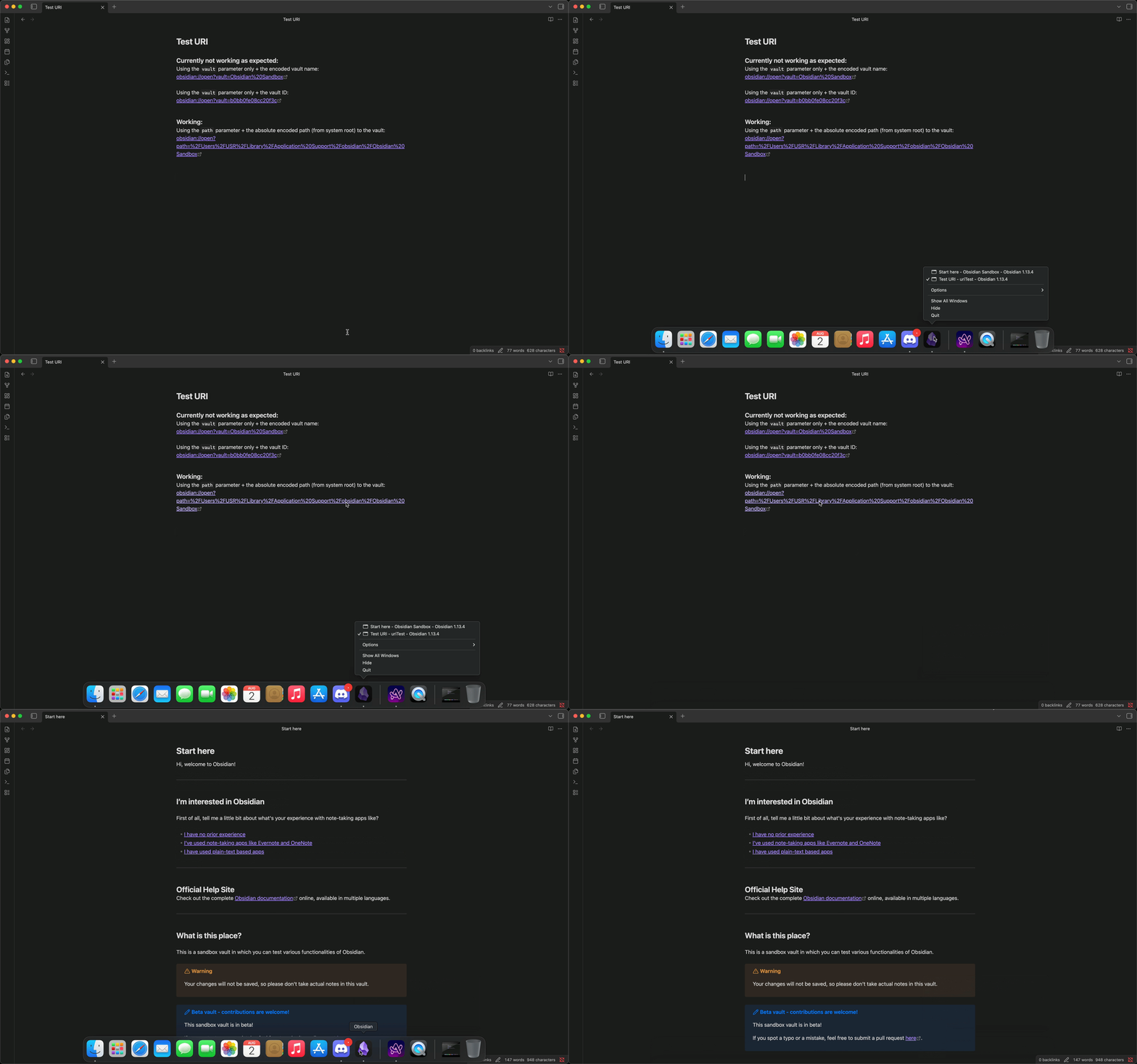
- The console does receive the
URL action…
… as opposed to when only the vault parameter is used in the URI
It seems to also work when using the vault and the file parameter …
E.g.:
[obsidian://open?vault=Obsidian%20Sandbox&file=Start%20here](obsidian://open?vault=Obsidian%20Sandbox&file=Start%20here)
But in that case, I think it’s because a specific file in a specific vault is the target of the URI (and not just a vault)
Also, it doesn’t matter if the open action has already been added to the Trusted actions under Settings > Files and links > Obsidian URI in the targeted vault.
I’ve tested in both cases (open action already saved as a trusted action and not) and a URI using a vault parameter only just fails
(I can only guess this might be tied to the fact that the targeted vault never receives the URL action for some unknown reason(s) )
This seems to have been going on for some time, as on 2026-06-14 someone on the OMG Discord server ran into an issue while also trying to use a URI containing the vault parameter only > here
(Sorry for the length  )
)
 !
!