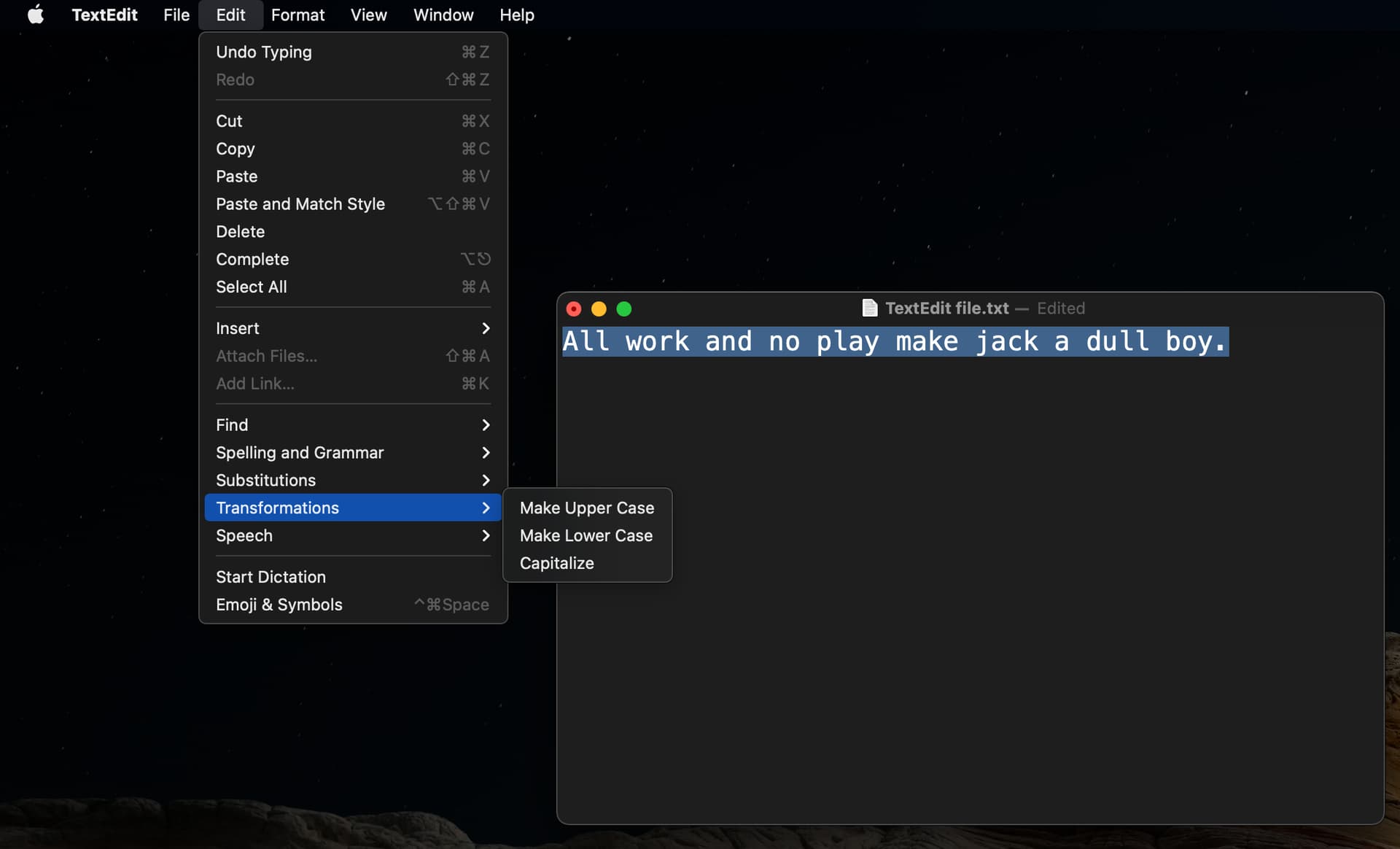
+1
This is an option in stock macOS apps. Unfortunately, doesn’t show up in Obsidian. Adding this menu would be the most sensible option for macOS.
+1
This is an option in stock macOS apps. Unfortunately, doesn’t show up in Obsidian. Adding this menu would be the most sensible option for macOS.
Windows users can use this Autohotkey script which has the advantage of working in any app
Still a daily frustration for me on all platforms.
I’ve also started using a note taking device but I write in capitals - trying to convert text to sentence case is painful and an unnecessary waste of time in 2025!
Such a shame that such a simple and often needed feature is still missing natively in Obsidian
+1 to this! This feature has to be added, and this is the best way to do it.
-1. This feature makes sense as an optional plug-in. Obsidian loads are already so slow, why add more feature bloat that single-digit percent (if that) of users will use? Not everything needs to be a core plug-in.
Features ≠ plugins.
Case switching is something most editors have, even if basic. Obsidian already has autocompletion with “()”, and “**”, so why not add support for such a basic (²) and craved feature?
It doesn’t make much sense as a community plugin due to the basic (³) of its nature, and the same goes for it being a core plugin.
Just make it a feature. Must be a small modification or a few lines of code and done.
For anyone using a Mac, the free WordService utility can do all of the above (and a whole lot more).
FYI, if you enable the built-in Vim key bindings, you can use the standard Vim commands to change text to uppercase, lowercase, or toggle the case.
From the Vim Tip Wiki:
You can change the case of text:
Toggle case “
HellO” to “hELLo” withg~then a movement.
Uppercase “HellO” to “HELLO” withgUthen a movement.
Lowercase “HellO” to “hello” withguthen a movement.Alternatively, you can visually select text then press
~to toggle case, orUto convert to uppercase, oruto convert to lowercase.
Of course, enabling Vim key bindings opens up a lot of other cryptic-but-powerful editor commands, so should not be done lightly. 
Bump.
Word and Write have used Shift+F3 to cycle through case formatting for the longest time. It appears in other software too. I thought it was a de facto standard, so I was surprised to find it wasn’t implemented here. I’ve added the Text Format community plugin and bound Cycle Case to Shift+F3.