Gwriter is an all-in-one “Writing Operations Cockpit” designed for novelists and world-builders. It moves Obsidian from a simple note-taking app into a professional publishing studio by combining AI-assisted drafting with a proprietary real-time canon engine.
Current Status: Vetting in the official review queue (Pull Request #9028). Available now via GitHub for beta testing.
 The “Problem” It Solves
Most AI writing tools suffer from “Canon Drift”—they forget your character’s eye color by chapter 5. Gwriter solves this using a Proprietary Hybrid Retrieval Engine (BM25 + Local Embeddings) that operates in real-time, ensuring every generated word stays true to your Story Bible and Character notes.
 Key Features
-
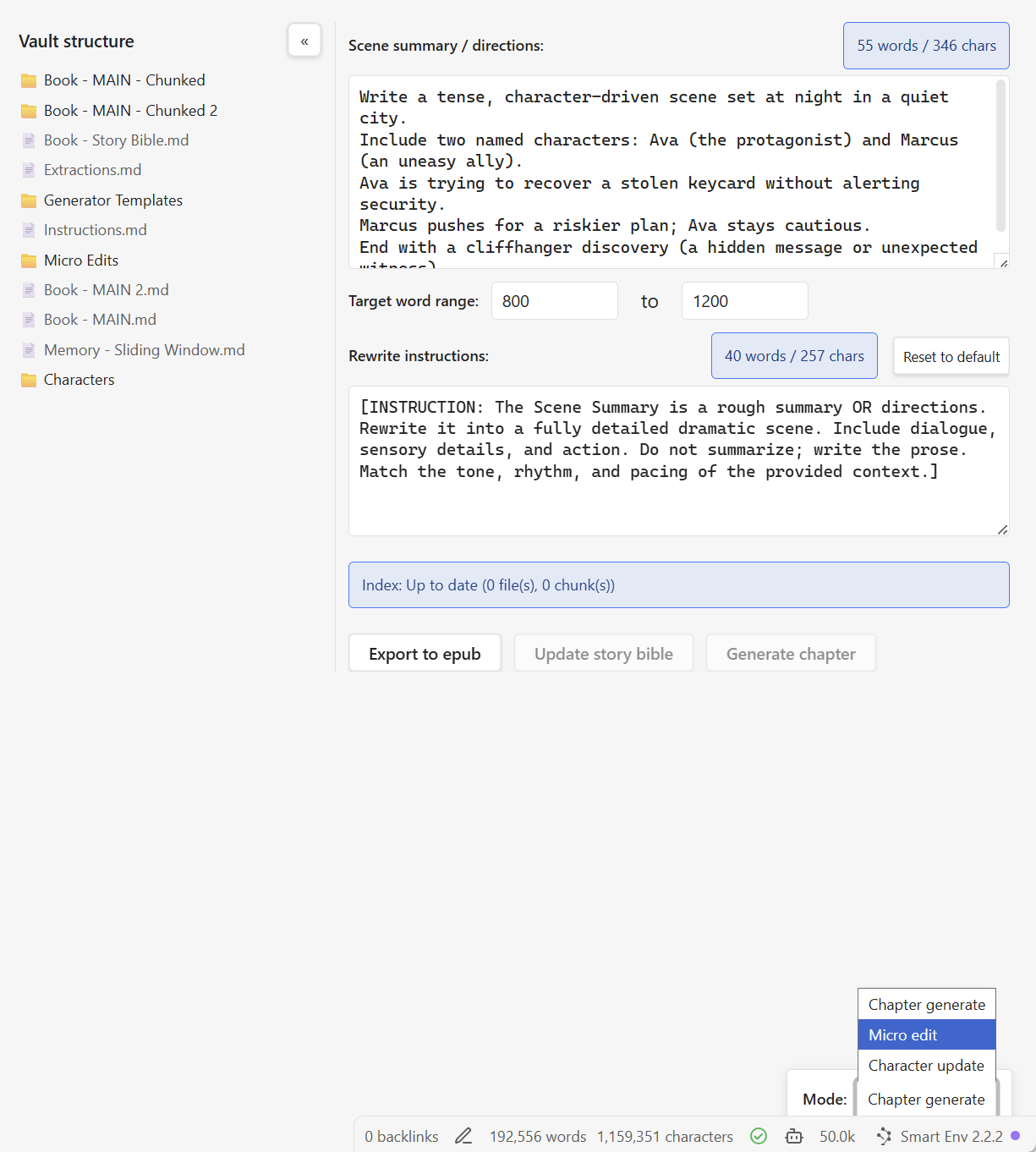
Three Writing Modes: Switch between Chapter Generate (long-form drafting), Micro Edit (surgical prose refinement), and Character Update (automated note extraction).
-
Hybrid Local RAG: Combines lexical ranking and semantic embeddings to retrieve relevant context without ever sending your entire vault to a server.
-
Professional Publishing Studio: Export directly to EPUB, RTF, DOCX, or Plaintext with pre-configured licensing templates and Literata typography.
 In Action
1. The Writing Dashboard The main interface allows you to manage your scene summaries and target word counts while the system tracks your “Canon Index” in the background.
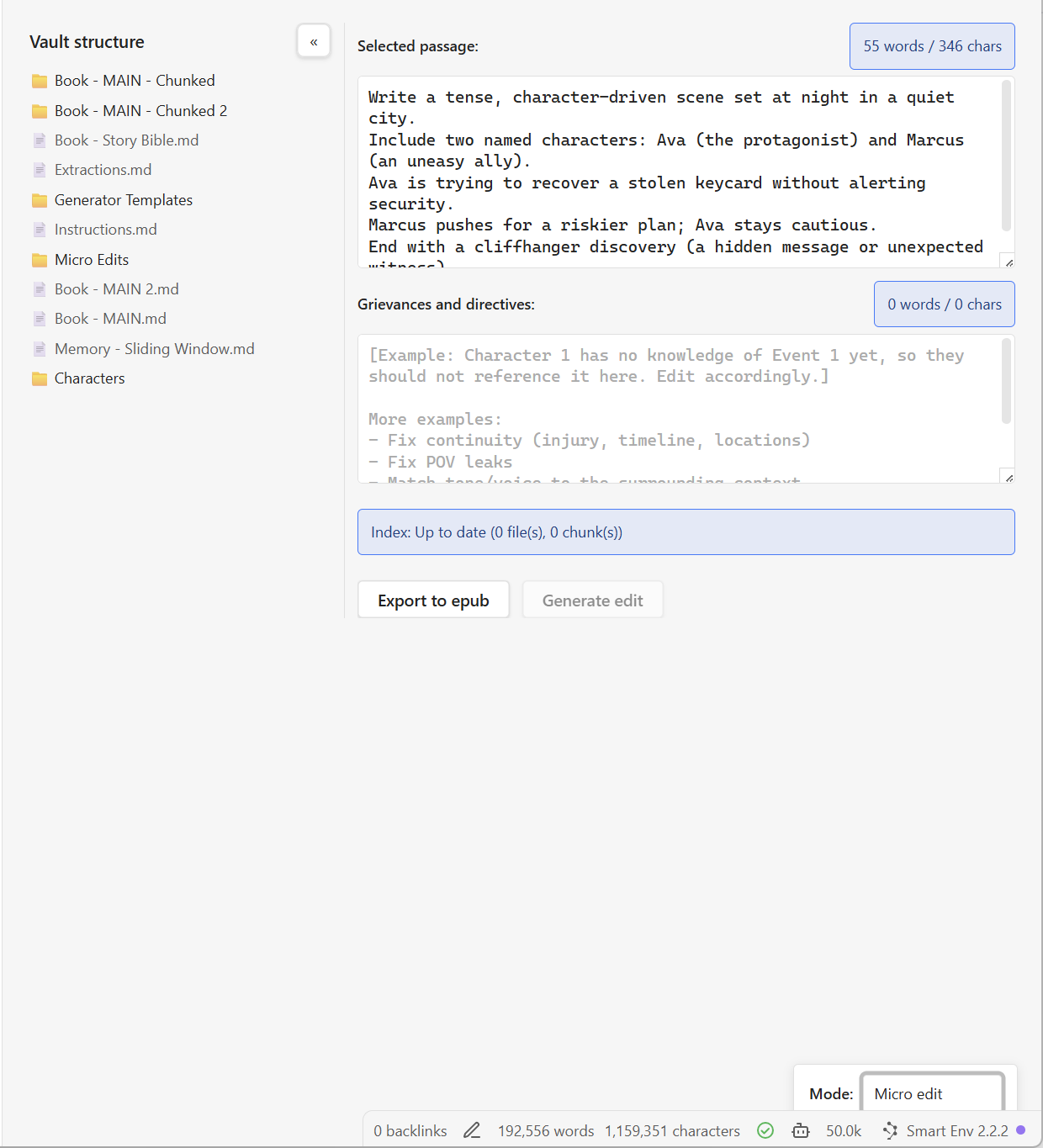
2. Surgical “Micro-Editing” Paste a passage and give specific “Grievances”—like fixing POV leaks or injury continuity—and the AI refines the prose using 500 words of surrounding context for a seamless flow.
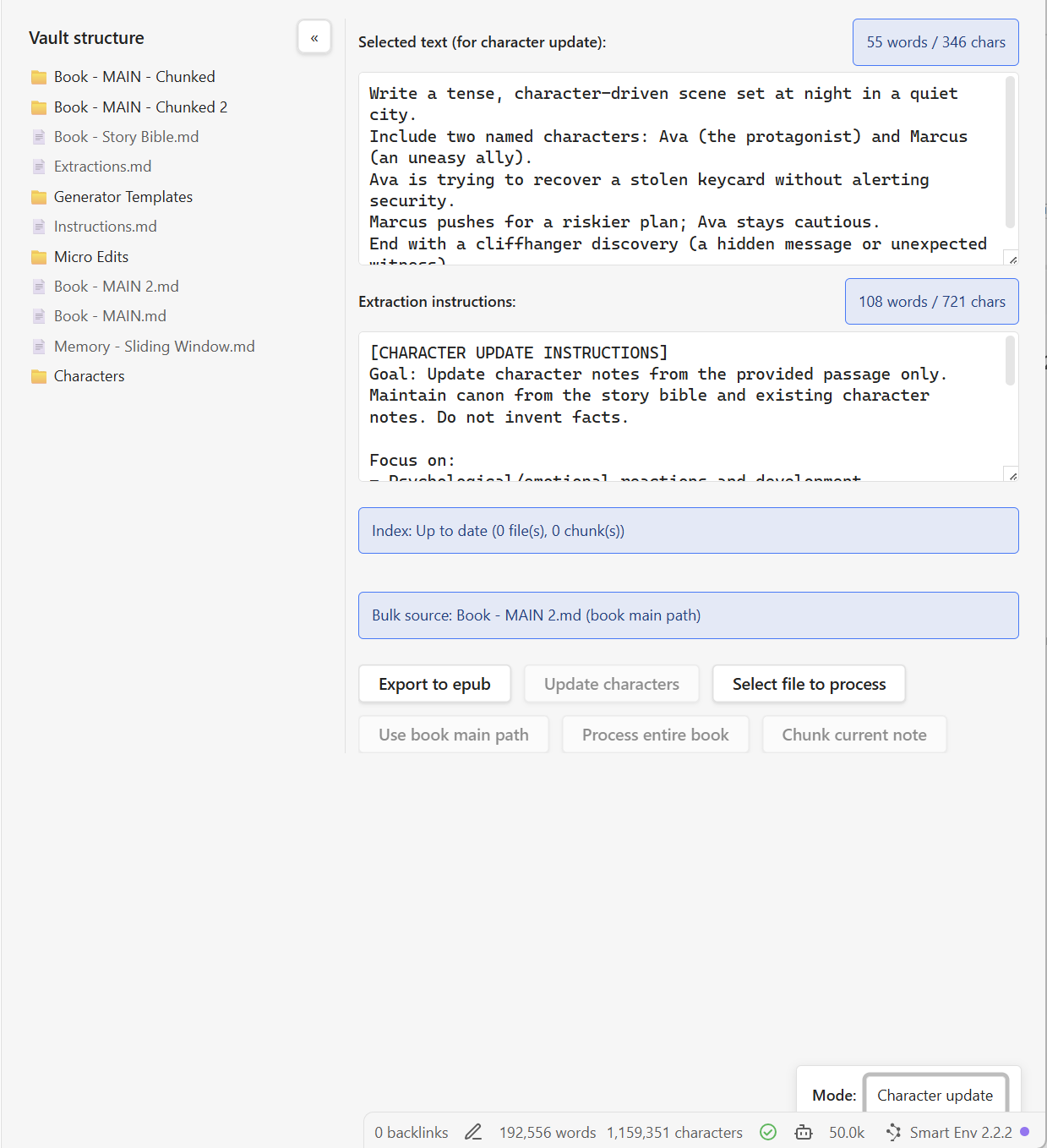
3. Automated Character Management Extract voice evidence, traits, and relationship shifts directly from your latest chapter into timestamped character notes.
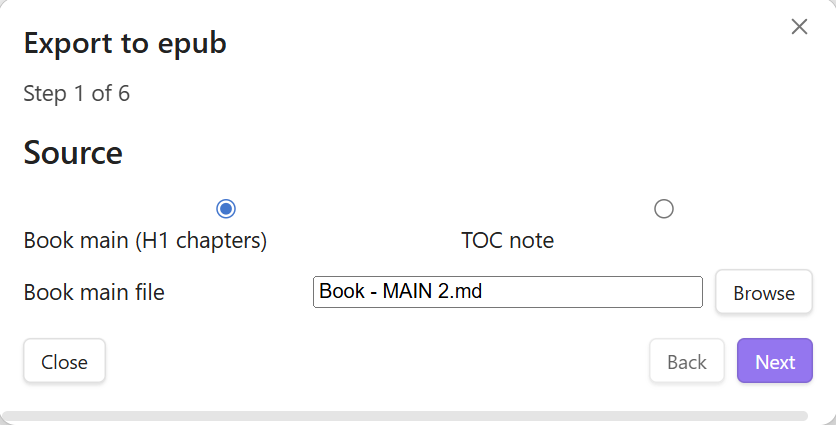
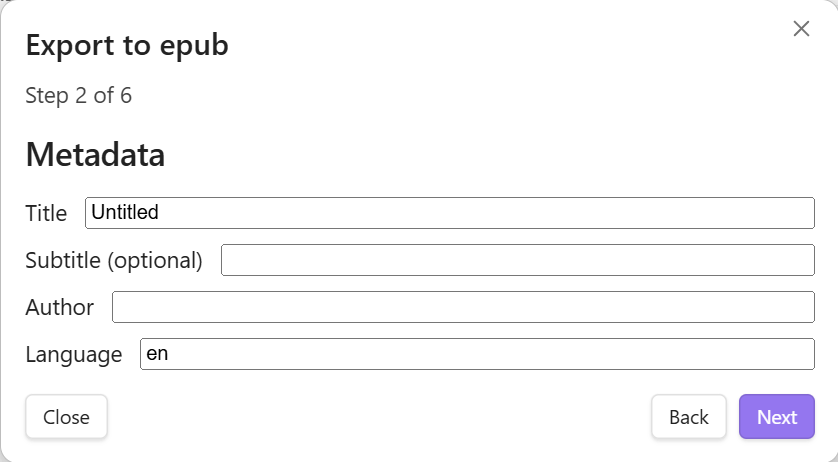
4. Professional EPUB Export Go from a Markdown vault to a formatted book file in seconds. Includes metadata management and custom font embedding.
 Proof of Concept
I built Gwriter to manage my own dieselpunk novel, The Heretic. Using this dashboard, I’ve maintained a 96%+ user retention rate across a 37-chapter manuscript, proving that the tool helps authors stay consistent enough to keep readers hooked.
 Get Started (Beta)
While we wait for the official community store release, you can try Gwriter today:
-
GitHub Repo: [Link to your GitHub]
-
Installation: Best installed via the BRAT plugin for easy updates.
-
Privacy: Your text is only sent to your chosen provider (OpenAI, Anthropic, or Gemini) when you click “Generate.” No third-party servers required.
I’d love to hear from other “Architect” writers—what features would make your publishing workflow even faster?