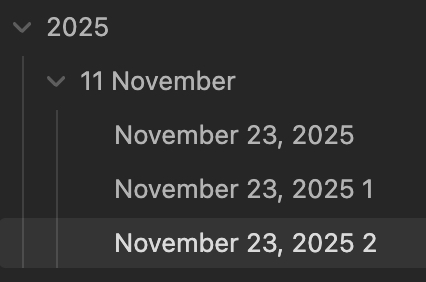
Currently, I can set up automatic folders in daily notes by using date substitutions such as YYYY/MM MMMM/MMMM DD, YYYY, which creates a file ‘November 21, 2025’ in the subfolder ‘2025’, and subfolder ‘11 November.’
Trying to do this in the Unique notes core plugin, generates a message: "Failed to create unique note. Folder “Daily Notes/YYYY/MM MMMM not found.”
Substitutions are not resolved.
Proposed solution
It should be possible for automatic folders to be created in the same way as the daily notes core plugin.
Current workaround (optional)
Manually move the file into the desired folder after creation.
Crap. I just accidentally deleted my response. I meant to edit it.
i’ll go double check, but I’m pretty sure that’s what I did. I’ll reply back later either way.
EDIT: Yes, I did exactly as you described. It says that the \ / and : are not allowed in file names. It seems to be seeing the entire string as a single file name.
I was going to say, I believe it’s your commas that are causing the problem, not the folders.
But I tested it, and it works, at least on MacOS.
What OS are you on? It works for me on MacOS because commas are allowed. But a quick google seems to suggest Windows allows commas too. So now I don’t know.
If you had \ or : maybe that is a different story. So maybe you got the error on a different template than you showed us?
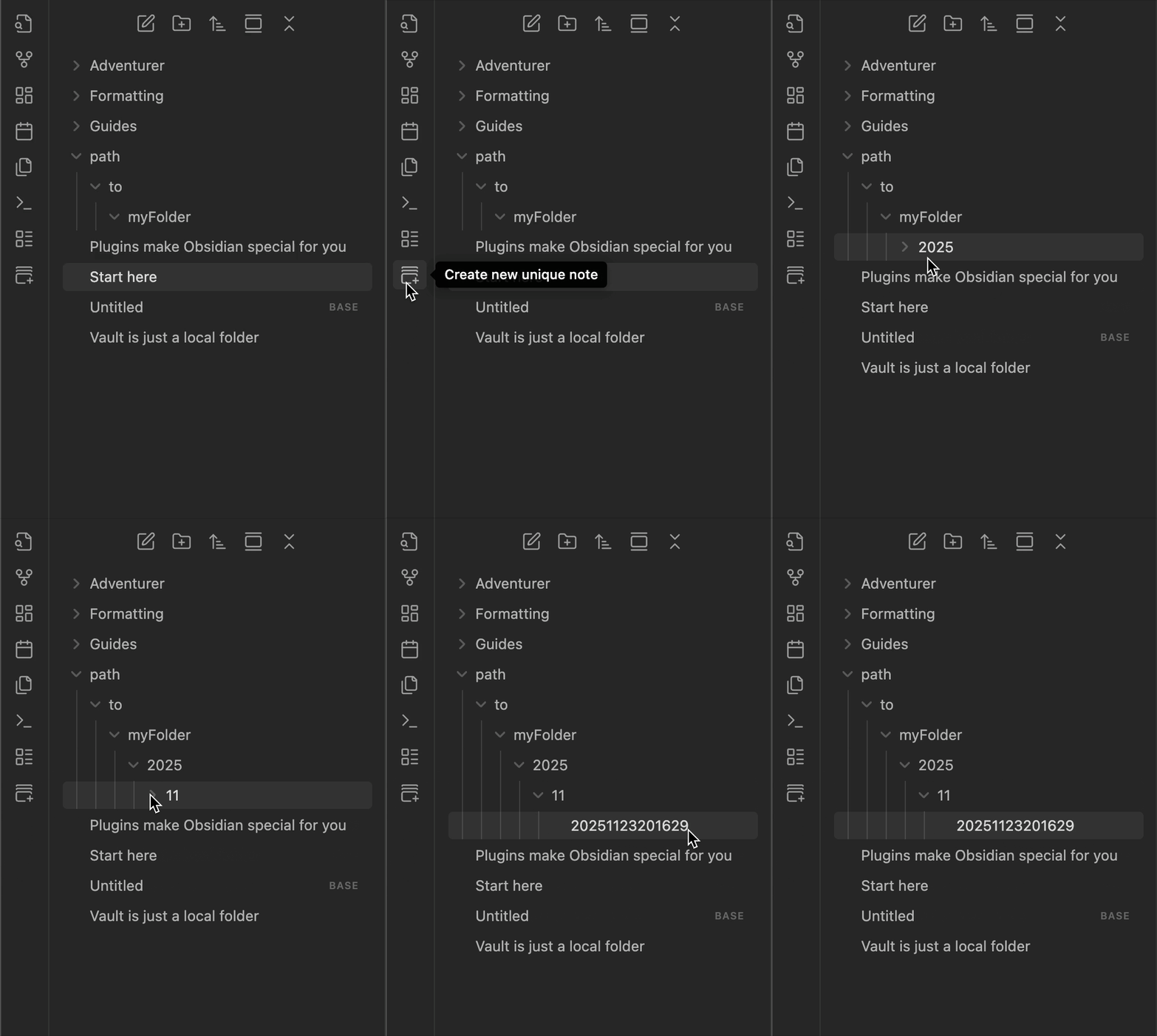
I did not experience that. It made all the folders for me automatically.
I did take the comma out it still threw the error.
I’m on macOS Tahoe.
I’ll look again. I can’t seem to find anything wrong with it. However, I am blind as a bat so there could be something there. I’m just not seeing. I’ll double and triple check.
I meant the folder you set under New file location (only)
At least, in my quick test, I forgot to create the folder(s) under the path path/to/myFolder before trying to create a unique note and Obsidian got angry telling me it couldn’t create the note because the folder didn’t exist …
Once done though, I had no issue afterwards creating unique notes
OK, solved the issue. Not sure what the cause was. Here’s what I did:
(Did Not Work) I removed all the fields in options, disabled the plugin, re-added the options, and reenabled.
(Did Not Work) Removed all the fields in options, disabled the plugin, restarted Obsidian, re-added the options, and reenabled the plugin.
(This Worked!) Removed all the fields in options, disabled the plugin, restarted my MacBook, started Obsidian, re-added the options, and reenabled the plugin.
Seemed like the settings were being cached somewhere. Anyway, it is working as expected now.
 …
…


 …
…