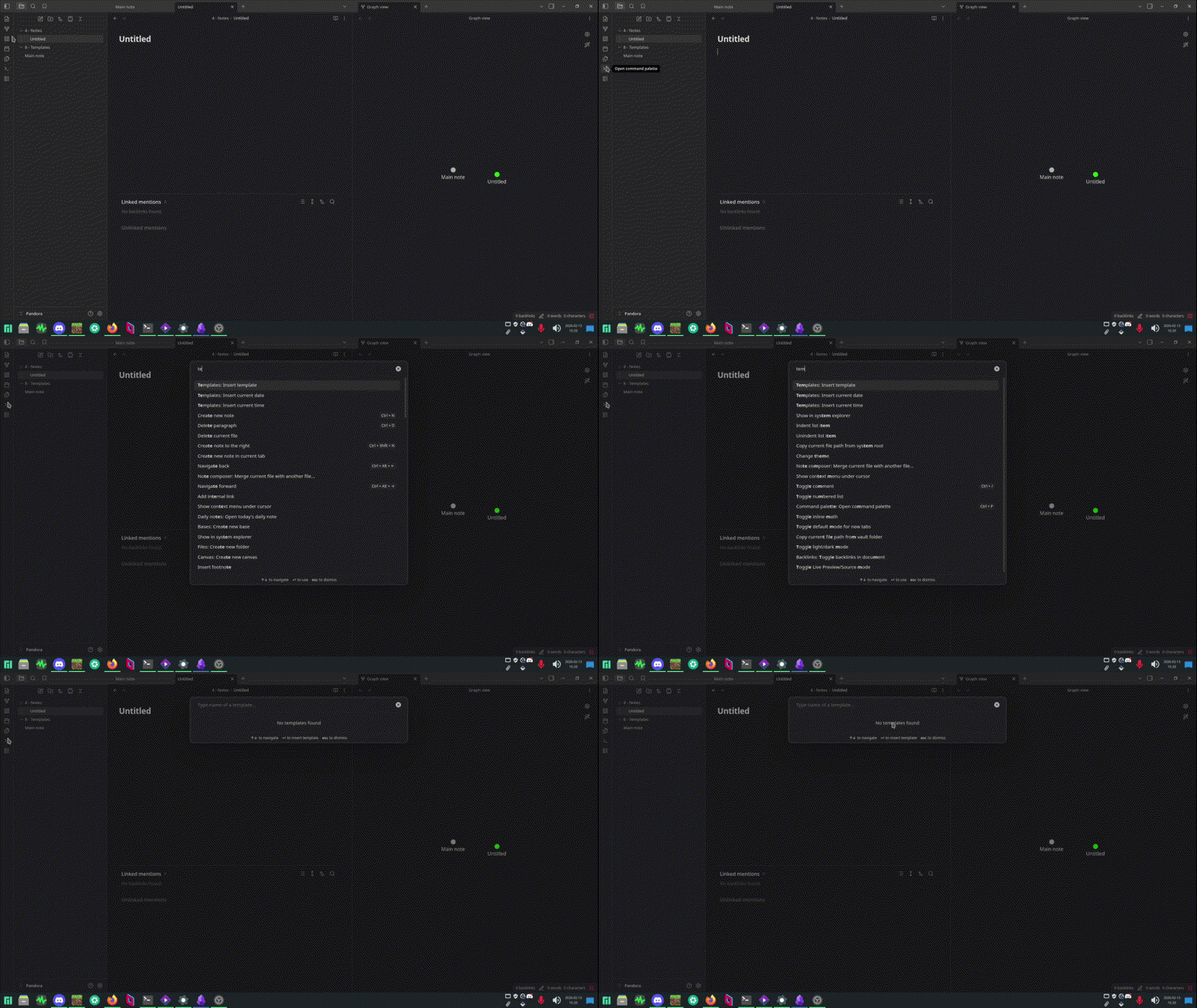
I’m trying to use the templates feature. I created a templates folder, specified it on the settings (selected it from the popup window, so syntax is correct), but when i click on “insert template”, it doesn’t give me the option to paste the template i created inside that folder, it just says there’s no templates. I’m on manjaro linux now, but i used to be on windows 10 and it was working fine.
Things I have tried
I tried creating a fresh vault, just creating 2 folders, one for notes and one for templates, and just making a template and pasting it on a new note, but it didn’t work. I tried reinstalling Obsidian a bunch of times (i tried installing it as appimage and from flatpak), but i get the same issue. Is it just an OS issue?
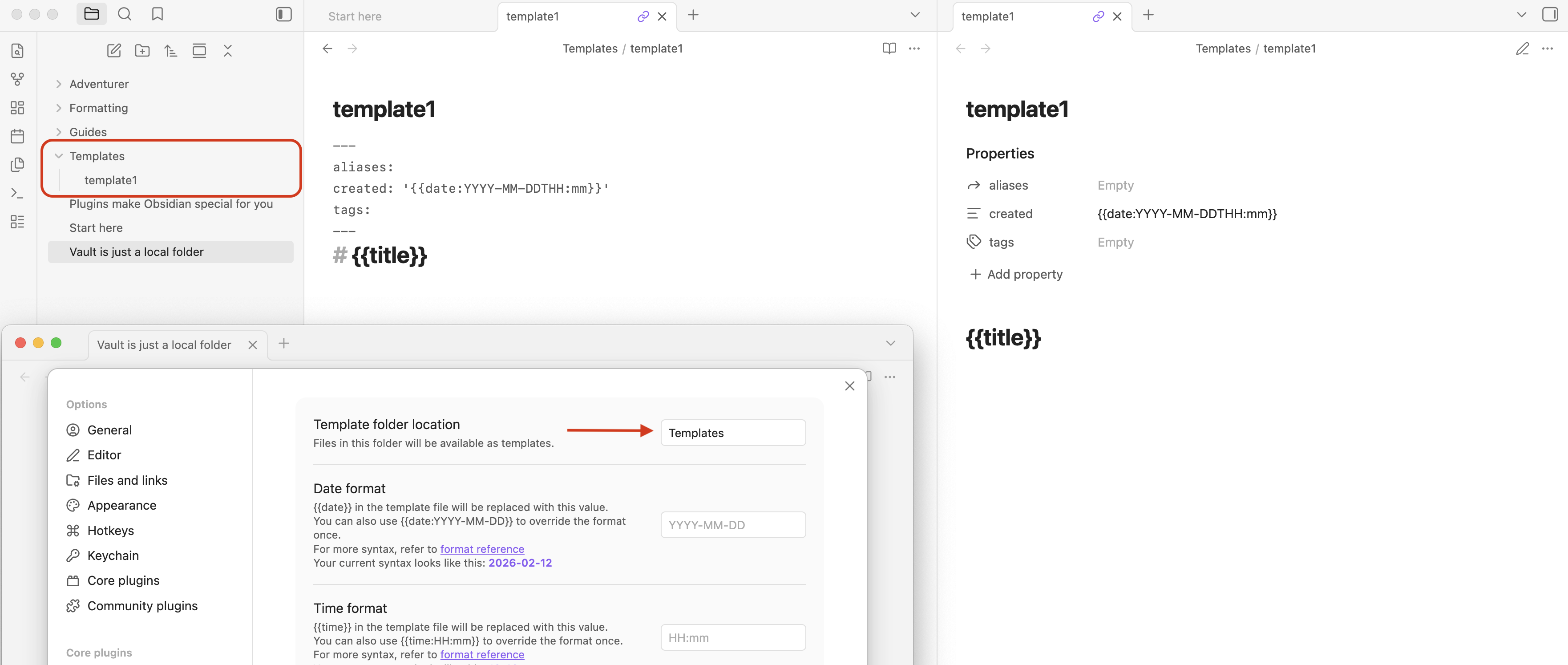
If you have used core Templates before, the setup is probably fine, but just to be sure: can we see a screenshot of your Templates settings, the folder/file structure, and the template itself. Something like this (separate screenshots are fine, I just jammed everything in one).
source mode, reading view, and the Templates settings below.
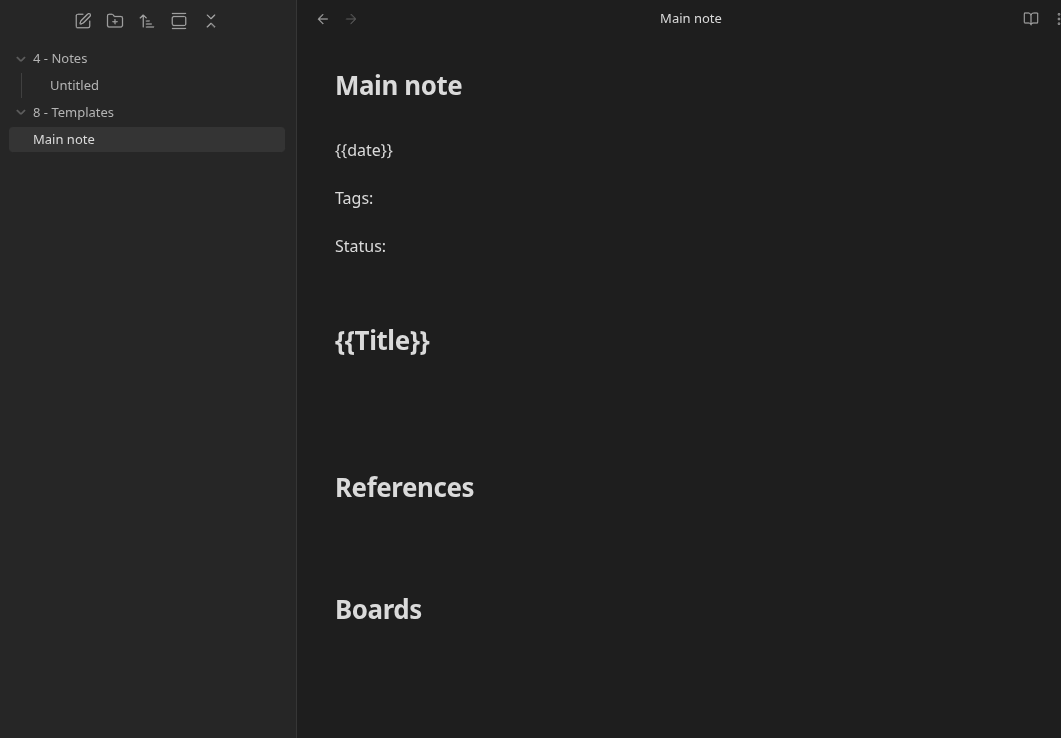
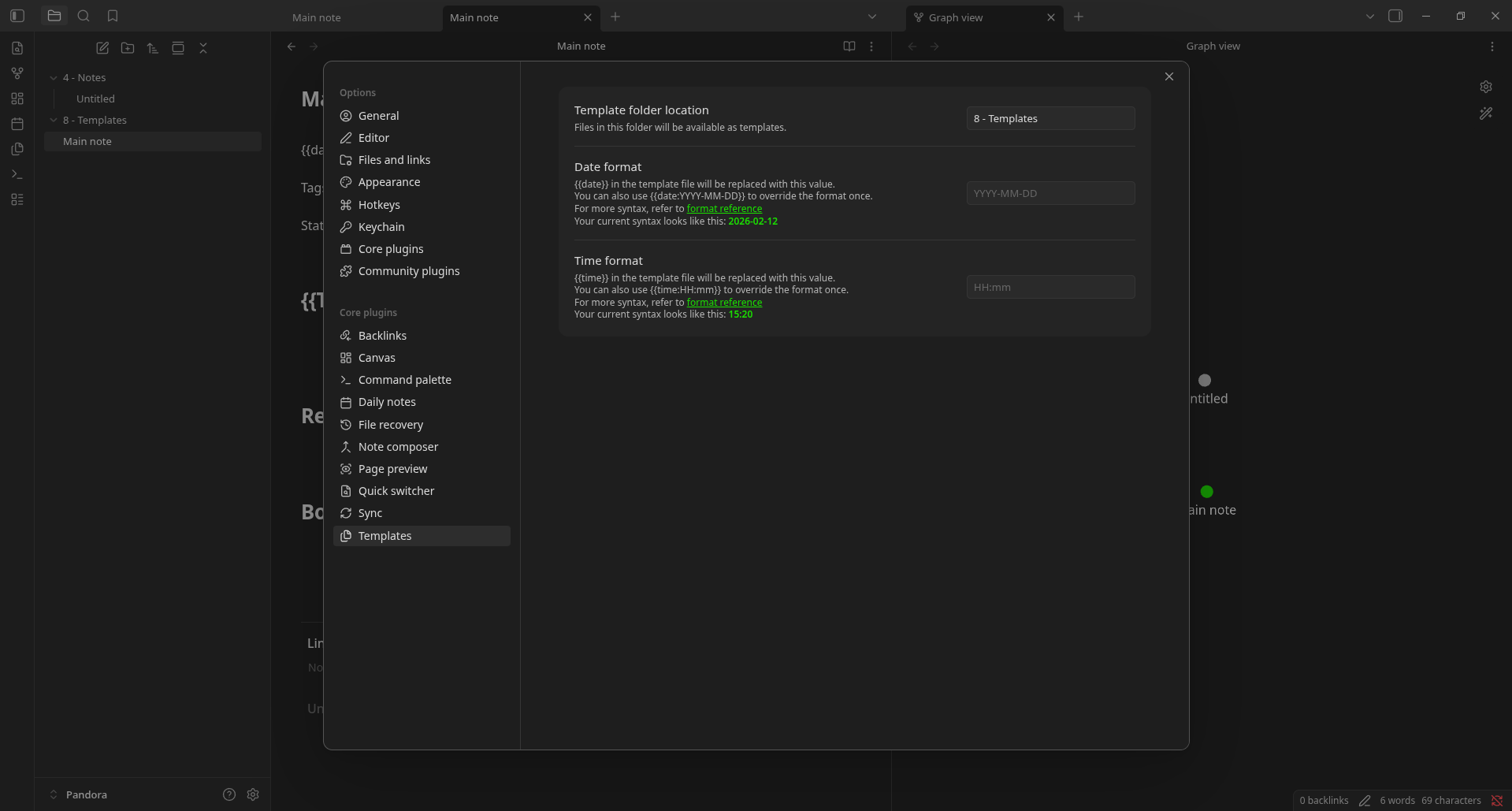
Is the template you want to use the Main note file? It looks like it’s in vault root and not the 8 - Templates folder. Try dragging it into 8 - Templates folder.
That is the stupidest mistake i could’ve made… It just looked like it was in it because i usually have the folders opened and i didn’t notice. Sorry for the waste of time