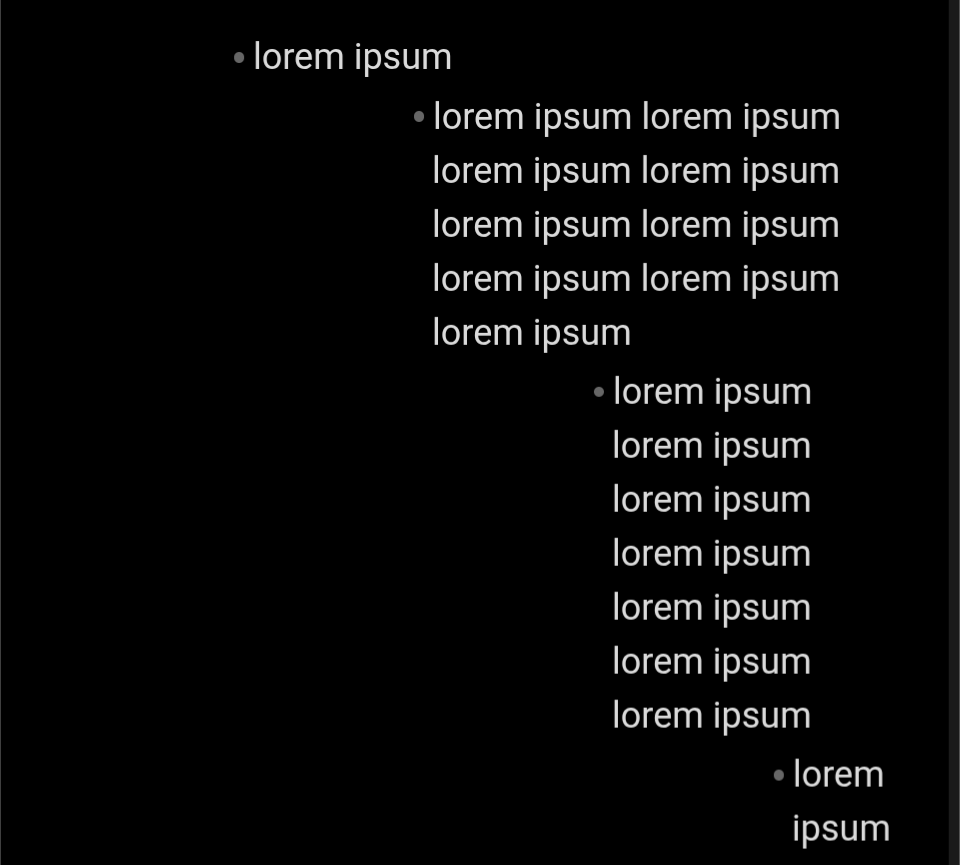
My Setup
- App version: Obsidian 1.9.12
- OS: macOS Sequoia 15.6.1
- Theme: Minimal
- Plugins: Style Settings (used to adjust nested list indent)
What I’m trying to do
Increase the nested list indent so that all lines of each list item (including wrapped lines) shift together in live preview.
Things I have tried
- Changing the CSS variable
--list-indent→ no effect. - Adjusting the “Nested list indent” slider in Minimal’s Style Settings → no effect.
- Tweaking the variable
--list-indent-editing→ moves only the first line of each list item. Wrapped lines stay put, so the text still hangs under the bullet/number. - Adding custom CSS with
!importantto overridepadding-inline-startandtext-indent. This can neutralize the hanging indent, but then I would have to manually recreate per-level padding.
Question
Is there a supported way to change the nested list indentation in the editor (Live Preview) so that every wrapped line follows the bullet/number?