Steps to reproduce
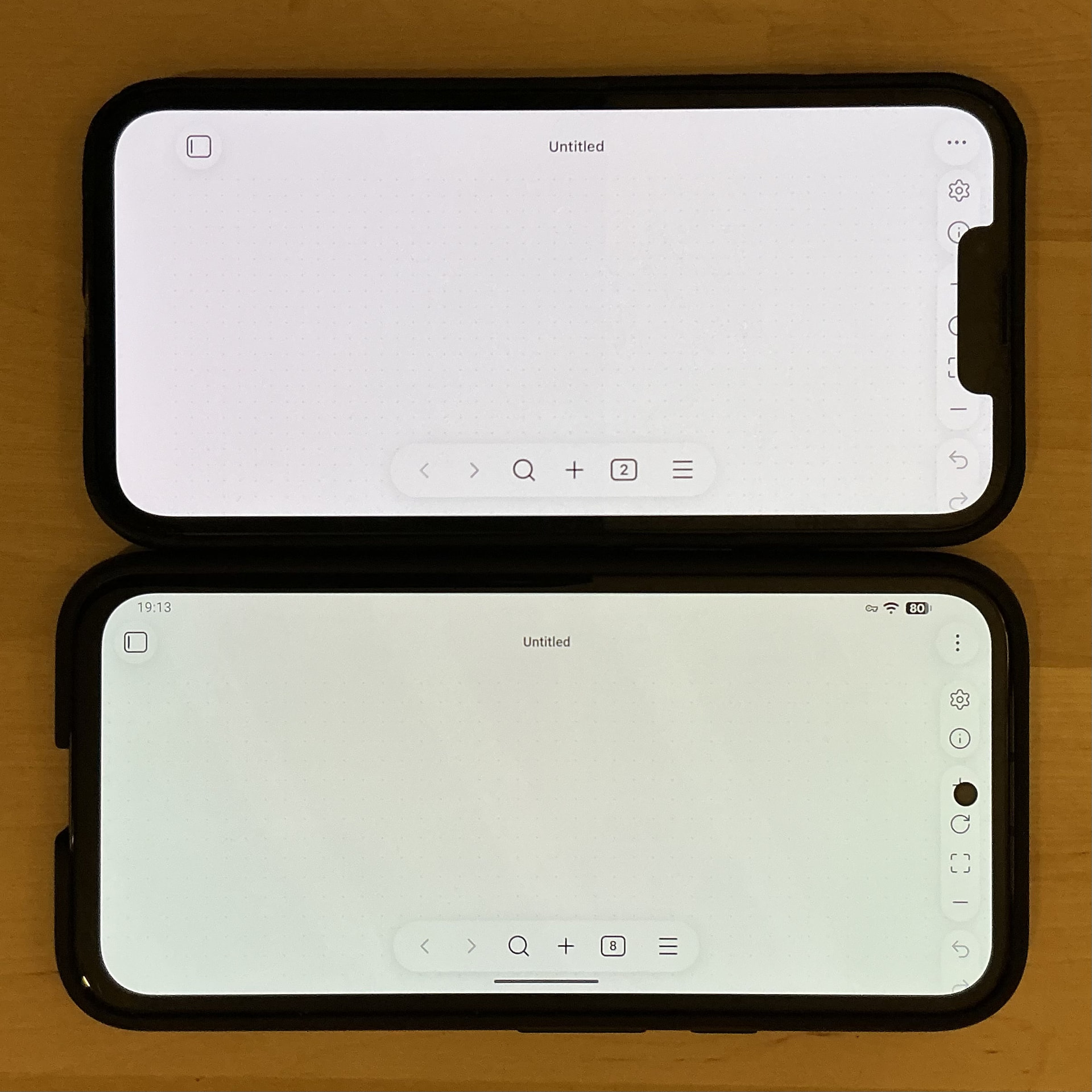
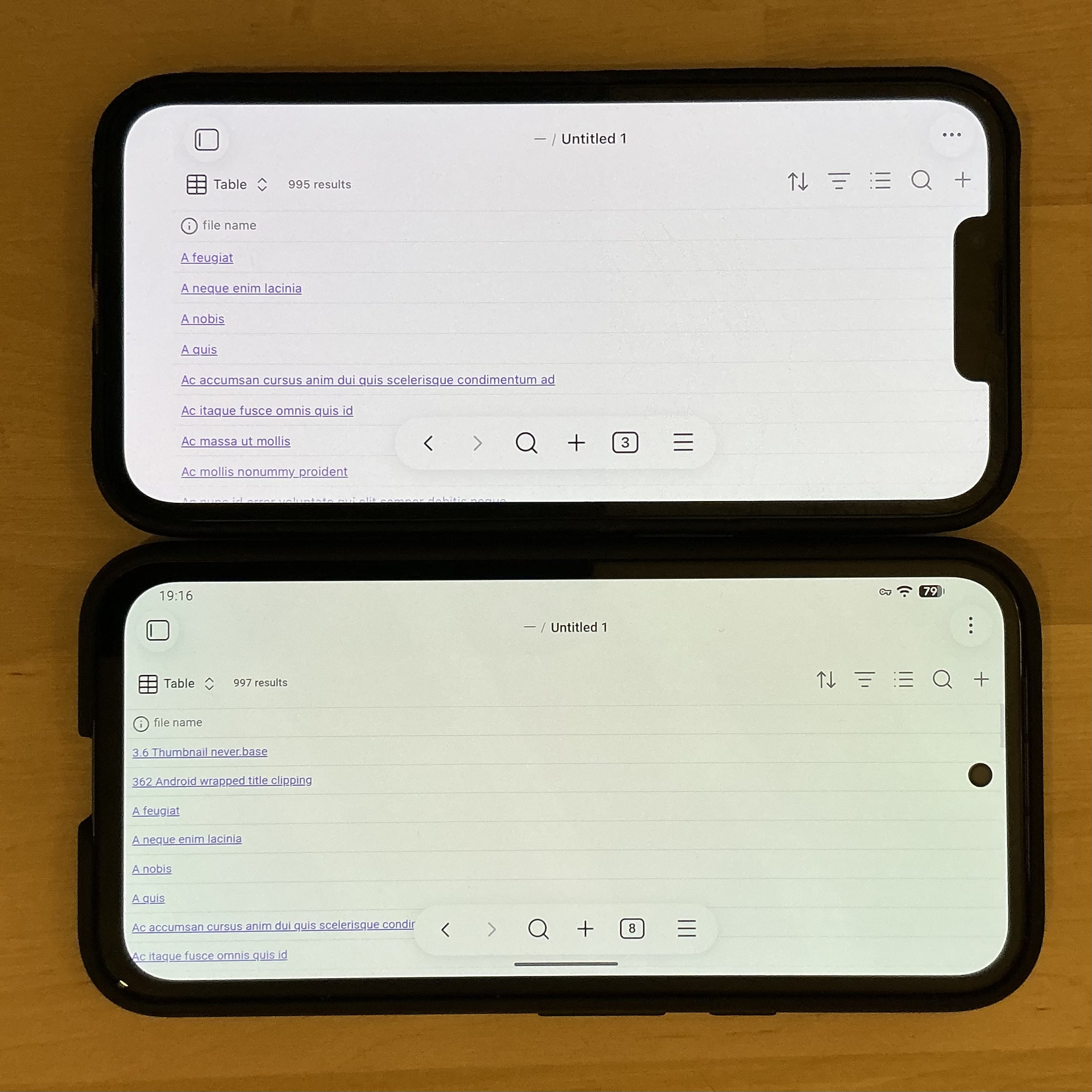
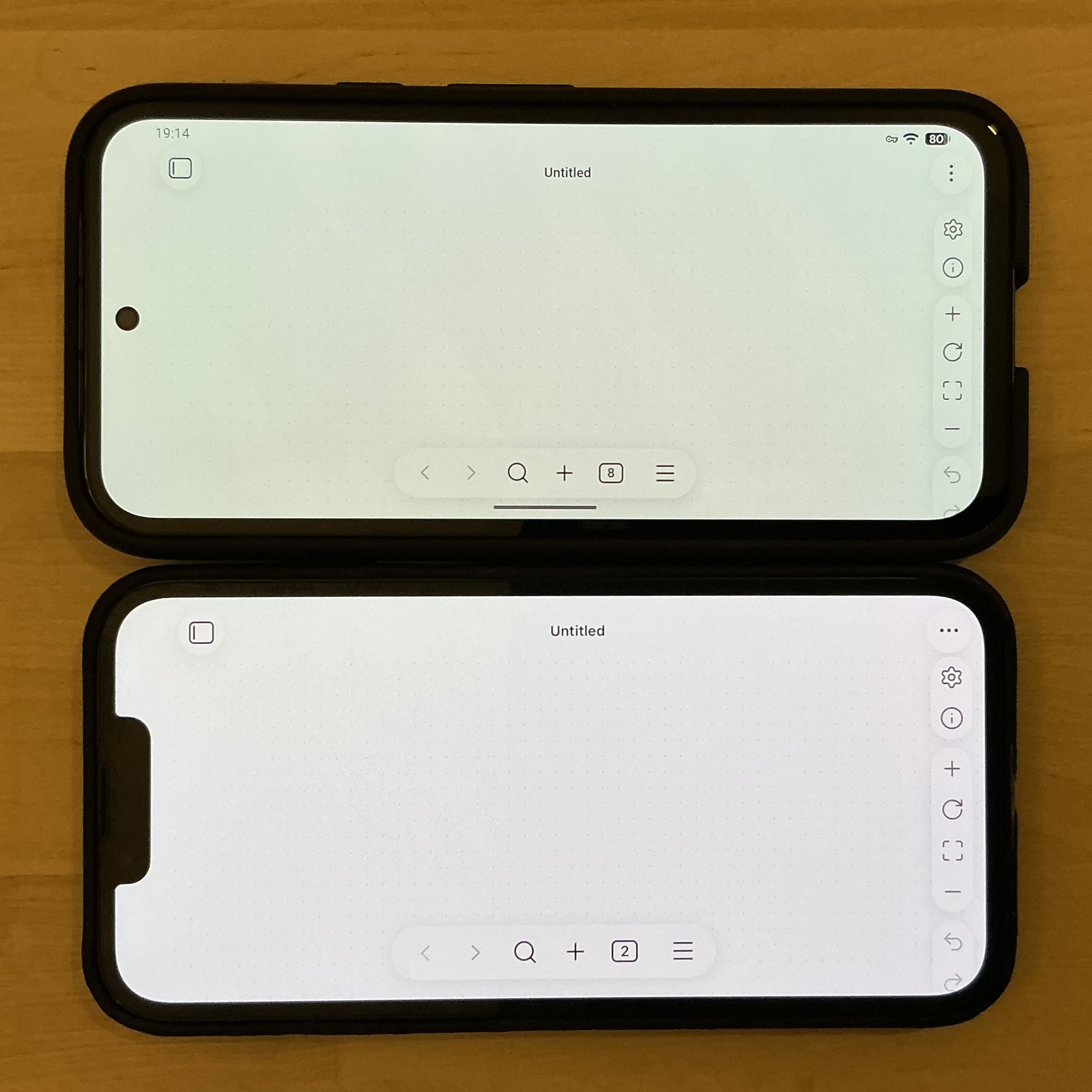
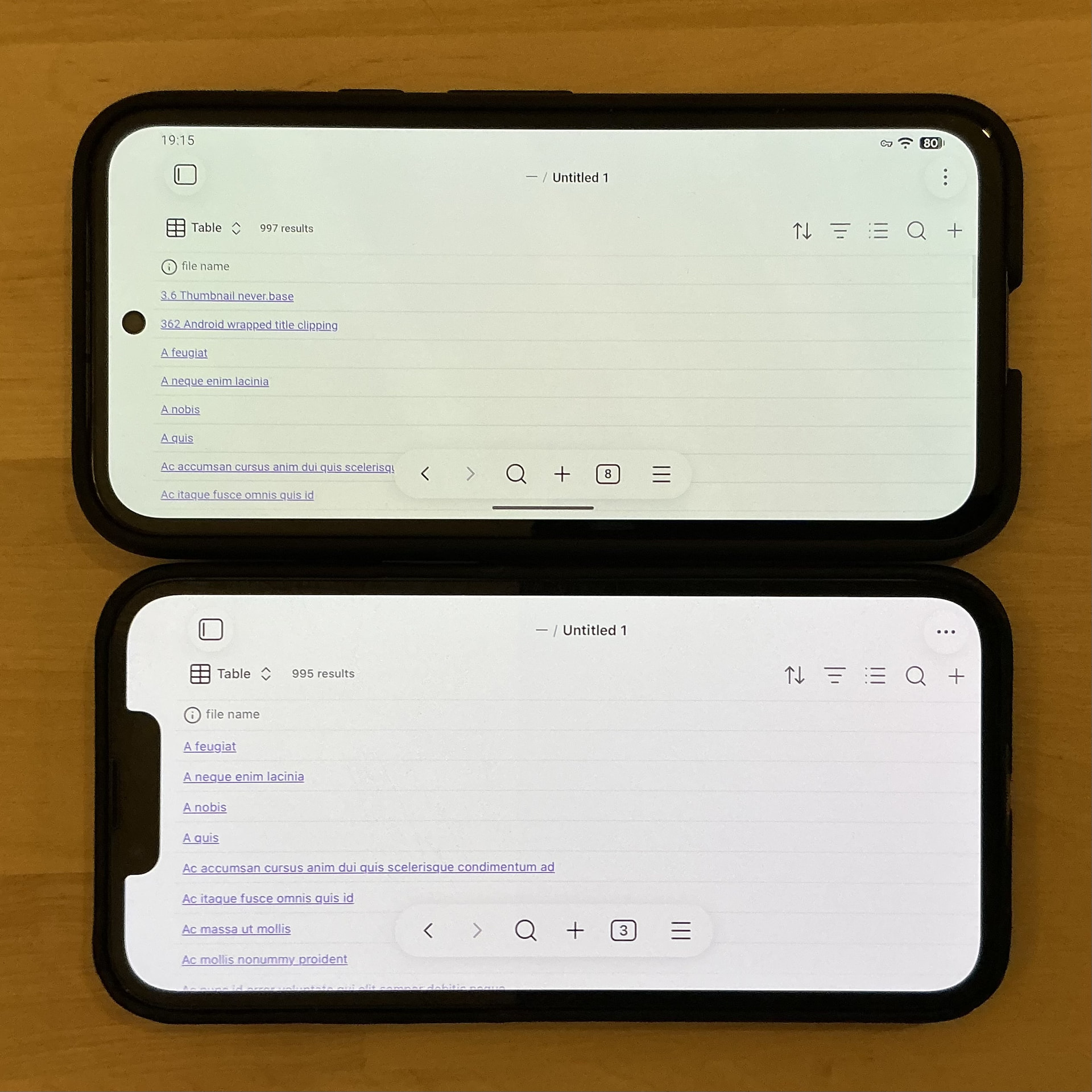
Turn phone landscape, with notch/island on the right side.
Did you follow the troubleshooting guide? [Y/N]
Please, follow the Troubleshooting Guide before answering Yes.
Y
Expected result
Notch/island area is padded, no vacant space on left-side screen edge.
Actual result
UI is clipped on the right, wasted blank space on left screen edge. As a result, right-side elements (such as Canvas toolbar) can be hidden/inaccessible, and it looks broken.
Environment
SYSTEM INFO:
Obsidian version: 1.12.7 (303)
API version: 1.12.7
Operating system: iOS 26.3.1 (Apple iPhone14,5)
Login status: not logged in
Language: en
Live preview: on
Base theme: adapt to system
Community theme: none
Snippets enabled: 0
Restricted mode: on
RECOMMENDATIONS:
none
Additional information
It’s apparent that the app assumes that the notch/island is always left-side.
Observed on both iOS and Android.