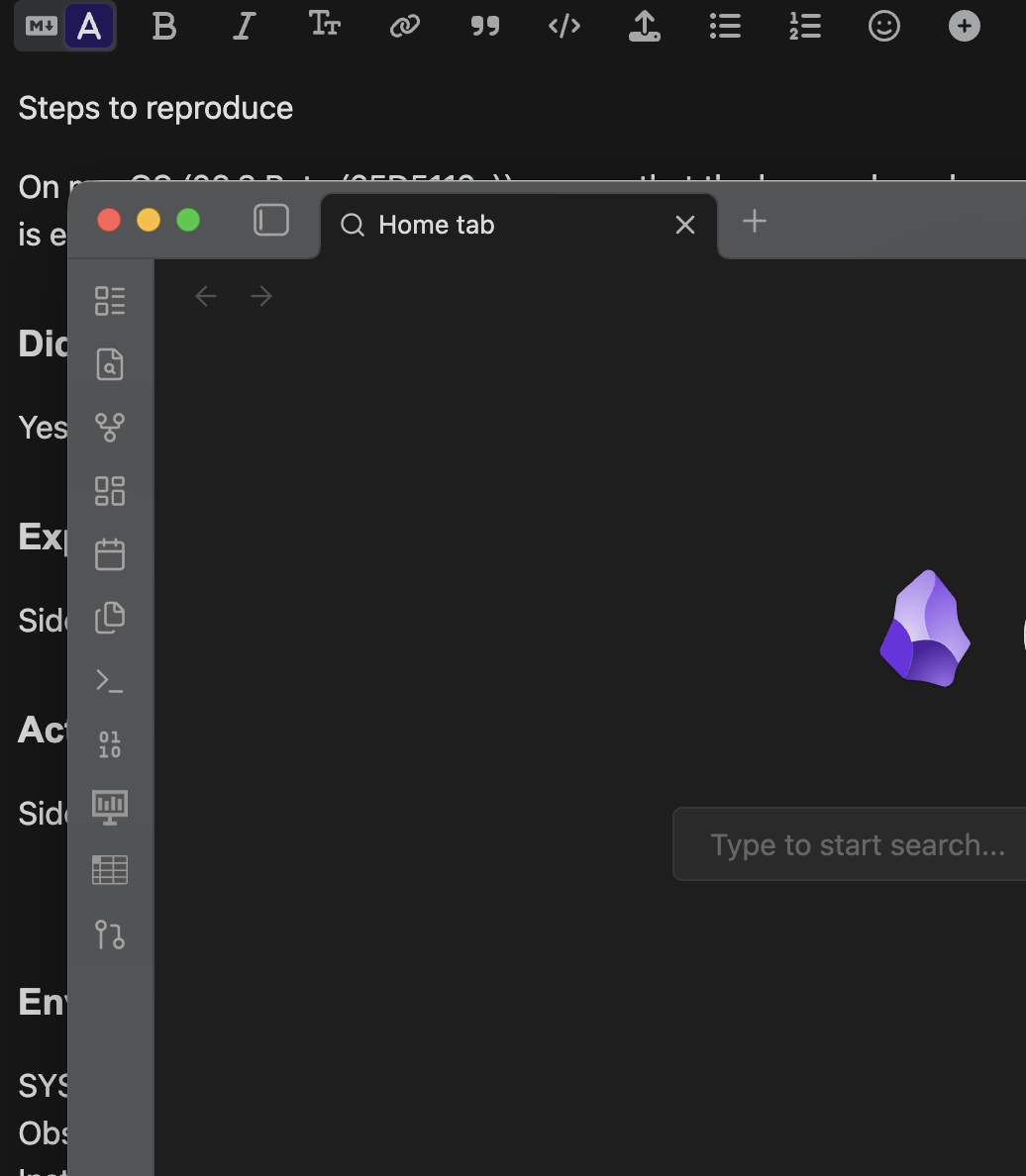
Side bar turns opaque black instead of translucent.
Environment
SYSTEM INFO:
Obsidian version: v1.8.9
Installer version: v1.8.9
Operating system: Darwin Kernel Version 24.4.0: Wed Mar 19 21:17:35 PDT 2025; root:xnu-11417.101.15~1/RELEASE_ARM64_T6041 24.4.0
Login status: not logged in
Language: en
Insider build toggle: off
Live preview: on
Base theme: adapt to system
Community theme: none
Snippets enabled: 0
Restricted mode: on
RECOMMENDATIONS:
none
Additional information
Tested in macOS 15.3.1 and 15.4, unable to test other machines or macOS versions.
On macOS (26.3 Beta (25D5112c)), ensure that the base color scheme is dark, the default theme is enabled, and the translucent window setting is toggled on.
Did you follow the troubleshooting guide?
Yes
Expected result
Side nav rail and window top bar are translucent
Actual result
Side nav rail and window top bar are light gray and fully opaque
Here’s an example of my obsidian on top of the input for this issue, showing that there is no transparency at all in the affected parts of the UI.