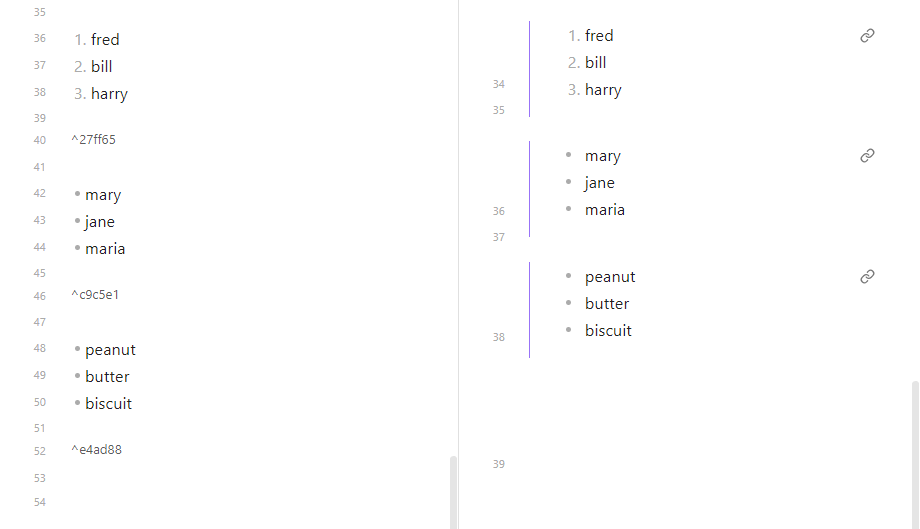
The list has a blank line before it an after it. I want to transclude that list into another note. So, I added a block reference:
1. fred
2. bill
3. harry
^1234567989
In another note, I try to transclude it as
![[Note1#^123456789]]
The only thing I get is the last item in the list
Things I have tried
I tried putting the block id on the line just below the list. I also put it after the last item of the list (on the same line). All I get in the transclusion is the last item in the list.
I know I could give the list a header and transcluding the header would bring the list into the other note.  But, I was trying to avoid having the header in there.

Is this possible or am I misreading the documentation about a block having a blank line before and after the block.
To link to a list, I usually link to the last item using the autocompletion, and then manually move the block ID two lines down (removing any bullets or numbers along the way).
Thanks to you both for the help. I tried to do it manually by adding the extra line (as suggested by @stef.rausch) and I couldn’t get it to work. Then I tried doing as @ariehen suggested (linking to the last item in the list and then moving the ref id down two lines) and that seemed to work. I next replaced the ref id with “123456789” and it still worked. So, it is clear that the extra line is necessary. Why just adding the line it didn’t seem to work for me initially is something I can’t explain. Regardless, it now seems to work. Thanks again.