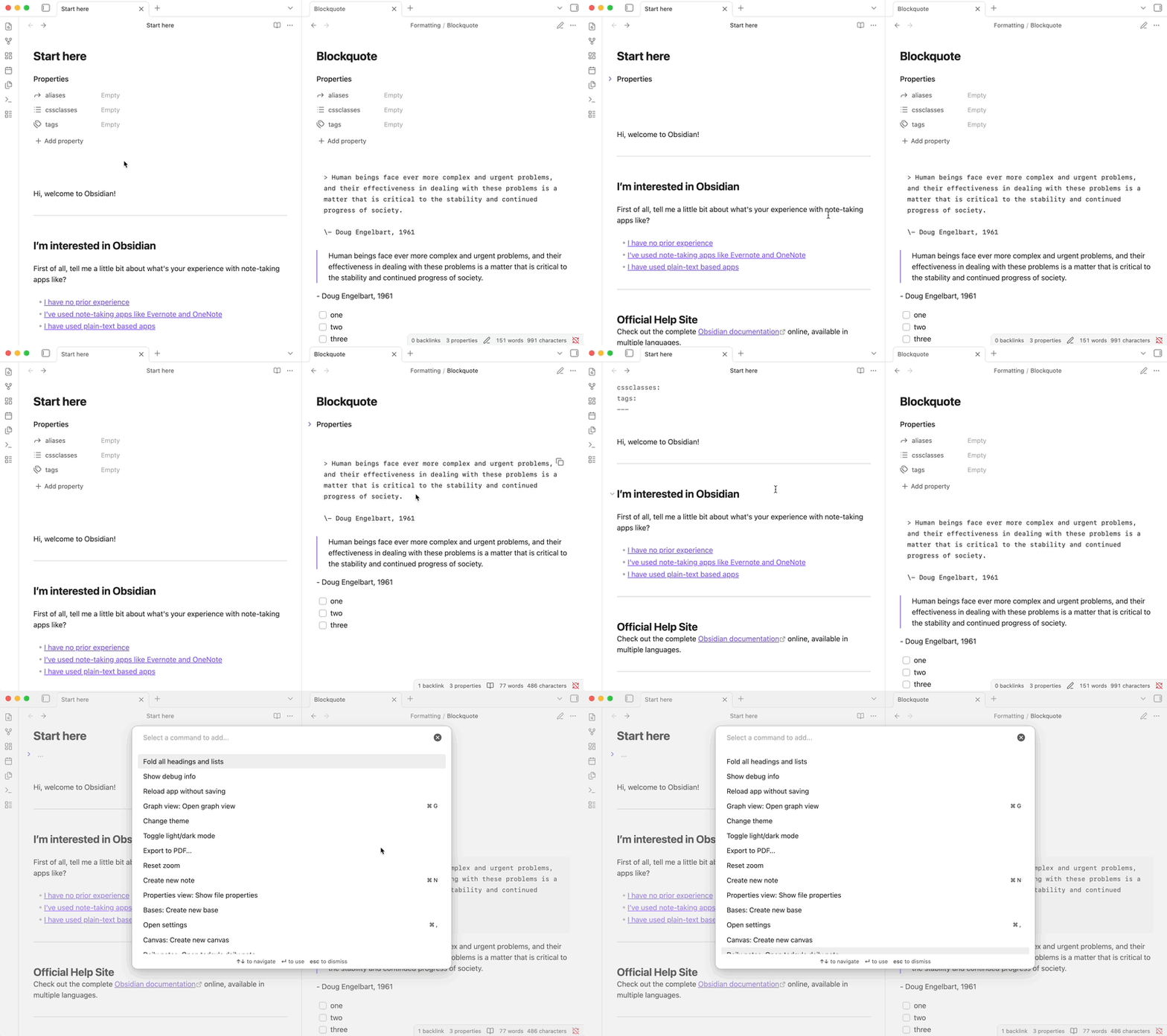
Steps to reproduce
In the Sandbox vault:
- Add some properties to a note
ctrl + clickthe book icon (to split-right and change view)- Change Settings > Editor > Properties in document to
Source - Run the
Toggle fold properties in current filecommand in the live preview tab
- The
Toggle fold properties in current filecommand doesn’t appear as an option in the reading view tab
Did you follow the troubleshooting guide? [Y/N]
Yes
Expected result
Toggle fold properties in current file is available in reading view no matter if Properties in document is set to Visible or Source.
Actual result
Toggle fold properties in current file isn’t available as an option in reading view.
Environment
SYSTEM INFO:
	Obsidian version: v1.11.6
	Installer version: v1.10.6
	Operating system: Windows 11 Pro 10.0.26200
	Login status: logged in
	Language: en
	Catalyst license: supporter
	Insider build toggle: on
	Live preview: on
	Base theme: adapt to system
	Community theme: none
	Snippets enabled: 0
	Restricted mode: off
	Plugins installed: 0
	Plugins enabled: 0

RECOMMENDATIONS:
	none
Additional information
Should be clear from the clip, but Toggle fold properties in current file is available to use in reading view if the Properties in document is set to Visible.
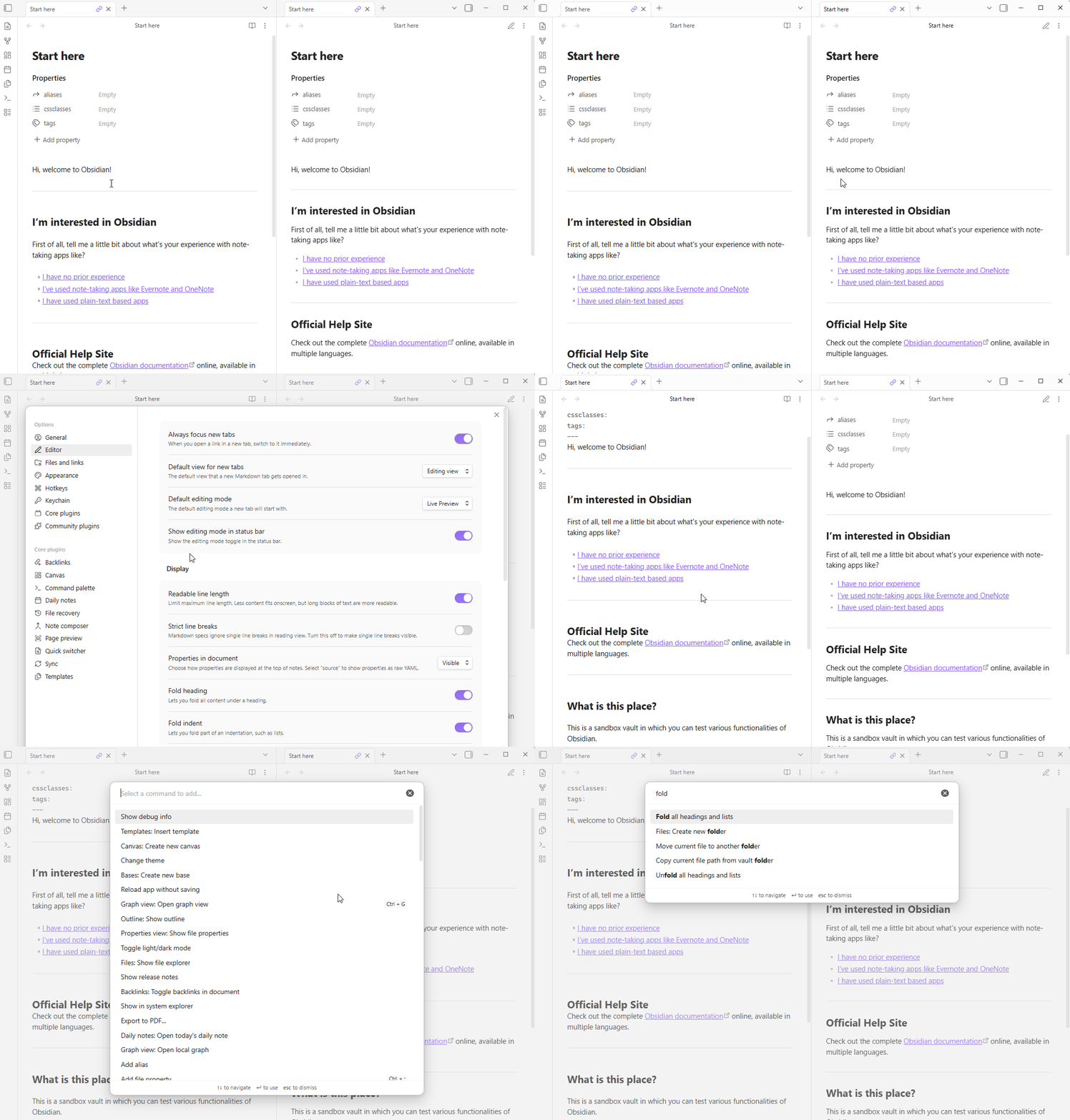
update: I see the same behavior on macOS.
SYSTEM INFO:
	Obsidian version: v1.11.7
	Installer version: v1.10.6
	Operating system: Darwin Kernel Version 24.6.0: Wed Nov  5 21:33:58 PST 2025; root:xnu-11417.140.69.705.2~1/RELEASE_ARM64_T6000 24.6.0
	Login status: logged in
	Language: en
	Catalyst license: supporter
	Insider build toggle: on
	Live preview: on
	Base theme: adapt to system
	Community theme: none
	Snippets enabled: 0
	Restricted mode: off
	Plugins installed: 0
	Plugins enabled: 0

RECOMMENDATIONS:
	none