Who would be interested in this? People who read long texts in Obsidian and would like to speed up reading while keeping focus.
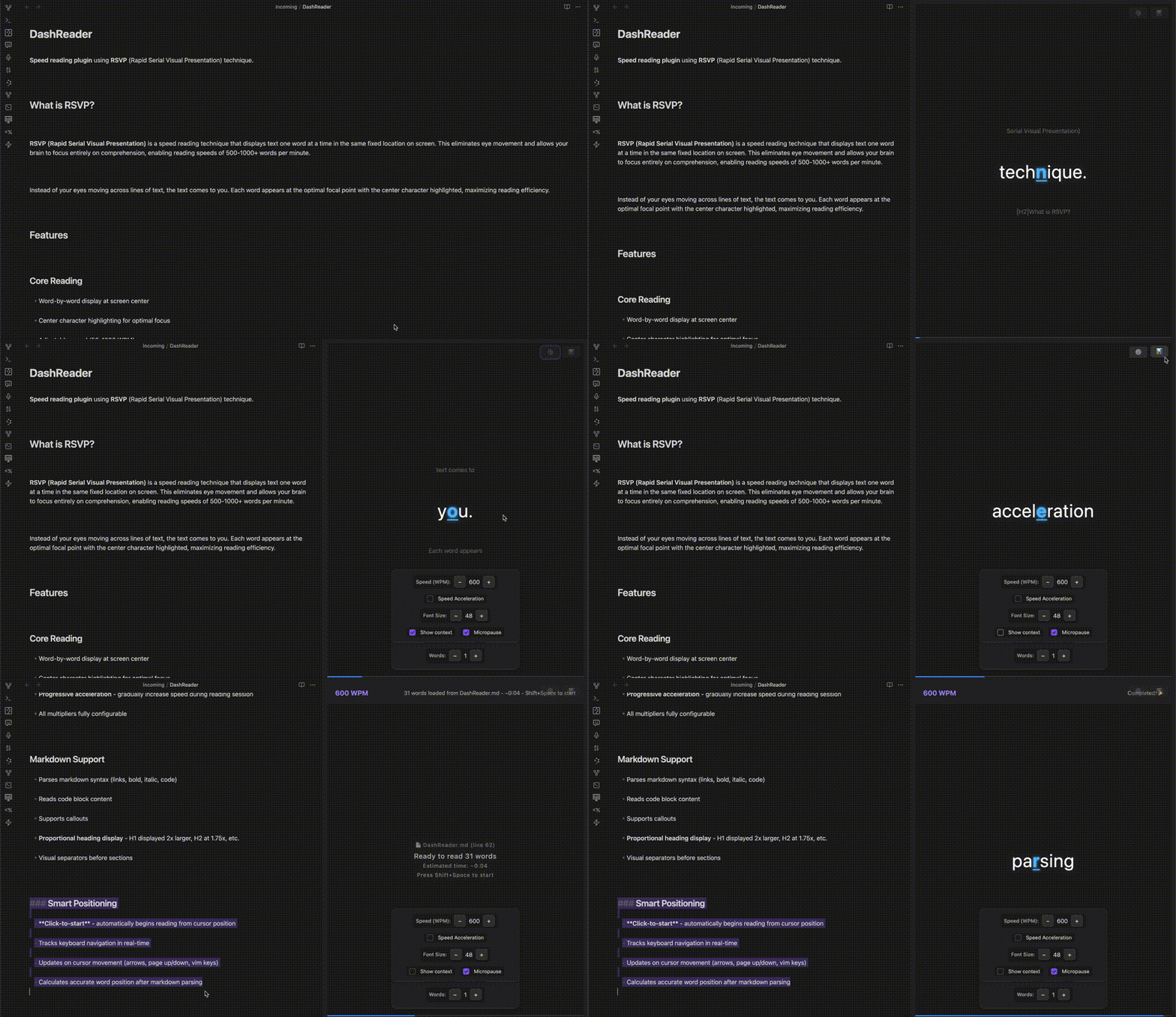
I would like to suggest a plugin idea that would be very useful for those who read long texts in Obsidian: a plugin that uses the method called Rapid Serial Visual Presentation, or RSVP, which focus one word at a time, just as does the extension of Chrome called SwiftRead.
Submitting today a first version ( First obsidian plugin so I don’t know when it will be available via community plugin but it’s actualy working on my own vault )
This is such a useful functionality. I didn’t knew about this method of speed-reading. All this while the only thing I have used is the Edge browsers immersive reader.
I always struggled with reading anything faster. It’s been a really long time and I still havent able aquire this habit of fast reading yet.
After using this SwiftRead extension for a while now. I can see the true potential of RSVP. This really looks promising for me to aquire this power, I wished for so long.
Although the idea of reading the content from our vault is really nice, but I think different users have different kind of contents. And hence, I think the true power of this idea can be realised if it can be used for reading books and articles.
So, ofcourse alongwith a standalone plugin, this could be a great addon for PDF files. I had this another idea of Library plugin in Obsidian which is I still couldn’t able to start yet. Maybe, this can be added in it, kind of like extracting 5 pages content per batch and scrolling through it. And if we can have the integration of text-to-speech, that will be a god-send. Hopefully I’ll able to read more books this way.
@inattendu the plugin looks really good. Glad that someone brought this to Obsidian. Looking forward to using your plugin and hopefully contributing in any way i can. Just a suggestion for now, if DashReader can show 5 to 6 words enlarged instead of a single word at a time, just how it’s shown in the image posted by OP, that will be great. (Maybe it can be configured as a setting, so user can decide it)
The “Show context” feature already displays small phrases above and below the enlarged text to help maintain reading flow.
The number of enlarged words is configurable (defaulted to 1, but you can increase it in settings).
Additionally, I’ve added features for document navigation - a breadcrumb showing your current position in the heading hierarchy, and a minimap for quick navigation through chapters/sections.
I just submitted a new release to address some compliance requirements from the plugin review. Once that’s approved, I’d love to hear more feedback to refine the plugin’s behavior (I’m still undecided on some UX choices myself).
Picked this one up and installed it. Tested it out already! Great app! I’m so excited about this since I use so much of my vault as a repository for long form notes with tons of information in it. I once bought a kindle for the “Word Runner” app alone. Now I don’t need it. lol.