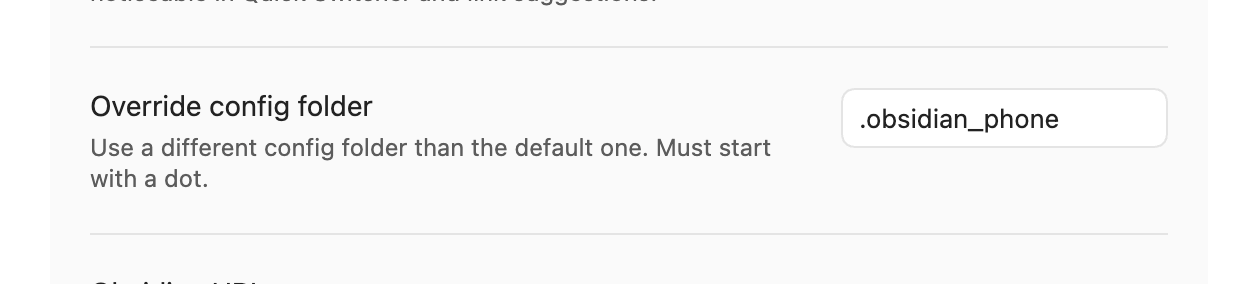
I’m trying to convince our team to adopt Obsidian to host our internal knowledge database. I’m aware Obsidian Sync has good support for this scenario, but I’m certain our team is much more confident in OneDrive’s data privacy than a new third-party app they’ve never used.
My main concern is with the contents of the .obsidian folder. This folder would be shared with everyone who uses the OneDrive folder, and includes configurations that are very user-specific, like what windows they currently have open and whether they have “readable line lengths” enabled or not.
Does anyone have an ideas how I might be able to extricate these user-specific configurations from OneDrive, or make Obsidian not save them in the vault folder itself? Keeping in mind OneDrive does not have the ability (so far as I can tell) to disable sharing a subfolder or file within a shared folder
I assume the setting for what folder replaces .obsidian is configured by the Obsidian instance installed by the user instead of inside the vault? Is there a configuration file on the user’s computer we could edit automatically inside a setup script that would set it for them so we don’t have to ask them?
I’ve never looked into it, but I’d guess this setting is saved outside the vault in the Global Settings (~/Library/Application Support/obsidian on mac, APPDATA on Windows).
I’d try setting a custom config folder, relaunch the vault, and have a look at what’s changed in there. If it’s just a config file, that shouldn’t be too hard to edit, but if the setting is saved in IndexedDB or something, probably more difficult to make a setup script.