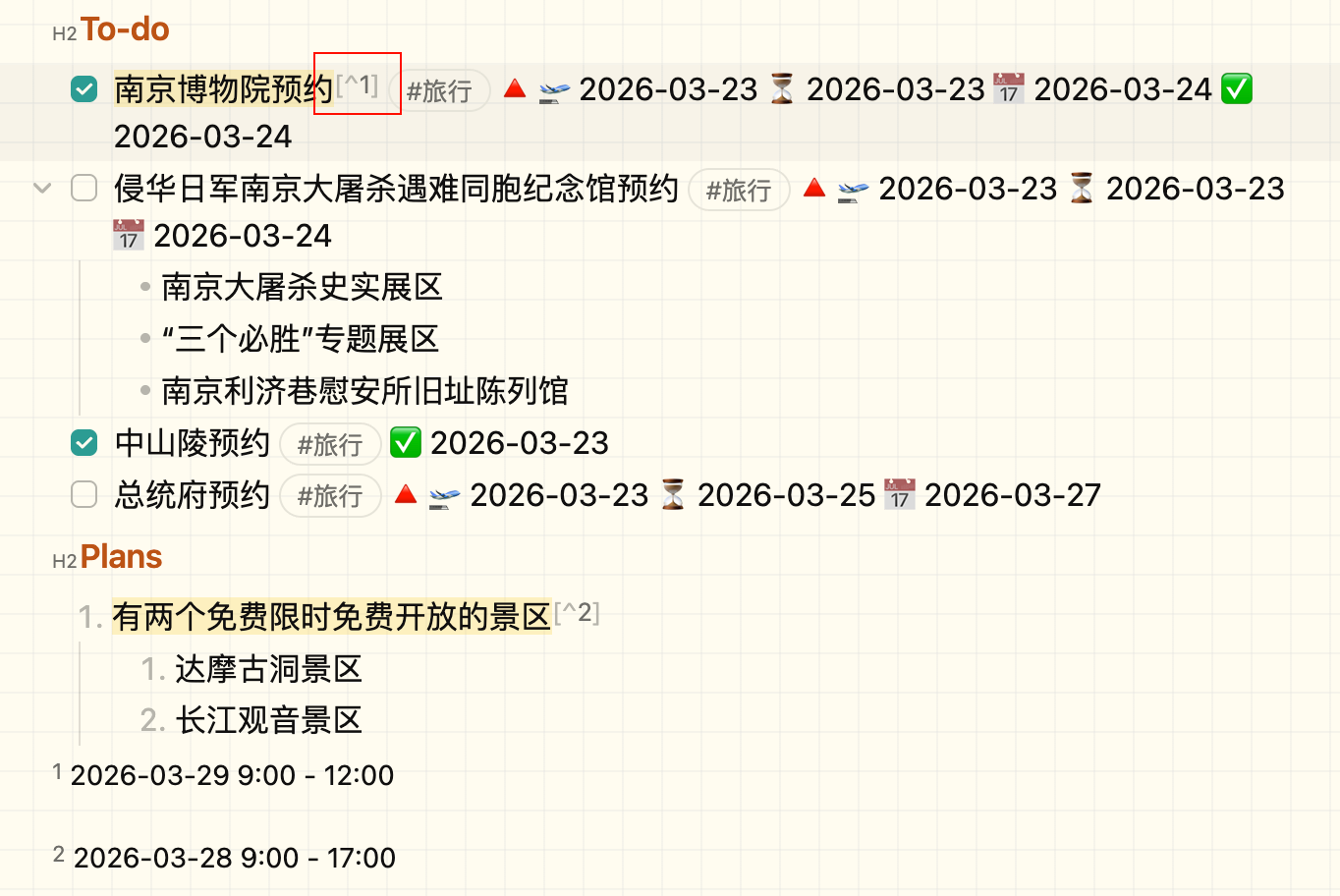
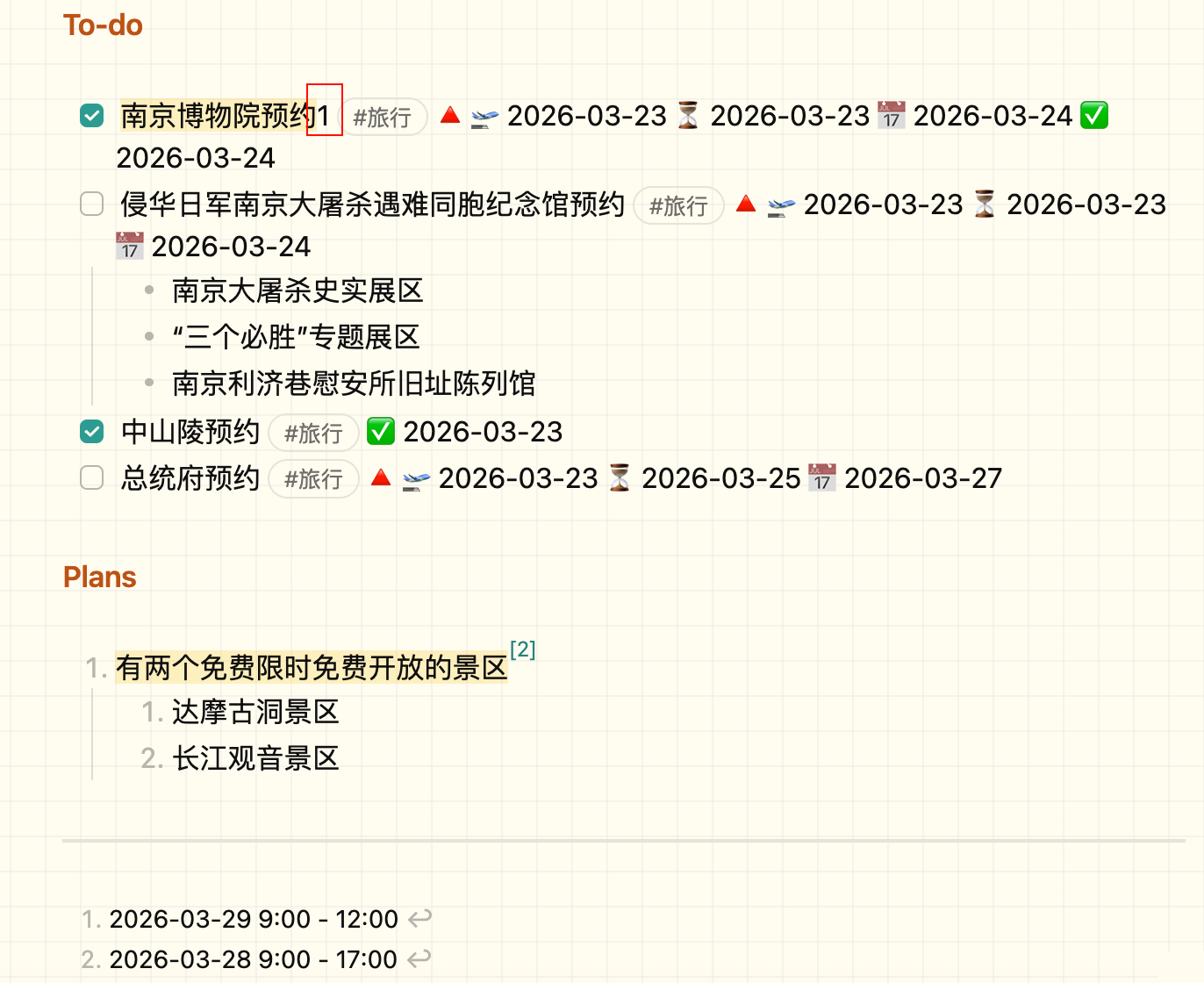
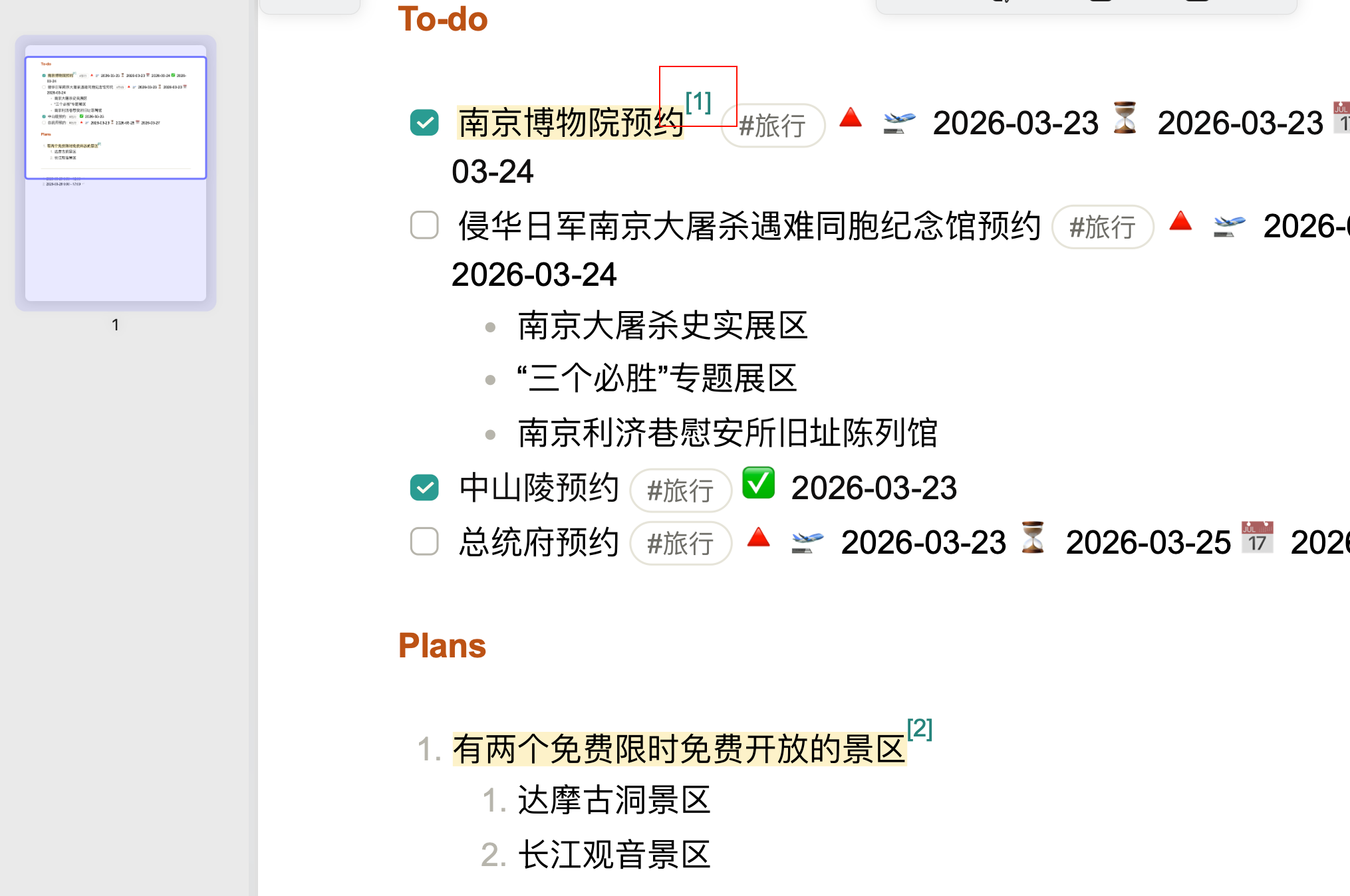
I created a travel note and added a to-do task within it. I inserted footnotes into the to-do task, then switched to preview mode. In preview mode, the footnote markers for the task display abnormally—only showing numbers without clickable hyperlinks. However, footnotes inserted into non-task content do not have this issue. This problem only occurs in preview mode; when exported to PDF, everything works correctly.
—
In edit mode
According to your suggestion, I tried disabling the Task plugin, and the issue disappeared. It is confirmed that the problem is caused by the Task plugin, not Obsidian itself. The lined background is a CSS effect added to enhance the reading experience, and the theme I’m using is Minimal.