Hi, is it a known bug with scrolling lists on two screens split vertically?
Steps to reproduce:
- Split a screen vertically
- Set the left screen to “Edit” mode
- Set the right screen to “Preview” mode
- Create a note with lists (whether numbered or not) that exceeds one screen
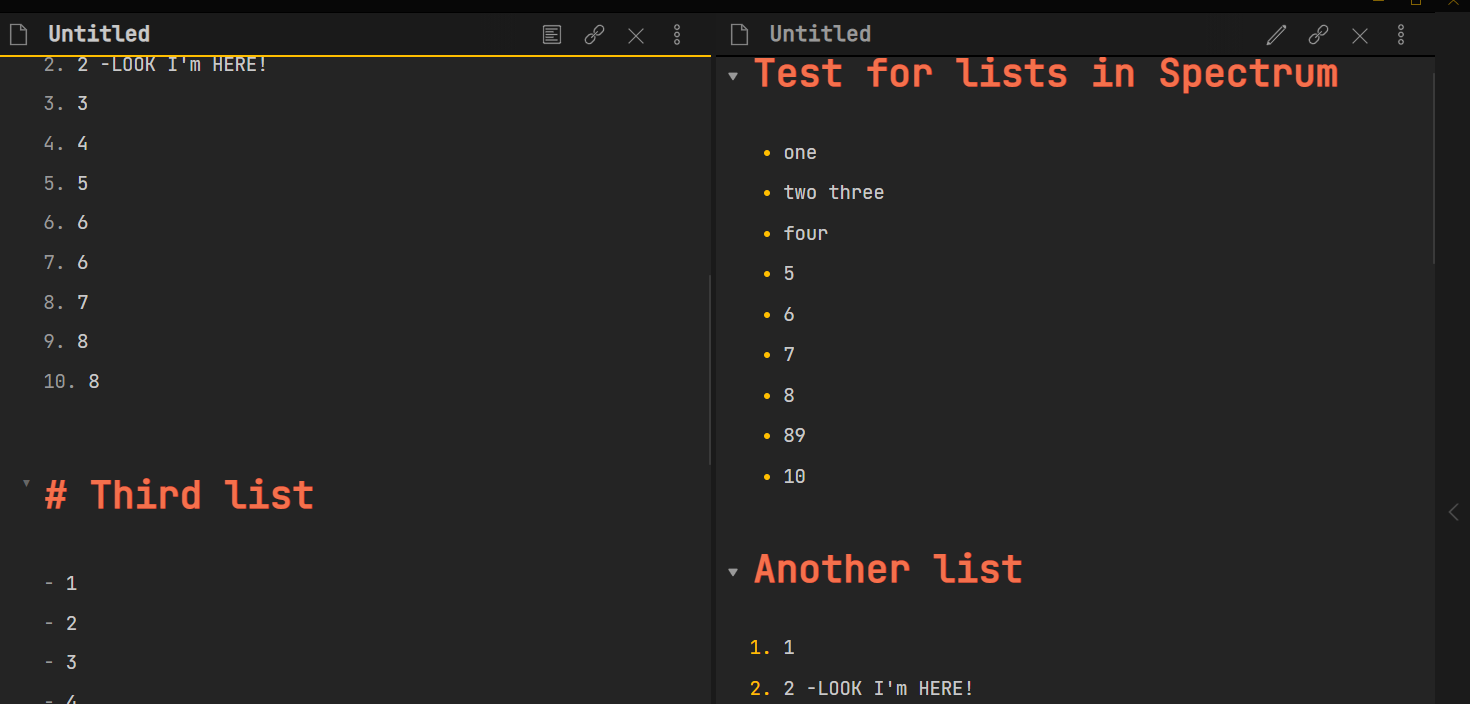
- Scroll down using the left (“Edit”) screen, so that on top of the screen you’re in the middle of a list (see screenshot)
Expected result: the right (“Preview”) screen scrolls to the same position (middle of the list on top of the screen)
Actual result: the right (“Preview”) screen jumps to the beginning of the note.
With most other themes it works OK, but I like yours most of all (if not for that annoying bug)… The thing is, I like typing and watching the result in real-time. Thanks!