Steps to reproduce
- Open Obsidian settings.
- Update themes, or
- Update plugins.
- Open the console to check for update-related errors (themes/plugins).
Did you follow the troubleshooting guide? [Y/N]
Y
Expected result
- Theme and plugin updates should complete without any errors appearing in the console.
Actual result
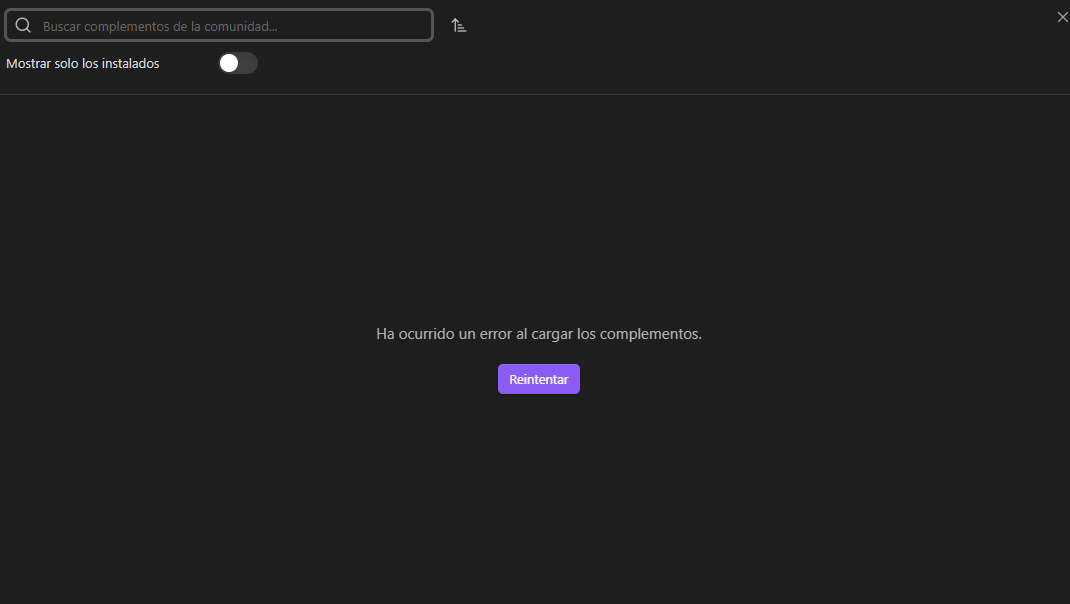
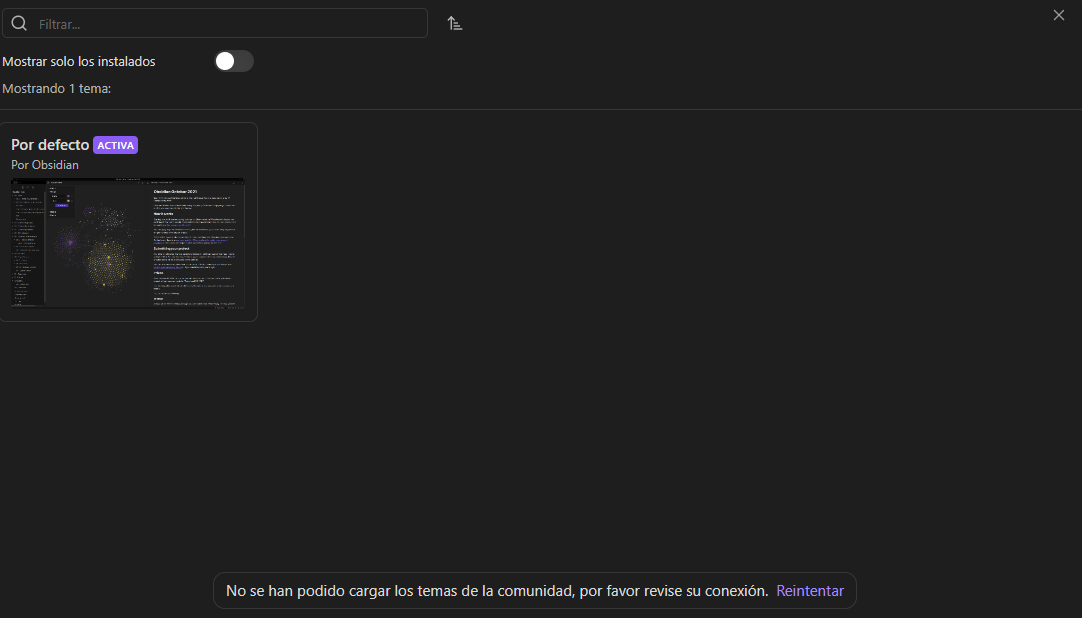
- Theme and plugin updates do not respond; checking the console shows errors.
- For themes, the themes modal opens, but the list of available themes does not load.
- For plugins, the update process only displays the “Checking for updates” notification and then becomes unresponsive.
Environment
SYSTEM INFO:
Obsidian version: 1.12.7
Installer version: 1.12.7
Operating system: Windows 10 Pro 10.0.19045
Login status: not logged in
Language: es
Insider build toggle: off
Live preview: on
Base theme: adapt to system
Community theme: none
Snippets enabled: 0
Restricted mode: off
Plugins installed: 1
Plugins enabled: 1
1: Minimal Theme Settings v8.2.3
RECOMMENDATIONS:
Community plugins: for bugs, please first try updating all your plugins to latest. If still not fixed, please try to make the issue happen in the Sandbox Vault or disable community plugins.
Additional information
- For now, the issue is resolved by restarting or reopening Obsidian.
- Theme update error
app.js:1 Error: Failed to load themes
at t. (app.js:1:2653090)
at app.js:1:258511
at Object.next (app.js:1:258616)
at a (app.js:1:257334)
(anonymous) @ app.js:1
(anonymous) @ app.js:1
(anonymous) @ app.js:1
a @ app.js:1
Promise.then
l @ app.js:1
(anonymous) @ app.js:1
y @ app.js:1
t.loadItems @ app.js:1
(anonymous) @ app.js:1
(anonymous) @ app.js:1
(anonymous) @ app.js:1
(anonymous) @ app.js:1
(anonymous) @ app.js:1
y @ app.js:1
Uv @ app.js:1
(anonymous) @ app.js:1
(anonymous) @ app.js:1
(anonymous) @ app.js:1
(anonymous) @ app.js:1
y @ app.js:1
t.onOpen @ app.js:1
(anonymous) @ app.js:1
(anonymous) @ app.js:1
(anonymous) @ app.js:1
(anonymous) @ app.js:1
y @ app.js:1
t.onOpen @ app.js:1
e.open @ app.js:1
(anonymous) @ app.js:1
(anonymous) @ app.js:1
(anonymous) @ app.js:1
(anonymous) @ app.js:1
(anonymous) @ app.js:1
y @ app.js:1
(anonymous) @ app.js:1
- Plugin update error
app.js:1 Uncaught (in promise) TypeError: Cannot read properties of null (reading ‘length’)
at e. (app.js:1:2757444)
at app.js:1:258511
at Object.next (app.js:1:258616)
at a (app.js:1:257334)
(anonymous) @ app.js:1
(anonymous) @ app.js:1
(anonymous) @ app.js:1
a @ app.js:1
Promise.then
l @ app.js:1
(anonymous) @ app.js:1
y @ app.js:1
e.checkForUpdates @ app.js:1
(anonymous) @ app.js:1
(anonymous) @ app.js:1
(anonymous) @ app.js:1
(anonymous) @ app.js:1
y @ app.js:1
(anonymous) @ app.js:1
(anonymous) @ app.js:1
(anonymous) @ app.js:1
(anonymous) @ app.js:1
(anonymous) @ app.js:1
y @ app.js:1
Uv @ app.js:1
(anonymous) @ app.js:1
(anonymous) @ app.js:1
(anonymous) @ app.js:1
(anonymous) @ app.js:1
(anonymous) @ app.js:1
y @ app.js:1
(anonymous) @ app.js:1