The Vaultman Initiative: A component library for your Workspace

Disclaimer

Is this plugin open source? Yes
Is this plugin completely free? Yes
Is this plugin vibe-coded beyond the author’s ability to comprehend how it works? No
Community Directory: Vaultman Plugin


TL;DR: This plugin does not aims to replace other extremely flexible, commonly used, and well-crafted plugins, but to work alongside them, offering a platform to channel a lot of scattered tiny features and give them a place and a moment in your layouts and workflows.

The purpose of this project is to give YOU control at runtime over the UI/UX of Obsidian with presets and “create your own compositions” option like if it were a BASE, but for your entire workspace rather than a single YAML panel. As a consequence, you’ll have the ability to “add/change/move/hide” on every single element of what is shown on screen {WIP}. And run operation batches to the organization of the files in your vault.

It can become as well the common library of a lot of useful plugins that do useful different things over your files, but with different UI solutions about the same concept, “a list of things”.

This time, what Vaultman offers to you as part of the system “LivreUI” (Live Redesign User Interface) are some pre-made compositions, and buttons for quick changes on the behavior, positioning and projection of the items of every single list {WIP}.

The questions that made this posible are:

  • “What will I do with so many options?”
  • Why these things do different actions is they look the same?
  • Why these things look different is they do the same thing?
  • How do I put them together and at hand?

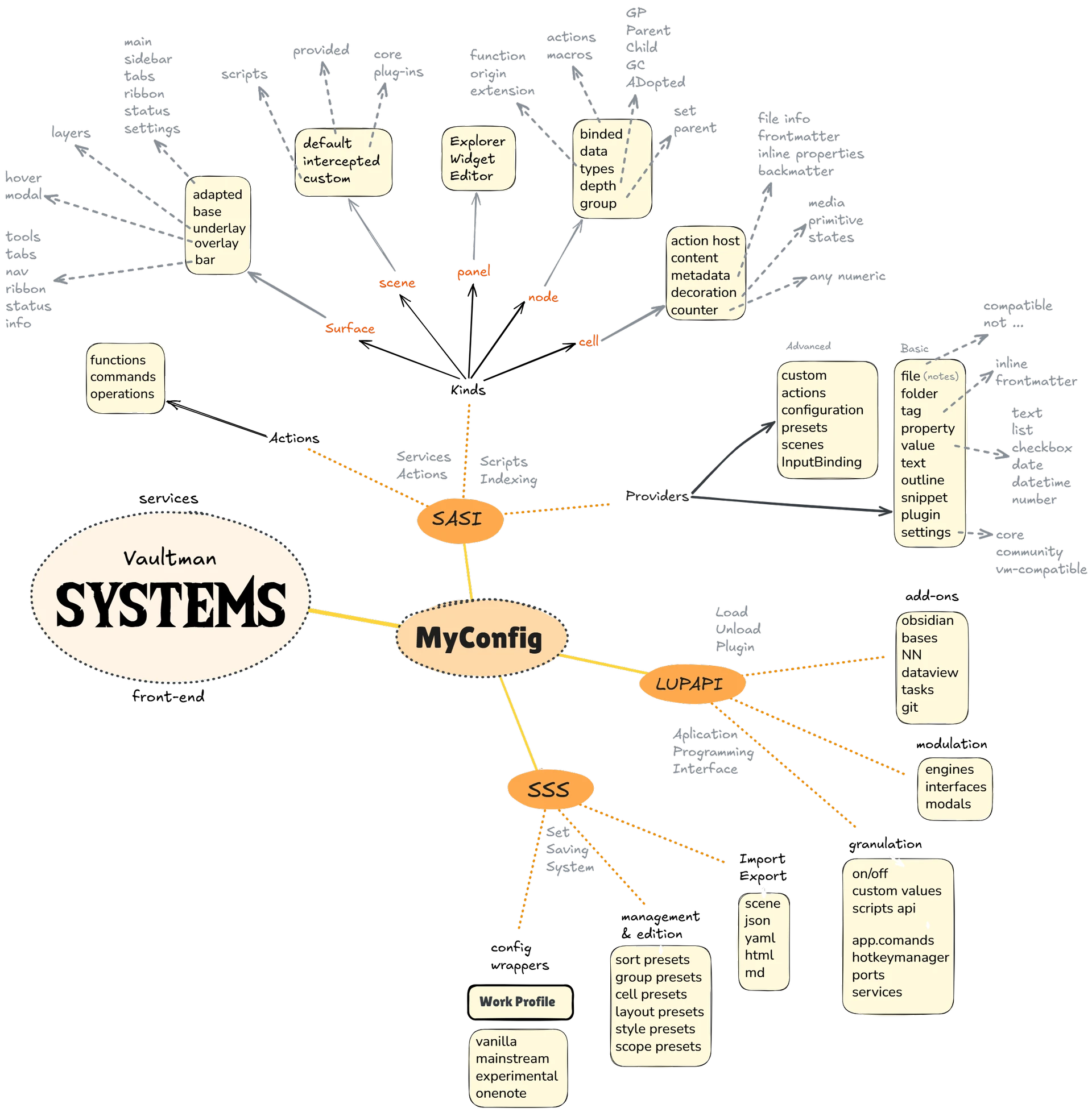
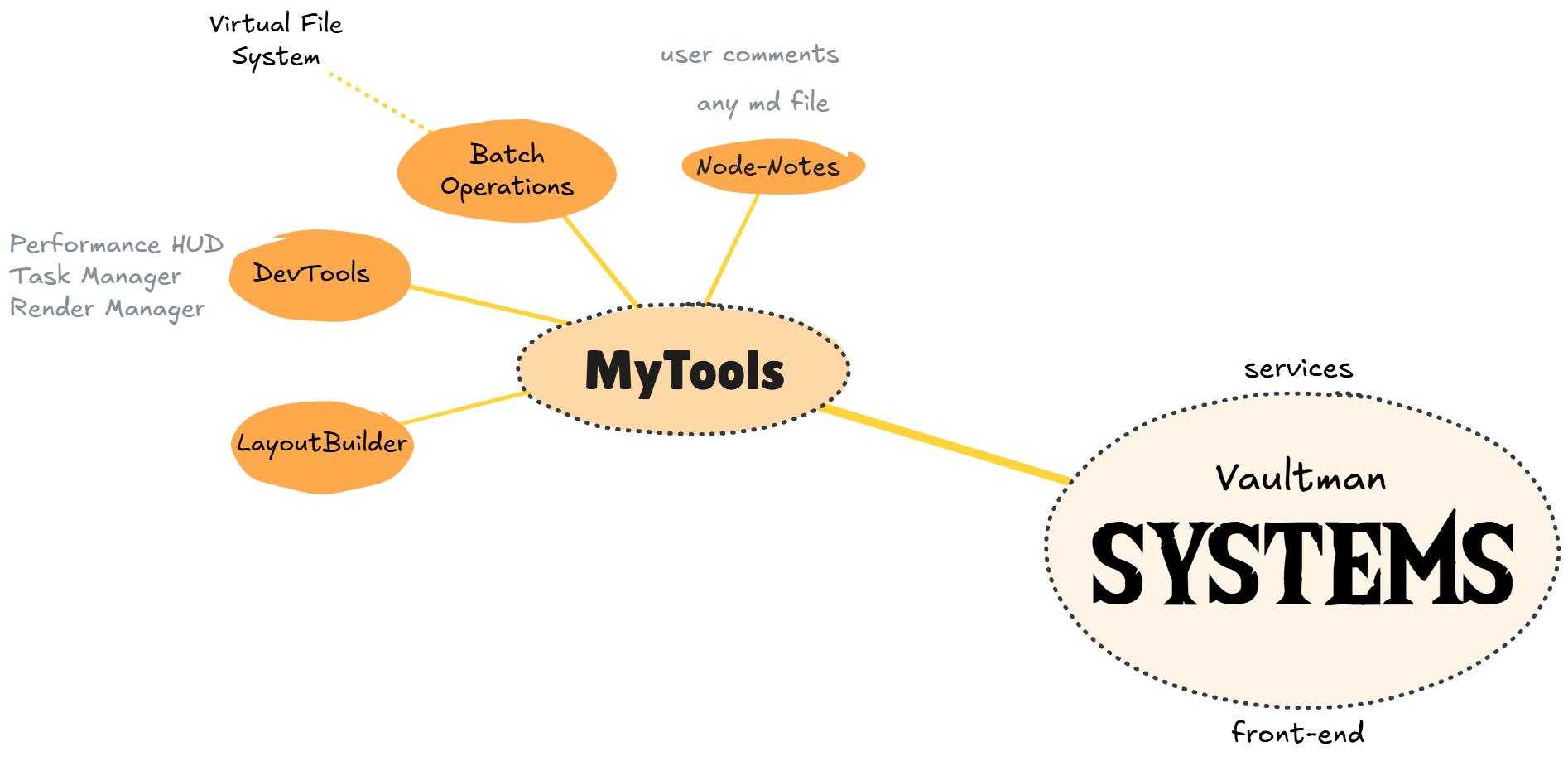
For that, let’s try to design what such a system for Obsidian could look like, here are some diagrams I have made so far from an user perspective:
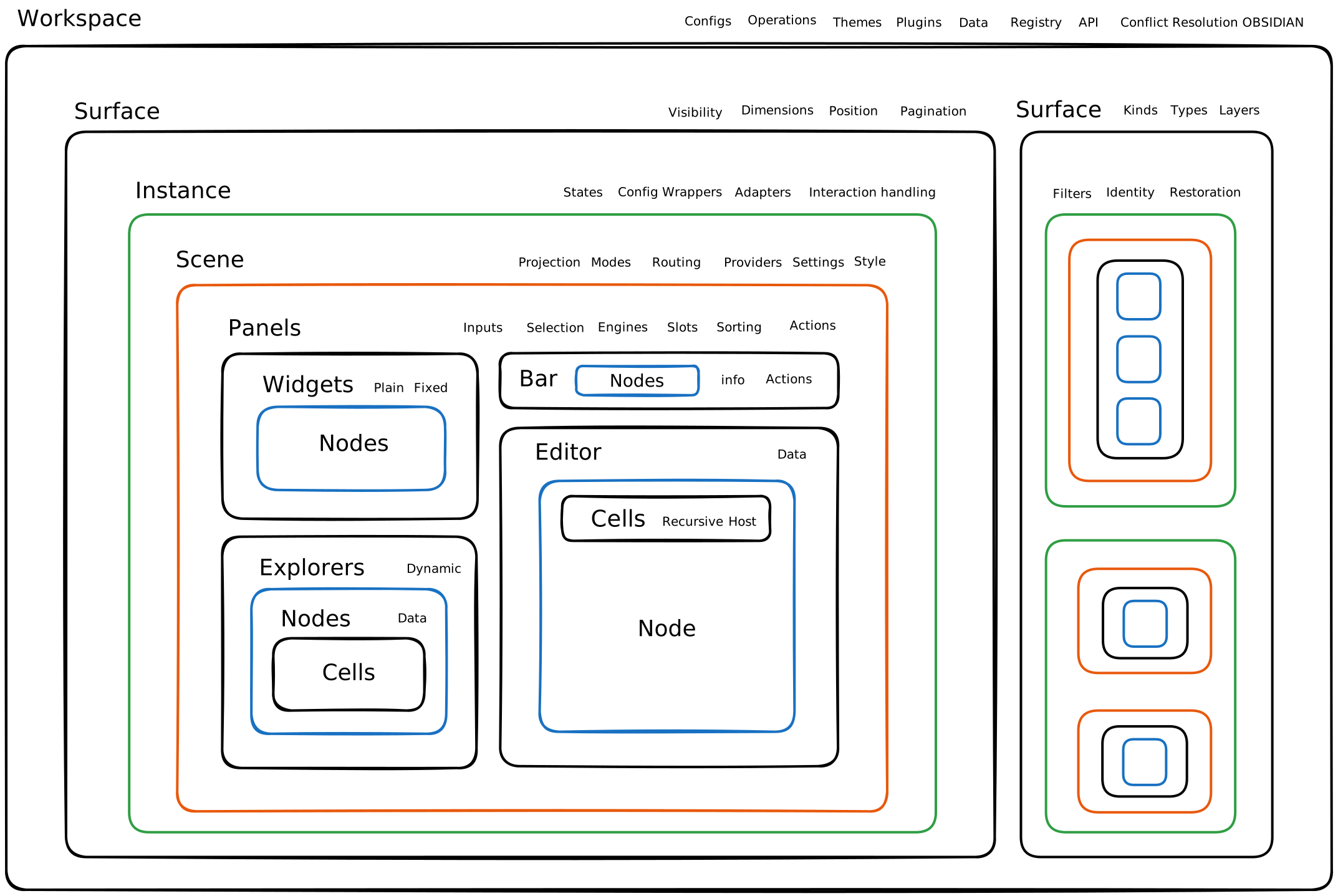
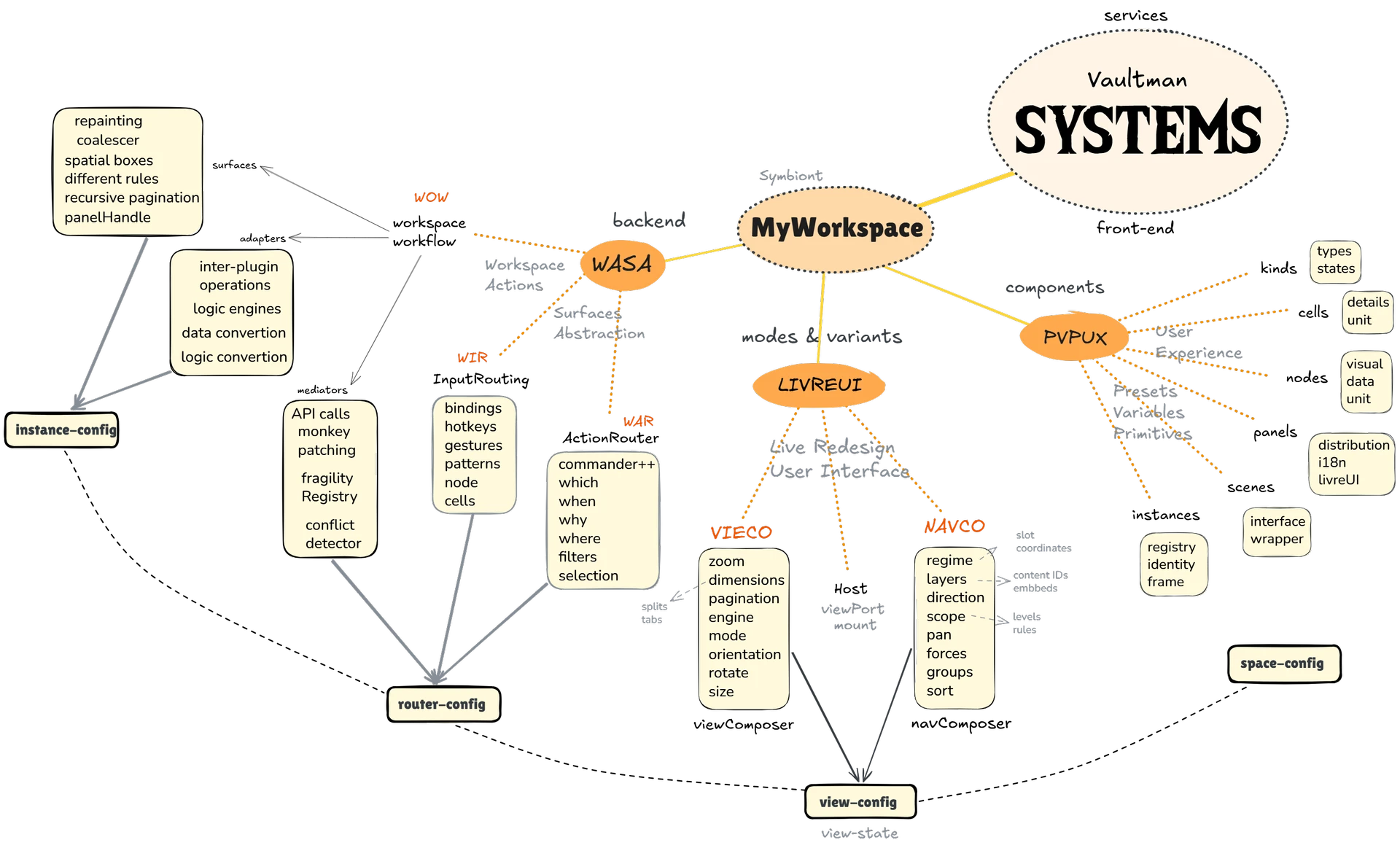
1 Like

Here’s a problem: Every new plugin that drops into the community page offers different versions and variants of the same kind of exploration bloated with unique and useful (maybe not) functionality that make it distinct from other solutions… but then there’s another one, and another, that do the same thing but slightly different.

Now, you as an USER, have to choose between two or more identical workflows and, oh cheese, I’ve ditched entire plugins myself just because they had a single button misplaced or doing weird things.

Here’s a reference: The plugin BASES is an extremely proficient feature of Obsidian, from the flexibility and robust solution standpoint, but it is more like a container than an complete interface to bridge every single feature you like or you need (try to replace other existing core plugin with it, like the tags explorer, and you’ll have to sacrifice functionality, or have multiple plugins scattered to achieve a single, not urgent, not so important goal).

That said, there’s another known solution that sounds more like what I’m talking about, Commander. Although, now we have the same problem, but the other way around. You can assign “public commands" to buttons and macros over the workspace, but not inside bases, cmenus, etc., and you can’t quickly rearrange them like you would in the ribbon-bar, and so on with dispersed UI/UX features.

Here’s my idea: Workspace Settings, a plugin as a dependency. Similar to the standard that the plugin ‘Style Settings’ offers to community plugins and themes. Something of an upgrade, fusion or library of what Obsidian already offers with the Developers API, but for the users to choose HOW and WHERE information and functionality is put in runtime without coding knowledge NOR more things on screen than they actually need.

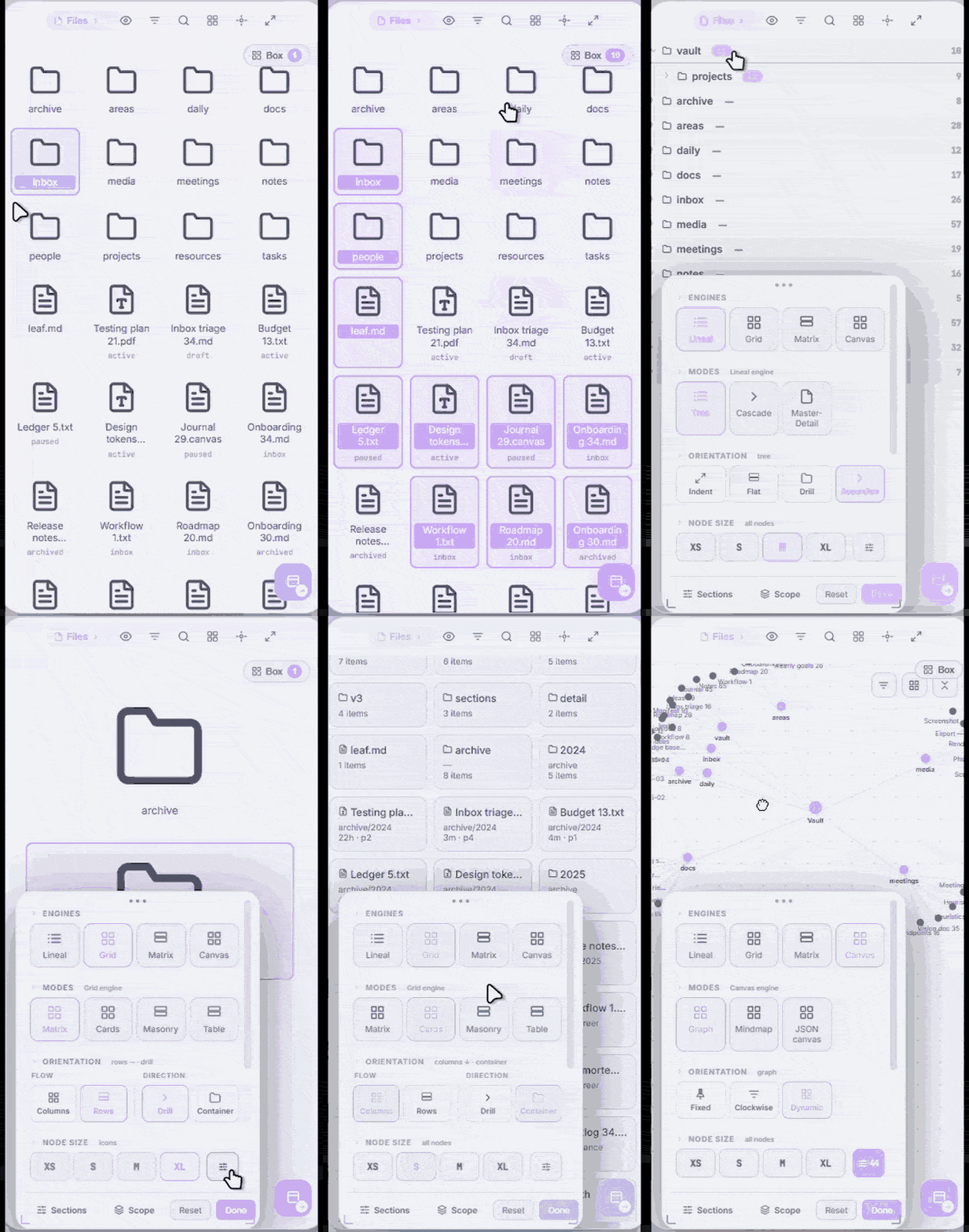
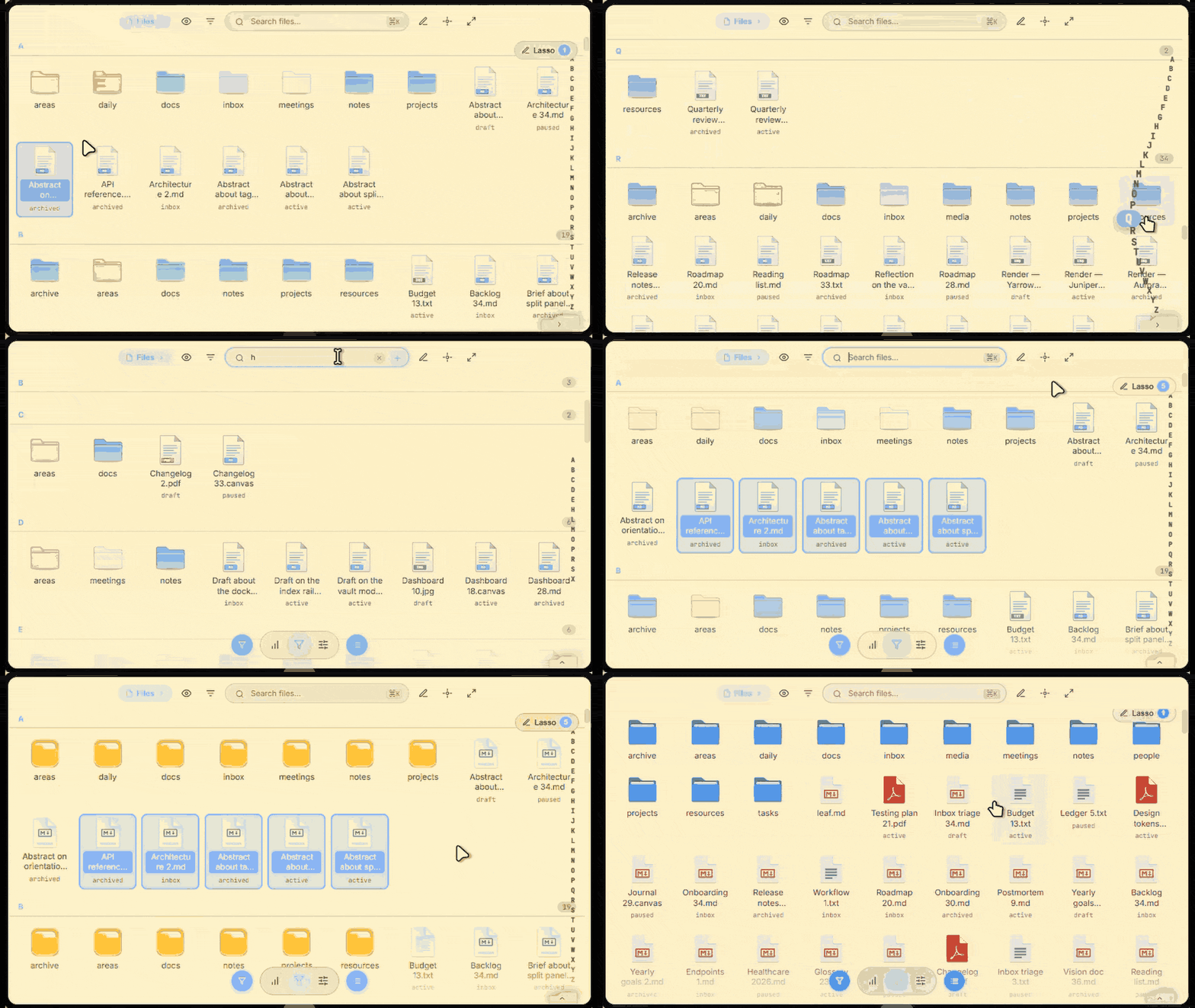
So, how would this help you? Probably you’ve encountered several different apps or setups with seemingly cool features you want to implement, like these:

ezgif-5208c46f8707800b

ezgif-5dc505daf33ab121

{Vaultman prototype}. Or some plugins you already have that you want to expand by yourself. But it’s quite troublesome (and for a note taking app, might be not worth it) to do it without everything falling apart (specially the performance) the moment you need to tweak something.

Therefore, having the option to manipulate combinations that were already PROBED and TESTED gives you the security to make your own compositions, with the benefit of decreasing the amount of configs to achieve a desired result.