Once you’ve done the above, delete everything above this line.
Steps to reproduce
- download the Influx plugin
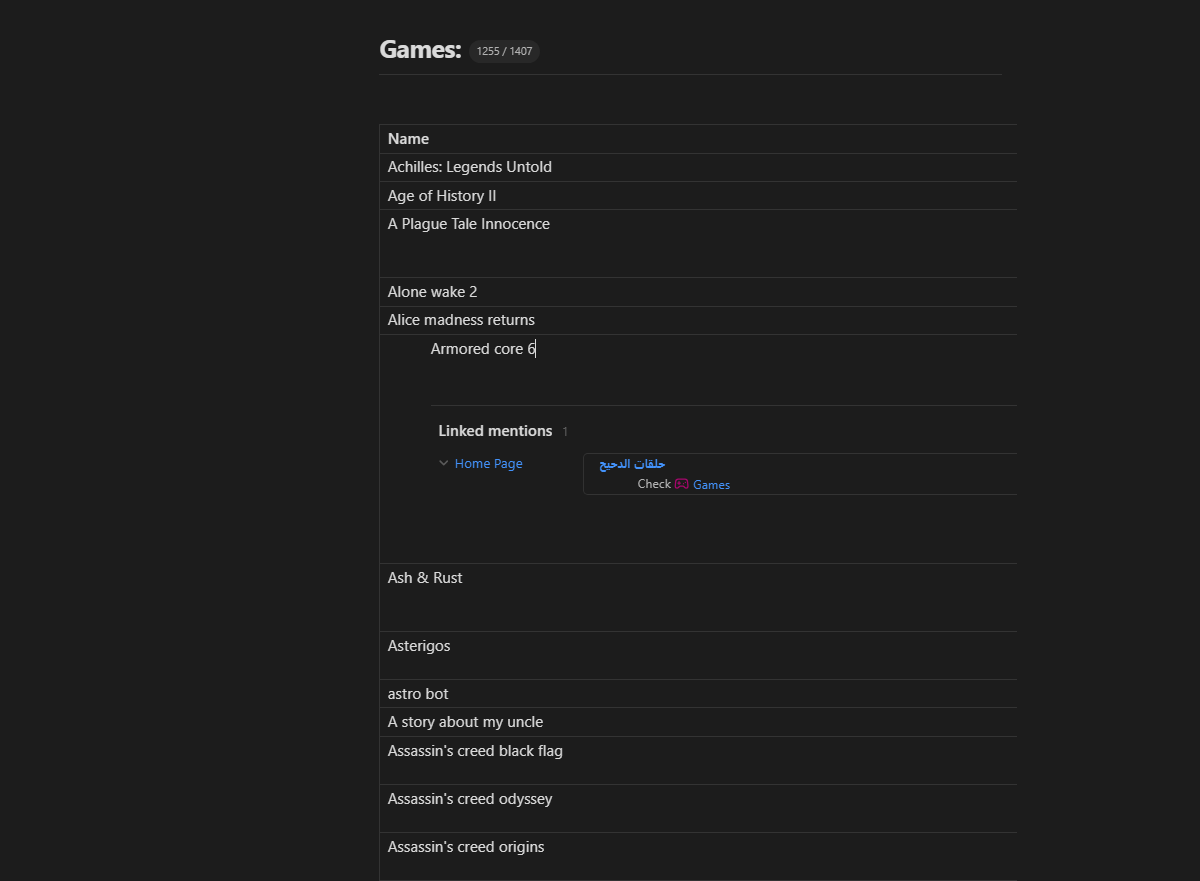
- make a table, i am using the Advance table plug in, but the bug will show even if you do not have it.
- start typing inside of the table.
- i couldn’t recreate the bug in a new table, but it still exists in my old table.
Did you follow the troubleshooting guide? [Y/N]
Y
Expected result
you showed see this:
Actual result
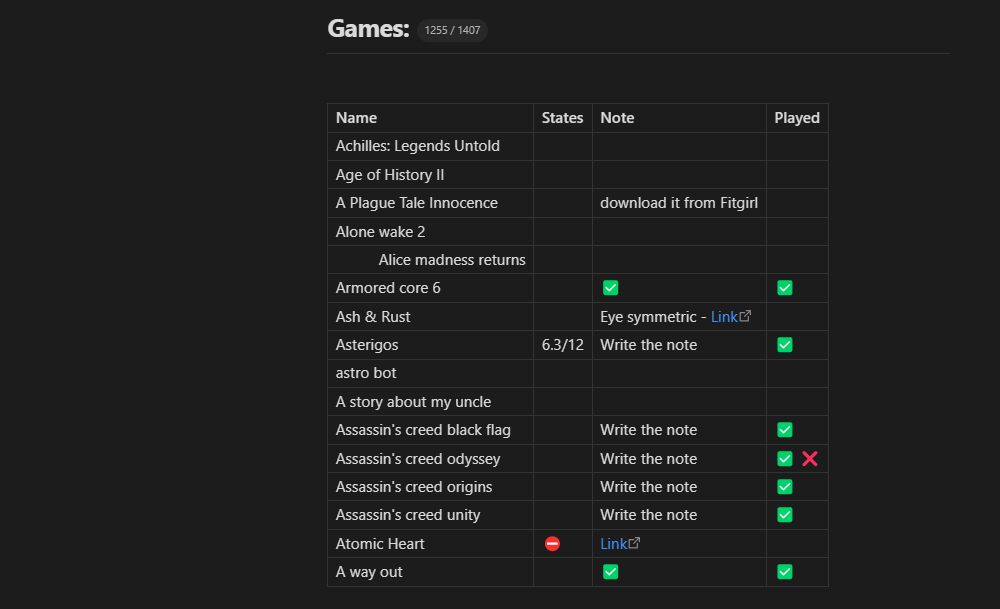
this is the same table, but with the plugin disabled.
Environment
SYSTEM INFO:
Obsidian version: 1.13.4
Installer version: 1.8.7
Operating system: Windows 11 Home Single Language 10.0.26200
Login status: logged in
Language: en
Catalyst license: none
Insider build toggle: off
Live preview: on
Base theme: dark
Community theme: none
Snippets enabled: 2
Restricted mode: off
Plugins installed: 29
Plugins enabled: 26
1: Better Word Count v0.10.1
2: Excalidraw v2.26.2
3: Strange New Worlds v2.3.7
4: Homepage v4.4.4
5: Workspaces Plus v0.3.3
6: Calendar v1.5.10
7: Minimal Theme Settings v9.0.0
8: Contextual Typography v2.2.5
9: QuickAdd v2.21.0
10: Kanban v2.0.51
11: Quick Switcher++ v6.1.6
12: Code Block v1.0.4
13: Tasks v8.3.0
14: Recent Files v1.7.10
15: Omnisearch v1.30.1
16: Highlightr v1.2.2
17: Style Settings v1.0.9
18: Callout Manager v1.1.2
19: Colored Text v1.3.0
20: File Explorer++ v1.3.1
21: Code Styler v1.1.7
22: Latex Suite v1.11.5
23: TikZJax v0.5.2
24: File Color v1.1.0
25: Iconize v2.14.7
26: Influx v2.3.1
RECOMMENDATIONS:
Custom theme and snippets: for cosmetic issues, please first try updating your theme and disabling your snippets. If still not fixed, please try to make the issue happen in the Sandbox Vault or disable community theme and snippets.
Community plugins: for bugs, please first try updating all your plugins to latest. If still not fixed, please try to make the issue happen in the Sandbox Vault or disable community plugins.
Additional information
nothing. thank you, and hopefully this helps.