Disclaimer
Is this project open source? Yes (MIT)
Is this project completely free? Yes (optional “buy me a coffee” tip, nothing gated)
Is this project vibe-coded beyond the author’s ability to comprehend how it works? No
Community Directory: Taskgregator - Obsidian Plugin
Taskgregator
Task management that works the way you already work.
Taskgregator isn’t another task system to adopt. It reads the plain markdown checkboxes you already write, wherever you already write them, and gives you fast, focused views of your work without asking you to change a thing.
No separate database. No special task files. No syntax to learn. No rules to follow. Your notes stay exactly as they are, and your tasks stay on the lines where you typed them. Taskgregator just aggregates, organizes, and surfaces them so you can see everything from different angles and act on it in place.
Think Things, Todoist, or TickTick, but pointed at the notes you already have instead of a silo you have to feed.
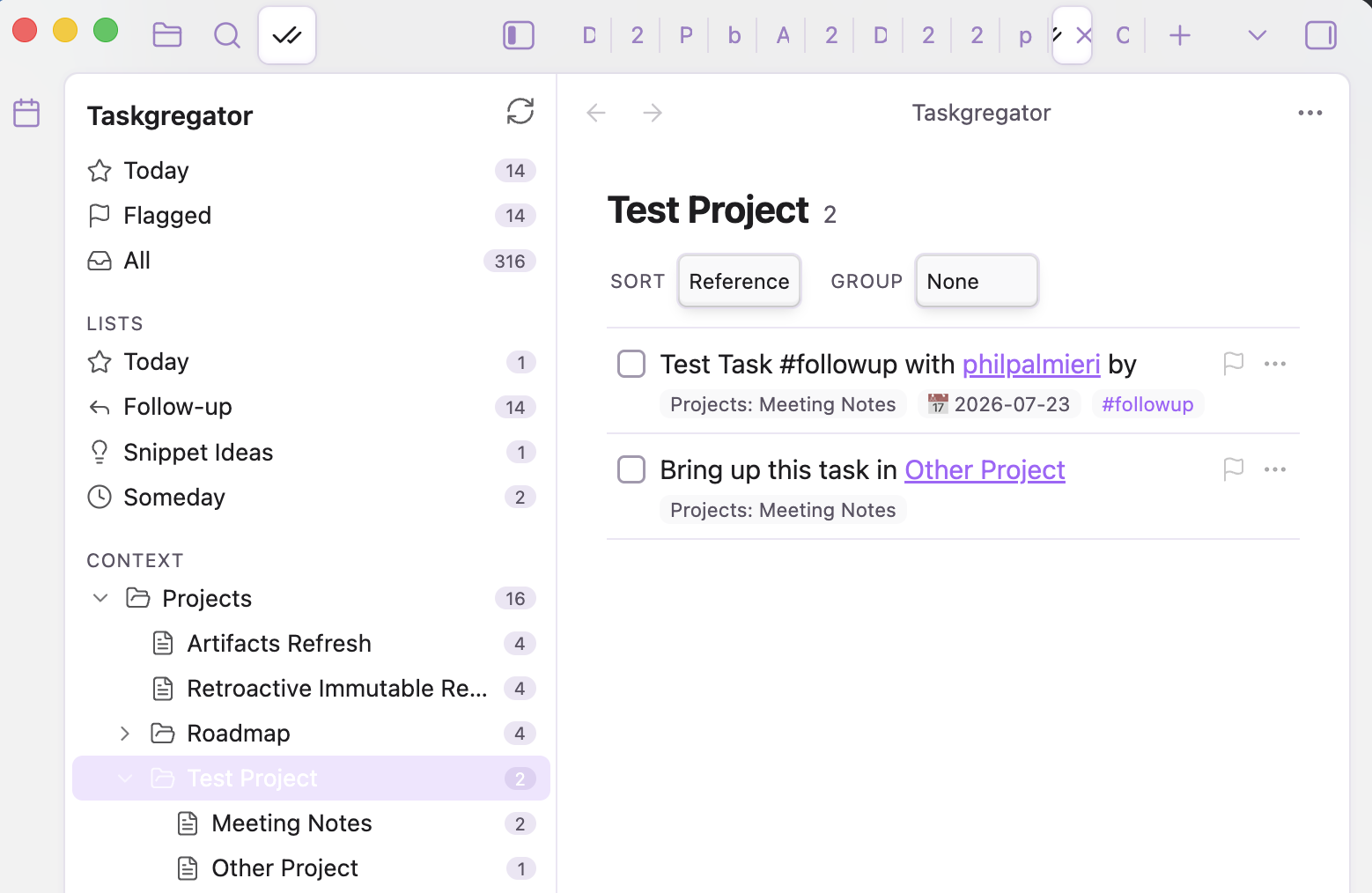
The navigator (smart lists + a roll-up tree of your context folders) on the left, and the task list for whatever you’ve selected on the right.
Why it’s different
Most task plugins make you pick a side: adopt a whole new system, or scatter each task into its own document with its own metadata block. Both make your notes serve the tool. Taskgregator flips that. The tool serves your notes.
• Zero adoption cost. A task is just a markdown checkbox. If you can write - thing , you’re already using it.
• No enforced structure. No required fields, no mandatory tags, no folder layout you must follow. Use as much or as little as you want.
• No separate store. Nothing is duplicated into a database or a task vault. The markdown line is the single source of truth, and every edit writes straight back to it.
• Context comes from where things already live. A task in Projects/Website Redesign.md belongs to that project. A task that mentions [[People/Alex]] belongs to Alex too. You don’t tag it; the location and links already say it.
• See it from any angle. The same task shows up under its project, under the people it links to, and in your date-based smart lists, all at once, with no copies to keep in sync.

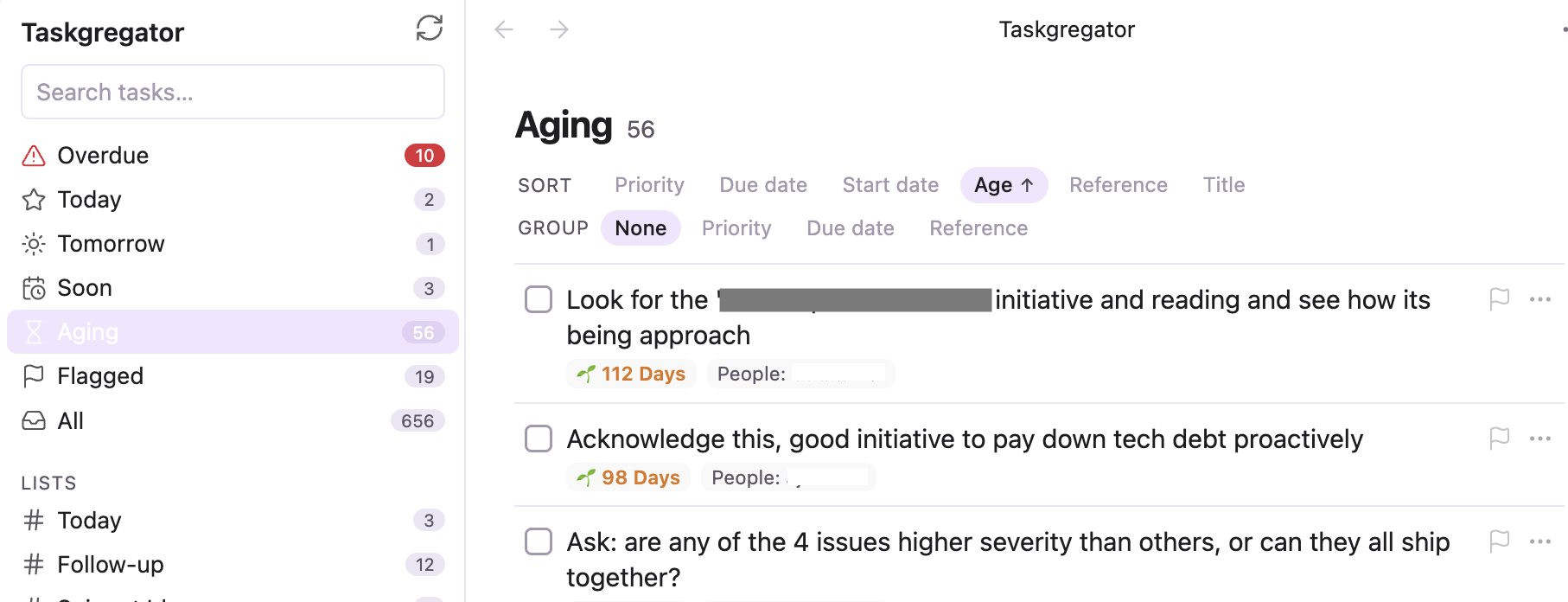
Each task shows its context chip, dates, priority flag, and tags, all parsed from the plain markdown line.
A context sidebar that follows the note you’re editing
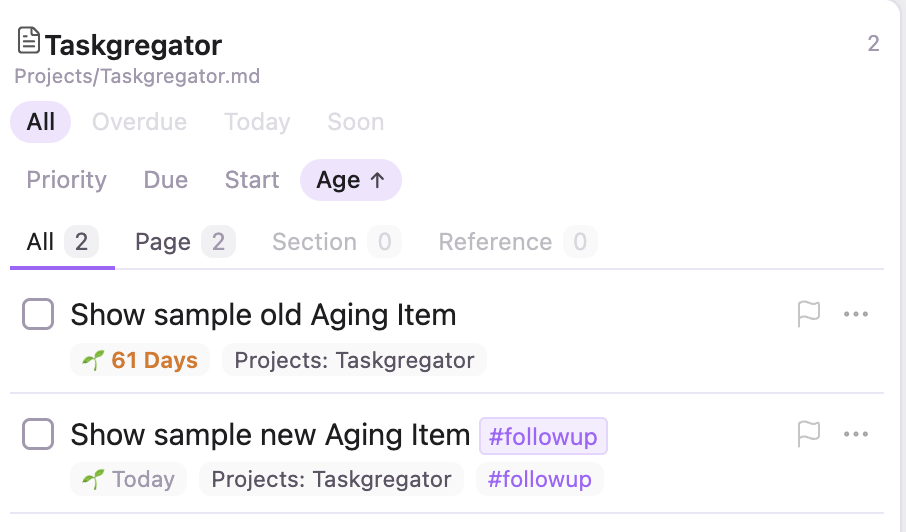
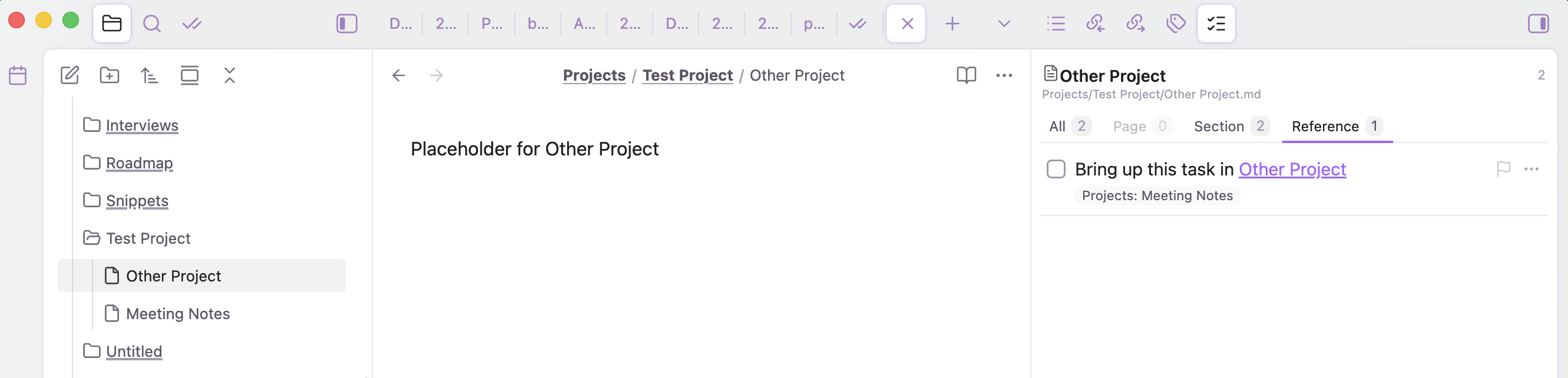
It shows that note’s tasks with Page / Section / Reference / All tabs.
Page shows the tasks written on the current note, right beside it while you work.
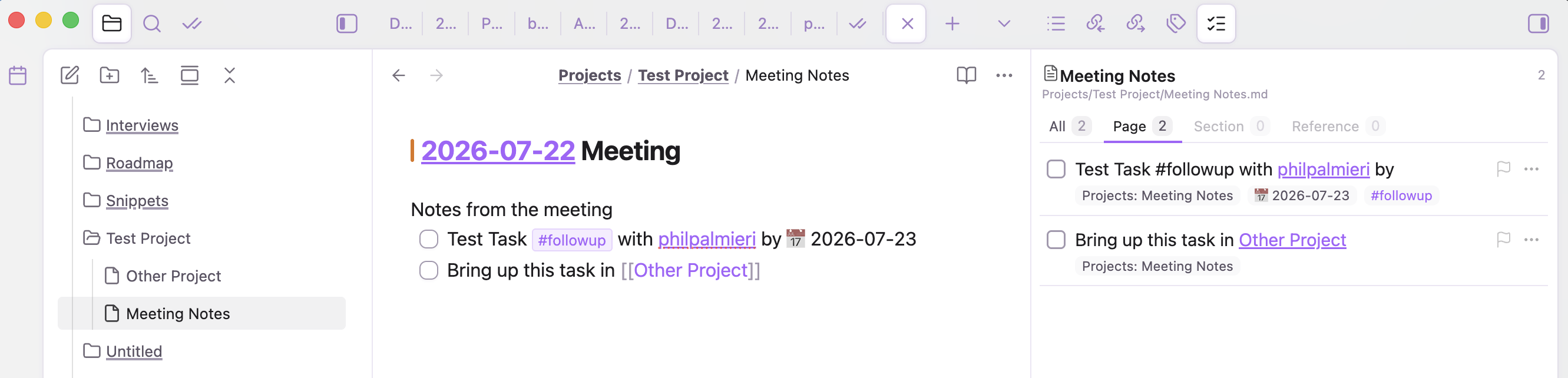
Reference shows tasks living elsewhere that link to this note, so inbound work surfaces too.
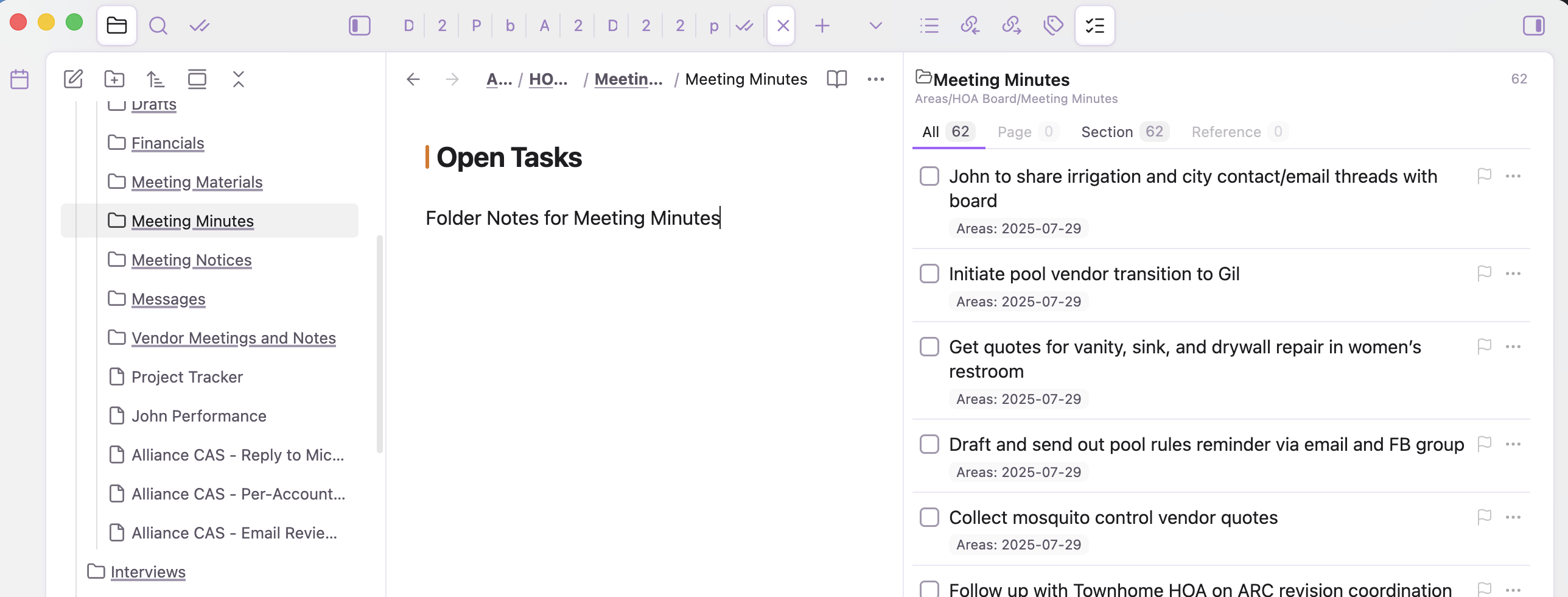
Section rolls up a whole subtree. On a folder note (a file named after its folder), you get every open task beneath it in one list.
Configurable to your vault
Pick which folders become context buckets, which behave as a flat inbox, your priority tags, smart lists, and more.
Other bits
• Smart lists driven by tags (Today, Follow-up, Someday, etc.), plus built-in Today, Flagged, and All.
• Inline editing written straight back to the original markdown line: toggle done/cancelled, cycle priority, set dates, add tags.
• Native right-click menu on task lines across your whole vault, not just inside the plugin panel.
• Per-task detail notes (sidecars) for extended context, added lazily only when you enrich a task.
• Self-contained: no runtime dependency on Dataview or the Tasks plugin. Compatible with Tasks-plugin emoji metadata (

 etc.). Works on desktop and mobile.
Feedback and bug reports welcome. I’ll keep posting future updates in this thread.


 ). Dates, priority, recurrence, and done/cancelled state now populate from either dialect, so every smart list, filter, sort, and grouping works the same regardless of how a task was written.