TaskForge: The Native Task Manager for Obsidian Users

I’ve been using task forge for the past month, and I’ve really appreciated it so far!

I’ve run into a couple of issues during my use (Android)

  1. Tasks seem to always be added to the bottom of the page. This is especially an issue with recurring tasks since I expect them to appear in the above the previous recurrence (ie. parity with tasks plugin). Was wondering if anyone knows if there’s a setting/workaround for this or if others have this issue as well. I see that I can change where tasks appear in daily notes, but I want to do this for tasks in other pages as well. @TaskForgeDev
  2. I’ve been running into issue when using it with obsidian sync, although as pointed out above that might be unrelated: TaskForge: The Native Task Manager for Obsidian Users - #19 by m4t0

Late reply here but the notification discarding issue should have been fixed in a newer release. I’ll also look into the persisting notification feature for a future version.

I’ve also made a bunch of updates to the widgets so hopefully the missing tasks issue is no longer happening!

Thanks for letting me know about the WRITE_SETTINGS permission, I actually don’t know why that permission is included. I’ll make sure to audit it in the next release to verify it it’s actually required.

As for your other questions, the app relies entirely on your existing Obsidian sync mechanism and does no syncing with your vault on other devices by itself.

It also accesses the vault via the regular file system instead of the App Storage. This is done because user’s can store their vaults in arbitrary locations and accessing through the file system is much much faster than accessing through APIs that Android has with App Storage.

1 Like

Glad to hear you’re liking the app so far!

For task placement, recurring tasks should appear directly below their parent task but all other new tasks will get added to the bottom of the file. Let me know what specific behaviour you’re looking for and I can look into adding it as an option in a future release.

Also you’re unfortunately right that the Obsidian sync issue is unrelated as TaskForge doesn’t handle any vault syncing, we rely entirely on your existing sync solution.

Wanted to share that I’ve just released the largest app update to date which includes the following new app features and enhancements:

  • Brand new look - TaskForge now looks much more sleek and modern
  • Performance improvements - tasks from all vaults, large and small, load much much more quickly
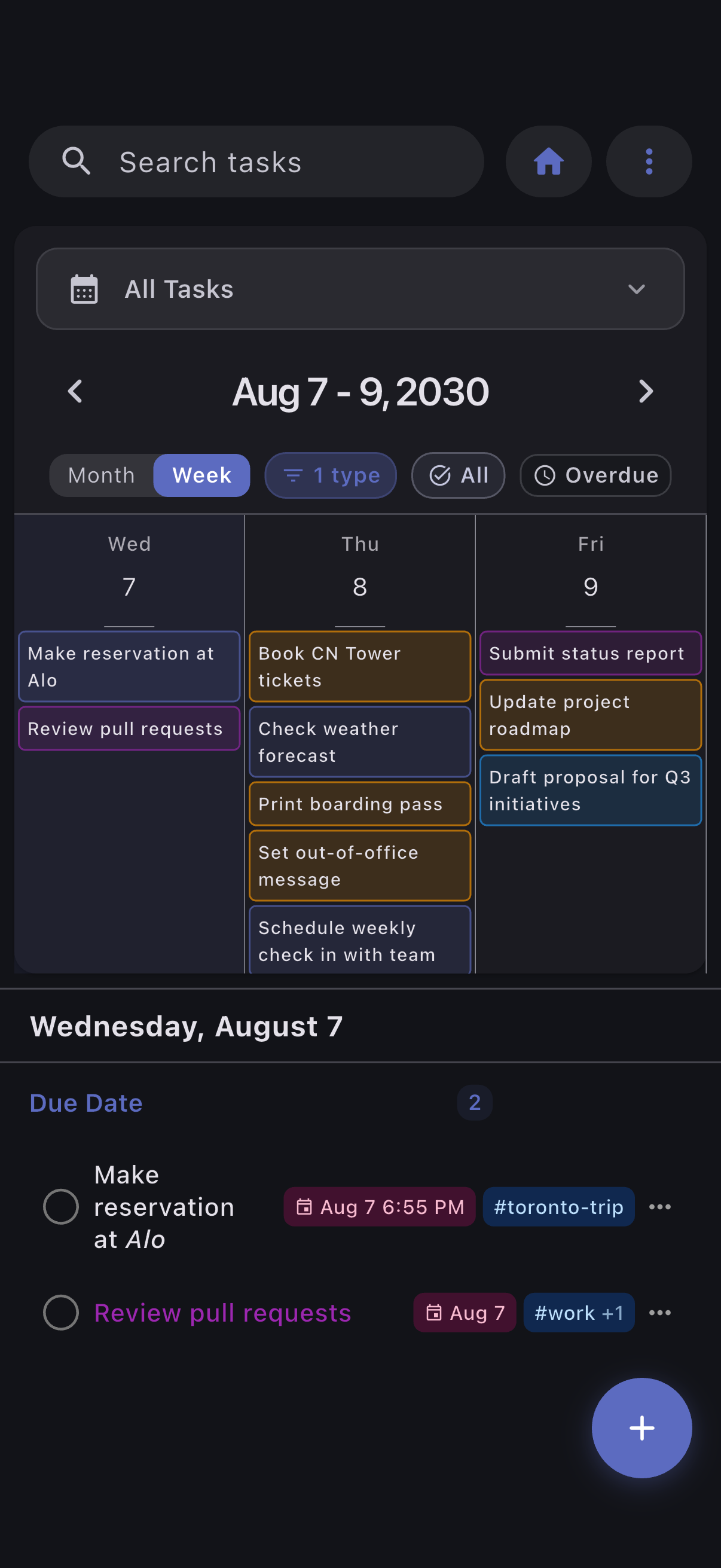
  • Weekly calendar view - visualize all your tasks for the week in a new weekly view in addition to the existing monthly view
  • Set TaskNotes task descriptions - directly view and edit your TaskNotes task file’s body from TaskForge
  • Multi-level subtasks for inline tasks - you can now create subtasks with unlimited nesting levels

This release and the app in general have truly been a labour of love that has largely been driven by the support of this community.

Links

Screenshots

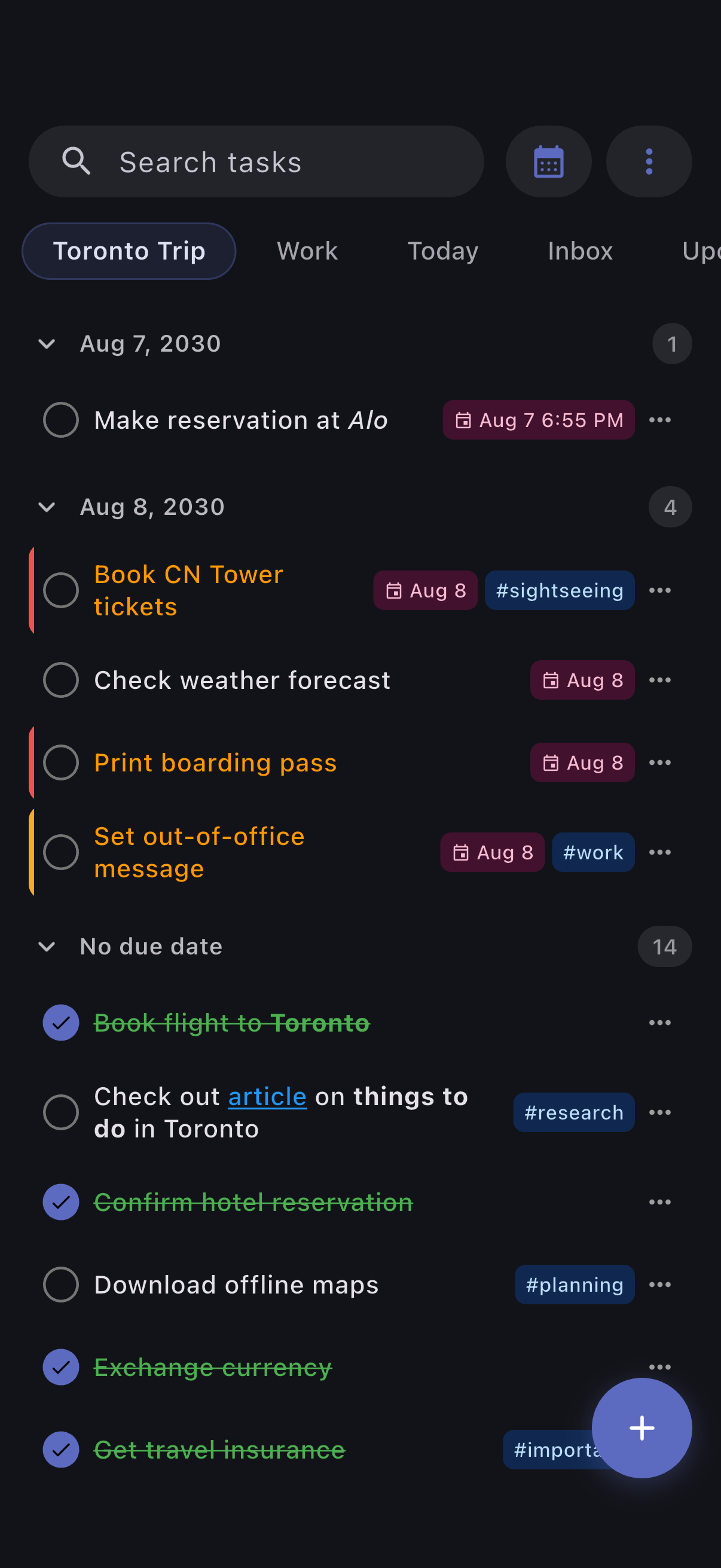
Refreshed modern app design

Widget and notification support

Weekly and monthly task view

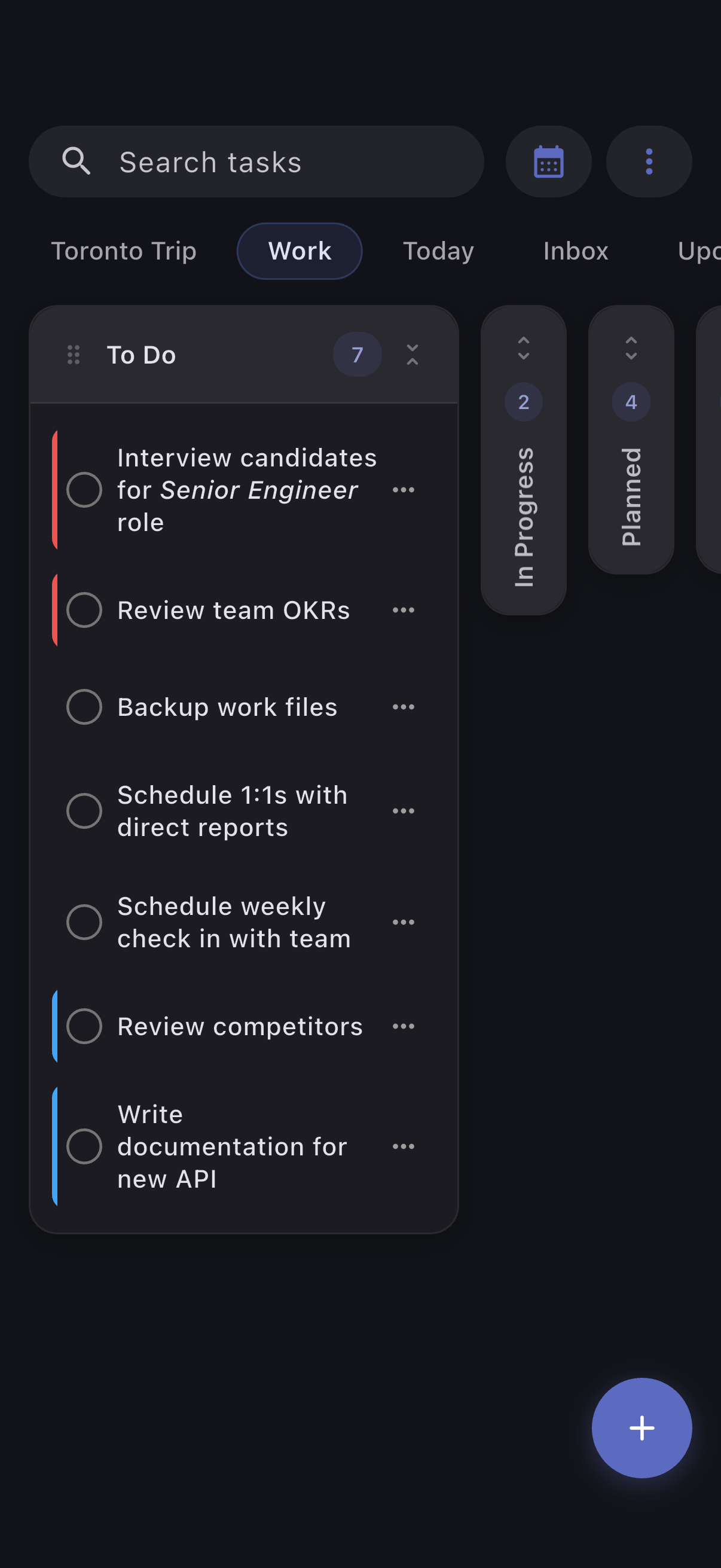
Kanban task lists

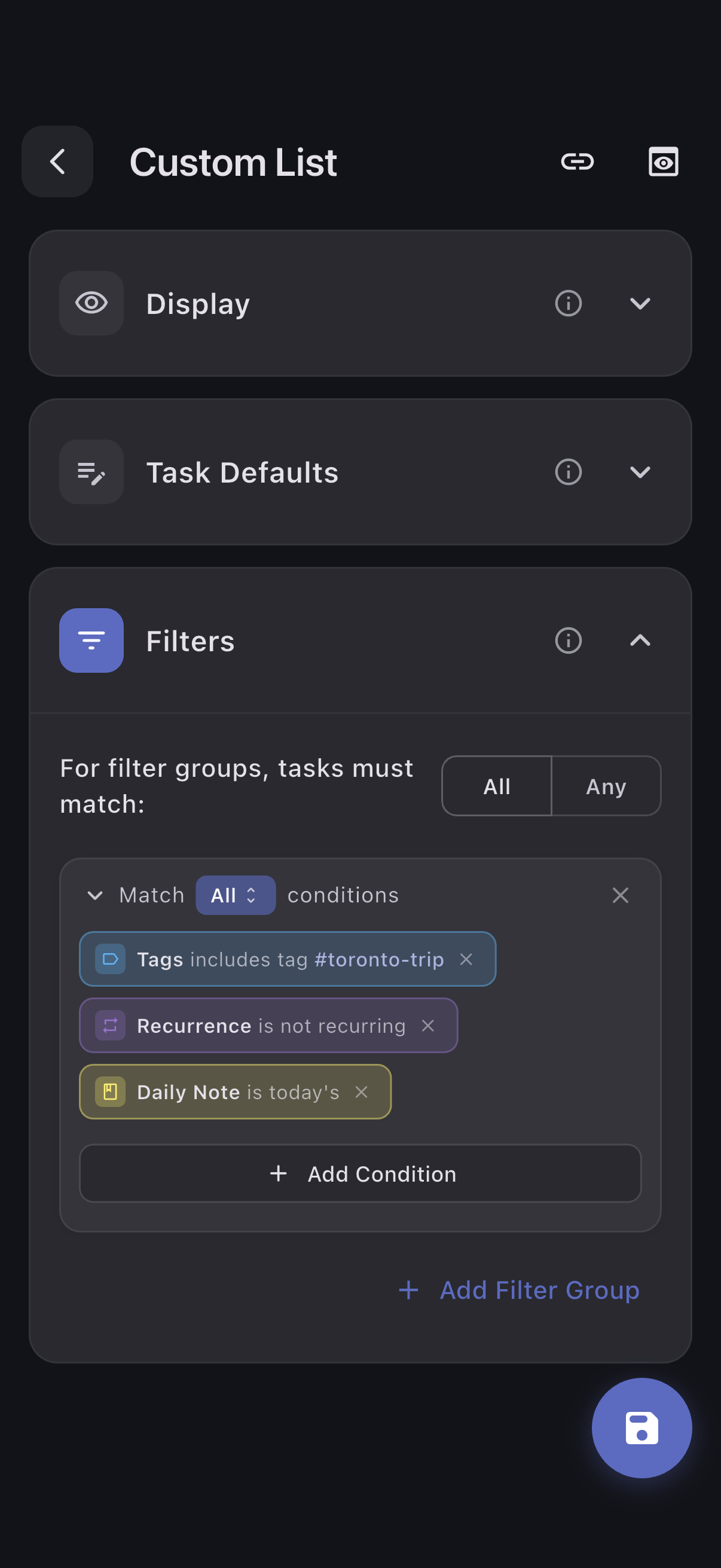
Advanced custom lists

2 Likes

Would it be possible to change the locale for the daily notes format? Personally, I’m French and I use the format DD-MM-YYYY dd in the names of my daily notes, The dd gives me the first two letters of the day of the week in French. I don’t think this is possible with TaskForge. You can use dd to have the month number of the day, DDD to have the three first letter of the day in english, but it seems not possible to have the first two letters of the day in french. Could it be implemented? The main solution would be to be able to change the locale / language for the daily note format.

Thanks for pointing out this bug, I’ll have a fix for it in the next release

Hi!
I’ve recently been testing TaskForge and it feels very promising — I’m seriously considering purchasing the premium version.

I’d like to share some thoughts and feature requests based on my testing so far.
For context, I’m currently using the iPhone version. My workflow is currently based on a TaskNotes-style, but ideally I would like to combine both note-based tasks and inline tasks.

Below are some feature requests based on that experience.
If any of these already exist and I simply missed them, I’d really appreciate being pointed in the right direction.

1. Ability to use arbitrary properties as filter conditions

This is by far the most important feature for my workflow.
Unless I’m misunderstanding something, it seems that custom list filters cannot currently use arbitrary frontmatter properties.

Being able to use either arbitrary properties or predefined selected properties as filter conditions feels very important when considering deeper integration with Obsidian, so I would really like to see this added.

In TaskNotes, arbitrary properties can be added as custom user fields to tasks, and when managing task lists through Bases, arbitrary properties can naturally be included as filter conditions.

Personally, I would like to create a custom list that extracts tasks where a certain property (in my case, workspaces property) has a specific value, and when creating a task from that custom list, have that same property automatically assigned.
(I believe the latter behavior may already be configurable.)

2. Easier access to the custom list overview

When using a single task app to manage multiple contexts (work, hobbies, etc.), quickly switching between many custom lists becomes very important.

Currently, accessing lists requires either horizontal scrolling at the top or double-tapping the icon to open the list overview, which feels slightly cumbersome.

It would be great if the full custom list view could be opened with a single gesture — for example:

a swipe from the left edge, or

a dedicated button in the bottom toolbar

(similar to many other task management apps).

3. Global filtering for inline tasks

Right now I’m using note-based mode, but eventually I’d like to integrate inline checkbox tasks from Tasks-style notes as well.

However, I also use checkboxes for non-task purposes, so currently a large number of unrelated checkboxes appear in TaskForge, which makes the task view less practical.

Would it be possible to introduce a global filter that determines which inline checkboxes should be treated as tasks?

For example, in my case I would want something like:

only include checkboxes from notes that contain a specific property (e.g. workspaces is present and non-empty)

and exclude tasks that contain certain tags.

Thanks again for building such an interesting tool — and I’m really looking forward to the upcoming Windows version!
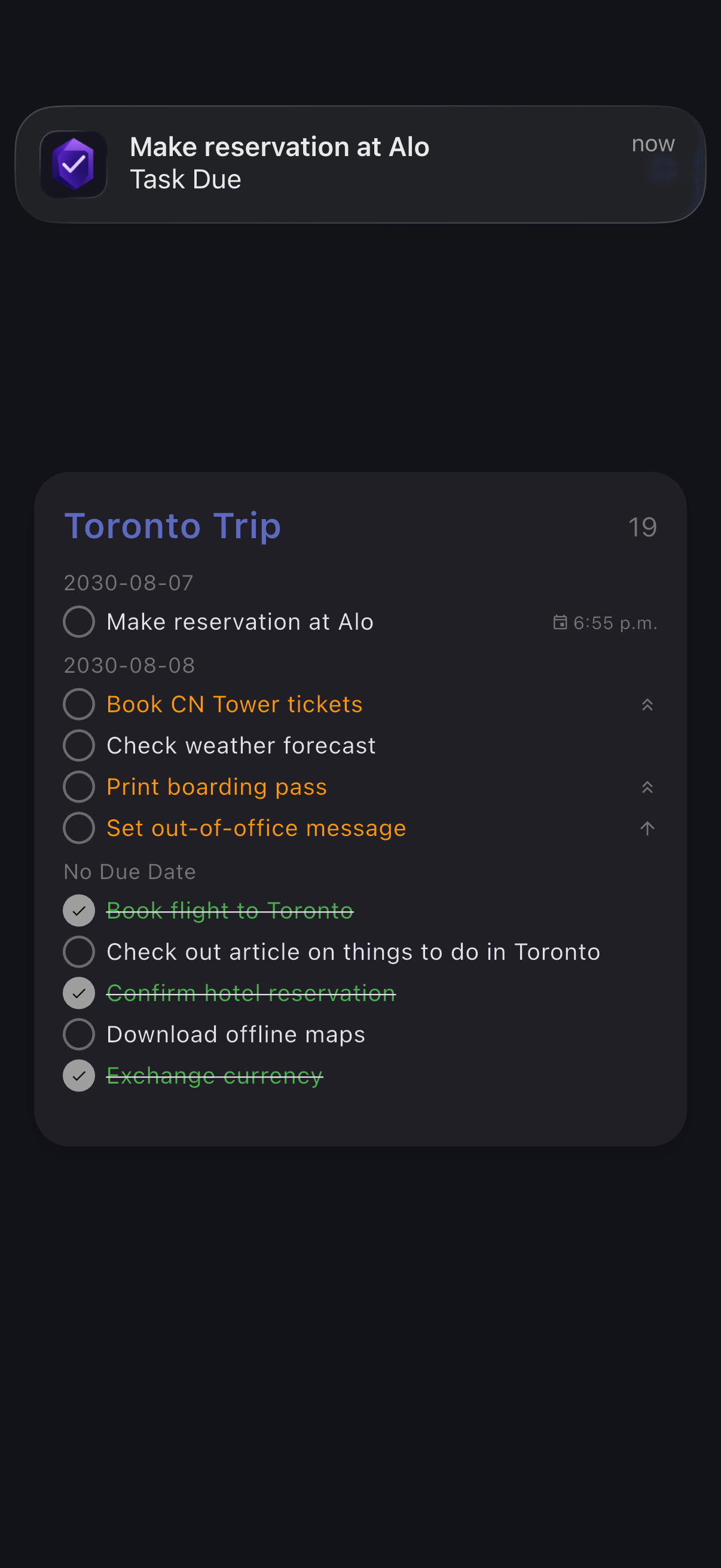
Heya,

okay, so far I’ve been loving this app. Finally I have proper reminders for my tasks : P

But I have one quick question: Obsidian Tasks support an “Urgency” Score ( Urgency - Tasks User Guide - Obsidian Publish ). Is this supported in TaskForge?

And if not, would it be possible to add this?

Looking into this app and until now it looks very promising! For now I am keeping my workflow unchanged, where I often have a lot of tasks on the daily pages. In obsidian in the tasks plugin I have the setting “Use Filename as Default Date” turned on. That way Obsidian interprets these tasks as scheduled on the given day.

It seems that TaskForge does seem to interpret those dates however, which results in a lot of tasks in the inbox.

Any suggestions on how to deal with this? Or is there a way to make TaskForge use these dates from the daily notes titles?

Thanks a lot in advance.