Hi everyone,
I’m struggling with a recurring bug in Obsidian where my tables suddenly “break” or “explode” into plain text while I’m editing them.
The specific bug behavior:
-
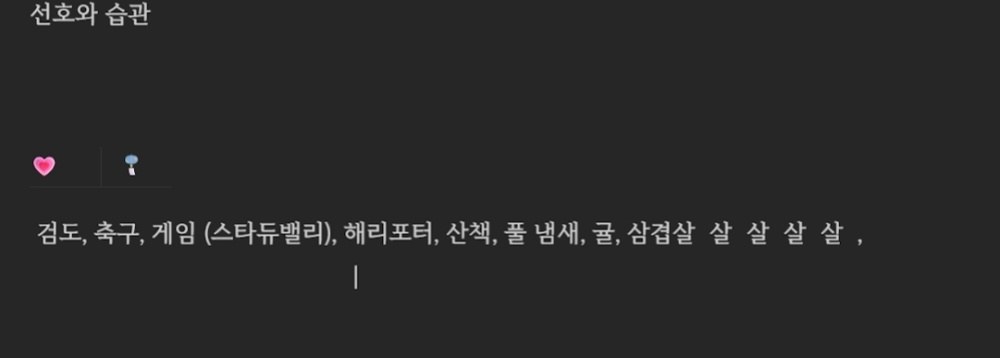
When I long-press the Left Arrow key to move the cursor within a cell, the table suddenly breaks into raw Markdown text (
| | |). -
At the same time, the last character I typed starts repeating itself (e.g., if I typed “살”, it repeats like “살 살 살 살”).
-
This also happens randomly when typing fast or clicking between cells.
-
I am using the Korean IME, and it feels like a conflict between character composition and the Live Preview table rendering engine.
(Note: I am attaching a screenshot of the broken table and the repeating characters.)
What I’m trying to do
I want to create and edit tables in Live Preview mode without the table structure breaking (reverting to raw Markdown) or the text glitching. I expect to navigate within cells using arrow keys and type at normal/fast speeds without the editor “exploding” the table.
Things I have tried
Reinstalled Obsidian: Completely reinstalled the app.
Disabled Plugins: Turned off all community plugins except Remotely Save.
Disabled Snippets: All CSS snippets are disabled.
New Files: Created brand new files to test, but even a simple 1x1 table breaks immediately.
Live Preview vs Source Mode: The issue only occurs in Live Preview. In Source Mode, it is stable.
Has anyone experienced this “breaking table” behavior?
Any help would be greatly appreciated!