Disclaimer
Is this project open source? Yes
Is this project completely free? Yes
Is this project vibe-coded beyond the author’s ability to comprehend how it works? No
Community Directory: https://community.obsidian.md/plugins/table-exporter
I built a small Obsidian plugin to solve a very specific problem I kept running into:
I had tables in my notes that looked fine inside Obsidian, but the moment I wanted to share them outside the vault, things got awkward.
Typical problems:
- a long table is annoying to screenshot
- print to PDF can break the layout
- text overlaps or gets squeezed
- copying into Excel works, but you lose the original formatting context
So I made Table Exporter.
It lets you export a rendered Markdown table in Obsidian as:
PNGCSVExcel (.xlsx)PDF
What I wanted was something simple:
- hover the table
- run a command
- get a usable file out
It now also supports a few practical details that made a difference for me:
- a cleaner export style for PNG/PDF, so the output looks less like an app screenshot
- per-export options for scale, background, PDF layout, and more
- copy PNG directly to clipboard
- reveal the exported file in Finder right after export
The main use cases I had in mind were:
- sharing research/comparison tables with teammates
- dropping a table into a doc or slide deck
- exporting structured notes into Excel without rebuilding them by hand
- getting a clean PDF when Obsidian’s normal print flow is not enough
Two concrete examples from my own workflow:
- A weekly project status table that needs to move from a note into a chat thread or report as a clean image.
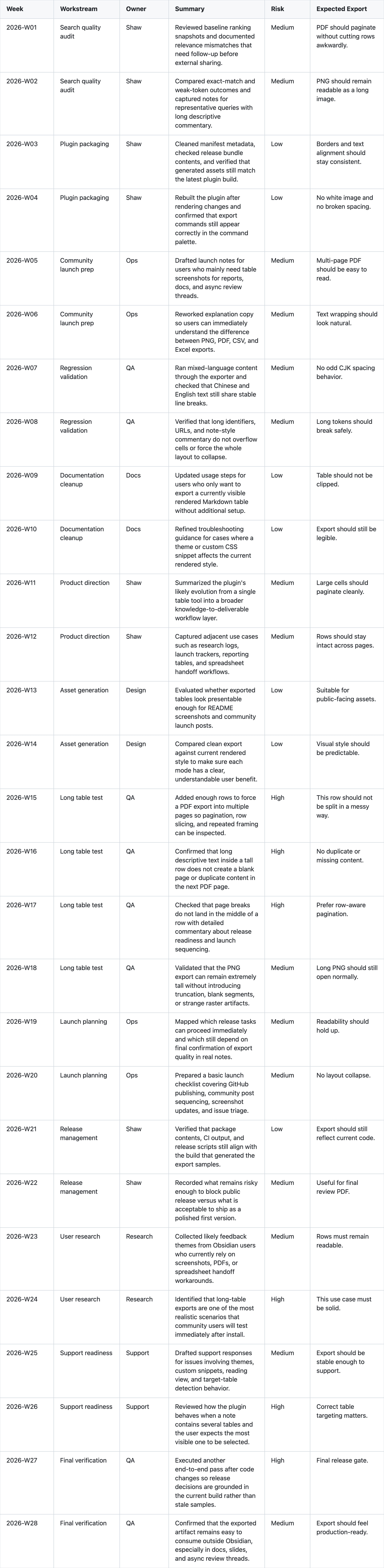
- A decision log table that is easier to send around as a PDF than as a screenshot.
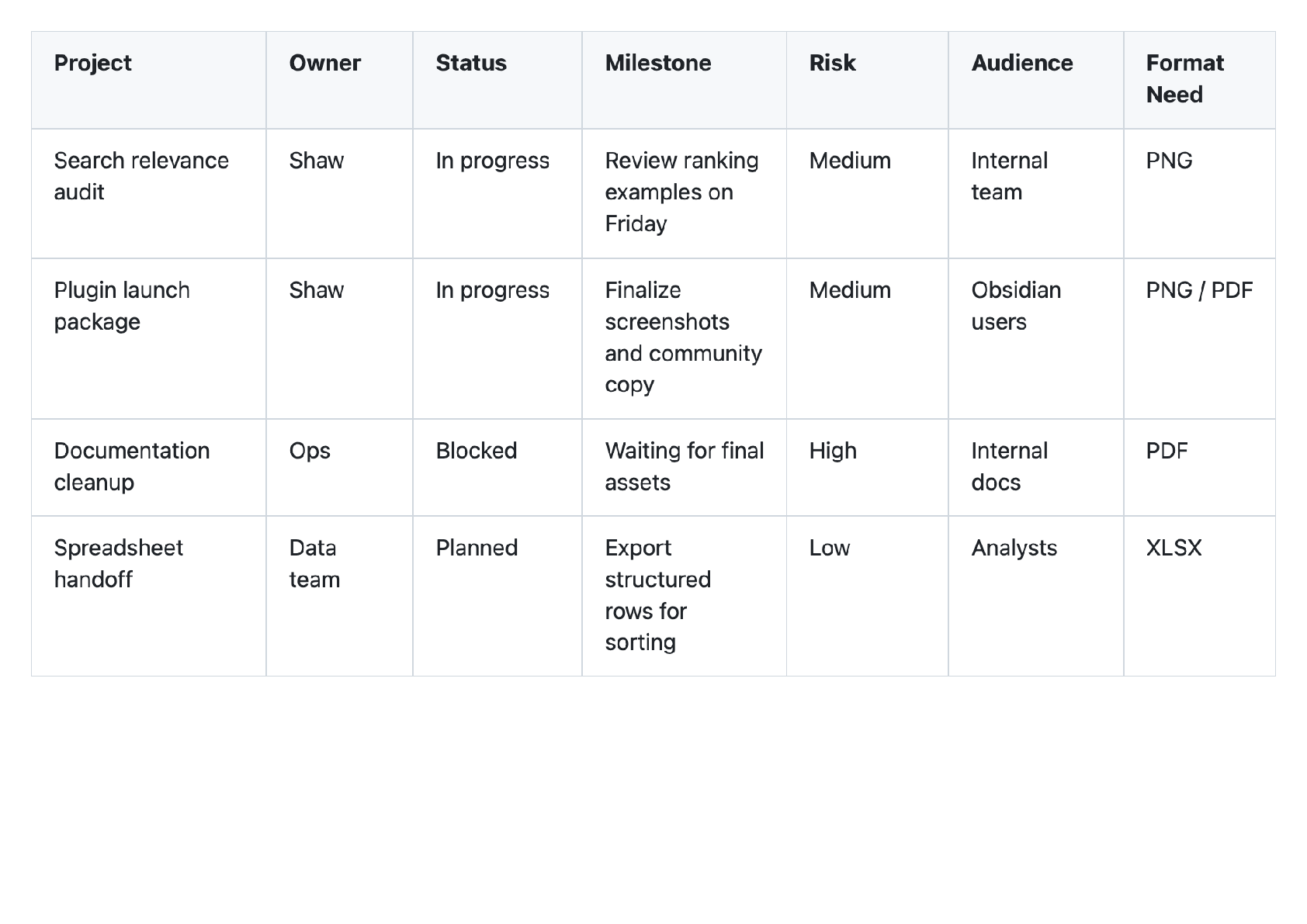
This is still early, but it is already useful in day-to-day work, so I wanted to share it.
If you try it, I would especially love feedback on:
- what kinds of tables break
- whether you mostly want image export or spreadsheet export
- whether the next step should be exporting more than tables, like callouts or note sections
Plugin page:
https://obsidian-plugins.lanternnight.top/plugins/table-exporter/?utm_source=obsidian_forum&utm_medium=community&utm_campaign=table_exporter_launch_v1&utm_content=forum_post_en
GitHub repo:
https://github.com/wikty/obsidian-table-exporter
If this solves a similar pain point for you, I hope it saves you a little formatting time.