In stack tabs mode, dragging the mouse to select text causes the tabs to slide unexpectedly.
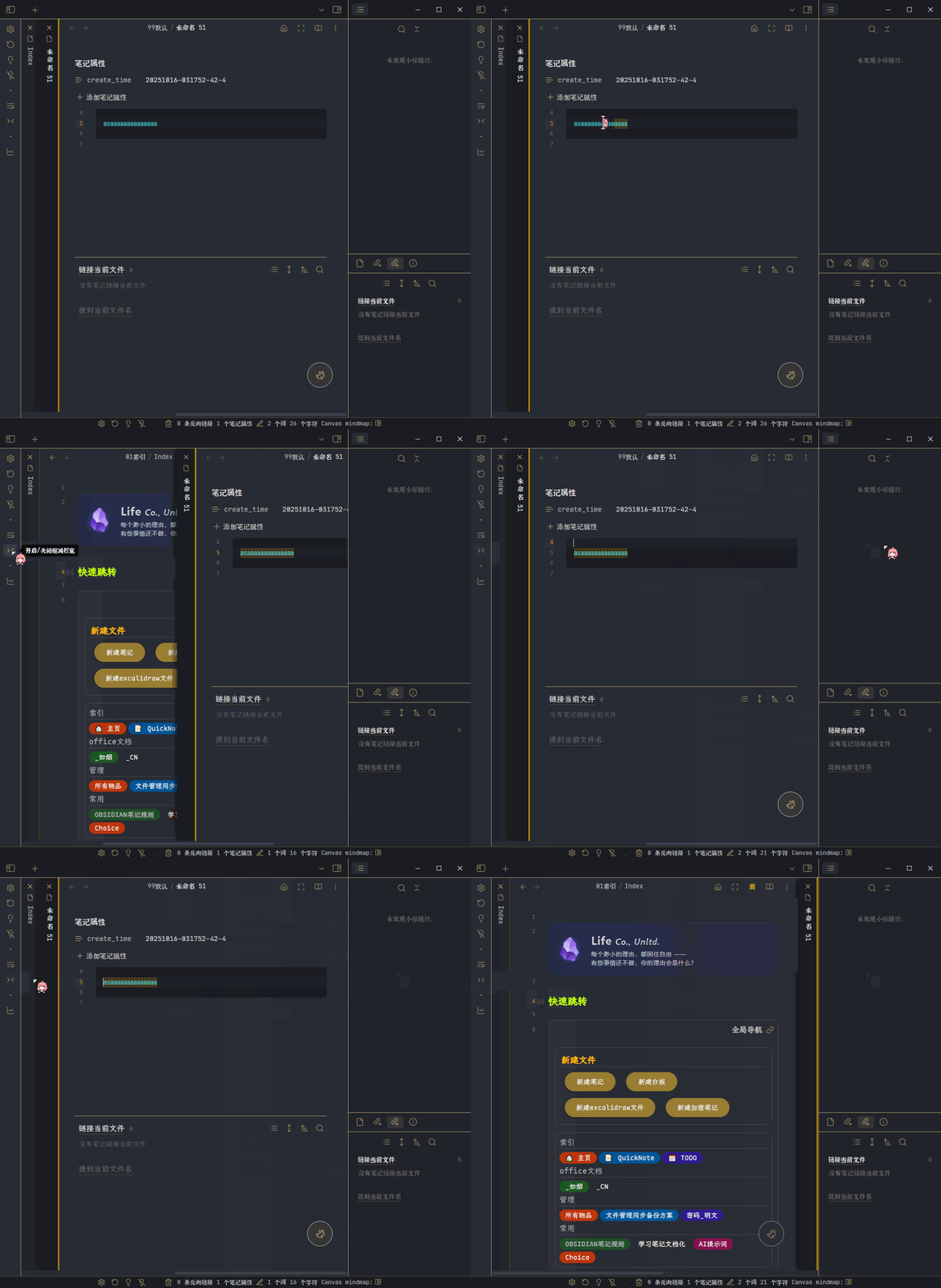
When using the mouse to select text in stack tabs mode (by holding down the left mouse button), if the cursor moves outside the tab area (the div with class="workspace-tab-container"), the tabs begin to slide.
Here’s an example:
Current Obsidian version and environment:
- Obsidian v1.10.x
- Windows 10 LTSC 2019
In version 1.7.4, this bug only occurred when the total lines of the active note were insufficient to trigger a vertical scrollbar. However, in version 1.8.x +, it occurs regardless of the note’s height.