Steps to reproduce
- Enable the Sync plugin
- Disable the network (airplane mode)
- Edit any document to trigger sync
- See CPU usage, battery usage, performance record in dev tools
Did you follow the troubleshooting guide? [Y/N]
Yes
Expected result
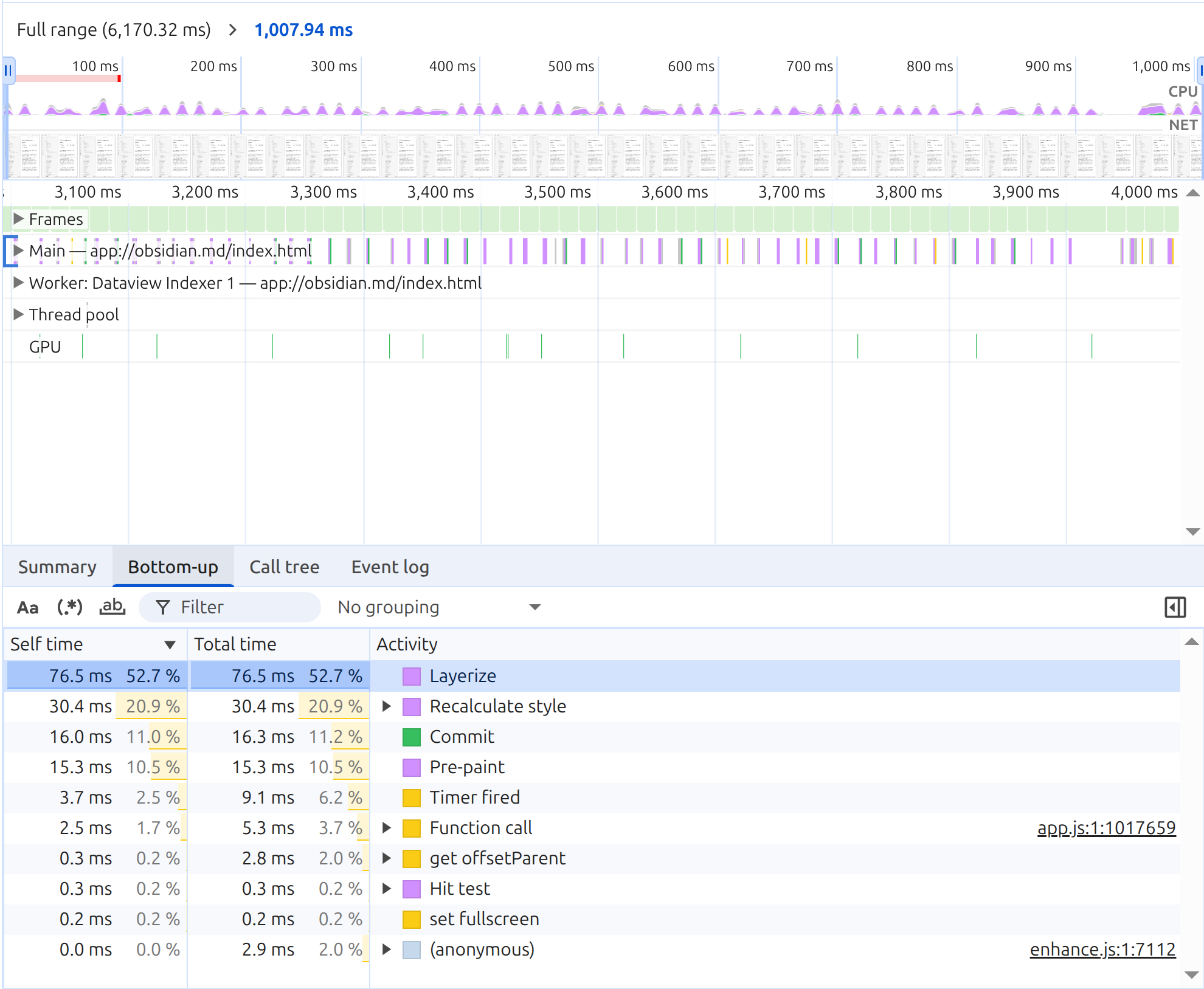
It shouldn’t trigger Recalculate style every frame.
Actual result
It triggers Recalculate style every frame even in the idle state.
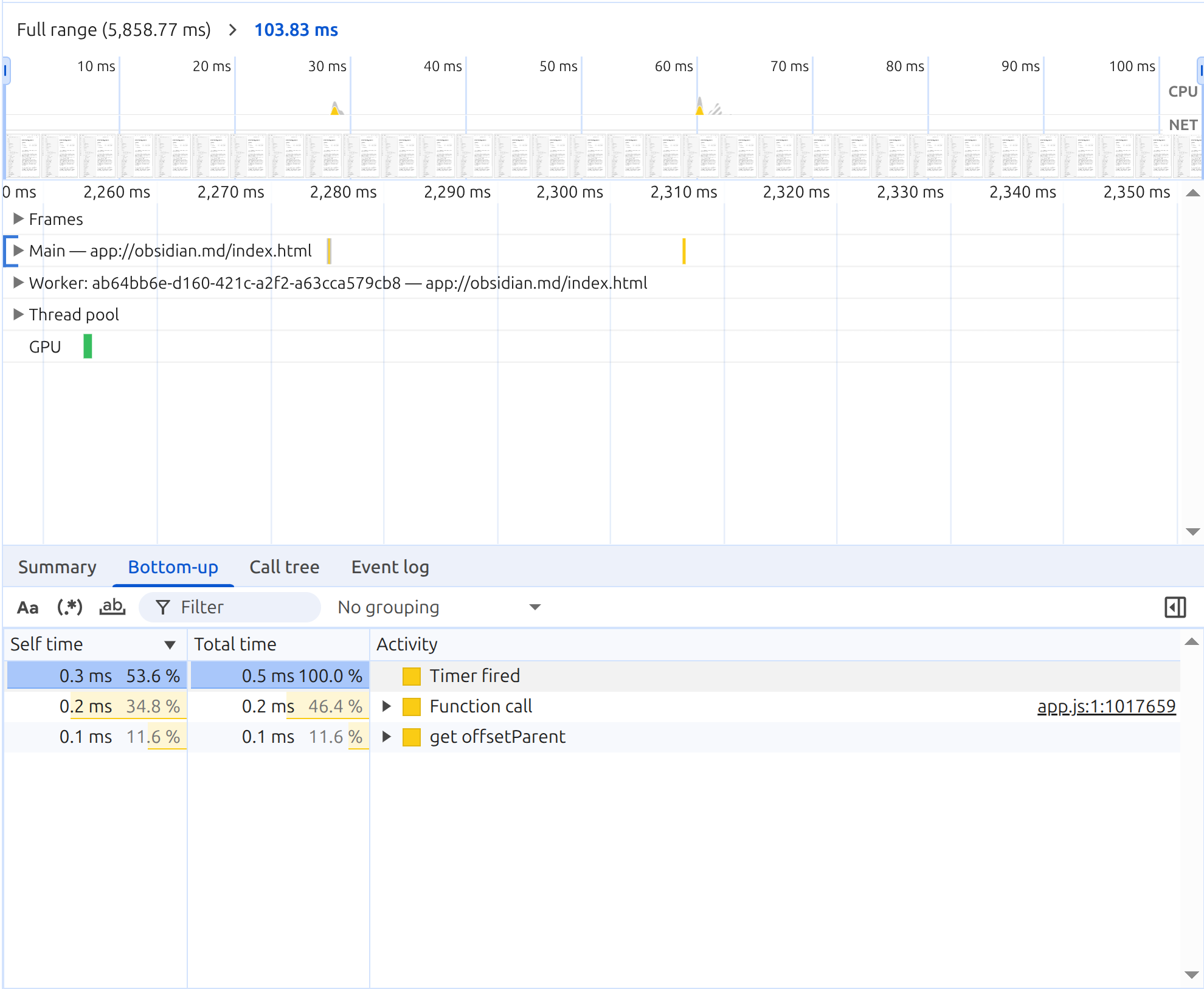
you can see it from performance record in the dev tools.
Environment
SYSTEM INFO:
Obsidian version: 1.12.7
Installer version: 1.12.7
Operating system: #15-Ubuntu SMP PREEMPT_DYNAMIC Wed Apr 22 16:06:43 UTC 2026 7.0.0-15-generic
Login status: logged in
Language: en
Catalyst license: none
Insider build toggle: off
Live preview: on
Base theme: adapt to system
Community theme: none
Snippets enabled: 1
Restricted mode: off
Plugins installed: 24
Plugins enabled: 24
1: Advanced Slides v1.20.0
2: Auto Link Title v1.5.5
3: Copy Block Link v1.0.4
4: Dataview v0.5.68
5: Cursor Jump v0.1.9
6: Dataview Autocompletion v0.9.5
7: Folder notes v1.8.19
8: Format code v0.0.1
9: Front Matter Title v3.13.1
10: Image in Editor v2.2.6
11: Kill and Yank v1.2.0
12: LanguageTool v1.4.3
13: Lineage v0.8.5
14: Links v1.17.51
15: Linter v1.31.2
16: Mathpad v0.8.14
17: Outliner v4.10.0
18: Paste image rename v1.6.1
19: Projects v1.17.4
20: Reveal Active File Button v2.0.4
21: Settings Search v1.3.10
22: Strange New Worlds v2.3.7
23: Tag Wrangler v0.6.4
24: Update Time v1.1.2
RECOMMENDATIONS:
Custom theme and snippets: for cosmetic issues, please first try updating your theme and disabling your snippets. If still not fixed, please try to make the issue happen in the Sandbox Vault or disable community theme and snippets.
Community plugins: for bugs, please first try updating all your plugins to latest. If still not fixed, please try to make the issue happen in the Sandbox Vault or disable community plugins.
Additional information
With the Sync plugin enabled, it uses about 5% CPU constantly on idle. it’s equivalent to 8-10W on my laptop.
If I disable or pause the Sync plugin, it drops to 0.5% ~ 1.0% CPU (3-6W)
my laptop has roughly 48Wh. 8-10W is roughly equivalent to 5 hours or less, and 3-6W is roughly equivalent to 8 hours or more.
The bug is not that big of deal for the most of the time, but it is noticeable during the long flight.