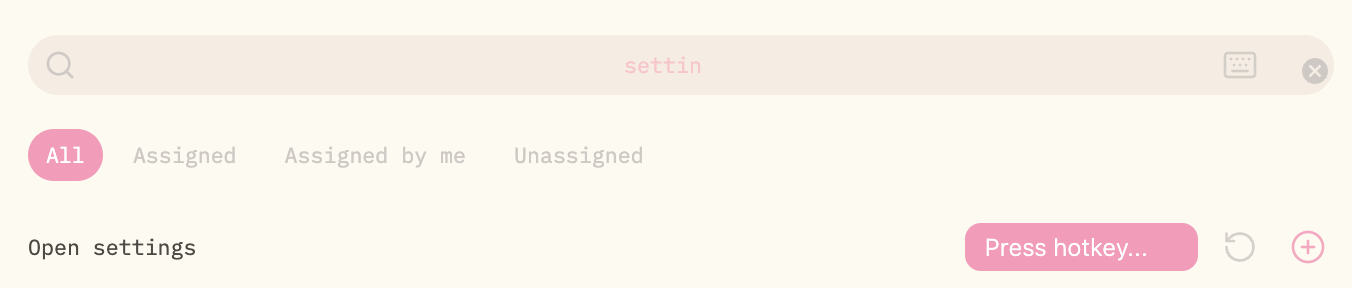
This is similar to a previous (now closed) post posted under “Help”, but I believe this is actually a bug, as the problem is new (was previously working, and is no longer working after both Obsidian + MacOS update), and it is impossible for me to re-map Cmd+, for the “open settings” hotkey.
I am now on MacOS 26.6.2.
Steps to reproduce
Press Cmd (Command button) and , (comma button)
Did you read and follow the Troubleshooting Guide ? [Yes]
Expected result
The settings window opens
Actual result
The settings window does not open
Environment
SYSTEM INFO:
Obsidian version: 1.13.7
Installer version: 1.8.4
Operating system: Darwin Kernel Version 25.6.0: Fri Jul 31 19:17:12 PDT 2026; root:xnu-12377.161.14~5/RELEASE_ARM64_T8103 25.6.0
Login status: logged in
Language: en-GB
Catalyst license: none
Insider build toggle: off
Additional information
- This is what I have used for a long time, and has worked until my recent updates
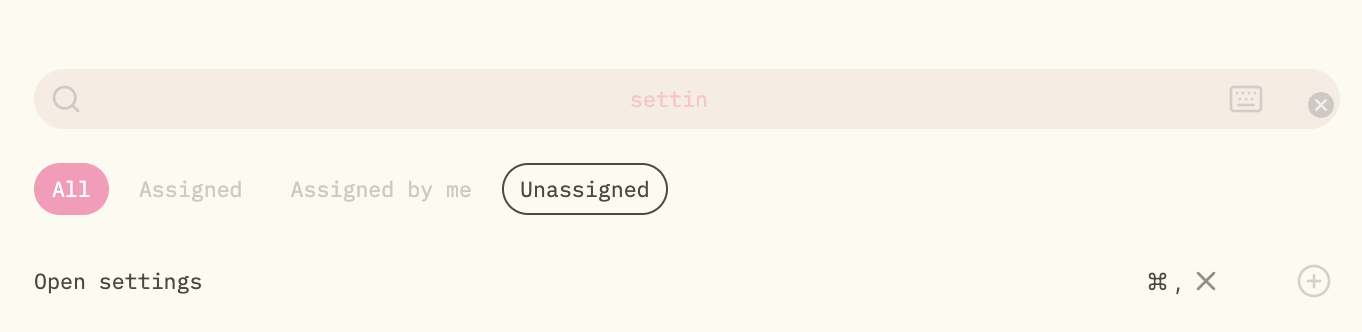
- This is the best it can do – it cannot accept or cannot detect “Cmd” and “,” together so it remains stuck at “Press hotkey…” while attempting to listen to more key presses. Somehow it can accept other junk e.g. “Cmd” and “F”