Use case or problem
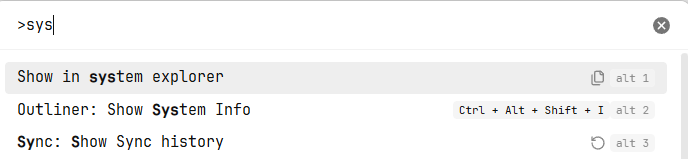
When using the command palette, prefix-based search often collides with unrelated commands and relies on shorthands that may be unclear. For example, typing sys can match several different terms, making it hard to quickly find the command you want.
I’d like a more predictable way to search for commands without memorizing arbitrary hotkeys or hoping a prefix doesn’t collide with something else.
sys returns multiple results
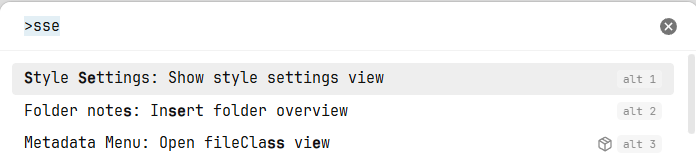
sse doesnt return show in system explorer
**
Proposed solution**
Enable the command palette to recognize multi-letter acronyms derived from command names (the initial letters of each word) as valid search inputs.
Examples:
-
Show in System Explorer →
siseorsse -
Open Containing Folder →
ocf -
Toggle Side Bar →
tsb
The palette would automatically allow these acronym patterns to match commands. Hyphens (-) and underscores (_) in command names would be interpreted as word separators.
Benefits:
-
More intuitive command search
-
Reduced ambiguity from prefix collisions
-
Consistent, discoverable behavior (users can predict the pattern)
-
Faster access without learning extra hotkeys
Current workaround
Currently I either scroll through ambiguous prefix results or set up custom hotkeys for frequently used commands, which adds cognitive overhead.
For notes, I sometimes prefix titles with a manual acronym (e.g., abc-All Base Characters) to enable quick searching, but this clutters note names and isn’t possible for built-in commands.