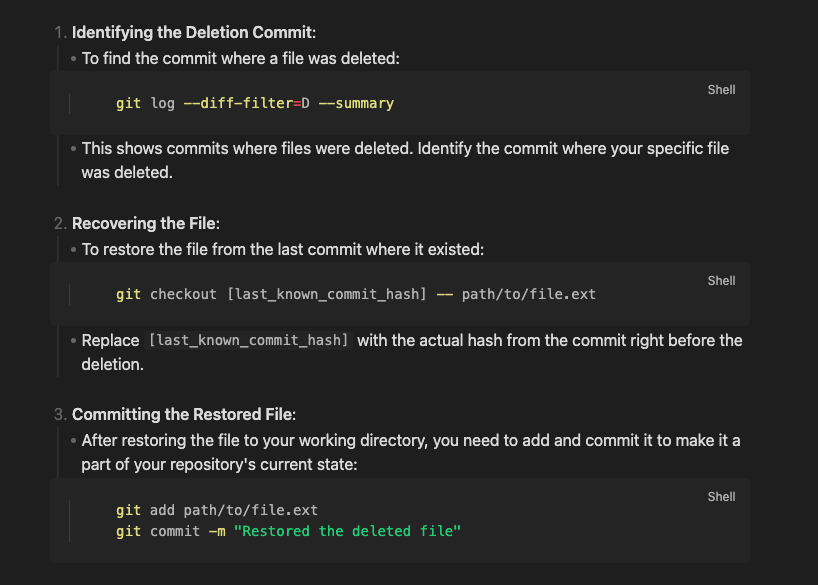
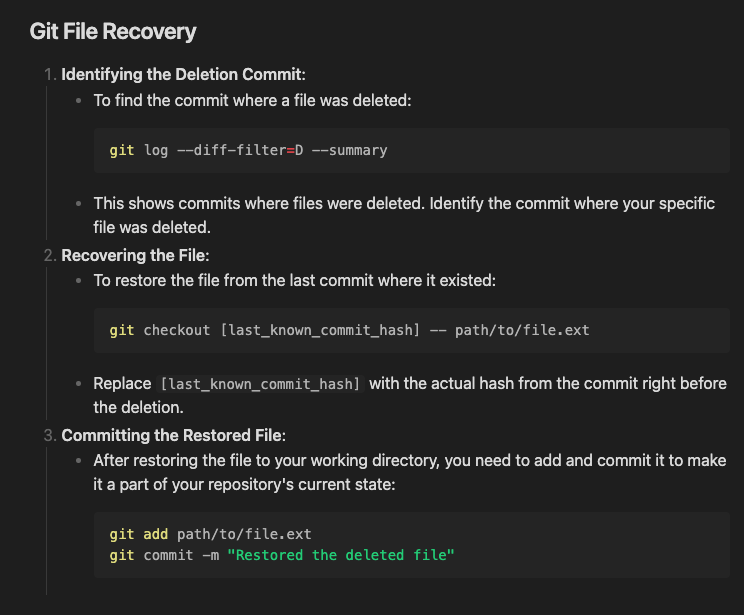
After using the output of chatGPT a lot, I noticed that it often breaks the live-preview / is not rendered correctly.
I first thought it is a results of the theme, but it also happens in clean testing vault. Also I noticed, when viewed in preview mode, everything is correct. So I assume it is not a result of the special “formatting” of ChaptGPT.
Here is a text sample:
1. **Identifying the Deletion Commit**:
    - To find the commit where a file was deleted:
      ```bash
      git log --diff-filter=D --summary
      ```
    - This shows commits where files were deleted. Identify the commit where your specific file was deleted.

2. **Recovering the File**:
    - To restore the file from the last commit where it existed:
      ```bash
      git checkout [last_known_commit_hash] -- path/to/file.ext
      ```
    - Replace `[last_known_commit_hash]` with the actual hash from the commit right before the deletion.

3. **Committing the Restored File**:
    - After restoring the file to your working directory, you need to add and commit it to make it a part of your repository's current state:
      ```bash
      git add path/to/file.ext
      git commit -m "Restored the deleted file"
      ```