Disclaimer
Is this plugin open source? Yes — MIT licensed.
Is this plugin completely free? Yes.
Is this plugin vibe-coded beyond the author’s ability to comprehend how it works? No.
Community Directory: Special Callouts
Special Callouts — style native Obsidian callouts without CSS snippets
Hi everyone,
I built Special Callouts for a problem I kept running into: native Obsidian callouts are great, but getting a specific look or layout often means maintaining CSS snippets, remembering selectors, and hoping a theme update does not change the result.
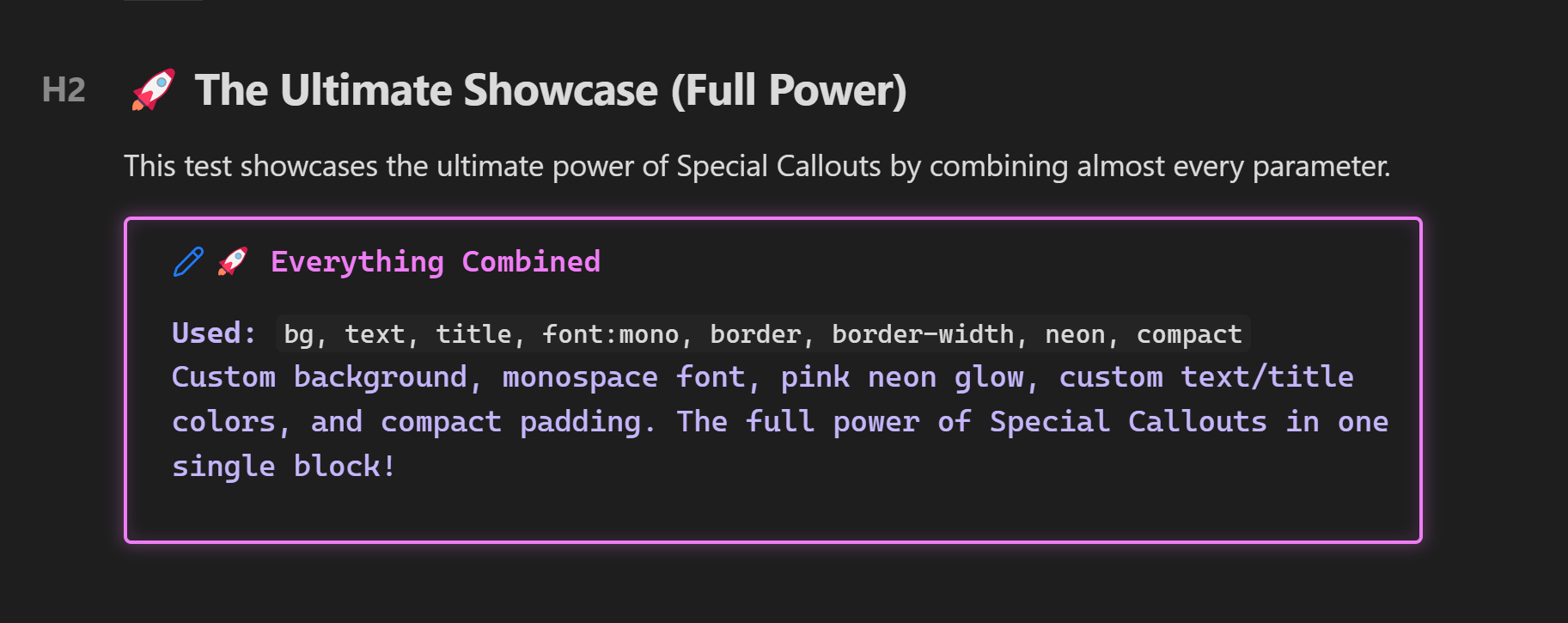
Special Callouts keeps the note itself as plain Markdown. You add styling metadata immediately after the callout type, and the plugin handles the rendering:
> [!tip] (bg:#0f0e17, title:#ff6bcb, text:#a7a9be, border:#ff6bcb, radius:12, compact) Reading queue
> Three articles saved for later.
You can also save a style in Settings and reuse it by name when the same design appears in many notes.
Multi-column lists with col:N
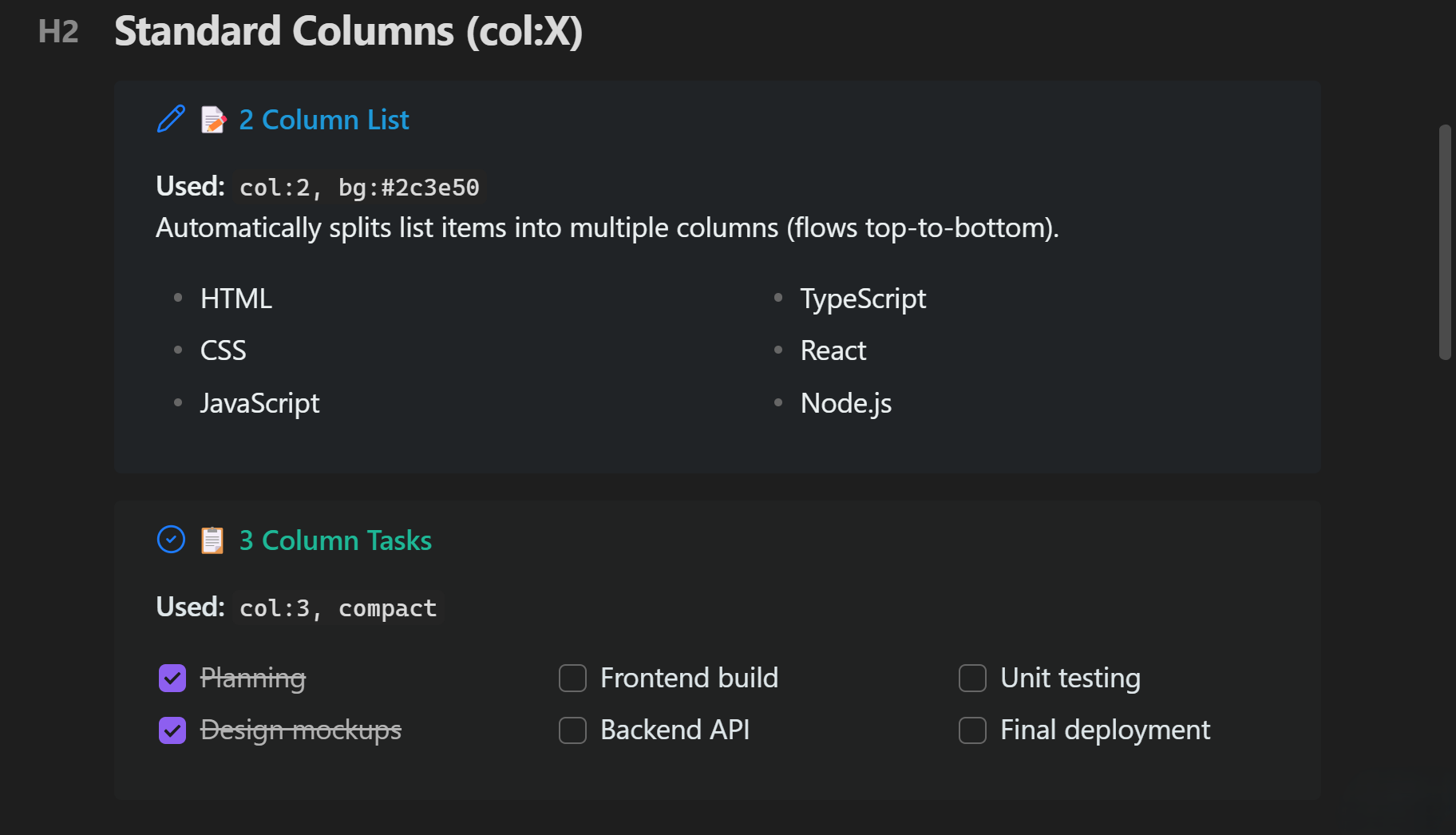
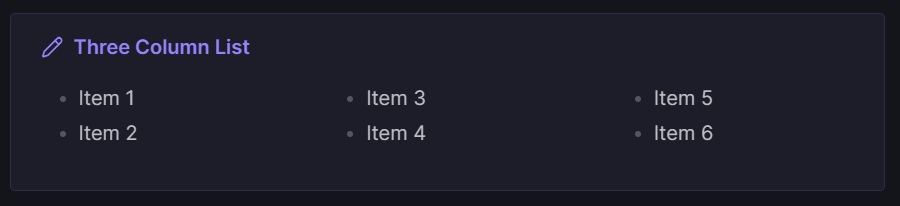
One of the most useful features is turning a long list inside one callout into readable columns. Add col:N to the metadata — col:2 through col:4 are the practical range for ordinary note widths.
> [!todo] (col:3, compact, border:#00cec9, radius:10) Release checklist
> - Finish the README
> - Add screenshots
> - Run tests
> - Build the release
> - Publish the changelog
> - Reply to feedback
The list keeps normal Markdown semantics and is read top-to-bottom within each column. It also works with list output from Dataview (LIST and TASK queries).
Dashboard grids with multi-callout
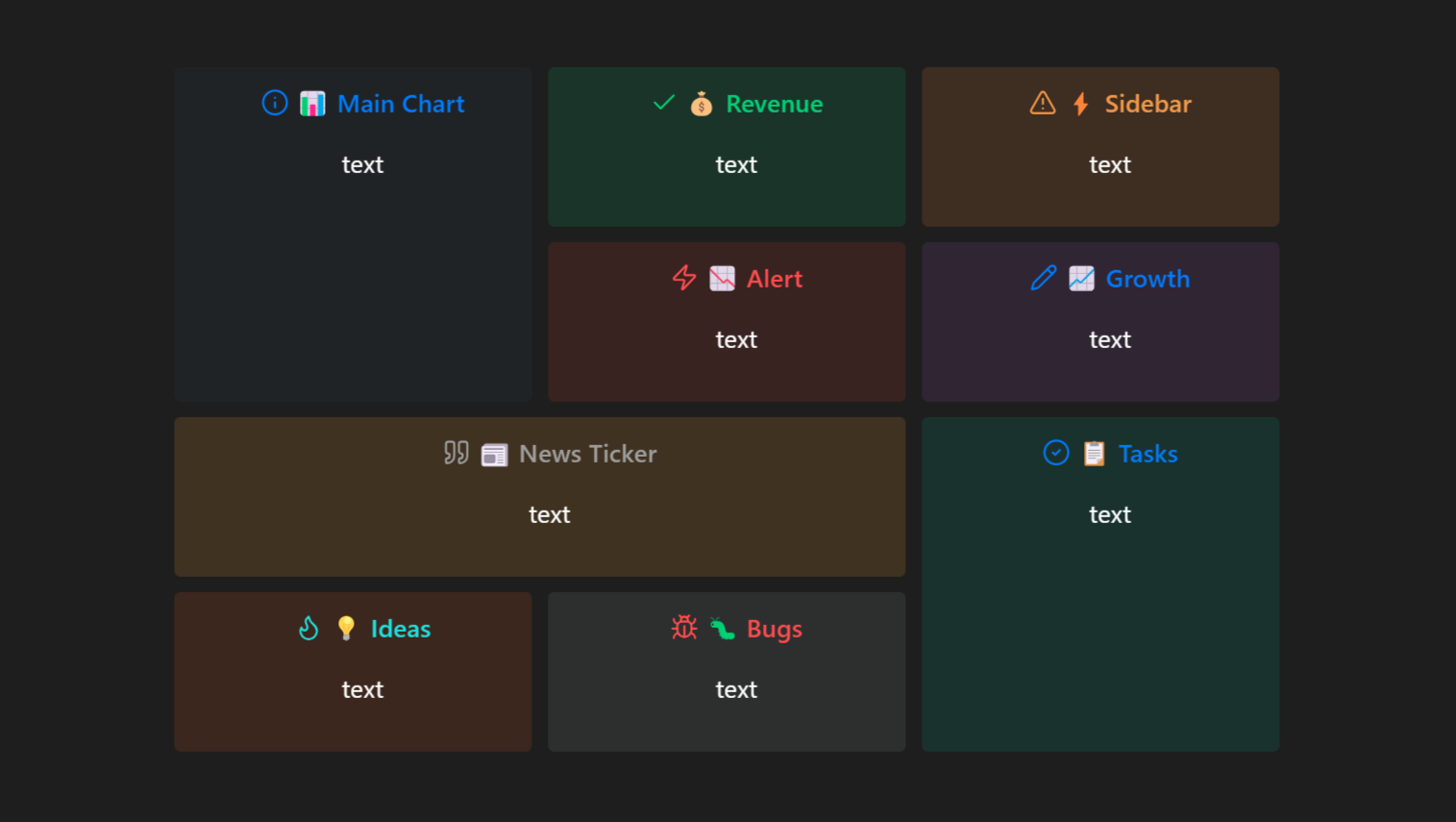
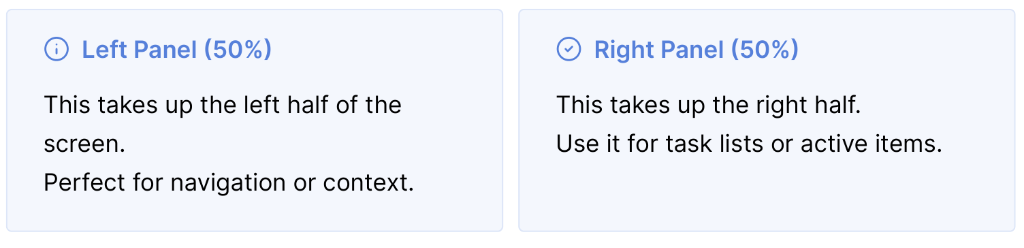
For side-by-side panels, use a multi-callout wrapper and nested callouts. The grid metadata travels with the Markdown, and panels stack vertically on small screens.
> [!multi-callout]
> > [!info] (1:2, compact) Notes
> > Quick context or navigation.
>
> > [!success] (2:2, compact) Tasks
> > A short active-task list.
What it can do
- Style individual callouts: colors, borders, gradients, glow effects, icons, typography, alignment, and compact spacing.
- Split a list inside a callout into 2–4 columns.
- Build responsive, side-by-side callout dashboards with simple inline grid metadata.
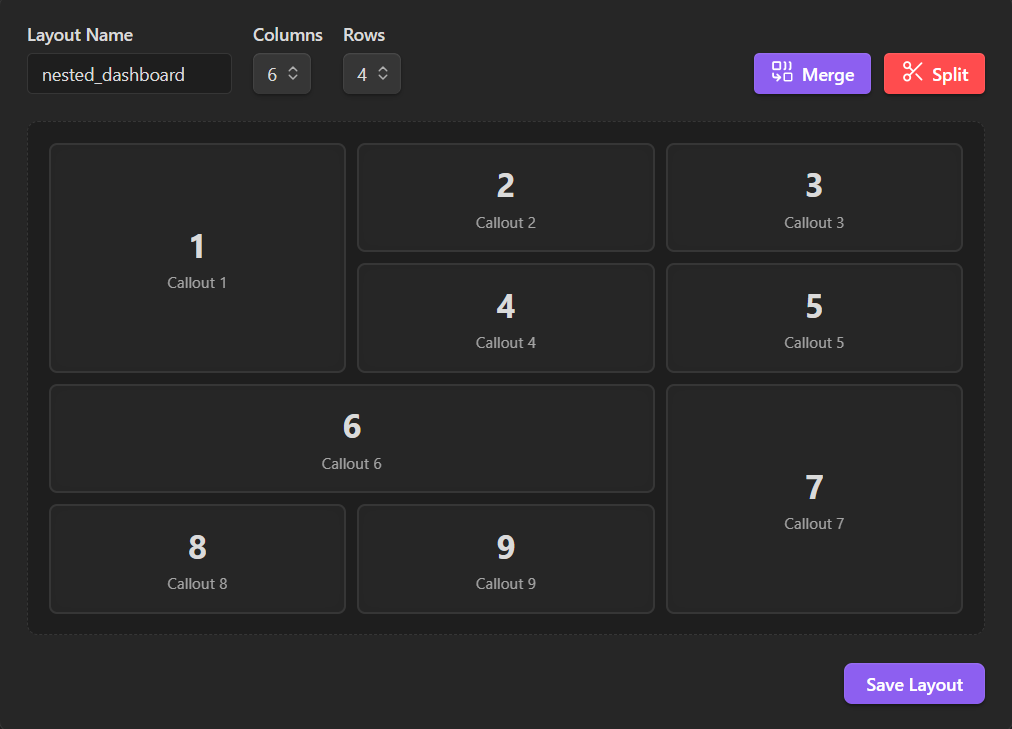
- Design named multi-panel layouts visually in Settings → Special Callouts → Visual Layout Builder — drag, merge, save, and reuse; no CSS required.
- Use the layouts with Dataview-generated lists as well as normal Markdown lists.
- Export/import saved styles as JSON to share them between vaults.
Optional AI Agent Skill
The repository also includes an AI Agent Skill. It is a plain-Markdown reference derived from the current source, so an AI agent can generate the correct callout syntax instead of guessing.
It covers the full parameter set, practical recipes, layouts, and the small details that otherwise cause confusing results — for example, metadata has to come immediately after ], and bg: is intentionally a subtle translucent background rather than a solid panel.
You can give an agent the raw SKILL.md, or copy the skill folder into the directory used by your agent framework. It is especially useful for prompts such as:
- “Make the task list in this callout two columns.”
- “Create a compact dashboard for my daily note.”
- “Why is this callout background so faint?”
Links
- Install: Obsidian Community Plugins
- Source, examples, and full usage guide: GitHub repository
- Bug reports and feature requests: GitHub Issues
I would love feedback on real vault use cases, especially theme compatibility, mobile layouts, Dataview workflows, and layouts you find difficult to express with ordinary callouts.