Why I Built This
The Obsidian community currently lacks a good built-in terminal solution. Existing terminal plugins either rely on external terminal emulators or have cross-platform compatibility issues.
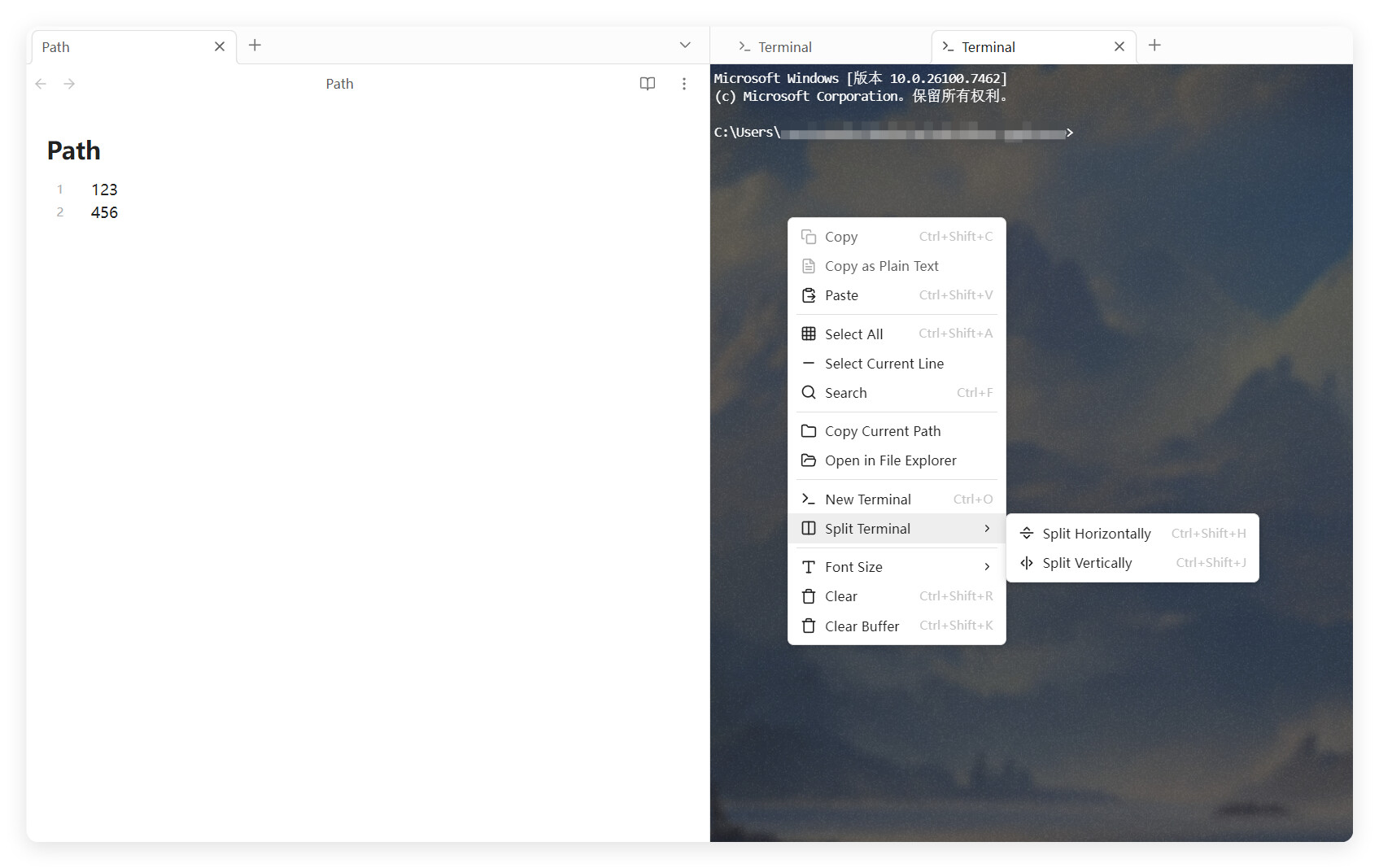
So I built a lightweight, cross-platform pseudo-terminal server using Rust + portable-pty + WebSocket. It integrates seamlessly into Obsidian, providing a near-native terminal experience — no window switching, everything happens right in your vault.
Technical Architecture
┌─────────────────────────────────────────────────────────────┐
│                    Obsidian Plugin (TypeScript)              │
│  ┌─────────────┐    ┌─────────────────┐    ┌─────────────┐  │
│  │TerminalView │◄──►│ TerminalInstance│◄──►│TerminalSvc │  │
│  │  (xterm.js) │    │   (WebSocket)   │    │  (Manager)  │  │
│  └─────────────┘    └────────┬────────┘    └──────┬──────┘  │
└──────────────────────────────┼───────────────────┼──────────┘
                               │ WebSocket          │ spawn
                               ▼                    ▼
┌─────────────────────────────────────────────────────────────┐
│                    PTY Server (Rust)                         │
│  ┌─────────────┐    ┌─────────────────┐    ┌─────────────┐  │
│  │   Server    │◄──►│   PtySession    │◄──►│    Shell    │  │
│  │ (WebSocket) │    │  (portable-pty) │    │  (OS Shell) │  │
│  └─────────────┘    └─────────────────┘    └─────────────┘  │
└─────────────────────────────────────────────────────────────┘
- Frontend: xterm.js for terminal UI with Canvas/WebGL rendering
- Communication: WebSocket + JSON message protocol
- Backend: Rust-based PTY server using
portable-ptyfor cross-platform PTY support
Key Features
 True Cross-Platform: Windows (CMD/PowerShell/WSL/Git Bash), macOS (bash/zsh), Linux
- Native Terminal Experience: PTY-based, full support for escape sequences, colors, interactive programs
- Lightweight & Fast: Rust server, ~2MB release build, instant startup
- Auto Recovery: Crash detection + exponential backoff restart strategy
- Multi-Session: Multiple terminal instances simultaneously
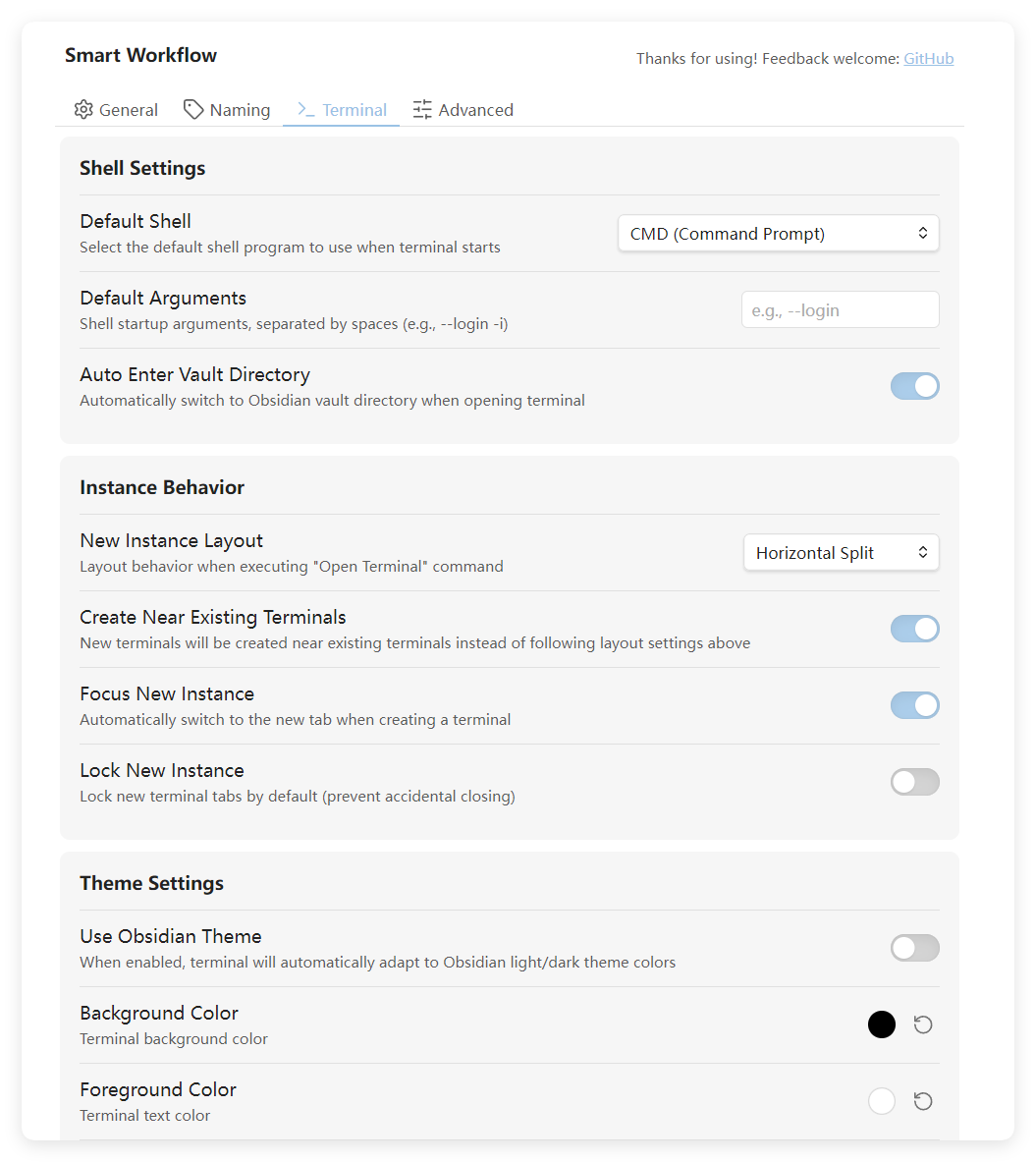
- Highly Customizable: Theme colors, background images, blur effects, custom shell paths
About Smart Workflow
The terminal feature is just one part of Smart Workflow. The core goal of this plugin is to create an AI-powered Obsidian workflow — the terminal exists so I can work better with AI inside Obsidian without constantly switching windows.
The plugin also includes Intelligent Note Naming: using OpenAI-compatible APIs to deeply understand note content and automatically generate optimal filenames.
Roadmap
The terminal is just the beginning of Smart Workflow. As an AI workflow plugin, more AI-powered features will be added over time. The goal is to transform Obsidian into a truly AI-Native knowledge management platform.
License
This project is open-sourced under the GPLv3 license.
If you’re only interested in the terminal functionality, feel free to extract the PTY Server as a standalone project. However, please comply with GPLv3 requirements — if you modify and distribute this code, you must also open-source it under GPLv3.
Installation
Due to the complexity of the Obsidian plugin marketplace submission process, this plugin is not currently listed on the official marketplace.
To install, please download from GitHub:
- Go to the
https://github.com/ZyphrZero/obsidian-smart-workflow/releasespage - Download
obsidian-smart-workflow.zip - Extract and place the folder in
.obsidian/plugins/directory - Restart Obsidian and enable the plugin in settings
Links
- GitHub:
https://github.com/ZyphrZero/obsidian-smart-workflow
If this project helps you, please consider giving it a Star  ! Feel free to open GitHub Issues for any questions or suggestions.
