I’m a Chinese user, and the language of my macOS is also Chinese.
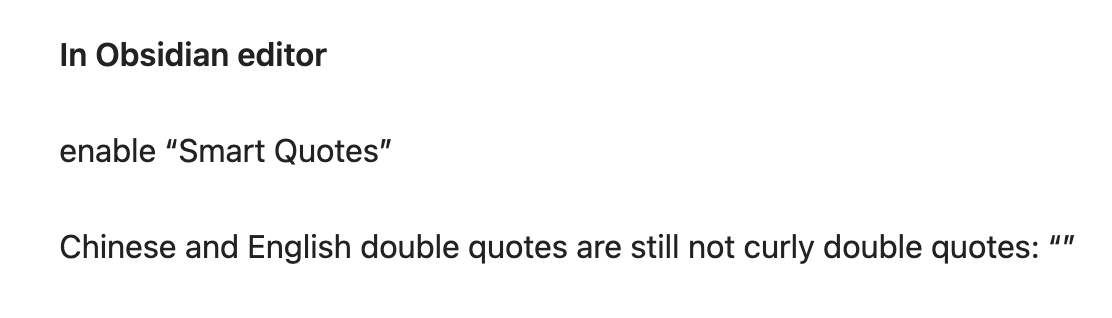
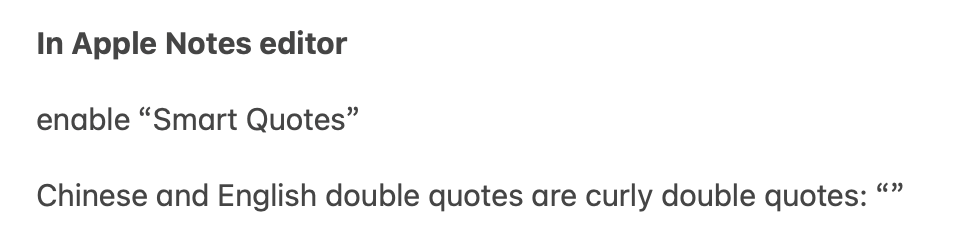
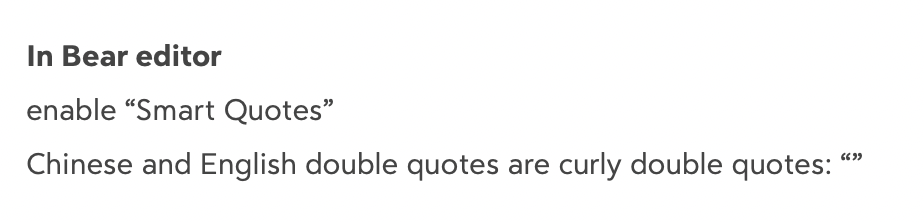
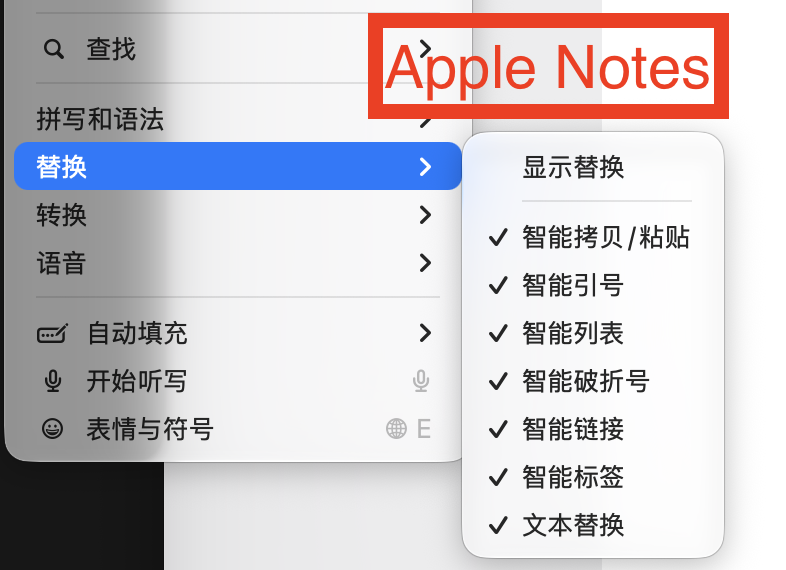
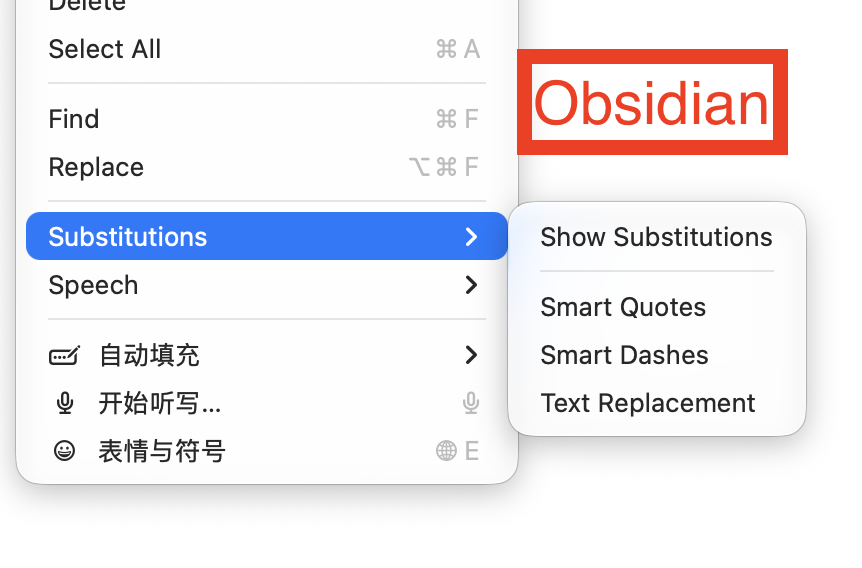
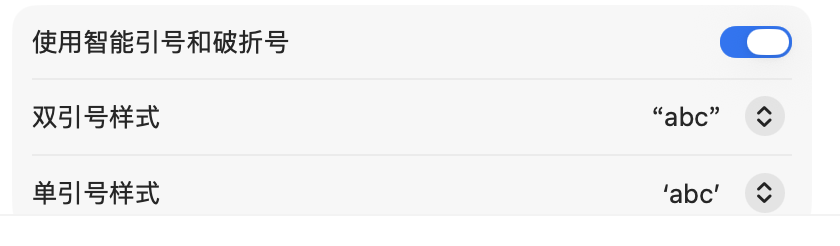
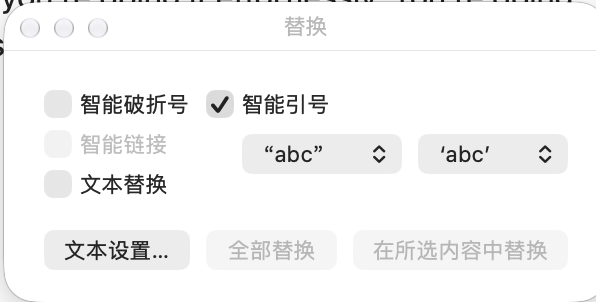
macOS supports “Smart Quotes” in Settings, where you can choose the style for double quotes and single quotes. On my system, the default style for smart double quotes is “curly double quotes.” This feature works in both Apple Notes and Bear: whether I type English double quotes or Chinese double quotes, they both appear as curly double quotes. However, in the macOS version of Obsidian, even if I enable Smart Quotes under Edit in the top menu bar, Chinese and English double quotes are not the “curly double quotes” style I want. For Chinese double quotes, they remain in the “slanted double quotes” style.
By the way, the interaction for the “Substitutions” submenu under Edit in Obsidian’s top menu bar is not good. Unlike Apple Notes and Bear, it doesn’t show a checkmark next to the option, so I can’t immediately tell whether I’ve enabled Smart Quotes.
My Obsidian uses the default font; I haven’t changed it to another font. My Apple Notes also uses the default font.
Steps to reproduce
- enable Smart Quotes in the top menu bar of Obsidian
- type Chinese double quotes and English double quotes
- double quotes are not the “curly double quotes” which is the default style in “Smart Quotes”
Expected result
Chinese double quotes and English double quotes should be curly double quotes.
Actual result
Chinese double quotes and English double quotes are not the “curly double quotes” which is the default style in “Smart Quotes”
Environment
SYSTEM INFO:
Obsidian version: 1.14.4
Installer version: 1.14.4
Operating system: Darwin Kernel Version 27.0.0: Tue Aug 11 21:02:57 PDT 2026; root:xnu-13432.1.9~1/RELEASE_ARM64_T8132 27.0.0
Login status: not logged in
Language: en
Insider build toggle: off
Live preview: on
Base theme: adapt to system
Community theme: none
Snippets enabled: 0
Restricted mode: off
Plugins installed: 4
Plugins enabled: 0
RECOMMENDATIONS:
none