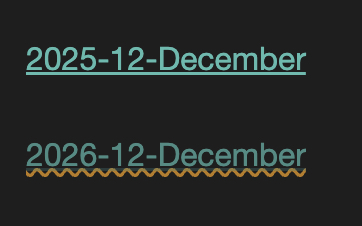
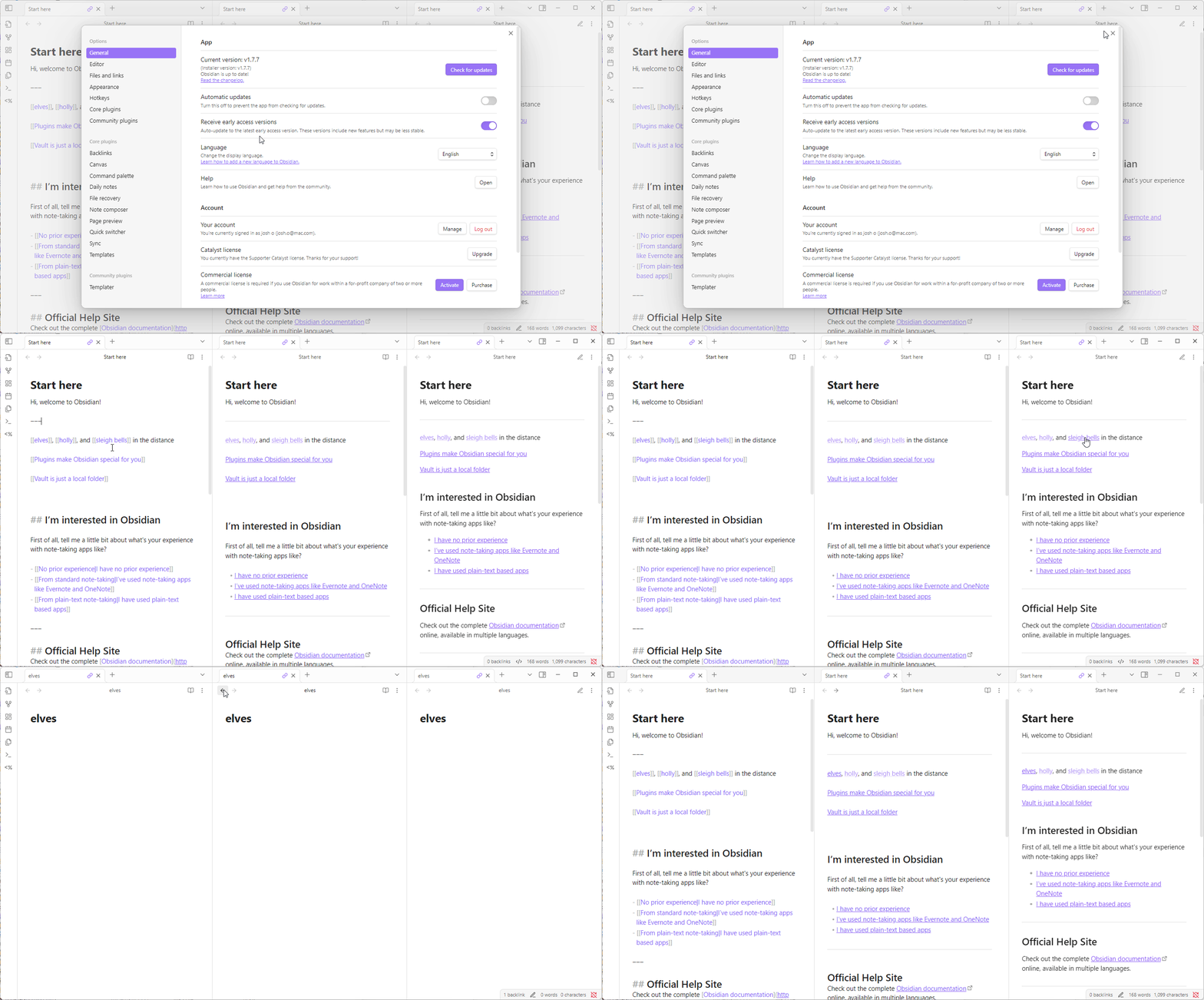
=> which of my plugins could be responsible for that behaviour?
SYSTEM INFO:
Obsidian version: v1.11.1
Installer version: v1.10.3
Operating system: Windows 11 Enterprise 10.0.26100
Login status: logged in
Language: en
Catalyst license: insider
Insider build toggle: on
Live preview: on
Base theme: dark
Community theme: none
Snippets enabled: 1
Restricted mode: off
Plugins installed: 66
Plugins enabled: 39
1: Style Settings v1.0.9
2: Dataview v0.5.68
3: Advanced Tables v0.22.1
4: Emoji Toolbar v1.0.0
5: File path to URI v1.4.1
6: Hotkeys for templates v1.4.3
7: Hotkeys++ v0.2.7
8: Map View v6.0.3
9: MSG Handler v0.0.6
10: Recent Files v1.7.5
11: Strange New Worlds v2.3.5
12: Tag Wrangler v0.6.4
13: Tasks v7.22.0
14: Whisper v1.5.5
15: PodNotes v2.15.1
16: Epub Importer v0.8.4
17: Importer v1.8.2
18: Linter v1.30.0
19: Dictionary v2.22.0
20: WordNet Dictionary v2.0.6
21: Regex Find/Replace v1.2.0
22: Footnote Shortcut v0.1.3
23: PDF++ v0.40.31
24: DB Folder v3.5.1
25: Multi Properties v1.3.0
26: Tracker v1.17.0
27: Multi-Column Markdown v0.9.1
28: File Explorer Note Count v1.2.4
29: Macros v2.4.0
30: Food Tracker v0.15.0
31: Auto Note Mover v1.2.0
32: Latex Suite v1.9.8
33: Copy Block Link v1.0.4
34: Custom Attachment Location v9.22.0
35: Scribe v2.2.4
36: AI Transcriber v0.9.3
37: Minimal Theme Settings v8.2.1
38: Templater v2.16.4
39: Excalidraw v2.18.1
RECOMMENDATIONS:
Custom theme and snippets: for cosmetic issues, please first try updating your theme and disabling your snippets. If still not fixed, please try to make the issue happen in the Sandbox Vault or disable community theme and snippets.
Community plugins: for bugs, please first try updating all your plugins to latest. If still not fixed, please try to make the issue happen in the Sandbox Vault or disable community plugins.
As I can repro in the Sandbox vault (Restricted Mode enabled) on MacOS, I’m not sure this is plugin/theme related …
But it also seems to only happen in Source Mode (as Live Preview and Reading appear to be fine).
So I don’t know if this is just a visual quirk of Source Mode or an actual bug with the default theme …
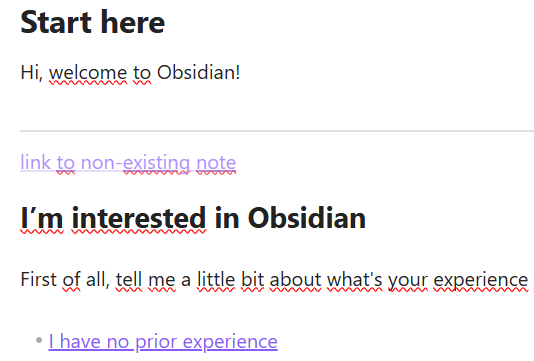
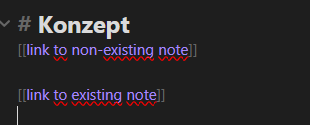
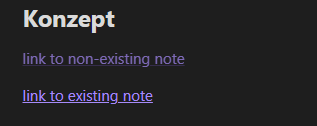
As far as I can see in the Dev Tools, there’s an .is-unresolved class applied to internal links when the link points to a note that doesn’t exist yet/anymore … but in Source Mode that class is nowhere to be found (well, at least, I can’t find it ) and all internal links seems to get their color through the variable --link-color (regardless of their state)
This could potentially be fixed with a CSS snippet, as a workaround ?
But I’m not “CSS fluent” enough to know which snippet could help you …
I hope someone more knowledgable will have some more precise info to help you here
I don’t know about your plugins. I can maybe partially help a bit with the CSS. (First plugins to check might be Style Settings, Minimal Theme Settings, and your Minimal theme, if you’re running that.)
This CSS snippet used to work for me and change my unresolved links orange. Since about a year, it doesn’t change the text color. But I color the text-decoration-color, and that works for me. In Reading mode, the text color does still turn orange. But in Live Preview, I only have the decoration as orange.
Something else is overriding it, and I’m not sure what.
Just to check about links in Source mode (I couldn’t remember), I spun up a copy of Obsidian v.1.7.7. Unresolved links have the same opacity as resolved links. As Pch mentioned, there’s no .is-unresolved class in Source mode to differentiate them. So nothing new there on Obsidian’s end.
source mode | live preview | reading view
I’d try some of rigmarole’s snippets and continue debugging on your own, but keep in mind that if you are in Source mode, there’s nothing visually that sets unresolved links apart from resolved links.
 …
… …
… ) and all internal links seems to get their color through the variable
  …
…