Enable Stage Manager (if not already enabled) on the latest iPad OS 26.1
Open Obsidian in a window (not full screen), or resize the window
Did you follow the troubleshooting guide? [Y/N]
Yes
Expected result
Previously, the sidebar was visible and accessible even in windowed mode
Actual result
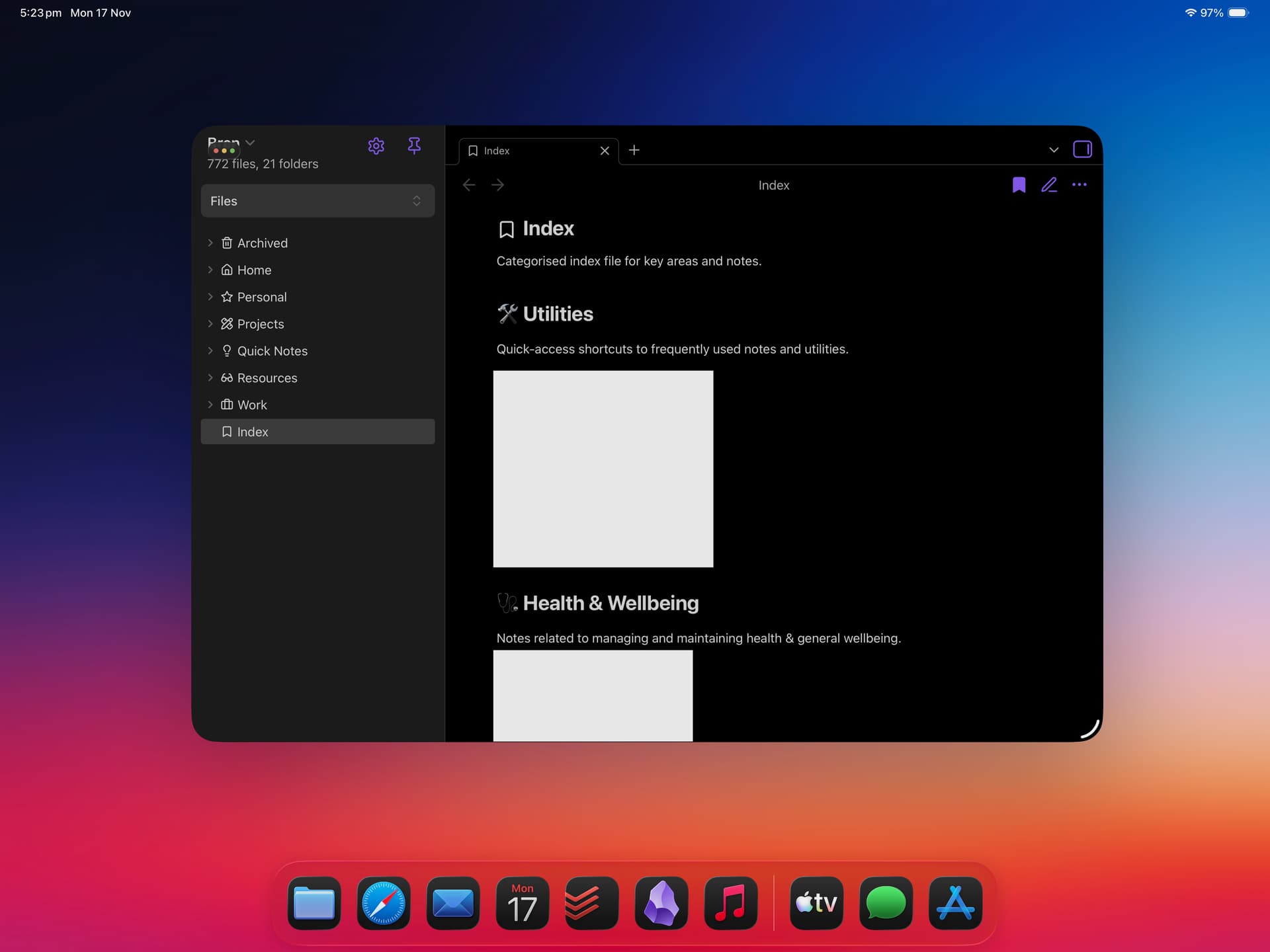
iPad’s window control UI overlaps the sidebar (covering the vault name)
If the sidebar is not pinned, the button to access the sidebar again is covered
Environment
SYSTEM INFO:
Operating system: ios 26.1 (Apple iPad16,5)
Obsidian version: 1.10.3 (251)
API version: v1.10.3
Login status: logged in
Language: en
Catalyst license: none
Live preview: on
Base theme: adapt to system
Community theme: none
Snippets enabled: 0
Restricted mode: on
RECOMMENDATIONS:
none
Additional information
Screenshots showing the issue (theme and plugins were set at the time of screenshot, but have since been disabled and the issue remains and can be replicated without any themes or community plugins, as per above).
Can reproduce. The vault name can still be tapped to switch vaults if it’s long enough.
I changed the title to reflect that this happens in both windowed modes, not just Stage Manager (was “Obsidian sidebar on iPad OS (with Stage Manager enabled) obfuscated”).
Workarounds:
To open the sidebar, swipe (but not from the very edge, or you’ll accidentally resize the window, thanks, Apple).
To switch vaults if the vault name is short enough to be fully covered by the window controls, use the “Open another vault” command (unfortunately this opens the less friendly vault manager rather than the sidebar’s drop down list).
Goto iPadOS Setting➔Multitasking&Gestures and select Windowed App
Run Obsidian in Windowed Mode
See Top left corner to see overlapping UI
Did you follow the troubleshooting guide? [Y/N]
Yes
Expected result
Window control button should be separated from obsidian’s menu bar
Actual result
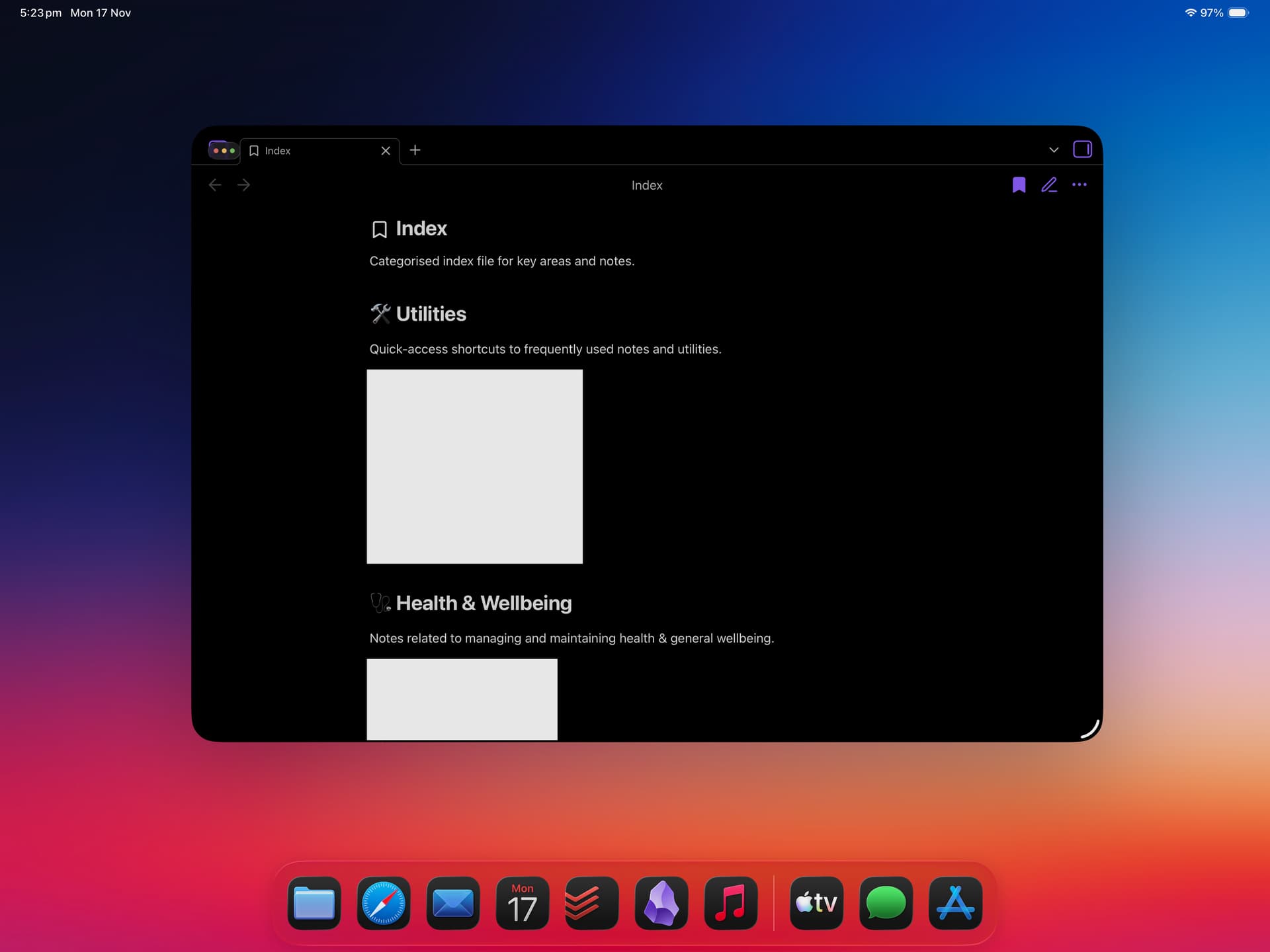
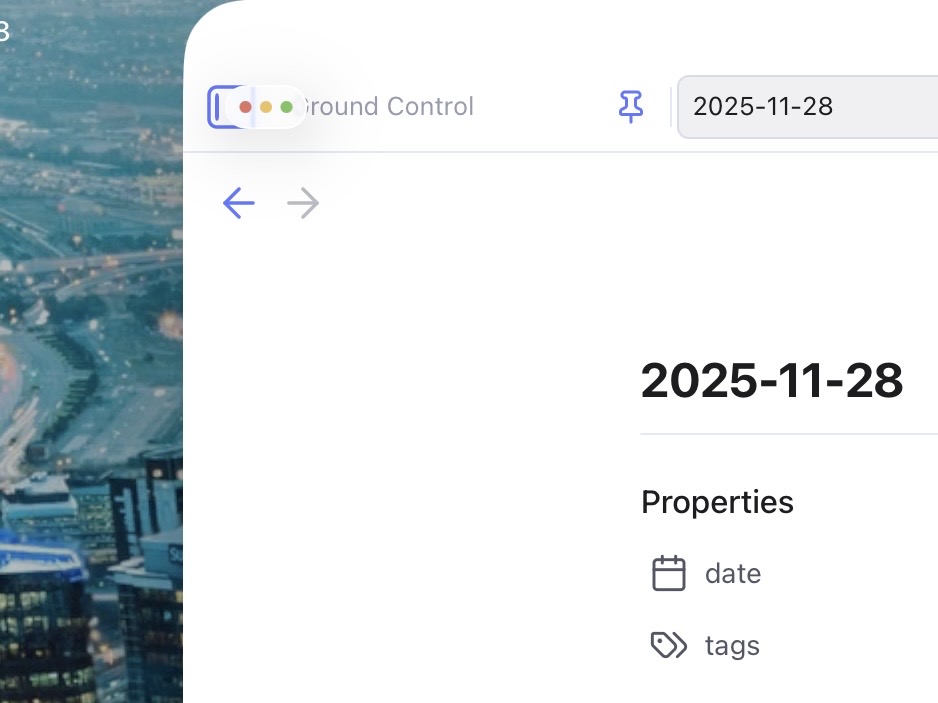
Obsidian Menu bar overlapping OS’s windows control
Environment
Additional information
I’m currently using iPadOS 26. When I run this app in window mode, the top-left navigation/menu button overlaps with the system’s window control (the three dots).
It makes it extremely difficult to press the app’s menu button because the window handle gets in the way. I often end up accidentally moving the window instead of opening the menu.
Is this a known bug in iPadOS, or does the app developer need to fix the layout? See the attached screenshot for reference.
I am not sure if this issue has been discussed here in forum, but after the new update to iPadOS 26, the windows now come with the three buttons (aka the traffic light buttons) on the top left corner. Now those buttons blocks the “expand” button on Obsidian whenever it is not in the full screen mode (which is in most of the cases for me).
It has been a very frustrating experience for me lately, and I am sure there are many people who feels the same way. I assume it should be an easy fix and hopefully the team can reflect it on the next update.
Thank you for the great work! Obsidian has been my go-to tool for many years now. Would love to keep it that way for many years to come. Thanks!

 otherwise what an awesome app!