Shiqing Guanlan · 石青观澜 — a blue-green landscape theme for Obsidian
Disclaimer
Hello everyone — I’m sharing Shiqing Guanlan · 石青观澜, a free and open-source Obsidian theme inspired by qinglü shanshui (青绿山水), the Chinese blue-green landscape-painting tradition.
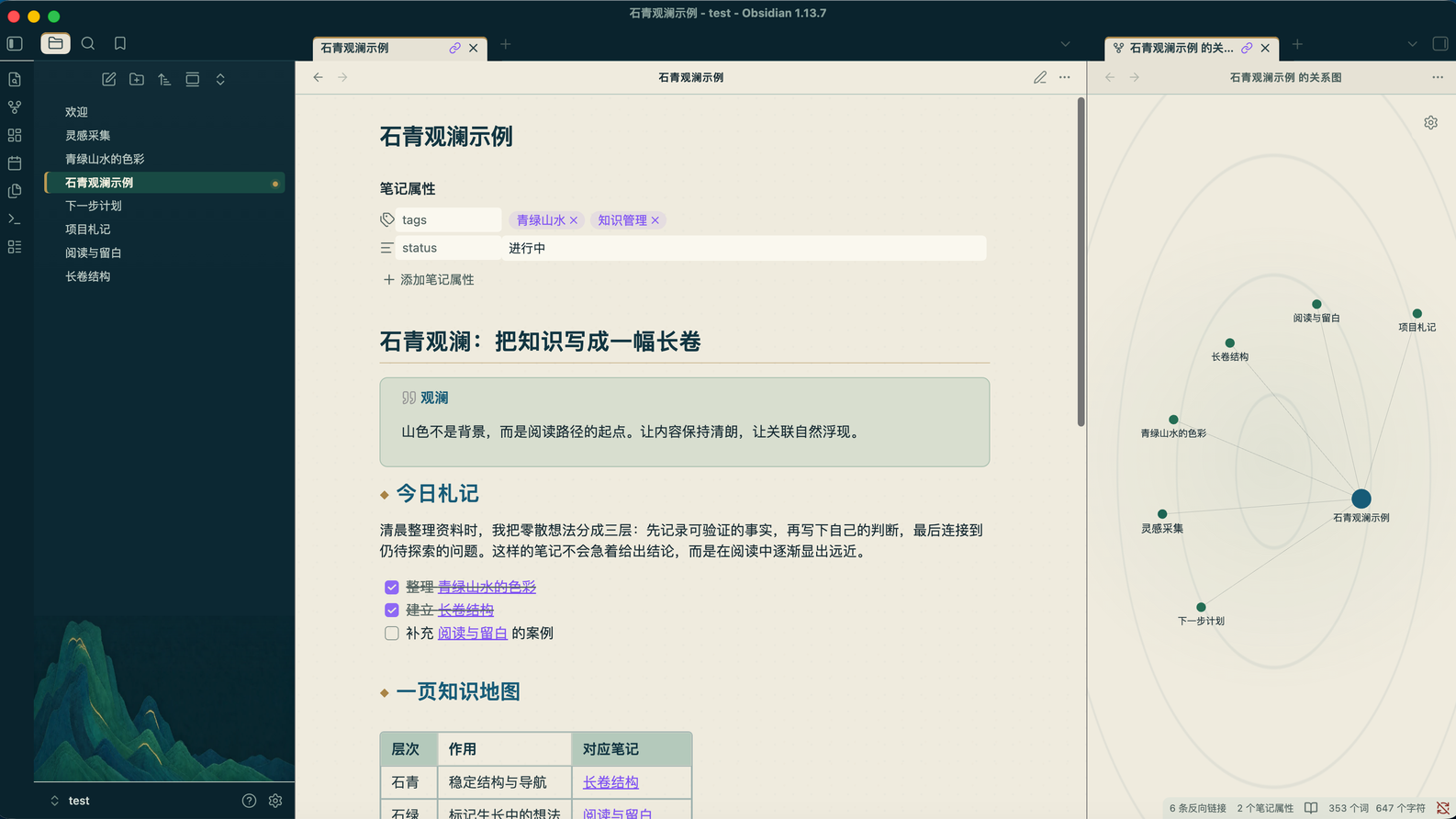
What I wanted to make
I did not want to place a historical painting behind the editor and call it a theme.
The visual reference is instead translated into the workspace’s structure: mineral colours with restrained contrast, a sense of layered distance, and the gradual rhythm of a handscroll. The aim is a distinctive interface that remains practical for everyday reading, writing, and navigation.
The theme keeps the note at the centre. Landscape appears only as a subdued original backdrop at the bottom of the left file explorer; the file list scrolls above it without losing usable space. The editor and right sidebar stay decoration-free.
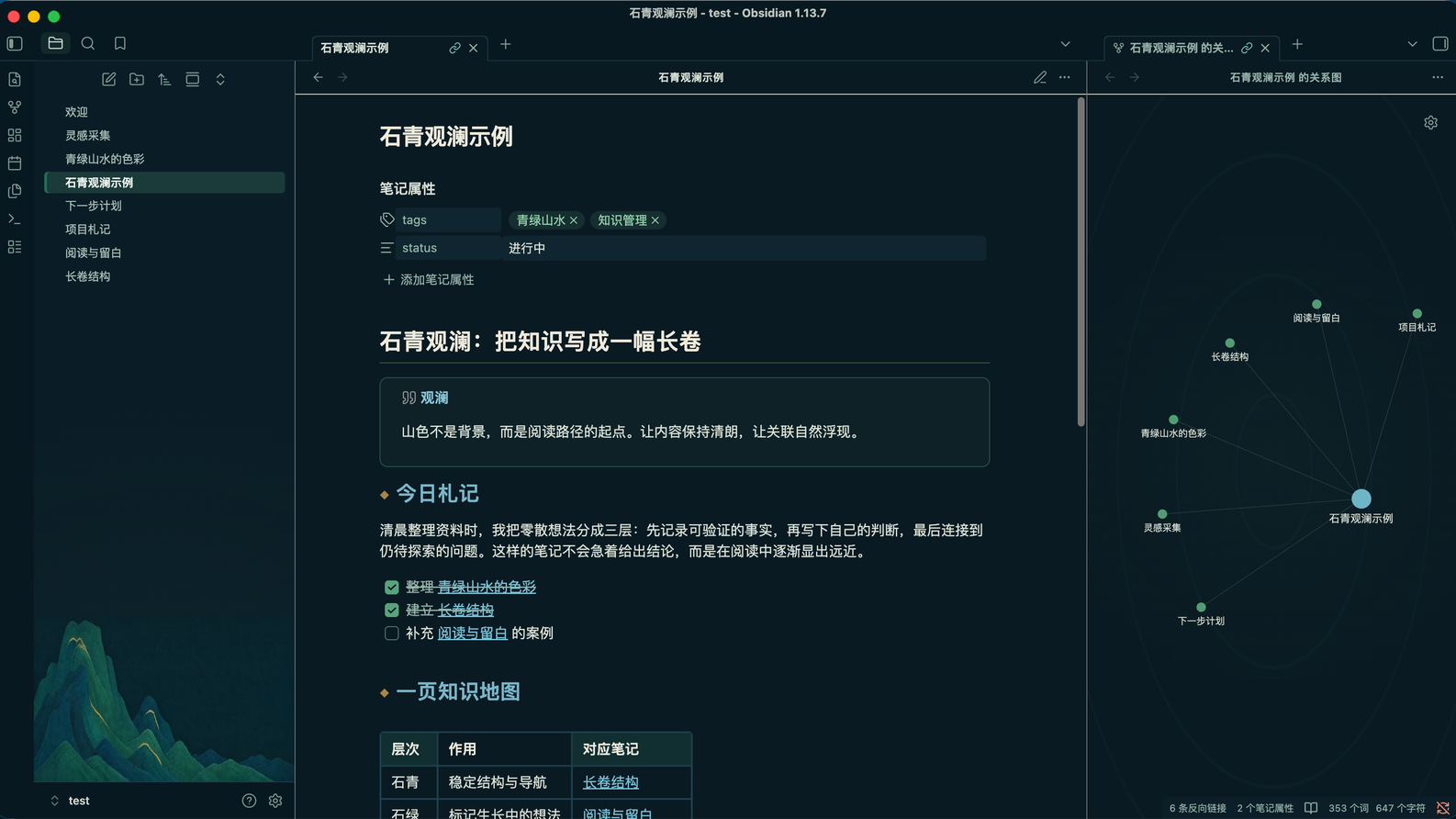
Two native appearances
Shiqing Guanlan follows Obsidian’s built-in light/dark appearance setting:
- Qingben · 晴本 — warm stone-paper notes inside a deep mineral-blue application shell.
- Night Passage · 夜航 — a blue-black writing field with pale ink text and the same azurite/malachite hierarchy.
Highlights
- Mineral blue application surfaces with restrained malachite-green interaction states
- Readable Chinese and Latin typography
- Styling for headings, links, lists, tables, blockquotes, code, tags, callouts, and checkboxes
- Coordinated tabs, title bar, ribbon, file explorer, menus, modals, and graph view
- A low-interference landscape treatment in the left file explorer
- Clear, decoration-free editor and right-sidebar surfaces
- Reduced-motion support
- Compatible with Obsidian 1.12.0 and later
Install
- Open Settings in Obsidian.
- Go to Appearance → Themes → Manage.
- Search for Shiqing Guanlan.
- Select Use.
Feedback
I’ll keep future releases and updates in this thread.
I would especially appreciate reports about readability, contrast, unexpected styling in core Obsidian views, and compatibility with commonly used plugins. Screenshots and reproduction steps are very helpful for bugs.
Thank you for trying it.